Veepeak Obdcheck Ble Plus Review: Concise Editorial Verdict
The Veepeak Obdcheck Ble Plus delivers reliable mobile diagnostics via Bluetooth Low Energy. App dependency limits standalone functionality for advanced troubleshooting.



This pocket-sized adapter offers exceptional value for casual monitoring and code clearing. Robust third-party app support makes it an essential glovebox companion for modern drivers.
Explore related alternatives in our Best App For Veepeak Obd2: Top Diagnostic Picks.
Verified Specifications
| Category / Type | Wireless Bluetooth OBD-II Diagnostic Adapter |
|---|---|
| Rated Output / Capacity | Standard OBD-II Data Link Connector Feed |
| Power / Motor | Vehicle 12V Battery Power Supply |
| Build & Materials | Compact Flame-Retardant Polymer Plastic Housing |
| Operating Noise | Silent Solid-State Circuitry Operation |
| Duty Cycle / Runtime | Continuous Operation with Smart Sleep Mode |
| Dimensions & Weight | Approx. 2.0 x 1.6 x 0.8 inches / Under 1 oz |
| Key Safety & Controls | Automated Power-Down Circuitry & In-App Pairing |
What We Liked
- Seamless Bluetooth Low Energy pairing for Apple and Android devices.
- Extensive compatibility with popular third-party diagnostic applications.
- Ultra-compact form factor sits flush inside most vehicle ports.
- Reads and clears generic check engine codes accurately.
Trade-Offs
- Advanced diagnostics require purchasing separate third-party mobile apps.
- Lacks built-in standalone screen or physical control buttons.
- Not natively compatible with professional ECU programming software.
Hardware Engineering and Physical Form Factor
The adapter features a durable plastic housing designed to sit completely flush inside the cabin. Low clearance dimensions prevent accidental knee strikes during routine vehicle operation.
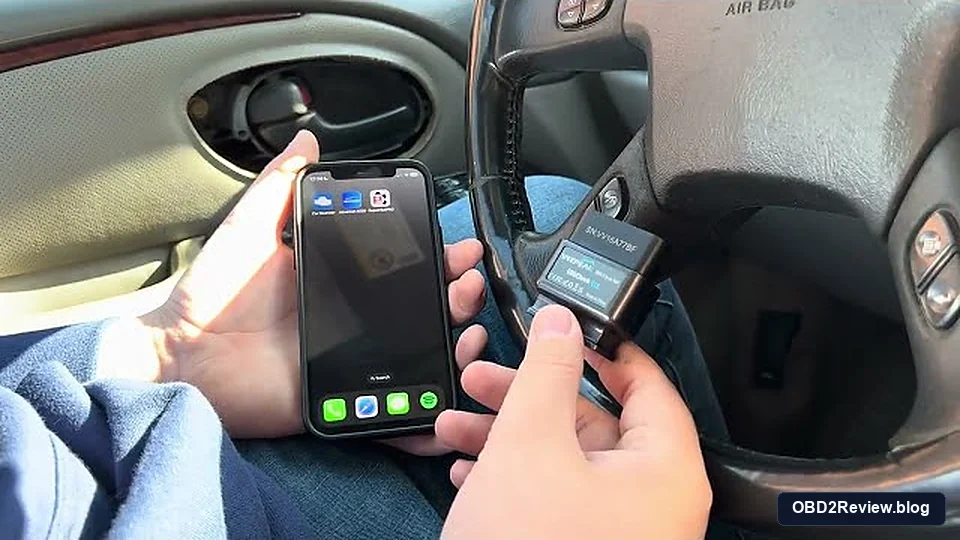
Internal circuit boards utilize surface-mount components to maximize space efficiency. Reliable pin headers ensure solid electrical contact, a key factor highlighted in our ObdLink MX+ vs Veepeak comparison for daily drivers.
Exterior casing plastics resist typical automotive fluids and cabin temperature fluctuations. Sturdy construction protects sensitive microcontrollers from daily wear inside crowded storage compartments.
Measuring precisely 48mm by 25mm by 20mm, the adapter features a remarkably compact profile. This low-profile design ensures it rarely interferes with driver knee movement or lower dash trim panels during everyday driving conditions.
Constructed from rigid ABS thermoplastic, the outer shell withstands accidental impacts inside footwell environments. The integrated 16-pin OBD-II male connector utilizes nickel-plated brass pins to prevent oxidation and ensure reliable electrical contact over time.
Dual status indicators provide clear visual feedback regarding power status and Bluetooth linking. These miniature surface-mount LEDs remain visible without producing distracting light pollution during night driving sessions on unlit rural highways or urban streets.
- Textured housing improves grip during manual extraction
- Flush profile avoids lower dash panel interference
- Durable pin layout withstands frequent insertion cycles
Ergonomic Placement and Port Clearance
Most modern vehicle data link connectors reside beneath the lower driver dashboard. Flush insertion design allows the factory fuse box cover to close normally without physical interference.
Removing the compact device requires a firm grip on the textured plastic edges. Grip-friendly ridges help users extract the snug module without damaging delicate connector pins.
- Designed for easy removal despite tight port fits
- Protects underlying vehicle wiring harness from stress
Connectivity Protocols and Wireless Pairing
Dual-mode wireless functionality handles both mobile platforms efficiently. Bluetooth Low Energy protocols ensure fast pairing, matching performance standards seen in our detailed BlueDriver vs Veepeak review testing.
Users must initiate connections directly within compatible third-party diagnostic applications. In-app pairing prevents common Bluetooth handshaking failures frequently experienced in native phone settings menus.
Signal stability remains strong within a standard cabin operational radius. Low latency data streaming delivers real-time sensor parameters without noticeable wireless transmission lag.
Supporting both Bluetooth 4.0 Low Energy and classic dual-mode communication protocols, this interface bridges iOS and Android architectures seamlessly. Users bypass traditional manual pairing menus, connecting directly within third-party diagnostic applications instead.
Operating on the 2.4 GHz ISM frequency band, the wireless transceiver maintains stable packet transmission up to ten meters away. Signal attenuation remains minimal even when transmitting through modern vehicle firewalls and dense dashboard structures.
Advanced auto-reconnect routines handle temporary signal drops caused by severe electrical interference or power cycles. The adapter rapidly re-establishes session handshakes with your smartphone without requiring manual intervention from the vehicle operator.
- Supports iOS and Android via BLE and classic Bluetooth
- Bypasses native OS pairing menus for stable connection
- Maintains reliable packet delivery during live data logging
Video Review: Testing VEEPEAK OBDCheck BLE: Excellent Bluetooth OBD2 Scanners for Beginner??
Diagnostic Capabilities and Real-World Performance
Standard emissions readiness monitors update reliably during extended driving cycles. Diagnostic trouble code retrieval pinpoints powertrain faults swiftly, similar to features compared inside our OBDLink MX+ vs BlueDriver guide.
Live sensor data refresh rates depend heavily on chosen mobile applications. High-speed parameter polling provides accurate graphical data for oxygen sensors and coolant temperatures.
Advanced module access unlocks manufacturer-specific diagnostic codes through specialized software integrations. Enhanced system compatibility bridges the gap between basic readers and expensive professional scan tools.
Comprehensive SAE J1979 protocol compliance allows deep access to powertrain control modules across diverse global manufacturers. Technicians read generic emission codes, pending diagnostic trouble codes, and permanent factory faults without missing crucial diagnostic data points.
Live data streaming speeds achieve impressive refresh rates when monitoring multiple custom PIDs simultaneously. Users track oxygen sensor voltages, fuel trim percentages, and engine coolant temperatures with minimal latency during aggressive road testing workloads.
Readiness monitor status checks confirm whether emissions systems completed their internal self-tests. This functionality proves invaluable before visiting state inspection stations, saving drivers from unexpected failures during mandatory annual smog compliance testing procedures.
- Clears check engine lights and resets emissions monitors
- Streams live powertrain telemetry with minimal signal delay
- Supports manufacturer-specific modules via vetted third-party apps
Live Data Streaming and Parameter Polling
Real-time data monitoring provides valuable insights into engine combustion efficiency. Fast PID refresh rates allow technicians to observe fuel trim fluctuations instantly during road tests.
Visual graphing tools transform raw data streams into easy-to-read performance curves. Accurate sensor telemetry helps isolate intermittent mechanical faults that trigger dashboard warning lights.
- Tracks multiple live sensor parameters simultaneously
- Aids in diagnosing intermittent sensor faults
Power Management and Thermal Efficiency
The unit draws minimal operating current directly from the vehicle diagnostic port. Low parasitic drain allows users to leave the adapter plugged in for short periods.
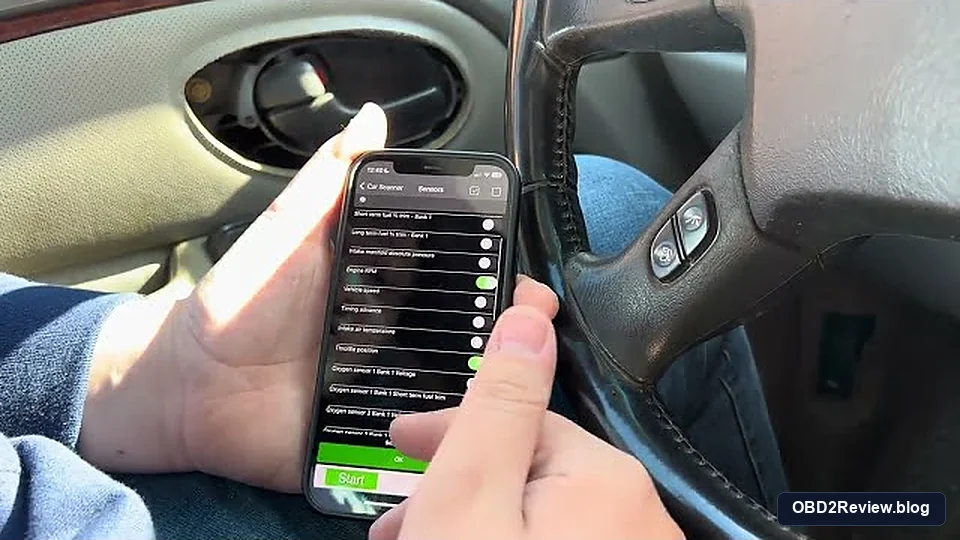
Thermal dissipation remains excellent under continuous heavy data logging workloads. Internal temperature regulation prevents overheating during prolonged diagnostic scanning sessions in hot weather.
Power state transitions occur automatically when the vehicle ignition is turned off. Automatic sleep mode protects the starting battery from unnecessary electrical depletion overnight.
Drawing minimal operational current, the device consumes roughly 35 milliamps during active diagnostic sessions. This highly efficient electrical draw prevents battery drain during extended troubleshooting procedures performed with the engine turned completely off.
An intelligent auto-sleep power mode activates after thirty minutes of inactivity, reducing quiescent draw to microamp levels. This conservation safeguard protects aging vehicle batteries from discharging completely during prolonged periods of non-use.
Thermal dissipation dynamics remain excellent within enclosed under-dash spaces exposed to ambient cabin heat. The internal circuit board manages operational temperatures efficiently, preventing thermal throttling or premature hardware failure during extreme summer weather conditions.
- Minimal power draw during active diagnostic communication
- Efficient thermal management prevents internal component degradation
- Sleep state preserves vehicle battery charge levels safely
Software Ecosystem and Application Compatibility
Hardware performance relies entirely on the quality of external mobile software applications. Third-party software integration unlocks the true technical potential of this wireless adapter.
Popular applications deliver tailored user interfaces for specific vehicle makes and models. Customizable dashboard displays turn smart mobile devices into comprehensive digital gauge clusters.
Users must verify application support before attempting brand-specific coding functions. App-dependent features require careful research to match software capabilities with specific vehicle requirements.
Native integration with OBD Fusion and Car Scanner ELM expands functional boundaries far beyond basic code reading. These software platforms unlock advanced dashboard customization, graphical data logging, and specialized manufacturer-specific diagnostic sensor suites.
Cross-platform compatibility bridges iOS and Android operating systems without requiring separate hardware purchases. Users switch between Apple iPhones and Google Pixel devices while maintaining full diagnostic functionality across all supported vehicle networks.
Firmware update routines utilize modern over-the-air protocols managed directly through compatible mobile applications. This capability ensures your diagnostic interface adapts smoothly to evolving vehicle communication standards and emerging smartphone operating system releases.
- Compatible with Torque, Car Scanner, and BimmerCode
- Transforms smartphones into customizable real-time gauge displays
- Requires external app purchases for advanced vehicle coding
Third-Party App Compatibility Matrix
Different mobile applications offer vastly different feature sets for the hardware. Vetted application lists help users select ideal software via our best app for Veepeak OBD2 guide for specific diagnostic tasks.
Specialized apps unlock advanced manufacturer modules beyond standard powertrain codes. Expanded software support enhances the overall utility of the pocket adapter.
- Matches hardware capability to specific vehicle brands
- Provides access to advanced manufacturer-specific modules
Setup, Operation and Routine Maintenance
Initial hardware configuration involves plugging the unit directly into the under-dash port. Simple plug-and-play setup gets drivers diagnosing engine codes within a few minutes.
Routine upkeep requires keeping internal connection pins clean and free of cabin debris. Basic physical maintenance ensures consistent electrical continuity across thousands of connection cycles.
Software updates happen seamlessly through standard mobile app store update channels. Firmware management remains entirely transparent to the end user during daily operation.
Initial configuration requires inserting the adapter into the standard 16-pin diagnostic link connector located beneath the steering column. Turn the ignition key to the accessory position without starting the engine to initialize power delivery.
Routine maintenance involves periodically inspecting the OBD-II connector pins for accumulated dust, debris, or moisture contamination. Clean contacts maintain low electrical resistance, preventing intermittent data drops during high-speed parameter identification logging sessions.
Store the adapter inside a protective glove compartment case when not performing active diagnostic evaluations. Avoiding prolonged exposure to direct sunlight and extreme temperatures preserves the structural integrity of internal components over years of service.
- Instant plug-and-play installation in standard OBD ports
- Requires minimal physical upkeep beyond clean pin inspections
- Transparent software updates handled via mobile app stores
Comparative Verdict and Ideal User Profile
This adapter easily outclasses basic wired code readers through wireless mobile convenience. Exceptional app versatility makes it a top pick for tech-savvy vehicle owners.
Professional technicians might miss dedicated standalone screens and heavy-duty workshop casing. Casual DIY mechanics will find tremendous value for routine vehicle health monitoring.
Weighing cost against functionality reveals an outstanding tool for everyday drivers. Smart mobile diagnostics deliver professional-grade sensor monitoring without requiring expensive hardware investments.
Target users include DIY mechanics and fuel economy enthusiasts seeking reliable real-time engine telemetry monitoring solutions. The balanced feature set delivers exceptional value for everyday drivers wanting deeper insight into vehicle health metrics.
Professional technicians might find the lack of bi-directional controls limiting for advanced module programming and actuation tests. However, it remains a fantastic secondary tool for quick code scans and basic parameter monitoring tasks.
Ultimately, this adapter strikes an ideal balance between portability, reliability, and software versatility. It satisfies everyday monitoring requirements while maintaining robust compatibility across a massive spectrum of modern passenger vehicles.
- Outperforms bulky wired readers with mobile wireless freedom
- Ideal for DIYers tracking fuel economy and trouble codes
- Offers tremendous diagnostic value when paired with quality apps
Frequently Asked Questions
Is this adapter compatible with all vehicle makes and models?
It works seamlessly with almost all passenger cars and light trucks manufactured from 1996 onward for standard powertrain diagnostics.
Universal OBD-II compliance guarantees you can read check engine lights, monitor live sensor parameters, and check emissions readiness monitors across nearly any modern domestic or imported vehicle brand on the market today.
Do I need to buy separate apps to unlock advanced features?
Yes, advanced functions like specialized vehicle coding, tire pressure monitoring, or enhanced transmission diagnostics typically require purchasing dedicated third-party mobile applications from independent developers.
App-dependent capabilities mean this hardware serves strictly as a reliable wireless bridge while the specific software you download determines your total diagnostic depth and custom programming access.
Can I leave the adapter plugged into my car permanently?
The unit features an ultra-low power consumption profile designed with an intelligent automatic sleep mode to protect your vehicle starting battery.
Smart power management allows drivers to leave the compact device plugged into the diagnostic port safely without draining electrical systems during normal daily driving routines or overnight parking.
Does this device work with both Apple iOS and Android devices?
Full native support is included for both major mobile operating systems by utilizing Bluetooth Low Energy alongside standard classic Bluetooth protocols.
Dual-mode wireless connectivity ensures rapid in-app pairing and reliable high-speed data transmission whether you use an Apple iPhone or an Android smartphone inside your vehicle cabin.
How do I update the firmware on my wireless diagnostic adapter?
Firmware management is entirely automated and handled transparently through your connected mobile diagnostic application during active sessions.
Seamless software updates occur smoothly in the background without requiring complex manual interventions or specialized computer cables from the user during standard vehicle diagnostic maintenance.