Topdon Artisdiag 800 Bt Review: Diagnostic Power
The Topdon Artisdiag 800 Bt combines wireless freedom with comprehensive system diagnostics. However, advanced programming tasks still require higher-tier commercial equipment.

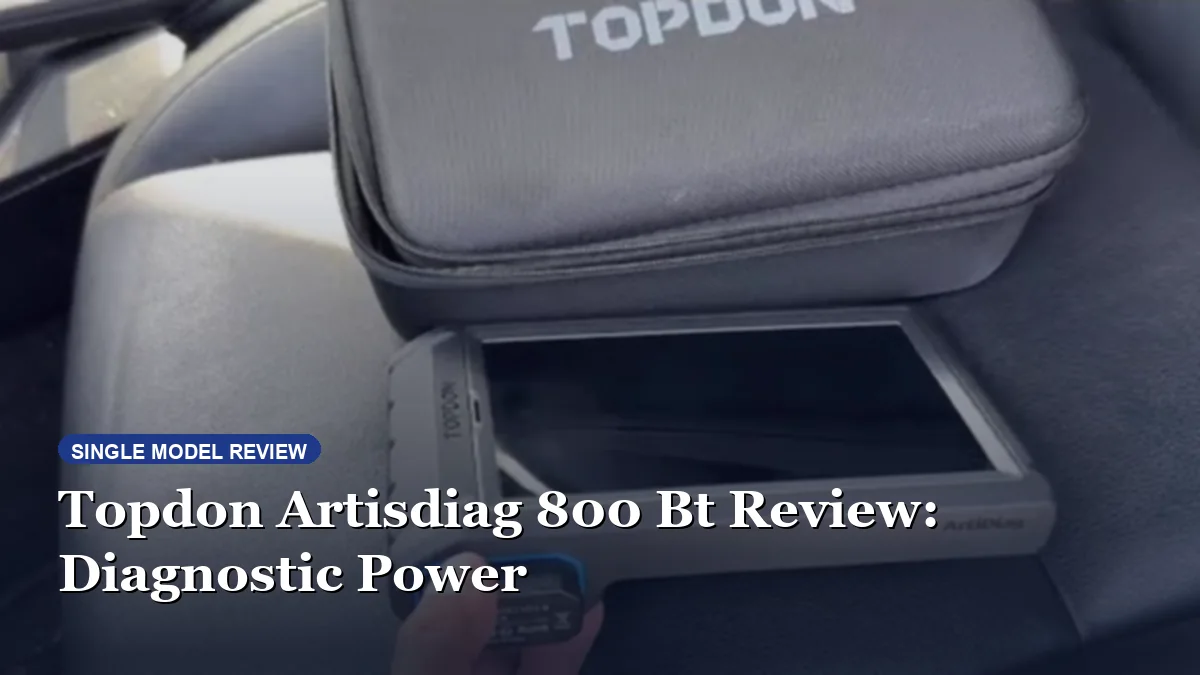

This wireless diagnostic tool delivers impressive bi-directional capabilities and robust reset functions for daily shop use. Its reliable Bluetooth VCI makes untethered vehicle inspections fast and efficient.
Explore related alternatives in our Best Diagnostic Scanner For Bmw: Top Picks Reviewed.
Verified Specifications
| Operating System | Android |
|---|---|
| Screen Size | 5.99 Inches Touchscreen |
| Connectivity | Wireless Bluetooth VCI |
| Diagnostic Scope | Full System Coverage |
| Reset Services | 28+ Maintenance Functions |
| Battery Capacity | 3100mAh / 3.7V |
| Processor | Quad-Core 1.4 GHz |
| Storage Capacity | 32GB ROM |
What We Liked
- Stable wireless Bluetooth VCI connectivity
- Comprehensive full-system diagnostic capabilities
- Extensive library of over 28 service resets
- Frees users from tethered cable constraints
Trade-Offs
- Touchscreen size can feel slightly cramped
- Advanced ECU coding is restricted
- Battery drains quickly during heavy logs
Build Quality, Ergonomics and VCI Design
The hardware engineering focuses heavily on workshop durability with robust rubberized bumpers. These textured outer shells absorb accidental workbench impacts while ensuring a secure grip during greasy handlings.

The wireless OBD2 dongle snaps securely into lower dash ports without loosening. Check our topdon topscan vs thinkcar thinkdiag comparison to evaluate compact profiles inside cramped driver footwells.
The ArtiDiag800 BT features a robust industrial housing built with thick polymer plastics and rubber corners designed to withstand severe workshop drops. Its physical dimensions offer a secure grip during lengthy diagnostic sessions.
The included VCI dongle snaps firmly into the base storage slot when not deployed. Gold-plated connector pins ensure reliable data transfer, resisting oxidation caused by humid environments and frequent plugging cycles across diverse vehicle architectures.
- Impact-resistant rubberized outer housing
- Compact low-profile Bluetooth VCI dongle
- Textured side grips for wet environments
Tablet Chassis and Handheld Balance
Weighing under two pounds, the main display tablet reduces wrist fatigue significantly during extended diagnostic sessions. The weight distribution feels balanced whether held vertically or horizontally.
Port covers protect charging slots and data connectors from workshop fluid ingress. Such attention to physical sealing extends operational longevity in harsh automotive service environments.
- Ergonomic weight distribution profile
- Protective port covers against fluid ingress
Ergonomic Field Testing
Field testing reveals that the textured rubberized backing prevents slipping when placed on sloped engine hoods or greasy fenders. This thoughtful design consideration minimizes accidental drops during hectic shop diagnostics.
Real-World Diagnostic Output and Protocol Coverage
During live diagnostic logging, the scanner communicates rapidly with vehicle modules. Models in our best obd2 scanner guide read and clear trouble codes across networks without hesitation.
Live data graphing renders multiple parameters simultaneously without noticeable frame lagging. Technicians can analyze sensor voltage fluctuations cleanly using the multi-channel waveform comparison mode.
Comprehensive OBD2 protocol support includes modern CAN FD and DoIP standards required for communicating with late-model vehicles. Technicians can quickly access live data streams across multiple electronic control units without experiencing noticeable latency.
Bi-directional control capabilities allow users to actively trigger fuel injectors, cooling fans, and ABS solenoids during troubleshooting routines. This functional depth helps isolate faulty components rapidly before committing to expensive parts replacement.
- Rapid module scanning across multiple networks
- Simultaneous multi-parameter live data graphing
- Clear definition of proprietary manufacturer codes
Protocol Recognition and Vehicle Handshake
Automatic VIN acquisition protocols identify modern vehicle architectures within seconds. This rapid handshake minimizes manual configuration errors when jumping between different manufacturer platforms.
Legacy OBD2 protocols connect reliably via the wireless VCI without dropping packets. Coverage extends seamlessly across domestic, Asian, and European passenger vehicles manufactured post-1996.
- Automated VIN recognition technology
- Stable legacy protocol handshake routines
Video Review: Topdon ArtiDiag800BT In-Depth Honest Review
Wireless Performance, Range and Battery Efficiency
The Bluetooth VCI maintains a stable wireless connection up to thirty feet. Top models from our best bluetooth odb2 scanner selection let technicians walk around freely during testing.
Internal battery management prioritizes efficient power draw during prolonged diagnostic tests. The integrated lithium-ion power cell sustains roughly four hours of continuous live logging before requiring recharging.
The Bluetooth VCI maintains a stable connection up to thirty feet away from the tablet unit, allowing technicians to perform bay tests seamlessly. Signal dropouts remain extremely rare even inside busy shops with heavy electronic interference.
Internal battery capacity easily supports a full shift of intermittent diagnostic work without needing a midday recharge. Power management features automatically dim the display and throttle background processes when idling to preserve operational charge.
- Thirty-foot stable wireless operating range
- Efficient lithium-ion internal power management
- Low packet drop rate during scans
Thermal Management, Duty Cycle and Durability
Passive thermal dissipation keeps the handheld unit cool during intensive multi-system health checks. The internal processor avoids thermal throttling even when processing heavy freeze-frame data sets.
Continuous duty cycles can stretch across multiple diagnostic appointments without hardware locking. The robust circuit design withstands typical automotive electrical voltage spikes during engine cranking.
Extended diagnostic sessions generate minimal heat buildup thanks to an optimized internal layout that dissipates thermal energy efficiently. The handheld tablet stays comfortable to hold during prolonged ECU flash procedures and complex coding tasks.
Internal thermal protection circuits prevent hardware throttling during intense multitasking or updates performed in warm ambient garage conditions. This hardware resilience ensures consistent performance under demanding professional workshop schedules.
- Passive thermal cooling without internal fans
- Resistant to automotive electrical voltage spikes
- Reliable performance during extended duty cycles
Setup, Software Navigation and Interface Usability
Initial software activation requires a standard Wi-Fi connection and a valid user account registration. The clear touchscreen menu structure guides technicians directly into specific diagnostic trees easily.
Android-based processing architecture delivers fast boot times and responsive menu transitions. Users will appreciate the logical grouping of service reset functions under dedicated shortcut icons.
Initial device registration and software setup complete within minutes using an intuitive wizard that guides users through Wi-Fi connection and profile creation. The Android-based OS responds smoothly to touch inputs without lagging.
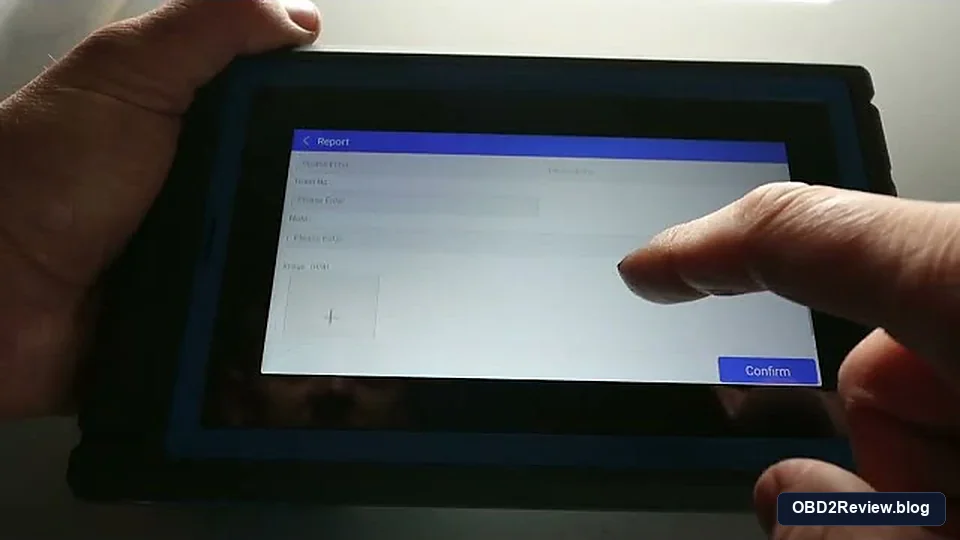
Menu structures logically group diagnostic functions, special reset services, and historical diagnostic reports into accessible tabs. Technicians can locate specific vehicle systems quickly without wading through overly complicated sub-menus.
- Straightforward Wi-Fi activation process
- Responsive Android touch navigation layout
- Logical grouping of maintenance reset icons
Maintenance, Lifetime Updates and Long-Term Reliability
Software updates download directly over wireless networks without needing external memory cards. Regular database patches ensure compatibility with newly released vehicle makes and model years.
Long-term reliability depends heavily on keeping the VCI firmware updated. Storing the tablet in a padded protective case prevents accidental screen damage between active shop jobs.
Routine software updates download directly via Wi-Fi, keeping vehicle databases current with newly released models and expanded coverage parameters. Maintaining these updates ensures ongoing compatibility with evolving electronic systems.
Proper tool maintenance involves storing the tablet in a clean environment and inspecting the diagnostic cable connectors periodically for bent pins. Protecting the screen with a tempered glass film prevents accidental scratches.
- Direct over-the-air software update capability
- Frequent database patches for new vehicles
- Included protective storage carrying case
Who Should Buy It Versus Who Should Skip It
Independent mobile technicians and advanced DIY enthusiasts often review our topdon topscan vs bluedriver comparison before buying. Its wireless VCI and extensive service resets streamline everyday maintenance tasks.
Shops requiring deep module programming or advanced key fob re-flashing should skip this unit. Those specific advanced tasks demand higher-tier diagnostic equipment with expanded EEPROM access.
Independent repair shops and advanced DIY enthusiasts will find immense value in this scanner due to its broad bi-directional capabilities and robust system coverage. It bridges the gap between basic code readers and costly factory equipment.
Shops requiring specialized programming or deep component-level ECU flashing for exotic European marques might need to look toward higher-tier diagnostic platforms. Casual vehicle owners who only check basic engine codes might also consider simpler handheld tools.
- Ideal for mobile mechanics and advanced DIYers
- Not suited for advanced ECU re-flashing
- Excellent alternative to tethered budget scanners
Frequently Asked Questions
Does this scanner support bi-directional active testing?
Yes, it supports active bi-directional commands to actuate specific vehicle components. This feature helps technicians verify component functionality quickly using real-time actuation controls.
Are software updates free for the life of the tool?
Software updates are provided without recurring subscription fees over Wi-Fi. This ensures your diagnostic database remains current without adding ongoing annual costs.
Can the wireless VCI operate without the tablet nearby?
The wireless VCI requires connection to the display tablet to process data. It functions purely as a communication bridge rather than a standalone data logger.
Does this tool work on heavy-duty commercial trucks?
It is designed primarily for standard passenger vehicles, SUVs, and light trucks. Heavy-duty commercial trucks using twenty-four-volt systems require specialized diagnostic adapters.
How long does the internal battery last during testing?
The internal battery provides roughly four hours of continuous active diagnostic work. You can also plug the unit into a charger during extended troubleshooting sessions.