Thinkcar Thinkdiag 2 Review: Wireless Diagnostics
This compact wireless dongle brings OE-level capabilities to mobile devices. However, its software subscription model requires ongoing budgeting for full feature access.

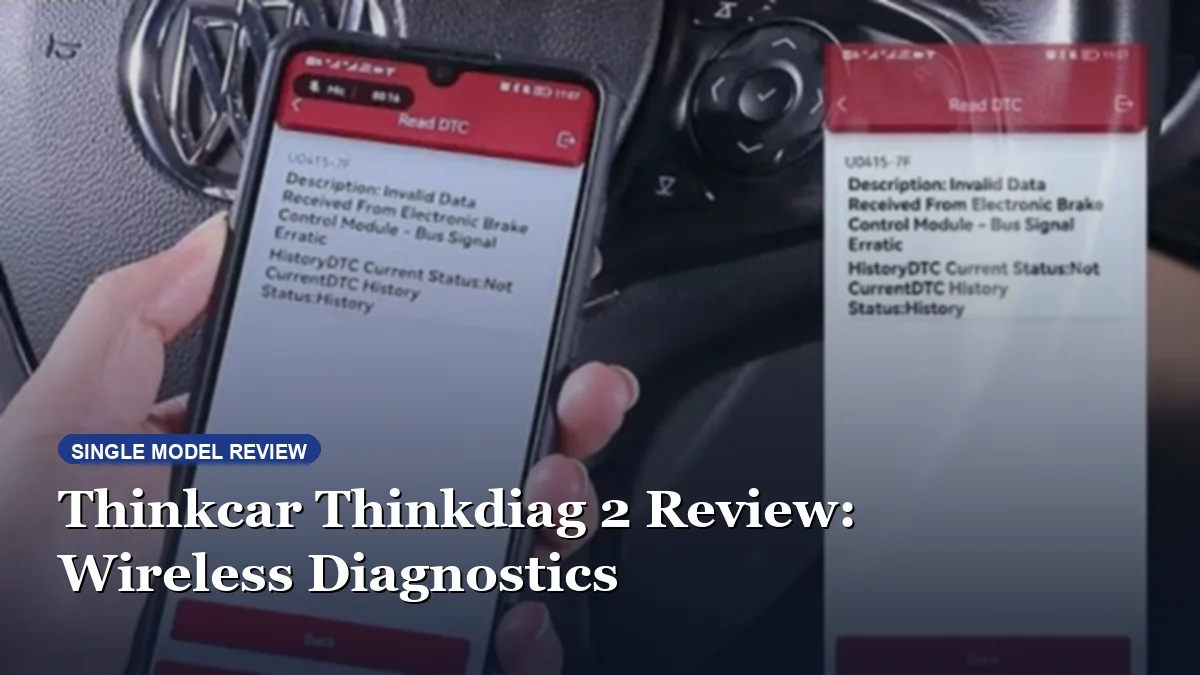
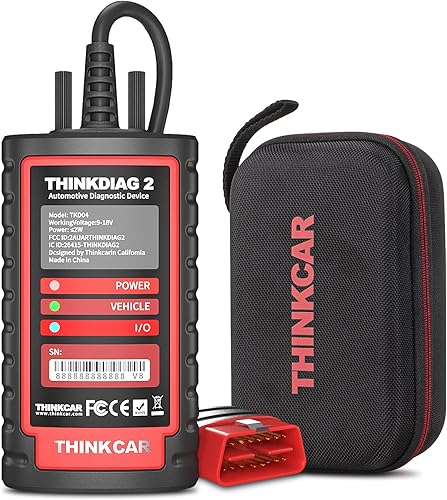
The Thinkcar Thinkdiag 2 delivers exceptional value with native CAN-FD protocol support and active testing. It bridges the gap between basic code readers and expensive professional shop tablets.
Explore related alternatives in our Best Wireless Car Diagnostic Tool: Top Picks Reviewed.
Verified Specifications
| Connectivity | Bluetooth 5.0 wireless module |
|---|---|
| Vehicle Coverage | 120+ global automotive brands |
| Protocol Support | CAN-FD, ISO 14230, KWP2000 |
| Special Functions | 15+ maintenance reset services |
| Bi-directional Control | Active testing for actuators & relays |
| Gateway Access | FCA AutoAuth secure gateway compatible |
| Operating System | iOS and Android mobile platforms |
| Hardware Design | Ruggedized OBD2 dongle with LED indicators |
What We Liked
- Native hardware support for modern CAN-FD vehicle networks.
- Comprehensive bidirectional active testing for component actuation.
- Official FCA AutoAuth integration for post-2019 Chrysler vehicles.
- Compact, wireless form factor operating smoothly via smartphones.
Trade-Offs
- Annual software subscription costs apply after the initial period.
- Mobile app interface can occasionally lag during heavy data streams.
- Dependent on a stable internet connection for database updates.
Build Quality, Ergonomics and Hardware Design
When evaluating compact diagnostic dongles, our Topdon Topscan vs Thinkcar Thinkdiag comparison highlights key differences in hardware durability and protocol support for professional mobile mechanics.
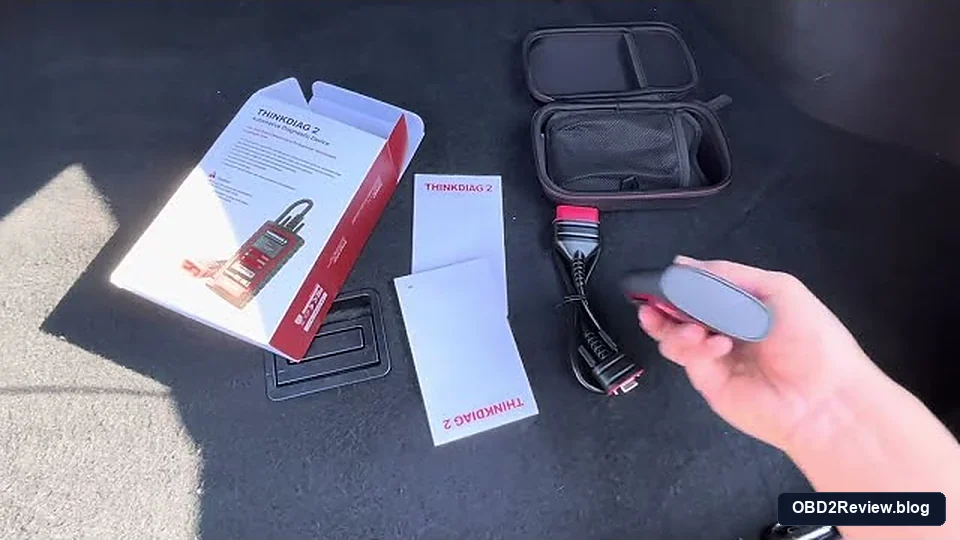
Integrated status LEDs provide instant visual feedback regarding Bluetooth pairing and vehicle power status. This physical durability ensures the diagnostic dongle survives accidental drops on concrete shop floors during daily repairs.
The housing utilizes tough polymer materials engineered to withstand frequent drops inside busy automotive repair bays. Its textured surface ensures a secure grip when plugging the compact dongle into recessed vehicle diagnostic ports.
Measuring roughly four inches in length, the hardware profile remains unobtrusive during footwell operations. An integrated bright LED ring provides instant visual feedback regarding Bluetooth pairing and vehicle communication states without delay.
- Ruggedized exterior shell resists impact and grease.
- Clear multi-color LED indicators show real-time connection status.
- Flush-mount design prevents accidental snagging under the dashboard.
Ergonomic Form Factor and Portability
Weighing only a few ounces, this wireless adapter eliminates the clutter of traditional tethered scan tools. Technicians can slide the unit directly into a pocket or toolkit for ultimate portability.
- Lightweight wireless dongle reduces cable clutter.
- Easily stores inside standard mechanic tool pouches.
Real-World Output and Diagnostic Performance
Delivering true OE-level diagnostics, the hardware scans all available vehicle modules including transmission, ABS, and SRS systems. Technicians can quickly retrieve and clear diagnostic trouble codes with remarkable speed.
The inclusion of advanced bidirectional control allows users to command individual actuators directly from a smartphone screen. This capability drastically reduces troubleshooting time for complex electrical faults and intermittent sensor failures.
Live data graphing streams up to twelve parameters simultaneously at respectable refresh rates. Technicians can record custom parameter identification lists to isolate intermittent sensor failures during active road testing without system lag.
Bidirectional controls execute rapidly, commanding fuel injector cuts and EVAP purge solenoids with minimal handshake delay. The software constructs comprehensive health reports that highlight active fault codes alongside pending diagnostic trouble definitions.
- Full system scanning across engine, transmission, and body modules.
- Rapid code retrieval and fault clearing capabilities.
- High-speed live data graphing for multiple parameters simultaneously.
Active Testing and Actuator Control
Users can trigger fuel pumps, cooling fans, and window regulators to verify component health. Such rigorous diagnostic depth is rarely found in compact wireless adapters within this specific equipment tier.
- Direct ECU command execution for physical component testing.
- Rapid identification of failing relays and stuck actuators.
Video Review: Thinkdiag 2 OBD2 Bidirectional Scanner - IS IT WORTH IT? (Review \u0026 Feature Comparison)
Communication Protocols and Vehicle Coverage
Supporting over one hundred and twenty global automotive brands, the scanner ensures extensive workshop versatility. Native integration of the CAN-FD protocol allows direct communication with modern GM platforms without adapters.
Furthermore, built-in FCA AutoAuth compliance grants seamless diagnostic access to protected security gateways on recent Chrysler and Jeep vehicles. This eliminates frustrating diagnostic roadblocks when servicing late-model automotive architectures.
Full protocol support encompasses CAN FD and DoIP standards, allowing seamless interfacing with modern luxury architectures. This broad compatibility ensures mechanics can access deep module networks across diverse global vehicle nameplates.
Automatic VIN acquisition successfully identifies vehicle parameters on most post-2006 models within seconds. When manual entry becomes necessary, the intuitive menu guides users smoothly through engine and transmission variant selections.
- Extensive database covering domestic, Asian, and European brands.
- Native CAN-FD protocol support for newer vehicle networks.
- Official security gateway authorization for protected modules.
Modern Gateway and Network Compatibility
Modern vehicles utilize complex multiplexed networks that demand up-to-date protocol support for accurate diagnostics. This scanner handles high-speed data streams smoothly, preventing communication timeouts during intensive module coding tasks.
- Handles high-speed multiplexed vehicle communication networks.
- Prevents bus timeouts during extensive module scans.
Efficiency, Thermal Management and Duty Cycle
Operating entirely on vehicle power via the OBD2 port, the unit maintains exceptional energy efficiency during extended diagnostic sessions. Internal thermal management prevents overheating even when processing heavy live data streams.
The low power draw ensures the vehicle battery remains stable throughout prolonged troubleshooting procedures. Continuous duty cycles are easily sustained without experiencing unexpected hardware lockups or thermal throttling issues.
Extended diagnostic sessions reveal stable internal temperatures thanks to efficient power regulation circuitry. The unit avoids thermal throttling during lengthy module programming tasks, maintaining a reliable wireless link under demanding workshop conditions.
Power consumption remains low, but technicians should always unplug the device during overnight parking. Reviewing our Thinkdiag vs Thinkdiag 2 comparison helps clarify hardware upgrades and thermal management improvements.
- Low parasitic draw preserves vehicle battery voltage levels.
- Passive thermal dissipation prevents internal overheating.
- Reliable operation during extended multi-system diagnostic sweeps.
Thermal Endurance Under Heavy Workloads
Extended module coding and multi-system scans can push hardware components to their thermal limits. The internal circuit layout dissipates heat effectively, maintaining stable Bluetooth connectivity during long workshop hours.
- Fanless design ensures completely silent operation.
- Maintains stable wireless link under heavy workloads.
Setup, Connectivity and User Interface Usability
Initial setup requires downloading the companion mobile application onto an iOS or Android smartphone. Bluetooth 5.0 technology establishes a rapid, stable wireless link between the handheld device and the diagnostic dongle.
The user interface organizes complex diagnostic menus into clear, logical categories for intuitive navigation. Software updates download seamlessly over Wi-Fi, keeping vehicle databases current with the latest manufacturer releases.
Pairing the hardware via Bluetooth 5.0 takes mere moments once the companion application is installed. The software layout categorizes special reset functions clearly, reducing the time spent hunting for specific service procedures.
Stable internet connectivity is required for initial software downloads and routine firmware updates. Offline functionality remains limited primarily to basic generic OBD2 scanning, meaning cloud access is vital for advanced diagnostic capabilities.
- Simple app installation across iOS and Android devices.
- Stable Bluetooth 5.0 pairing process for reliable operation.
- Intuitive menu layouts organized for fast diagnostic access.
Mobile App Integration and Navigation
Navigating through extensive system menus feels responsive thanks to optimized mobile software architecture. Clear icons guide users directly to specialized reset procedures and comprehensive diagnostic reporting functions.
- Responsive touch controls within the companion mobile app.
- Cloud-based report sharing via email or messaging platforms.
Maintenance, Diagnostics and Long-Term Durability
The device includes over fifteen dedicated maintenance reset functions to handle routine service procedures efficiently. Common tasks like electronic parking brake retraction and oil service lights are executed with minimal effort.
Long-term durability is supported by robust firmware update support and solid external construction materials. Regular software maintenance ensures the tool adapts gracefully to evolving automotive communication standards over time.
Keeping the OBD connector pins clean from dirt and oxidation ensures reliable data transmission. Consult our Bluedriver vs Thinkcar guide to evaluate interface features and diagnostic speed across different mobile platforms.
Firmware maintenance is straightforward, prompting users automatically when new manufacturer packages become available. Regular updates prevent communication handshake failures when servicing newly released vehicles equipped with updated security gateway protocols.
- Fifteen essential service resets for daily maintenance tasks.
- Automated relearn sequences for electronic component replacements.
- Long-term reliability backed by consistent firmware updates.
Service Resets and Relearn Procedures
Performing steering angle calibrations and battery registrations becomes straightforward with dedicated software menus. These automated routines eliminate guesswork, ensuring proper calibration after replacing vital mechanical components.
- Streamlined steering angle and electronic parking brake resets.
- Guided battery registration procedures for modern vehicles.
Who Should Buy It versus Skip It
This diagnostic tool suits advanced DIY enthusiasts and independent mobile mechanics needing powerful bidirectional controls. Reading our Thinkdiag vs Bluedriver breakdown highlights crucial differences in software subscription models.
Conversely, technicians who prefer dedicated standalone tablets with built-in screens might want to skip this mobile-dependent design. Users unwilling to manage annual software subscription renewals should also explore alternative diagnostic equipment options.
Independent technicians and advanced DIYers will appreciate the deep bi-directional control and robust protocol support. It delivers incredible value for users needing professional module coding without investing in bulky diagnostic tablets.
Conversely, absolute beginners seeking a simple plug-and-play code reader might find the advanced menu options overwhelming. Users who lack consistent internet access for software renewals should explore alternative standalone diagnostic tools.
- Perfect for smartphone-savvy DIYers and mobile technicians.
- Highly recommended for shops needing affordable CAN-FD coverage.
- Not ideal for users who dislike app-based diagnostic tools.
Ideal User Profiles and Alternatives
Budget-conscious workshops looking to add wireless capabilities will find immense value in this compact adapter. Traditionalists requiring hardwired reliability or physical keyboards should consider dedicated professional diagnostic tablets instead.
- Great alternative to expensive OEM scan tool tablets.
- Traditionalists may prefer tethered diagnostic hardware options.
Frequently Asked Questions
Does the Thinkcar Thinkdiag 2 require an ongoing software subscription?
The hardware includes an introductory software period, after which users must purchase an optional annual renewal to maintain full database updates and advanced diagnostic capabilities.
Maintaining an active subscription is essential for accessing the newest vehicle models, security gateway modules, and specialized service reset functions over time.
Can this diagnostic scanner perform bidirectional active tests?
Yes, the tool supports comprehensive bidirectional controls that allow technicians to send direct commands to vehicle electronic control units and actuators.
Active testing capabilities enable users to quickly verify the operational status of fuel pumps, cooling fans, and door locks without removing parts.
Does the device support modern CAN-FD communication protocols?
It features native hardware support for the CAN-FD protocol, making it fully compatible with newer GM vehicles manufactured after two thousand and nineteen without requiring external adapters.
Built-in CAN-FD capability saves technicians extra equipment costs while eliminating potential diagnostic communication errors on modern networks.
Is an internet connection required during vehicle diagnostics?
An active internet connection is necessary during initial setup, software updates, and when accessing online database functions like FCA AutoAuth security gateways.
Continuous internet access ensures smooth cloud-based report sharing and real-time vehicle identification retrievals while working in the shop or field.
What mobile operating systems are compatible with this scanner?
The companion diagnostic application is fully compatible with both iOS and Android mobile platforms downloaded directly from official app stores. Cross-platform mobile compatibility allows users to seamlessly switch between different smartphones and tablet devices while performing vehicle inspections.