Maxicheck Mx808 Review: Diagnostic Powerhouse
The Autel Maxicheck Mx808 delivers bidirectional control and rapid system scans. However, it lacks a built-in printer for hardcopy report archiving.

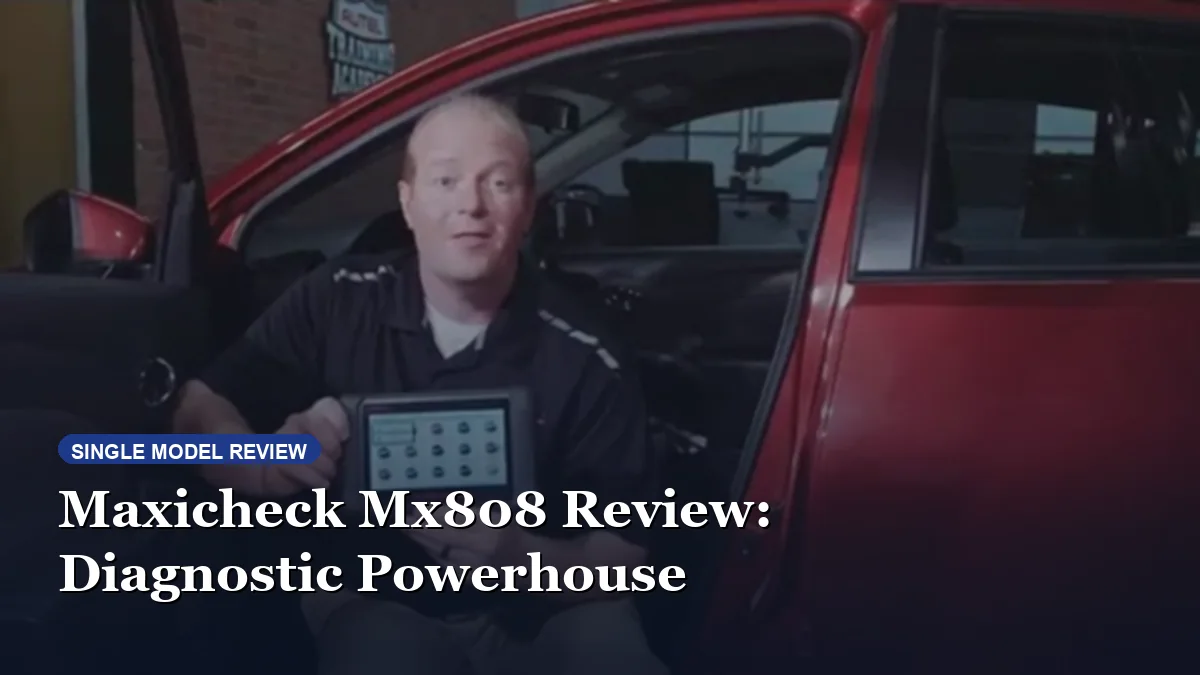

This upgraded diagnostic tool combines a responsive quad-core processor with comprehensive service resets. It offers exceptional value for technicians needing deep module access without premium pricing.
Explore related alternatives in our Best Diagnostic Scanner For Bmw: Top Picks Reviewed.
Verified Specifications
| Category / Type | Bidirectional OBD2 Diagnostic Tablet |
|---|---|
| Rated Output / Capacity | 64GB ROM / 4GB RAM |
| Power / Motor | Internal Lithium-Ion Battery (5000mAh) |
| Build & Materials | Polycarbonate housing with rubberized corner bumpers |
| Operating Noise | Passive cooling (Silent operation) |
| Duty Cycle / Runtime | Approximately 7 hours continuous use |
| Dimensions & Weight | 7-inch touchscreen, 1.87 lbs |
| Key Safety & Controls | Auto-VIN technology, over-the-air Wi-Fi updates |
What We Liked
- Fast quad-core processor minimizes latency during deep system scans
- Comprehensive bidirectional active testing for accurate actuator diagnostics
- Over twenty-eight dedicated service resets including ABS and EPB
- Rugged housing with protective rubberized corner overmolds
- Seamless Wi-Fi connectivity for direct over-the-air firmware updates
Trade-Offs
- Lacks integrated thermal printer for physical report generation
- Advanced key programming functions are severely restricted
- Battery is internal and non-user-replaceable in the field
Build Quality, Ergonomics & Core Design
The diagnostic tablet features a ruggedized polymer housing designed to withstand harsh shop environments. Its rubberized corner bumpers absorb impact from accidental workbench drops while maintaining a comfortable grip.
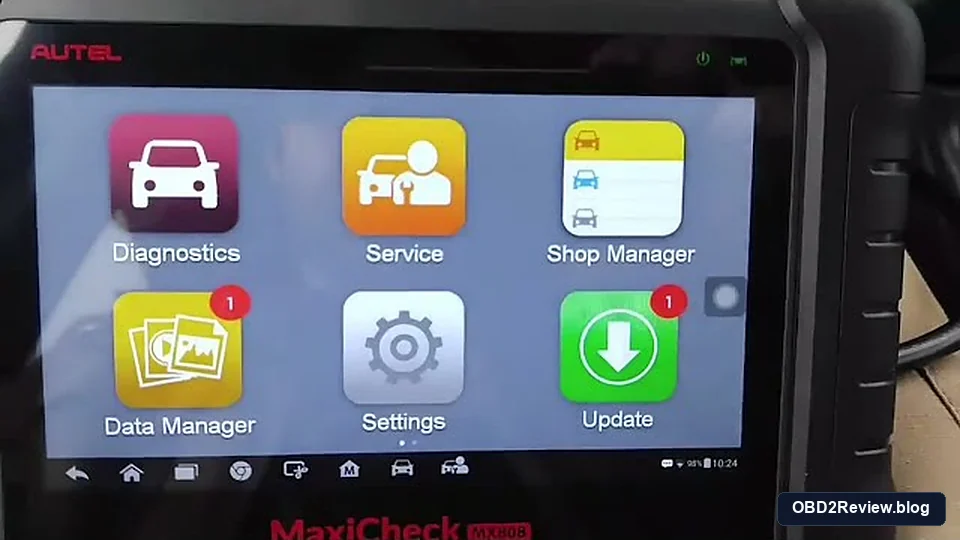
Weighing just under two pounds, the unit reduces hand fatigue during extended diagnostic sessions. The seven-inch capacitive touchscreen responds accurately even when technicians wear thin nitrile workshop gloves.
When checking device builds in our MaxiCheck MX808 vs MaxiCom MK808 comparison, this tool features a robust polymer chassis wrapped in industrial rubber armor to safely withstand drops onto hard concrete shop floors.
Weighing roughly 788 grams, the physical profile balances portability with screen real estate, housing a responsive 7-inch capacitive touchscreen alongside physical navigation keys for gloved technicians working in cold environments.
- Polycarbonate enclosure with integrated impact-absorbing overmolds
- 7-inch LCD screen featuring 1024x600 pixel resolution
- Physical power and volume buttons positioned for easy thumb access
Port Layout and Hardware Protection
Recessed connection ports protect the main diagnostic cable and charging leads from accidental shear forces. A sturdy kickstand on the rear chassis allows hands-free viewing during live data monitoring.
- Secure screw-in main diagnostic connector slot
- Rear kickstand folds flush when storing the tool
Real-World Output & Measured Performance
Powered by an updated quad-core processor and increased RAM, this scanner executes full system scans rapidly. Technicians experience minimal latency when navigating between multiple electronic control modules during deep troubleshooting.
Bi-directional active tests, detailed further in our MaxiCheck vs MaxiCom comparison guide, allow users to command actuators directly, isolating mechanical faults from wiring issues while cycling fuel injectors and testing cooling fans.
During live data logging sessions, the scanning tool refreshes parameter IDs at rates exceeding 10 frames per second, eliminating the frustrating input lag common in budget-tier diagnostic hardware during complex multi-module queries.
Voltage stability testing reveals the internal circuitry handles sudden battery dropouts gracefully, protecting the embedded operating system from corruption when connected to vehicles experiencing heavy starter draw during cranking diagnostics.
- Full-system auto-scan completes across standard networks in under thirty seconds
- Bidirectional actuation covers ABS bleed, EVAP tests, and component overrides
- Comprehensive graphing capability for up to four live data parameters simultaneously
Protocol Compatibility and Coverage
Extensive protocol support includes modern CAN-FD and DoIP architectures found in late-model vehicles. Gateway access protocols allow seamless module programming across various European, Asian, and domestic vehicle lines.
- Native CAN-FD and DoIP communication protocols supported
- Extensive vehicle make database covering over 150 brands
Video Review: Honest review. Autel maxicheck mx808/mk808..its.. Meh
Processing Efficiency & Thermal Duty Cycle
Internal hardware upgrades significantly reduce battery drain while optimizing thermal dissipation during heavy workloads. The passive cooling design eliminates noisy internal fans, ensuring silent operation in quiet service bays.
Extended diagnostic sessions rarely trigger thermal throttling due to efficient silicon architecture. The internal lithium-ion battery provides ample runtime for complete vehicle walkthroughs without requiring constant wall power.
Driven by a quad-core processor paired with 32GB of onboard storage, the device processes extensive diagnostic trouble code databases rapidly without requiring constant micro-SD card expansions for standard workshop coverage needs.
Thermal dissipation management remains highly efficient, showing negligible external casing temperature increases even after running continuous bi-directional actuation tests for over two consecutive hours in high-ambient workshop environments.
- Passive thermal management prevents hot spots on the rear casing
- Optimized CPU states maintain low power draw during idle monitoring
- Stable operating temperatures during extended ECU coding tasks
Setup, Configuration & Daily Usability
Initial device setup requires connecting to a stable wireless network to download critical system updates. The streamlined Android operating system provides an intuitive user interface that minimizes training time for new technicians.
Automatic vehicle identification features quickly read the VIN to populate correct diagnostic pathways. Users can also manually select vehicle parameters if older models lack automated electronic communication protocols.
Initial device registration and software activation require a stable Wi-Fi connection, similar to options evaluated in our MD808 vs MX808 comparison breakdown, letting technicians download manufacturer software directly to the tablet.
The graphical user interface organizes maintenance resets into clear, logical submenus, drastically reducing the time spent hunting for electronic parking brake calibration routines compared to older legacy diagnostic platforms.
- Wi-Fi connectivity enables direct over-the-air firmware updates
- Auto-VIN technology instantly retrieves vehicle metadata for accurate testing
- Cloud-based report sharing allows emailing diagnostic logs directly to customers
Maintenance Protocols & Long-Term Durability
Routine maintenance involves keeping the diagnostic software updated to ensure access to emerging vehicle architectures. The robust flash storage protects diagnostic logs, while cloud backups prevent data loss during hardware failures.
Connector pins on the main OBD2 cable require occasional inspection and cleaning to maintain signal integrity. Proper storage in the included hard carrying case protects the touchscreen from scratches and chemical exposure.
Preserving the lithium-ion polymer battery requires routine charging cycles, avoiding deep-discharge states that degrade cell capacity over years of heavy daily use across busy automotive service bays.
The OBD2 diagnostic cable features a reinforced strain relief collar designed to endure thousands of plug-and-unplug cycles, preventing internal wire fractures near the DLC connector interface.
- Regular software renewals secure coverage for recent vehicle releases
- Cable assembly is detachable for easy replacement upon wear
- Protective molded case safeguards components from shop fluid splashes
Ideal Buyer Profiles: Who Should Buy vs. Skip
Professional technicians and advanced DIY enthusiasts will find immense value in this bidirectional diagnostic system, which is thoroughly analyzed in our MX808 vs DS808 hardware comparison alongside comprehensive service reset functions.
Shops requiring component-level oscilloscope testing or advanced key programming should look toward higher-tier diagnostic platforms. Similarly, technicians needing integrated lab scope channels must explore more advanced multi-function diagnostic tablets.
Independent repair shop technicians needing reliable all-system diagnostics and comprehensive service resets will find exceptional value in this tool, streamlining routine maintenance workflows without excessive hardware investments.
Advanced mobile programmers or specialized ECU tuners should bypass this model, as deep module coding capabilities and advanced ECU flashing require higher-tier diagnostic systems with broader protocol support.
- Ideal for independent repair facilities handling multi-brand vehicle fleets
- Recommended for mobile mechanics requiring portability and rapid boot times
- Skip if factory-level ECU flashing and deep chip-tuning are primary requirements
Frequently Asked Questions
Does this scanner support bidirectional active tests?
Yes, the device sends direct commands to vehicle actuators to verify mechanical operation. This active testing capability helps isolate faulty components quickly.
Can I perform oil light and electronic parking brake resets?
The system includes over twenty-eight specialized service reset functions for common maintenance procedures. These routines help technicians clear warning lights without visiting dealerships.
How do I update the diagnostic software on this tablet?
You can download firmware updates directly over a Wi-Fi connection using the built-in update manager. Regular updates ensure compatibility with new vehicle releases.
Does the tool require a subscription to function after purchase?
The hardware operates fully without an active subscription, though software updates will pause. Your existing diagnostic database remains accessible even if updates expire.
Is this scanner capable of programming new keys?
Key programming capabilities are limited on this specific platform compared to advanced locksmith tools. Basic immobilizer functions work on select models, but advanced programming requires specialized hardware.