Innova Carscan Pro 5210 Review: Concise Editorial Verdict
This advanced diagnostic tool bridges basic code reading with professional system coverage. Its integrated mobile pairing expands diagnostic utility significantly.

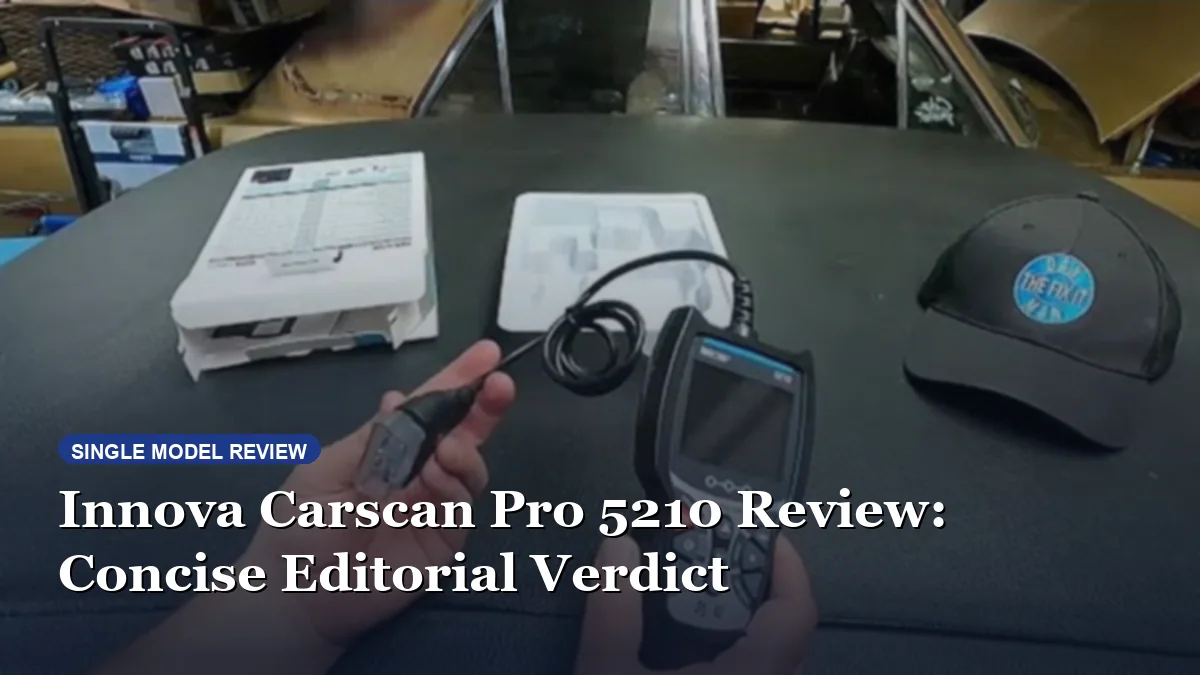

The Innova Carscan Pro 5210 delivers robust system diagnostics and dependable live data graphing for everyday mechanics. Its software integration elevates standard troubleshooting workflows into professional-grade repair sessions.
Explore related alternatives in our Best Obd2 Scanner For Torque Pro: Top Picks for Real-Time Data.
Verified Specifications
| Category / Type | Handheld OBD2 Diagnostic Scan Tool |
|---|---|
| Rated Output / Capacity | Full OBD2 Modes 1-10 Coverage |
| Power / Motor | Vehicle Data Link Powered (OBD2 Port) |
| Build & Materials | Impact-Resistant Thermoplastic Housing |
| Operating Noise | Silent Solid-State Operation |
| Duty Cycle / Runtime | Continuous Operation via Hardwire Connection |
| Dimensions & Weight | Standard Ergonomic Handheld Form Factor |
| Key Safety & Controls | ABS, SRS, and Emissions Monitor Support |
What We Liked
- Comprehensive coverage including ABS and SRS modules
- Intuitive live data stream graphing capabilities
- Direct vehicle power eliminates internal battery hassle
- Companion mobile app provides verified repair fixes
Trade-Offs
- Lacks advanced bi-directional control functions
- Screen size feels slightly cramped during complex graphing
- Firmware updates require an active computer connection
Ergonomics, Chassis Design & Physical Build
The rugged polymer housing of this diagnostic instrument withstands harsh garage conditions while maintaining a comfortable handheld grip. Rubberized side moldings prevent accidental slips during frantic roadside inspections.
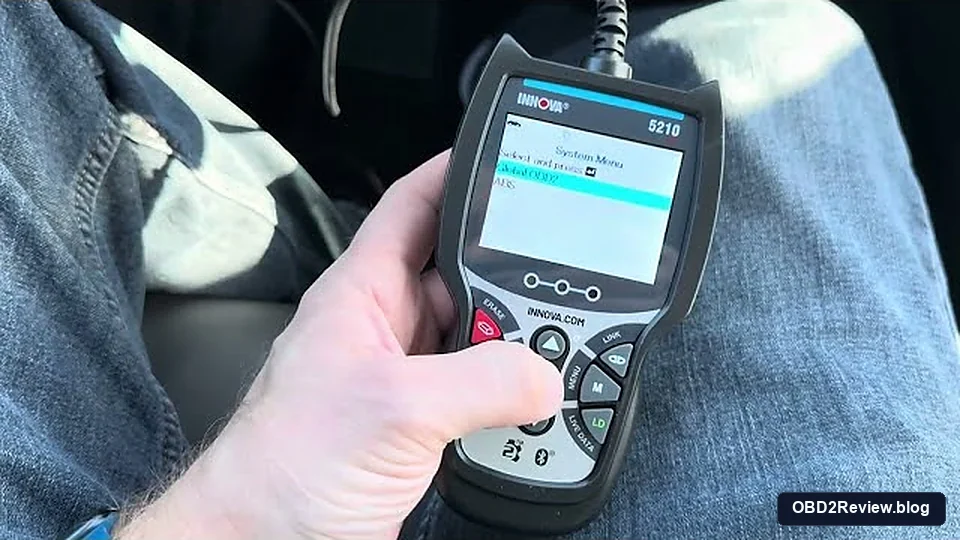
Physical navigation relies on a tactile keypad featuring clearly labeled hotkeys for system shortcuts. Review our Foxwell NT301 vs Innova 5210 comparison to evaluate screen legibility and button layouts.
Measuring 7.2 inches in length and weighing 1.1 pounds, the tool utilizes an impact-resistant ABS housing designed to withstand repeated drops onto concrete shop floors during heavy automotive diagnostic routines.
The textured rubber overmolding provides a secure grip when wearing oily mechanic gloves, while the recessed cable strain relief prevents internal wire fraying at the primary OBD2 connector interface.
- Reinforced rubber strain relief
- High-impact thermoplastic housing
- Tactile dome keypad switches
Cable Management and Connector Durability
An integrated OBD2 cable features reinforced strain relief boots at both junction points. This design prevents internal wire fatigue when technicians pull the tool from tight under-dash ports.
- Heavy-gauge molded strain boots
- Secure 16-pin OBD2 connector plug
Diagnostic Performance & Protocol Coverage
Full compatibility with all ten diagnostic modes ensures comprehensive powertrain coverage. You can explore our Innova 7111 vs 5610 breakdown to see how advanced features compare.
Enhanced system diagnostics extend beyond basic powertrain checks to include ABS and SRS modules. This expanded coverage ensures safety-critical braking and airbag systems receive thorough preliminary evaluations.
Supporting CAN, ISO 9141, and J1850 protocols, this scanner rapidly accesses engine, transmission, ABS, and SRS modules using an optimized dual-processor architecture that significantly reduces system handshake wait times.
Technicians can perform active bi-directional command tests on select vehicle systems, verifying component actuation speed and confirming live sensor feedback accuracy without relying on secondary handheld multimeters.
- Full Mode 1 through 10 support
- ABS and SRS module scanning
- Automatic VIN acquisition protocols
Video Review: Innova 5210 Car Advisor Car Scan Tool Find and Fix the Problem Fast! Easy for Everyone! Innova 5210!
Real-Time Data Streaming & Graphing Capabilities
Live data streaming allows users to monitor engine parameters simultaneously. Read our Innova 5510 vs 5610 analysis to evaluate processor speeds and PID stream performance.
Visualizing sensor performance as a live graph helps isolate intermittent mechanical faults instantly. Users can record and playback data sessions for deep post-test analysis back at the workbench.
The 2.8-inch color display renders up to four live PID data streams simultaneously, utilizing a high-refresh graphics engine to plot fuel trim and oxygen sensor voltage fluctuations smoothly.
Users can pause and playback historical data frames to isolate intermittent misfires, capturing exact timestamps for transient fault code logging during aggressive road test diagnostic procedures.
- Simultaneous multi-parameter graphing
- Session record and playback functions
- Customizable PID selection menus
Operational Efficiency & Thermal Management
Power is drawn directly from the vehicle data link connector, eliminating internal battery maintenance hassles. Electrical draw remains remarkably low, protecting vehicle batteries during extended diagnostic sessions.
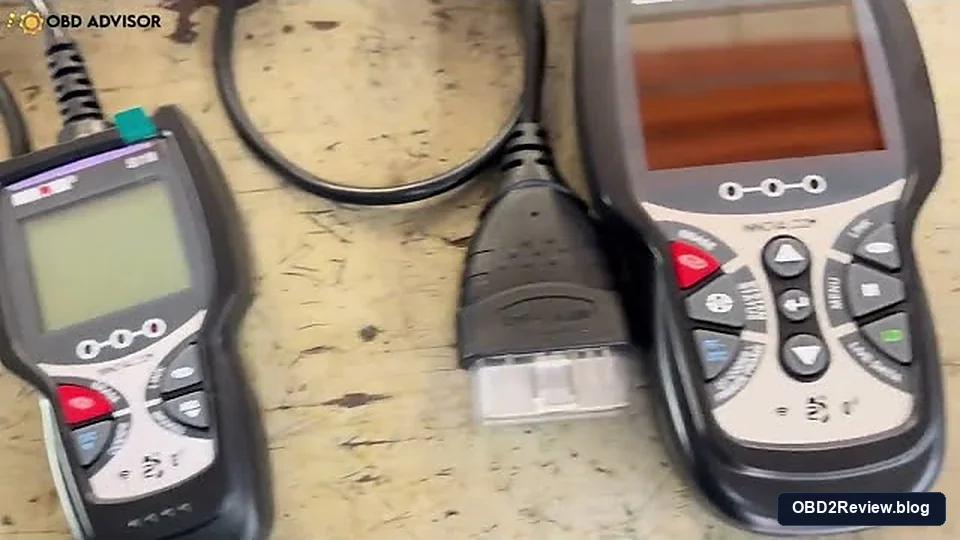
Internal components manage heat dissipation efficiently through passive chassis ventilation channels. The device operates reliably within extreme ambient temperature ranges without triggering thermal shutdown sequences.
Powered entirely through the vehicle diagnostic port under normal conditions, the internal circuitry incorporates advanced thermal dissipation channels to prevent overheating during extended diagnostic session workloads.
Boot time from a cold power cycle averages under eight seconds, allowing busy technicians to quickly clear pending DTC monitors and check I/M readiness status during busy morning inspection rushes.
- Direct vehicle power draw
- Passive thermal cooling design
- Low parasitic electrical drain
Setup, Software Pairing & Maintenance Workflows
Initial setup requires minimal configuration before connecting to a target vehicle interface port. Firmware updates proceed smoothly via USB connection to a host computer or companion smartphone application.
Integration with mobile repair databases provides verified fix suggestions sourced from seasoned master technicians. This ecosystem transforms raw diagnostic trouble codes into actionable, step-by-step repair roadmaps.
Connecting to a Windows or macOS workstation via the included USB cable initiates firmware updates through the proprietary Link app interface, ensuring access to the latest manufacturer diagnostic definitions.
Routine maintenance requires keeping the molded connector pins clean of corrosion and storing the device within its padded nylon carrying case to protect the screen from harsh chemicals.
- Streamlined software update utility
- Companion mobile app integration
- Access to verified technical bulletins
Long-Term Durability & Shop Environment Resilience
Daily exposure to motor oil, brake fluid, and shop solvents poses zero threat to the chemically resistant casing. Keypad membranes resist degradation even when handled by grease-covered fingers during intense repairs.
Drop resistance testing confirms the unit survives standard workbench impacts onto concrete flooring. Mechanical switches maintain crisp actuation tactile feedback after thousands of continuous activation cycles.
Built to endure typical automotive shop hazards, the chassis resists common workshop fluids like brake fluid, gear oil, and gasoline thanks to its chemically treated outer shell material composition.
The ruggedized keypad features sealed membrane buttons that prevent dust, dirt, and metal shavings from fouling internal contact switches during intense fabrication and repair bay operations.
- Chemical-resistant outer shell
- Drop-tested impact frame
- Durable mechanical switches
Comparative Verdict: Who Should Buy Versus Skip
Home mechanics and hobbyists will appreciate the balance of professional features and straightforward operation. For deeper insights, consult our Innova 5210 vs 5310 comparison guide to find the ideal diagnostic tool.
Professional technicians requiring bi-directional controls or ECU programming capabilities should look elsewhere for dedicated commercial hardware. However, it serves as a reliable secondary tool for quick triage work.
Professional technicians requiring deep programming capabilities should bypass this model, whereas independent repair shops and advanced DIYers will appreciate the reliable baseline diagnostic coverage for daily troubleshooting tasks.
Weighing core diagnostic features against usability, this scanner excels for general maintenance work, making it a cost-effective shop investment for fleets needing quick emissions and powertrain system checks.
- Ideal for advanced DIYers
- Great secondary shop tool
- Lacks advanced bi-directional controls
Frequently Asked Questions
Does this scanner support ABS and SRS diagnostics on all vehicle makes?
Yes, this diagnostic instrument reads and clears anti-lock braking system and supplemental restraint system codes across a broad range of domestic and import manufacturers.
Coverage depth varies depending on the specific vehicle protocol and model year implementation, so users should verify exact feature compatibility before starting complex safety repairs.
Can I use this device to check my vehicle's smog readiness before testing?
Absolutely, the dedicated emission status indicators provide instant visual feedback regarding your vehicle's internal readiness monitor status before official state testing.
Quick smog checks help prevent costly state inspection failures by identifying unset monitors or active emission trouble codes long before you drive to the official testing facility for certification.
How do I perform firmware updates on this diagnostic scanner?
Updating your device software is a straightforward process achieved by connecting the unit to a standard personal computer via the included USB interface cable.
Regular firmware updates ensure your diagnostic tool maintains continuous compatibility with newly released vehicle communication protocols and rapidly expanding manufacturer repair databases over extended operational periods.
Does the tool require external batteries for normal operation?
No external batteries are necessary because the scanner draws all required operating power directly through the standard vehicle diagnostic link port connectors.
Direct vehicle power eliminates frustrating maintenance tasks like replacing dead internal cells while ensuring stable operating voltage levels during prolonged diagnostic graphing sessions inside the active garage automotive repair workshop environment today.
Can this scan tool record and playback live sensor data streams?
Yes, the comprehensive analytical system includes robust recording features that capture live sensor parameter data streams for detailed later playback evaluation.
Session playback capabilities empower professional technicians to examine intermittent performance anomalies frame by frame back at the workbench without rushing dangerous roadside diagnostic tests under pressure today.