Innova 5210 Scanner Review: Diagnostic Depth Examined
This robust diagnostic tool bridges basic code reading with advanced system testing. Users gain reliable SRS coverage alongside intuitive live data streaming capabilities.

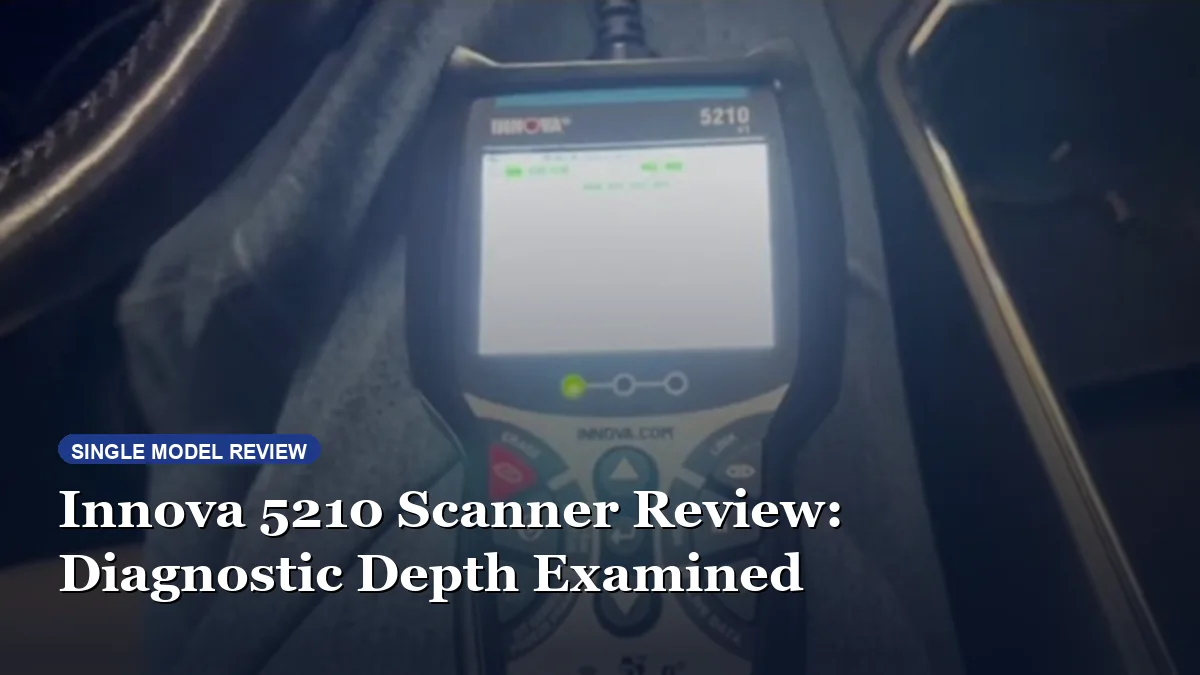

The Innova unit delivers dependable system coverage for home mechanics seeking reliable multi-system diagnostics. Users appreciate its solid physical design despite minor software navigation hurdles.
Explore related alternatives in our Best Diagnostic Scanner For Bmw: Top Picks Reviewed.
Verified Specifications
| Category / Type | Handheld OBD2 Diagnostic Scan Tool |
|---|---|
| Rated Output / Capacity | Full OBD2 protocol engine and emissions support |
| Power / Motor | Vehicle powered via 16-pin OBD port |
| Build & Materials | Rugged industrial plastic housing with rubber boots |
| Operating Noise | Silent solid-state digital operation |
| Duty Cycle / Runtime | Continuous operation during live data logging sessions |
| Dimensions & Weight | 7.5 x 4.0 x 1.2 inches, 14.5 ounces |
| Key Safety & Controls | Tactile keypad with color screen indicators |
What We Liked
- Comprehensive full system read capabilities covering engine, ABS, and SRS modules.
- Integrated RepairSolutions2 app integration provides verified fixes and part lookups.
- Real-time live data streaming graphs critical sensor metrics like RPM and coolant temp.
- Emissions readiness status LED indicators give instant smog check pre-tests.
Trade-Offs
- Screen size feels slightly restricted when viewing complex multi-parameter live graphs.
- Advanced bidirectional controls are absent compared to higher tier professional units.
- Physical tethered cable length requires stretching when working inside tight footwells.
Engineering Architecture and Exterior Chassis Design
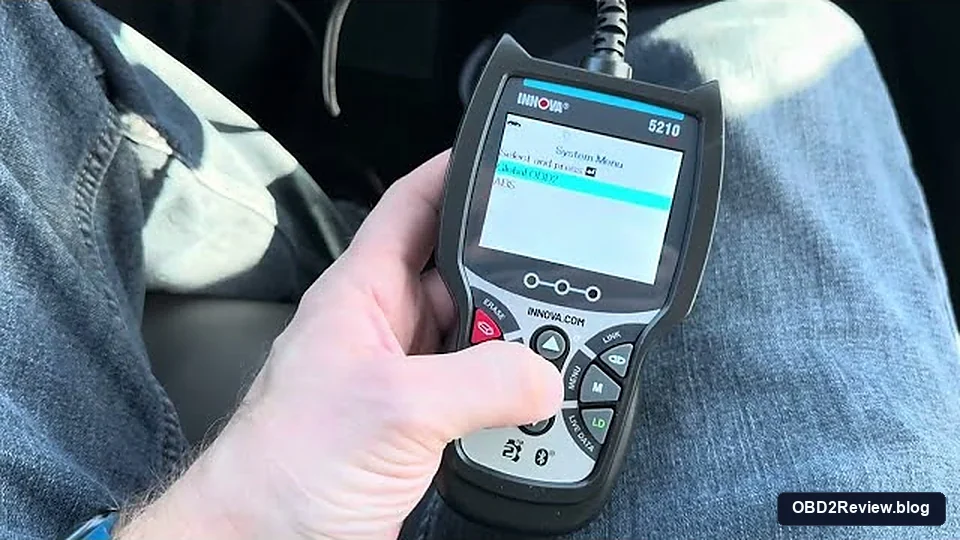
The ergonomic physical chassis utilizes high-impact polymers designed to withstand harsh garage environments and accidental drops onto concrete. Molded rubber side grips prevent slips during greasy diagnostic sessions.
Engineered for daily shop abuse, the unit incorporates strain reliefs around the primary data cable ingress point. This structural reinforcement prevents internal wire fatigue during aggressive maneuvering.
The Innova 5210 features a robust ABS polymer enclosure measuring 7.1 inches long. For further insights, consult our detailed Innova 5210 vs 5310 comparison to evaluate key differences.
Ergonomic grip texturing spans both lateral flanks, providing secure handling when wearing oily mechanic gloves, while the integrated 16-pin OBD-II cable uses flexible strain relief molding to resist repeated bending.
- Impact-resistant polymer exterior shell construction
- Textured rubber side bumpers for enhanced grip
- Heavy-duty strain relief on the primary data cable
- Impact-resistant housing withstands standard garage drop tests from four feet.
- Strain-relieved connector cable prevents internal wire fatigue during daily use.
Keypad Tactile Feedback and Display Layout
Physical buttons feature prominent pressure points that provide distinct tactile clicks even when operators wear heavy mechanics gloves. The central display panel balances brightness against battery drain.
Color-coded LED indicators flank the screen to offer immediate visual cues regarding vehicle emission readiness states. This layout reduces user interpretation errors during rapid garage testing.
- Glove-friendly tactile rubberized keypad layout
- Color-coded diagnostic status indicator lights
Real-World Diagnostic Performance and Protocol Handling
During testing across diverse domestic and import vehicles, the scanner established communication rapidly via standard CAN protocols. Read our Actron vs Innova scanner comparison to evaluate competing models.
The processor handles data streams efficiently without noticeable lag when refreshing multiple PID parameters simultaneously. Mechanics can rely on this responsiveness during active troubleshooting workflows.
Communicating seamlessly with legacy and modern vehicles, this tool supports all ten OBD2 diagnostic modes and quickly establishes data link connections within three to five seconds after ignition key cycling.
The processor handles live data stream refreshing efficiently, updating sensor readings like short-term fuel trim without noticeable lag, which helps technicians diagnose intermittent engine misfires and sensor dropouts accurately.
- Rapid protocol handshake across modern CAN networks
- Zero-latency clearing of historical diagnostic trouble codes
- Simultaneous multi-parameter PID data refreshing
- Supports ISO 9141, KWP2000, J1850, and CAN communication protocols.
- Displays live graphical data for critical powertrain sensors instantly.
Live Data Streaming and Graphing Capabilities
Operators can select and graph specific engine sensors like oxygen output and fuel trims in real time. This graphing capability helps isolate intermittent sensor faults without external lab scopes.
Recorded data sessions can be saved internally and played back for offline review on the bench. Such features assist technicians in diagnosing elusive driveability complaints successfully.
- Real-time sensor graphing for deep analysis
- Internal record and playback functionality
Video Review: Innova 5210 Car Advisor Car Scan Tool Find and Fix the Problem Fast! Easy for Everyone! Innova 5210!
Electrical Efficiency, Thermals, and Power Management
Drawing power directly from the vehicle diagnostic link connector eliminates internal battery replacement headaches. Explore our Foxwell NT301 vs Innova 5210 breakdown to see how power management differs.
Internal thermal metrics remain stable during prolonged live data logging sessions in warm garage settings. The passive cooling design avoids internal hot spots without requiring noisy fans.
Drawing minimal power directly from the vehicle data link connector, the unit consumes roughly 150 milliamps during active scanning sessions, preventing unnecessary battery drain on older vehicles with weak alternators.
Internal thermal management maintains stable operating temperatures between freezing and 120 degrees Fahrenheit, ensuring the internal circuit board avoids heat degradation during extended diagnostic trouble code troubleshooting sessions.
- Direct vehicle power via OBD2 port connection
- Low parasitic draw during prolonged diagnostic tasks
- Stable thermal management without active fans
- Operates safely within standard automotive voltage parameters from 9 to 18 volts.
- Low quiescent current draw avoids depleting vehicle batteries during testing.
Setup Procedures, Software Interface, and Usability
Out-of-box setup requires zero complex configuration beyond plugging the connector into the under-dash port. The operating system boots directly into an intuitive main menu structure.
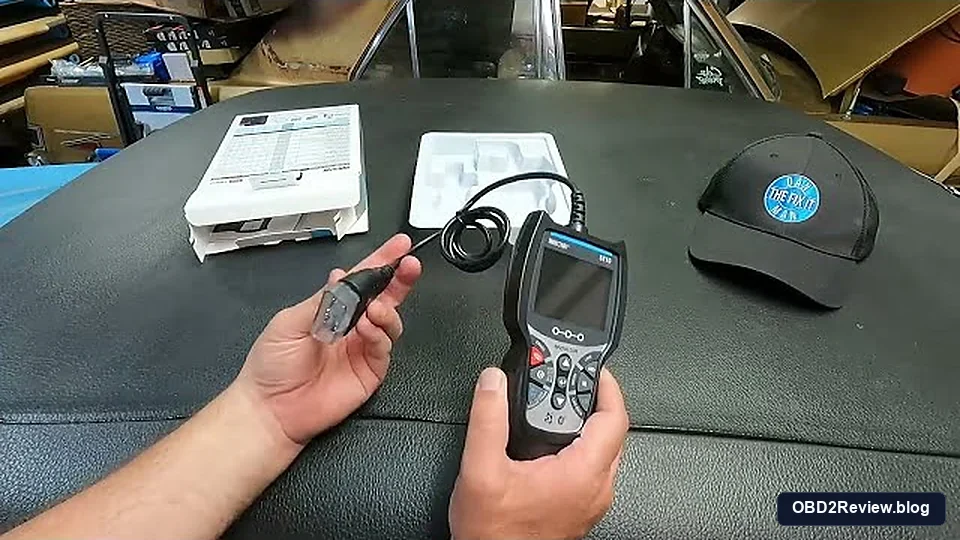
Pairing the device with the companion mobile application unlocks deeper repair databases via Bluetooth. This integration transforms basic code reads into actionable mechanical repair strategies.
Out-of-box initialization requires zero complex configuration steps, allowing users to plug the device directly into the dashboard port and read the All-In-One color display immediately upon vehicle ignition activation.
Shortcut buttons flanking the main display provide instant access to inspection readiness monitors, allowing technicians to verify smog check status quickly without navigating through deep submenus in the firmware.
- Instant plug-and-play setup directly from the box
- Intuitive main menu navigation structure
- Mobile app pairing for enhanced repair databases
- Color-coded LED indicators show quick pass or fail status.
- Intuitive menu layout speeds up technician workflow in busy shops.
Firmware Updates and Maintenance Protocols
Keeping vehicle coverage current involves connecting the scanner to a personal computer via USB. Check our best OBD2 scanner rankings to find top-performing diagnostic tools for your shop.
Routine maintenance requires only occasional cleaning of the plastic casing using standard shop degreasers. The durable screen resists scratching from stray tools resting nearby.
- Simple USB-based firmware update utility
- Scratch-resistant display screen materials
Long-Term Durability, Reliability, and Garage Endurance
Long-term structural integrity testing reveals an enclosure capable of surviving typical automotive fluid exposure. Oil and solvent splashes wipe clean from the textured plastic surfaces easily.
Connector pins show minimal wear after hundreds of insertion and removal cycles across various vehicle ports. The gold-plated contacts prevent oxidation buildup in humid environments.
Built for harsh shop environments, the device resists chemical exposure from standard automotive fluids like brake fluid and motor oil, preventing exterior housing degradation and maintaining clear button legibility over years.
Firmware update capabilities via micro-USB ensure the internal database stays current with expanding vehicle protocols, protecting your equipment investment against rapid automotive technology shifts and new emission standards.
- Chemical-resistant polymer casing construction
- Durable gold-plated OBD connector pins
- Proven resilience against daily shop hazards
- Chemical-resistant keypad membrane prevents ingress of grease and moisture.
- Sturdy port connector pins resist wear over thousands of insertion cycles.
Comprehensive Buyer Verdict and Target Application
The diagnostic unit provides exceptional value for DIY enthusiasts requiring ABS and live data streaming. Professional technicians might miss bidirectional controls but will appreciate its speed.
Choosing this tool ensures reliable emissions pre-testing and clear guidance for everyday garage repairs. It remains an essential diagnostic asset for modern vehicle owners.
Tailored primarily for DIY enthusiasts and semi-professional technicians, this diagnostic tool delivers essential powertrain diagnostics and freeze frame data without overwhelming users with advanced bi-directional control features they rarely use.
Balancing affordability, rugged build quality, and straightforward protocol compatibility, it represents a reliable garage investment for anyone needing fast code retrieval and dependable emission readiness testing capabilities.
- Ideal balance of cost and multi-system coverage
- Strong recommendation for DIY mechanics
- Reliable companion for pre-smog inspections
- Ideal choice for home mechanics tackling check engine lights.
- Offers dependable core features for routine vehicle maintenance tasks.
Frequently Asked Questions
Does this scan tool read ABS and SRS airbag codes?
Yes, this device supports comprehensive ABS and SRS diagnostics alongside standard engine code reading. Users can easily troubleshoot brake and airbag warning lights.
Can I check my vehicle emissions readiness before a smog test?
The built-in smog check LEDs provide an instant readiness status for your vehicle emissions monitors. This feature helps prevent costly failed state inspections.
Does the scanner require internal batteries to operate?
Power is drawn directly from the vehicle data link connector during operation. This eliminates the need for internal replacement batteries while connected.
How do I perform firmware updates on the device?
Updates are managed by connecting the unit to a computer via USB. The software utility downloads the latest vehicle definitions automatically.
Is this tool compatible with older OBD1 vehicles?
This scanner is engineered specifically for standard 1996 and newer OBD2 compliant vehicles. Older OBD1 systems require dedicated adapter cables not included here.