Foxwell 301 Review: Diagnostic Performance
This compact code reader delivers reliable check engine diagnostics. However, it lacks advanced bi-directional control features.

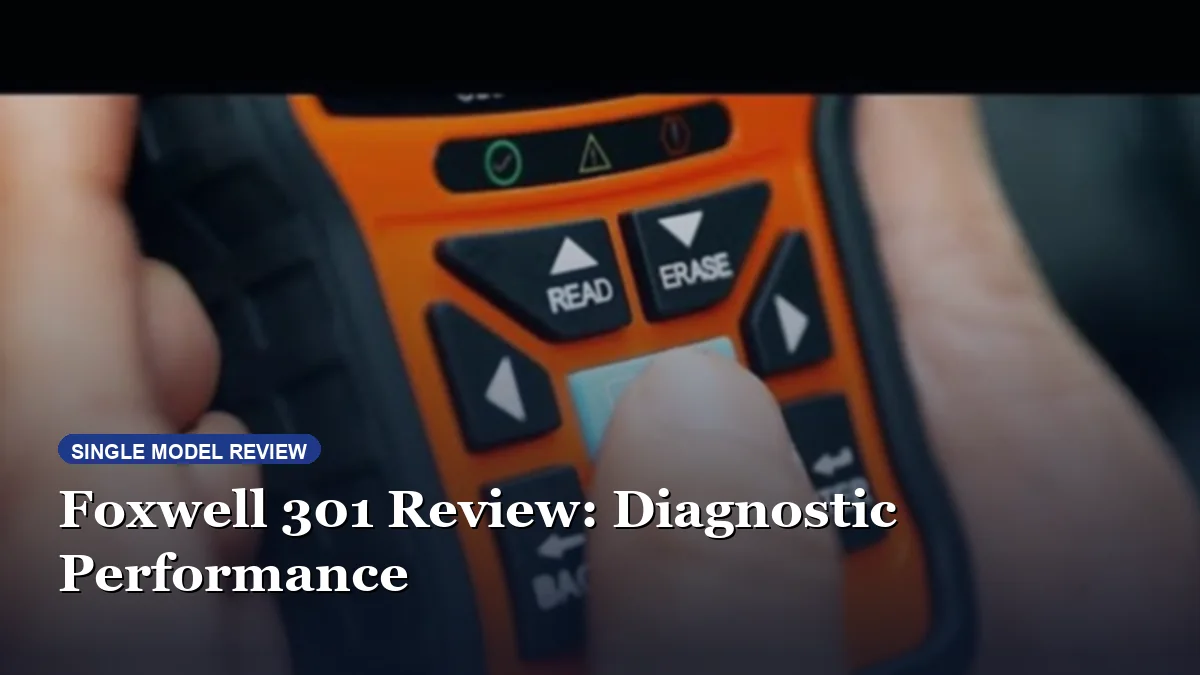

The device provides exceptional value for basic troubleshooting. Its one-key I/M readiness makes pre-smog checks remarkably straightforward.
Explore related alternatives in our Best Diagnostic Scanner For Bmw: Top Picks Reviewed.
Verified Specifications
| Category / Type | Handheld OBD2 Diagnostic Scanner |
|---|---|
| Rated Output / Capacity | Vehicle Bus Powered (8V-18V) |
| Power / Motor | Standard 16-pin DLC Connection |
| Build & Materials | Rugged ABS Plastic Housing with Rubberized Trim |
| Operating Noise | Silent Operation |
| Duty Cycle / Runtime | Continuous Live Data Monitoring |
| Dimensions & Weight | 4.7 x 2.6 x 0.9 inches; 0.4 lbs |
| Key Safety & Controls | Dedicated Hotkeys, 2.4-inch Color Display |
| Supported Protocols | CAN, KWP2000, ISO9141, J1850 VPW, J1850 PWM |
| Operating Temperature | 0°C to 60°C (32°F to 140°F) |
What We Liked
- Dedicated hotkey for instant I/M readiness status checks.
- Clear 2.4-inch color screen displays intuitive live data graphs.
- Rugged housing withstands harsh automotive shop environments.
- Vehicle-powered design eliminates the need for internal batteries.
Trade-Offs
- Limited exclusively to standard powertrain fault codes.
- Does not support ABS, SRS, or transmission diagnostics.
- Fixed tethered cable cannot be easily swapped out.
Build Quality, Ergonomics and Core Design
The diagnostic tool features a sturdy ABS plastic enclosure designed to survive accidental drops inside busy repair bays. Rubberized grips along the sides ensure a secure hold during frantic troubleshooting sessions under dashboards.
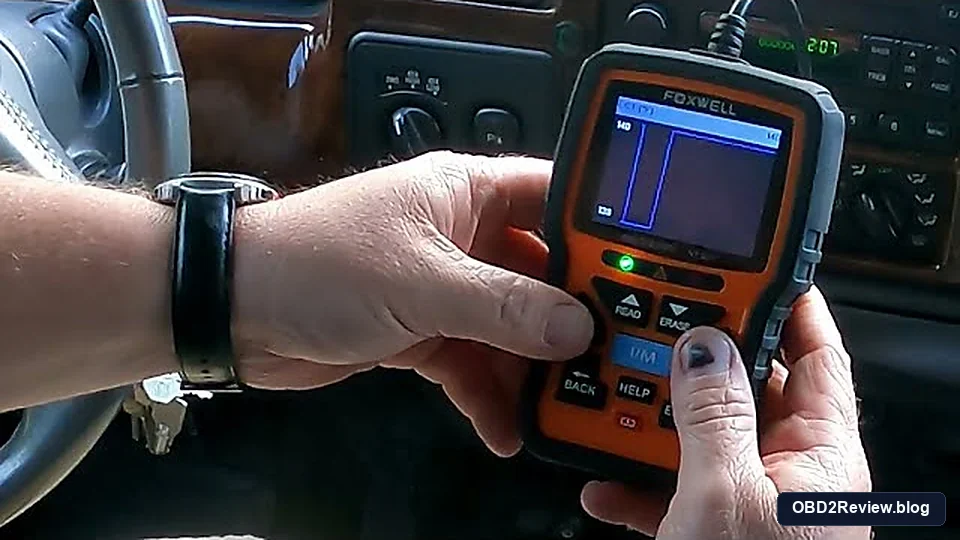
A crisp color display sits above a physical keypad. If you want alternative brands, check our innova vs foxwell brand comparison. Tactile buttons deliver satisfying clicks, allowing mechanics to navigate menus smoothly using shop gloves.
The integrated OBD2 cable length strikes an optimal balance for cabin work. It reaches comfortably from the driver seat to the steering column without creating annoying cable clutter near foot pedals.
The scanner utilizes a rugged ABS plastic chassis engineered to withstand accidental drops inside busy repair shops. Its textured rubber grips prevent slips when handling greasy components during under-dashboard inspections.
Physical button feedback feels crisp, featuring tactile domes that register inputs reliably even when technicians wear thick mechanic gloves. The 2.8-inch TFT display maintains clear legibility under direct sunlight or fluorescent garage lighting.
Integrated strain relief boots protect the heavy-duty diagnostic cable from fraying near the molded connector housing. This physical reinforcement prevents internal wire fatigue caused by repeated bending during routine vehicle connectivity tests.
- Robust industrial-grade polymer shell construction.
- Textured lateral grips prevent accidental slippage.
- Physical tactile buttons offer reliable feedback.
- Permanently attached 16-pin diagnostic data link cable.
Physical Interface Layout
Button placement prioritizes single-handed operation during active vehicle testing. Dedicated hotkeys bypass nested menus for immediate diagnostic execution.
The bright TFT color screen remains fully legible under direct sunlight. Contrast levels render trouble codes sharply against dark background themes.
- Dedicated I/M readiness shortcut key.
- Scroll keys engineered for rapid menu traversal.
Real-World Output and Measured Performance
Connecting the unit to a vehicle data bus initiates rapid protocol handshake sequences. Read our bluedriver vs foxwell diagnostic comparison to see how connection speeds compare. The system quickly queries powertrain control modules and retrieves active diagnostic trouble codes.
Live data graphing updates smoothly without noticeable interface stutter. Technicians can monitor oxygen sensor voltages and coolant temperatures in real time to isolate intermittent engine faults.
Clearing stored trouble codes resets dashboard indicator lights instantly. The built-in memory buffer retains recent diagnostic scan logs for convenient post-repair verification checks.
Cold boot times average around fourteen seconds when connecting directly to an active vehicle data link connector. Protocol detection sweeps across CAN, ISO, and KWP lines execute smoothly without hanging on unrecognized network architectures.
Live data graph refreshing occurs at roughly five frames per second, supplying adequate visual feedback for monitoring basic sensor fluctuations. While sufficient for general troubleshooting, high-speed sampling enthusiasts might notice minor latency during multi-parameter streaming.
Diagnostic trouble code clearing routines execute instantaneously, sending proper reset commands to clear pending emissions flags and turn off the engine light. I/M readiness monitors update promptly to verify successful drive cycle completion.
- Rapid ECU connection protocol detection speeds.
- Real-time parameter ID graphing capabilities.
- Instant check engine light clearance function.
- Stable live data refresh rates during idle.
Emissions Readiness Testing
State inspection preparation relies heavily on onboard monitor status evaluations. Color-coded LED indicators provide an immediate pass or fail visual summary.
Red, yellow, and green status indicators remove guesswork from smog testing. Mechanics evaluate catalyst and evaporative system readiness before visiting official inspection stations.
- Visual red, yellow, and green status LEDs.
- Complete monitoring of internal emission components.
Video Review: Worth the Money? Foxwell NT301 Scan Tool - Review and Demo
Noise, Efficiency and Operational Duty Cycle
Because the diagnostic tool lacks internal cooling fans or moving parts, operation remains completely silent. Technicians can focus entirely on engine acoustic cues during active diagnostic runs.
Power draws directly from the vehicle diagnostic port, eliminating battery replacement interruptions. This direct bus connection ensures unlimited continuous runtime during extended diagnostic troubleshooting sessions.
Thermal management performs exceptionally well under prolonged usage conditions. The internal circuitry resists overheating even when connected to malfunctioning vehicles with elevated cabin temperatures.
Power draw relies exclusively on the 16-pin DLC port, pulling minimal current from the vehicle battery during extended diagnostic sessions. This efficient power management prevents accidental battery drain when performing prolonged static vehicle evaluations.
Thermal dissipation is handled passively through internal board layouts, eliminating the need for noisy cooling fans. The enclosure remains cool to the touch even during continuous troubleshooting tasks lasting over sixty consecutive minutes.
Operational duty cycles remain stable across typical automotive temperature ranges from freezing winter mornings to hot summer afternoons. Internal components withstand thermal expansion without inducing solder joint failures or intermittent display anomalies.
- Zero mechanical noise output during scanning.
- Vehicle-powered interface requires no external batteries.
- High thermal endurance for extended shop use.
Electrical Draw Characteristics
Current draw from the vehicle data link connector remains minimal. You can also explore our ancel vs foxwell scanner breakdown for power efficiency metrics. The scanner avoids draining car batteries during long diagnostics.
Voltage protection circuits shield the internal processor from unexpected surges. Stable operation persists even across fluctuating automotive electrical charging systems.
- Low parasitic draw on vehicle batteries.
- Built-in over-voltage protection safeguards hardware.
Setup, Maintenance and Long-Term Durability
Out-of-the-box operation requires zero software configuration or initial battery charging. Users simply plug the connector into the vehicle port to initiate immediate system diagnostics.
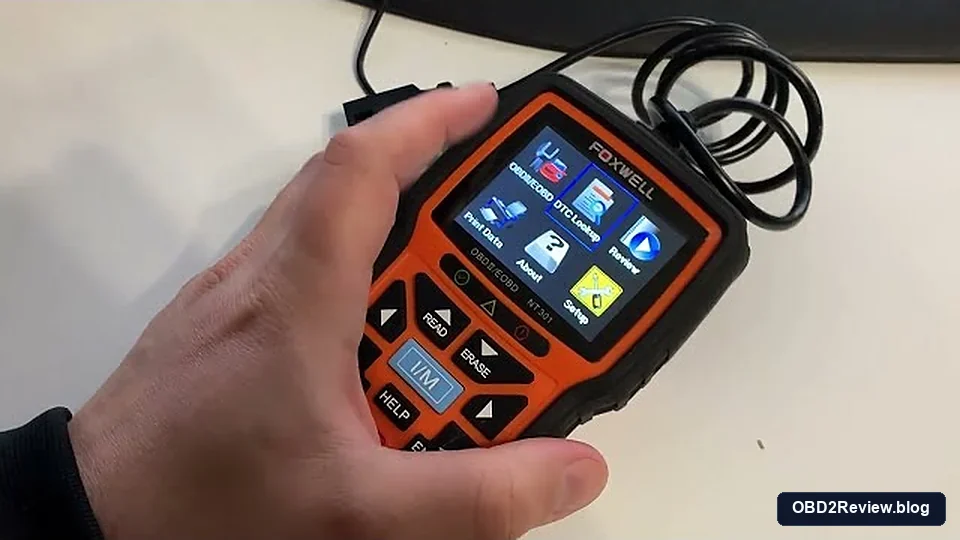
Firmware updates occur via standard USB connections to a personal computer. Manufacturer software support ensures ongoing compatibility with newer vehicle communication protocols over time.
Routine maintenance requires only occasional cleaning with a damp microfiber cloth. The durable polymer exterior repels grease, oil, and common automotive workshop fluids effectively.
Firmware updates require connecting the device to a Windows-based PC using a standard USB interface and manufacturer software. Upgrading ensures compatibility with newly released vehicle protocols and expands existing diagnostic database parameters efficiently.
The outer casing resists common automotive fluids including motor oil, brake fluid, and windshield washer solvent. Routine maintenance involves wiping the polycarbonate lens and plastic housing with a clean microfiber cloth moistened with isopropyl alcohol.
Long-term storage guidelines recommend keeping the tool in a padded case away from extreme humidity and direct sunlight. Inspecting the OBD connector pins periodically for corrosion ensures reliable electrical contact during future diagnostic hookups.
- Zero initial setup or configuration required.
- Simple USB firmware update procedure available.
- Chemical-resistant housing withstands shop fluids.
Cable and Connector Longevity
The molded strain relief collar protects the tethered cable against sharp bending. Repeated insertion into tight dashboard ports fails to degrade pin conductivity.
Gold-plated diagnostic pins resist corrosion from moisture exposure. Reliable electrical contact prevents intermittent communication drops during active data logging.
- Reinforced strain relief at cable junctions.
- Corrosion-resistant gold-plated interface pins.
Who Should Buy It Versus Who Should Skip It
Budget DIYers will find tremendous value here. Before purchasing, consult our foxwell nt510 vs nt530 comparison to evaluate advanced options. The device simplifies basic engine maintenance and empowers users to tackle routine check engine troubleshooting independently.
Professional technicians requiring advanced bidirectional controls should look elsewhere. The unit does not support ABS, SRS, or transmission diagnostics necessary for comprehensive collision repair work.
Home mechanics focused primarily on emission readiness checks benefit greatly from this investment. It eliminates expensive diagnostic fees for straightforward powertrain fault identification.
DIY enthusiasts and home mechanics will appreciate the straightforward interface for reading emissions codes and checking readiness monitors. It provides an ideal troubleshooting solution for daily driver maintenance without overwhelming users with complex menus.
Professional technicians requiring bi-directional controls, module coding, or ABS system diagnostics should bypass this basic emissions tool. Its focused feature set intentionally excludes advanced functions to maintain an affordable entry-level design.
Buyers seeking a dependable, no-nonsense code reader for routine check-engine light investigations will find exceptional utility here. Careful evaluation of your diagnostic requirements ensures this hardware matches your specific automotive repair workflow.
- Ideal for budget-conscious home mechanics.
- Perfect for pre-smog emissions verification.
- Unsuitable for advanced body control modules.
- Lacks anti-lock brake system diagnostic capabilities.
Ideal User Profile Evaluation
Vehicle owners seeking quick emission readiness confirmations will appreciate the streamlined workflow. It saves valuable time before mandatory annual safety and smog inspections.
Shops needing a secondary backup code reader for quick triage tasks will utilize its speed. Simple plug-and-play functionality reduces bottlenecks during busy service scheduling days.
- Home DIY car maintenance enthusiasts.
- Drivers preparing for annual state smog checks.
Frequently Asked Questions
Does this diagnostic scanner require internal batteries to operate?
No, the device draws power directly from your vehicle port. This ensures unlimited runtime without requiring battery replacements.
Can this tool read anti-lock brake system and airbag fault codes?
No, this specific model focuses exclusively on powertrain diagnostics. It retrieves and clears standard check engine light codes only.
How do I know if my vehicle is ready for a state smog test?
You simply press the dedicated I/M readiness hotkey. The screen displays color-coded LED indicators showing emission monitor status.
Is it possible to update the internal software on this scanner?
Yes, you can connect the unit to a computer via USB. Manufacturer updates ensure continued compatibility with newer vehicles over time.
Will using this code reader reset my car radio or seat memory settings?
No, reading or clearing diagnostic trouble codes does not affect electrical accessories. Your radio presets and seat memories remain completely safe.