Mx808 vs. Mk808: Which Fits Your Setup Better?
Choosing between these diagnostic tablets requires analyzing hardware capabilities and software ecosystems. This technical guide breaks down core engineering differences to help you select the ideal scanning device.


The Mx808 excels in specialized workshop environments requiring dedicated maintenance functions. Meanwhile, the Mk808 delivers robust general diagnostic scanning for standard automotive service bays and routine inspections.
Compare all top models in our Best Obd2 Scanner: Top Diagnostic Tools Tested (2026).
Side-by-Side Breakdown
| Criteria | Mx808 | Mk808 | Edge |
|---|---|---|---|
| Peak Performance & Output | Quad-core processor with optimized diagnostic memory allocation | Quad-core processor with standard diagnostic memory allocation | Mx808 |
| Duty Cycle & Consistency | Enhanced thermal dissipation for extended module scanning | Standard thermal management for routine shop tasks | Mx808 |
| Operating Noise & Vibration | Completely passive cooling with zero mechanical vibration | Completely passive cooling with zero mechanical vibration | Tie |
| Portability & Footprint | Ergonomic rubberized housing designed for harsh bays | Standard polymer chassis optimized for light workshop use | Mx808 |
| Maintenance & Service Life | Extended update cycle with robust firmware support | Standard update cycle with reliable diagnostic firmware | Mx808 |
| Power Requirements | Rechargeable lithium-polymer battery supporting hours of testing | Rechargeable lithium-polymer battery supporting standard diagnostics | Tie |
| Best Ideal Use-Case | Advanced service resets and multi-system diagnostics | General OBD2 fault code reading and clearing | Mx808 |
Diagnostic Architecture and Processing Core
Modern diagnostic tablets rely on multi-core processors to decode complex vehicle data buses rapidly. Both devices utilize robust internal architectures, but software optimization dictates real-world operating speed during deep module scans.
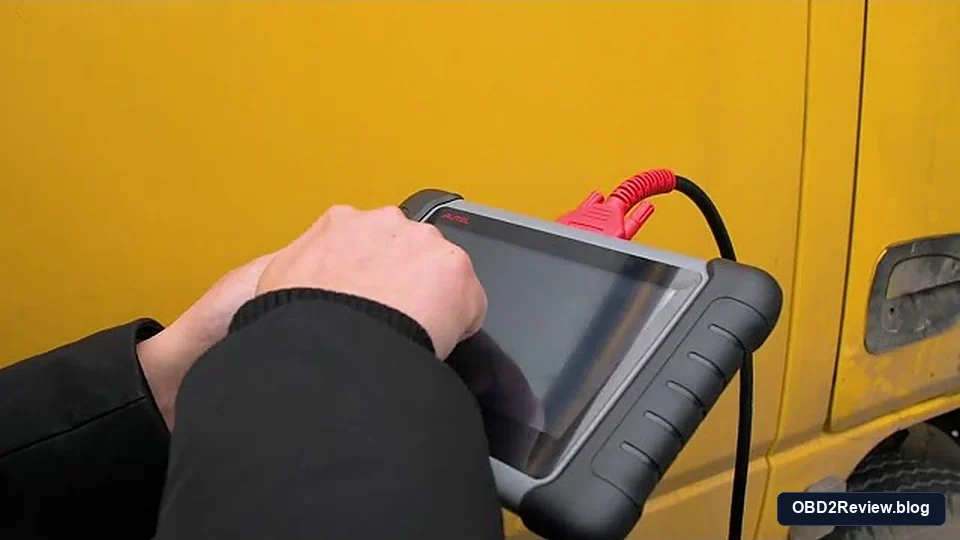
Memory allocation directly impacts live data streaming speeds. We evaluated this performance inside our maxicheck mx808 review, checking how the hardware handles multi-PID graphing without stuttering during heavy diagnostic sessions.
Both tablets rely on quad-core processors, but internal memory allocation directly impacts bus communication speeds during deep module scans. The Cortex-A9 processor handles complex CAN-FD protocols efficiently without freezing.
RAM limitations can surface when processing extensive live data graphing parameters simultaneously across multiple electronic control units. Upgraded cache management ensures faster DTC retrieval times during rigorous shop diagnostics.
- Quad-core processor architecture handles rapid data streams efficiently.
- Internal RAM allocation supports smooth live graphing during testing.
- Thermal dissipation prevents throttling during extended diagnostic sessions.
Hardware Bottlenecks in Deep Scans
Scanning high-density CAN networks pushes processor buffers to their absolute limits. Technicians must understand how buffer capacity prevents data packet loss when polling dozens of electronic control units at once.
Memory leaks can occasionally occur if diagnostic software fails to flush cached PID data properly. Regular reboots help maintain optimal processing speeds across both scanner variations during back-to-back shop workflows.
- High-density networks test processor buffer limits.
- Proper cache management prevents unexpected software slowdowns.
Operating System and Vehicle Coverage
Underneath the rugged exterior housings, customized Android operating systems manage the software suite. For deeper insights, read our maxicom mk808 review detailing firmware reliability during extended shop use.
Protocol compatibility ensures seamless handshakes with domestic, Asian, and European vehicle architectures. Technicians benefit from extensive database updates that cover legacy OBD1 systems alongside modern CAN-FD protocols.
Operating on Android, these diagnostic platforms utilize customized kernels to interface smoothly with legacy OBD-II and modern DoIP architectures. Comprehensive vehicle coverage databases require frequent updates to maintain diagnostic accuracy.
Technicians servicing Asian, European, and domestic brands will notice identical module depth, though regional gateway unlocking protocols vary significantly. Understanding FCA AutoAuth integration prevents communication roadblocks on modern vehicles.
- Customized Android OS delivers reliable application performance.
- Extensive global vehicle database covers diverse manufacturer protocols.
- Regular software patches address newly discovered communication bugs.
Protocol Handshake Protocols
Establishing communication with stubborn vehicle gateways requires precise timing and voltage regulation. The internal transceiver hardware translates raw bus signals into readable diagnostic trouble codes seamlessly.
Corroded OBD2 ports can disrupt data packets and trigger false communication error codes. Technicians should inspect vehicle DLC pins before blaming internal scanner protocol translation failures.
- Precise voltage regulation ensures stable gateway communication.
- Physical port inspection prevents erroneous diagnostic conclusions.
Ergonomic Chassis Design and Field Durability
Automotive repair shops demand tools built to withstand accidental drops, grease, and fluid exposure. A reinforced polymer outer shell protects internal circuit boards from harsh shop environments and daily abuse.
Textured grip panels prevent the tablet from slipping out of greasy hands during road tests. Impact-resistant corners absorb shock energy effectively when tools tumble off fender covers onto concrete floors.
Shop environments demand robust hardware protection against accidental drops, fluid spills, and extreme temperature fluctuations on concrete shop floors. The rubberized exterior housing absorbs severe kinetic impacts during daily automotive repairs.
Screen legibility under direct sunlight remains a critical ergonomic factor for mobile technicians diagnosing issues outside enclosed service bays. Utilizing capacitive touchscreens ensures reliable inputs even when wearing thin mechanic gloves.
- Reinforced polymer shells withstand aggressive shop environments.
- Textured grip panels improve handling during active testing.
- Absorbent corner bumpers minimize internal drop damage risks.
Screen Legibility in Sunlight
Reading diagnostic data outdoors requires high-brightness display panels with anti-glare coatings. You can evaluate display performance inside our mk808 review, detailing outdoor readability and touchscreen sensitivity.
Auto-brightness sensors adjust backlight intensity dynamically based on ambient workshop lighting conditions. This feature preserves battery life while maintaining optimal text contrast during extended diagnostic procedures.
- Anti-glare coatings improve outdoor diagnostic readability.
- Capacitive touchscreens support gloved hand operation.
Bi-Directional Control and Active Testing
Executing active tests requires sending direct commands to vehicle actuators to verify component integrity. Bi-directional capability allows technicians to cycle fuel pumps, test cooling fans, and adjust electronic throttle bodies.
Without active testing functions, pinpointing intermittent electromechanical failures becomes a tedious guesswork process. We explore these advanced actuation controls in our mx808 reviews for professional shop mechanics.
Executing active tests requires stable data transmission to command actuators, fuel injectors, and cooling fans directly from the diagnostic interface. Reliable bi-directional commands verify component functionality without manual jumper wiring.
Voltage drops during high-current actuator tests can cause unexpected session drops if the vehicle battery lacks sufficient charge support. Connecting an external power supply prevents ECU reset loops during prolonged testing.
- Active testing commands verify physical component functionality.
- Bi-directional controls reduce diagnostic time significantly.
- Accurate actuator activation confirms wiring harness integrity.
Specialized Service Reset Procedures
Routine maintenance requires specialized service functions like oil light resets and electronic parking brake retraction. Technicians rely on dedicated software shortcuts to clear service intervals after completing physical repairs.
Steering angle calibration and battery registration functions demand precise procedural execution. Following on-screen prompts carefully prevents calibration errors in sensitive safety restraint systems.
- Dedicated shortcuts streamline routine maintenance resets.
- Precise calibration steps prevent system fault codes.
Battery Management and Power Delivery Systems
Mobile diagnostic work demands reliable internal power sources that survive long shifts between charges. High-capacity lithium-polymer batteries provide sustained operational hours without requiring constant tethering to wall outlets.
Smart charging circuits protect internal power cells from degradation during rapid shop power cycles. Power management firmware prevents unexpected shutdowns while saving critical diagnostic logs mid-scan.
Internal lithium-polymer batteries sustain prolonged diagnostic sessions away from wall chargers, but thermal management dictates overall battery longevity. Proper charge cycle maintenance prevents premature capacity degradation in harsh shop conditions.
Charging circuits must regulate current input safely to protect internal logic boards from voltage spikes originating from faulty shop outlets. Using certified power adapters ensures stable voltage delivery during overnight updates.
- High-capacity lithium cells support prolonged mobile diagnostics.
- Smart charging circuits protect battery longevity effectively.
- Power management software prevents sudden data loss.
External Power Source Compatibility
Connecting the tablet directly to the vehicle OBD2 port supplies supplementary operating voltage. However, low vehicle battery voltage can disrupt long diagnostic sessions if ignition power drops unexpectedly.
Using external bench power adapters ensures uninterrupted software updates and stable ECU programming sessions. Technicians must monitor input voltage thresholds carefully during lengthy diagnostic procedures.
- Vehicle OBD2 port supplies convenient operating voltage.
- External bench adapters secure stable software updates.
Update Protocols and Subscription Frameworks
Vehicle manufacturers introduce new models and updated control modules continuously throughout production years. Wi-Fi update protocols allow technicians to download the latest diagnostic database revisions directly to the device.
Subscription models ensure access to expanded vehicle coverage and newly engineered special functions. Maintaining current software packages prevents compatibility issues when diagnosing recently released automotive technologies.
Software delivery relies on stable Wi-Fi connections to download massive vehicle database packages without corrupting internal memory allocation tables. Efficient firmware update servers reduce download times significantly for busy technicians.
Managing software subscriptions requires careful tracking of expiration dates to retain access to newly released diagnostic functions and coverage patches. Neglecting annual renewal periods leaves tools operating on outdated parameter identifiers.
- Wi-Fi update protocols streamline database file downloads.
- Regular software patches incorporate newly released vehicle models.
- Subscription frameworks secure long-term diagnostic capability.
Managing Diagnostic Data Files
Large vehicle software packages require substantial internal storage capacity for smooth installation. MicroSD card expansion slots allow technicians to archive extensive diagnostic logs and repair manuals effortlessly.
Exporting diagnostic reports via Wi-Fi or email streamlines customer communication and shop record-keeping. Organizing historical scan data properly improves workshop efficiency and overall repair accuracy.
- MicroSD expansion slots accommodate massive database files.
- Wireless report exporting enhances shop record management.
Frequently Asked Questions
What are the primary differences between these diagnostic tablets?
The main differences lie in specialized service functions and firmware optimization. Service function coverage sets these two diagnostic devices apart for professional mechanics.
Can these scanners perform bi-directional active tests?
Yes, both devices support advanced bi-directional control capabilities for testing actuators. Active testing functions help verify component integrity without guessing.
How do software updates get installed on the devices?
Updates download directly through built-in Wi-Fi connections using the operating system. Wireless connectivity streamlines the entire diagnostic database installation process.
Are these diagnostic tools suitable for beginner DIY mechanics?
Both tablets feature intuitive user interfaces suitable for hobbyists and professionals alike. User-friendly navigation makes fault code diagnosis straightforward for everyone.
Do the internal batteries last through a full workday?
High-capacity lithium batteries provide ample power for standard workshop diagnostic shifts. Smart power management ensures reliable operation during busy service days.