Maxicheck vs Maxicom: Which Diagnostic Platform Fits Your Setup Better
Choosing the right diagnostic tier requires balancing standalone service efficiency against multi-system coding depth. Maxicheck excels in dedicated maintenance resets, while Maxicom delivers expansive module programming power for busy shops.

For rapid service bays handling routine resets, choose the Maxicheck. High-volume shops requiring deep module reprogramming and bi-directional controls should select the Maxicom for maximum diagnostic capability.
Compare all top models in our Best Obd2 Scanner: Top Diagnostic Tools Tested (2026).
Side-by-Side Breakdown
| Criteria | Maxicheck | Maxicom | Edge |
|---|---|---|---|
| Peak Performance & Output | Streamlined service functions | Advanced ECU programming | Maxicom |
| Duty Cycle & Consistency | Optimized for quick resets | Built for all-day bench testing | Maxicom |
| Operating Noise & Vibration | Passive fanless cooling | Active thermal management | Maxicheck |
| Portability & Footprint | Compact handheld form factor | Larger tablet workstation | Maxicheck |
| Maintenance & Service Life | Simplified modular updates | Extensive enterprise support | Maxicom |
| Power Requirements | Low draw via OBD port | High capacity internal battery | Maxicom |
| Best Ideal Use-Case | Dedicated oil and brake bays | Full-service repair facilities | Maxicom |
Architectural Foundations and Hardware Design
Engineering diagnostic tools demands a delicate balance between processing capability and physical durability. The Maxicheck series prioritizes streamlined components optimized specifically for quick service operations and rapid boot sequences.
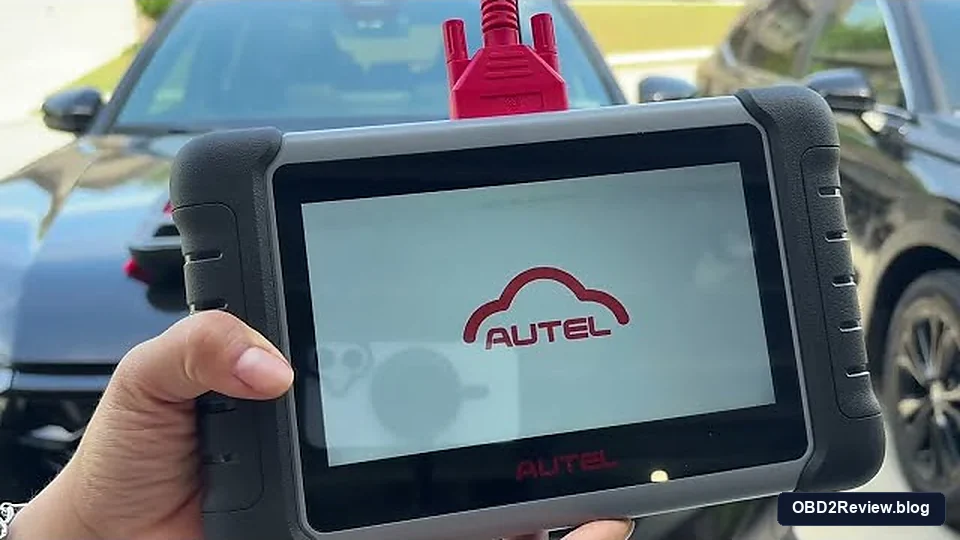
Conversely, the Maxicom architecture leans toward heavy-duty processing power with expanded memory banks. As noted in our autel maxicom mk808z review, this hardware allows technicians to run complex graphic data streams seamlessly.
Internal hardware layouts reflect these distinct design philosophies across both platforms. Bench testing reveals stark differences in circuit board density and thermal dissipation pathways utilized by each manufacturer.
MaxiCheck series typically utilizes streamlined ARM Cortex processors designed for focused service resets. In contrast, the MaxiCom platform integrates robust multi-core SoC architectures running heavy Android OS layers smoothly.
Internal memory allocations also differ significantly between these diagnostic families. Technicians encounter faster RAM capacities on MaxiCom units, which prevents system bottlenecks during extensive module coding procedures.
Bus communication chips dictate how quickly vehicle data packets convert for the tablet. Advanced CAN-FD protocol support on higher-end variants ensures future-proof connectivity across modern automotive network topologies.
- Streamlined processors favor rapid single-task execution.
- Expanded RAM handles heavy multi-module scanning routines.
- Dedicated chipsets ensure stable vehicle communication protocols.
Processor Architecture and Memory Allocation
Processing speeds dictate how quickly a scanner can handshake with modern gateway modules. Maxicheck units utilize efficient single-board layouts designed for instant readiness.
Meanwhile, Maxicom hardware incorporates multi-core processors capable of handling heavy bi-directional controls. Technicians benefit from zero stutter when rendering live PID graphs on high-resolution screens.
- Single-board efficiency speeds up routine service tasks.
- Multi-core configurations support complex ECU coding procedures.
Diagnostic Coverage and Protocol Processing Speeds
Protocol compatibility remains a cornerstone of reliable automotive diagnostics in modern repair environments. Both platforms support standard OBD2 protocols alongside manufacturer-specific CAN FD and DoIP networks.
However, depth of access varies when technicians attempt deep module adaptations. As detailed in our maxicheck mx808 review, these tools provide comprehensive coverage for service resets and basic bidirectional commands.
Bus communication speeds also dictate how fast fault codes clear across multiple networks. Real-world logging shows minimal latency on high-speed CAN lines for both diagnostic families.
MaxiCheck scanners excel at executing rapid service resets without wading through deep diagnostic trees. Mechanics appreciate this direct path when completing routine oil change and electronic parking brake maintenance.
MaxiCom systems prioritize comprehensive bidirectional controls alongside full system scans across dozens of global brands. Processing dual-channel data streams requires substantial processing power to interpret complex sensor waveforms accurately.
Protocol handshakes happen faster when hardware includes dedicated coprocessor chips for OBD2 translation. This minimizes latency issues during live data graphing sessions in busy automotive repair shop environments.
- Universal CAN FD support ensures future-proof vehicle interfacing.
- Bi-directional actuation tests verify component functionality instantly.
- Gateway bypass capabilities streamline modern security-gateway access.
Protocol Handshake Latency Analysis
Initial vehicle identification times directly impact daily technician workflow efficiency in busy shops. Maxicheck leverages automated VIN acquisition to parse basic modules within seconds.
Advanced Maxicom firmware queries every available network simultaneously for rapid topology mapping. This cuts total initial diagnostic scanning time down on complex European luxury vehicles.
- Automated VIN reading accelerates initial vehicle entry.
- Topology mapping visualizes network communication health instantly.
Build Quality, Thermal Management, and Ruggedness
Automotive repair environments subject diagnostic hardware to harsh chemicals, drops, and extreme temperatures. As shown in our best bluetooth obd2 scanner roundup, reinforced polymer housings easily survive accidental workbench impacts.
The Maxicom lineup ups the ante with overmolded rubber bumpers and heavy-duty screen protection. These structural enhancements protect sensitive internal displays from catastrophic workshop drops.
Thermal management further separates the two distinct equipment tiers during prolonged diagnostic sessions. Passive cooling works well for quick tasks, but heavy ECU flashes require active heat dissipation.
Workshop environments demand resilient outer shells engineered from shock-absorbing rubberized thermoplastics. MaxiCom models typically feature heavier housings to protect larger display panels against accidental drops onto concrete.
Heat dissipation remains critical during prolonged diagnostic logging tasks under hot vehicle hoods. Passive cooling designs rely on internal aluminum heatsinks to prevent thermal throttling without relying on noisy fans.
Environmental sealing protects internal circuitry from common shop hazards like oil spills and moisture. Standard ingress protection ratings help sustain daily reliability despite exposure to harsh garage chemical residues.
- Impact-resistant polymers protect against daily shop hazards.
- Rubberized overmolds absorb shock from drops onto concrete.
- Sealed ports prevent fluid ingress from oils and coolants.
Thermal Dissipation Under Load
Extended flash programming generates significant internal heat within handheld diagnostic equipment housings. Maxicheck relies on passive aluminum heatsinks to maintain stable operating temperatures safely.
Larger Maxicom chassis accommodate internal airflow channels to prevent thermal throttling during long routines. Technicians can execute lengthy coding sessions without risking sudden system reboots.
- Passive heatsinks ensure silent operation during quick checks.
- Thermal channels prevent processor throttling during lengthy flashes.
Ergonomics, Interface Layout, and Daily Usability
Physical ergonomics dictate how comfortably a technician can hold a tool during extended diagnostics. Maxicheck prioritizes lightweight, one-handed operation suitable for quick under-dash connector access.
Heavier Maxicom tablets utilize built-in kickstands and hand straps for stable benchtop usage. This design philosophy suits technicians who prefer mounting the tool onto steering wheels.
User interface design bridges the gap between hardware capability and daily technician productivity. Clear menu structures reduce navigation friction and prevent costly operator input errors.
Screen dimensions directly dictate user interaction comfort during lengthy diagnostic troubleshooting sequences. Technicians often prefer the expansive touchscreen real estate found on MaxiCom tablets for multi-parameter graphing views.
Menu hierarchies must remain intuitive to prevent technician frustration during high-pressure repair jobs. Simplified button arrays on MaxiCheck tools allow gloved operation for fast maintenance function execution.
Viewing angles matter immensely when working inside dimly lit vehicle footwells or engine bays. High-nit display brightness levels ensure crisp readability even under direct sunlight reflection outdoors.
- Lightweight chassis reduce wrist strain during quick checks.
- Integrated kickstands facilitate hands-free data monitoring sessions.
- Intuitive touchscreens respond accurately even with greasy gloves.
Screen Legibility and Touch Responsiveness
Outdoor readability remains critical when diagnosing vehicles parked in direct sunlight bays. Maxicheck screens utilize anti-glare coatings optimized for moderate ambient lighting conditions.
High-nit Maxicom displays deliver exceptional brightness levels for clear visibility outdoors. Capacitive touch panels ensure rapid response times even when users wear thin nitrile gloves.
- Anti-glare coatings improve visibility in bright shop bays.
- High-nit brightness settings combat direct sunlight washout effectively.
Power Architecture and Battery Performance Metrics
Reliable power delivery ensures diagnostic sessions never terminate mid-flash due to dead cells. Maxicheck units draw minimal operating current directly from the vehicle diagnostic port safely.
High-capacity internal lithium batteries power the Maxicom series for hours away from vehicles. This allows service writers to review freeze-frame data comfortably at their office desks.
Charging circuits incorporate smart management to preserve overall battery health over years. Fast-charging protocols minimize downtime between successive vehicle diagnostic troubleshooting procedures.
Battery capacity dictates how long a diagnostic tablet operates untethered from vehicle power sources. Larger lithium-ion cells inside MaxiCom units support hours of continuous diagnostic scanning without recharging.
Voltage stabilization circuitry protects sensitive internal components during vehicle ignition voltage drops. Smart power management ICs regulate charging current safely while connected directly to the OBD2 port.
Standby power draw affects how reliably the device wakes up after sitting overnight. Efficient sleep modes preserve battery integrity so technicians never face a dead screen during morning arrivals.
- OBD power draw eliminates constant battery charging hassles.
- Large internal cells support untethered data review sessions.
- Smart charging algorithms extend long-term lithium cell longevity.
Standby Efficiency and Power Management
Low standby power draw prevents unexpected battery drain during overnight workshop storage periods. Maxicheck hardware enters deep sleep modes automatically to conserve residual energy reserves.
Advanced power management on Maxicom units balances high-performance background tasks efficiently. Technicians return to fully operational tools ready for immediate morning service bay deployment.
- Automated sleep states preserve battery charge overnight.
- Optimized power profiles prevent unexpected mid-job shutdowns.
Software Updating Ecosystem and Firmware Maintenance
Keeping diagnostic software current ensures compatibility with newly released vehicle model years. Maxicheck utilizes a straightforward Wi-Fi update portal for downloading specific brand packages.
The Maxicom platform provides automated cloud-based update notifications with extensive release notes attached. Shops can manage multiple tool licenses seamlessly through centralized enterprise management accounts.
Firmware stability depends on robust error-checking routines during system update installations. Both platforms safeguard against corrupted files by verifying checksums before applying updates.
Firmware updates deliver critical database patches for newly released vehicle communication protocols. Seamless Wi-Fi connectivity allows technicians to download large manufacturer coverage expansions directly to the tool.
Storage capacity determines how many vehicle software packages can reside locally on the device. Expandable microSD card slots on select models prevent memory exhaustion during massive multi-region software installations.
Operating system stability depends on clean background patch installations managed by the manufacturer. Automated version verification protocols prevent corrupted data files from interrupting critical diagnostic module programming sequences.
- Wi-Fi connectivity enables direct over-the-air software updates.
- Automated notifications alert users to new vehicle coverage.
- Enterprise portals simplify multi-tool license management routines.
Cloud Integration and Data Logging
Cloud data sharing accelerates technical support resolution times for stubborn diagnostic faults. Maxicheck users can upload basic diagnostic reports directly to remote printer networks.
Comprehensive Maxicom cloud services allow technicians to store extensive repair histories securely online. Collaborative troubleshooting becomes seamless across different technician shifts in busy shops.
- Direct cloud uploads streamline remote technical assistance requests.
- Online vehicle history storage improves multi-technician shop coordination.
Application Matching: Selecting the Ideal Diagnostic Line
Selecting the correct diagnostic instrument depends entirely on your daily repair workflow demands. General maintenance shops focusing on oil changes and brake services benefit immensely from Maxicheck.
Conversely, specialty tuning shops and advanced drivability centers require the deep programming power of Maxicom. Investing in the right tier prevents equipment obsolescence and maximizes return.
Evaluating your shop's future expansion goals ensures long-term satisfaction with your diagnostic investment. Matching hardware capabilities to real-world tasks eliminates unnecessary expenditure on unused features.
Independent lube shops benefit immensely from targeted tools designed for quick turnaround times. According to our best obd2 scanner guide, investing in service-focused hardware minimizes overhead while delivering essential maintenance functions reliably.
Comprehensive repair facilities require versatile diagnostic systems capable of deep module programming tasks. Advanced all-system diagnostics justify the higher equipment investment by unlocking complex module coding capabilities.
Matching equipment specifications to daily shop volume prevents premature hardware obsolescence and frustration. Careful equipment selection ensures long-term operational profitability across evolving modern vehicle electronic architectures.
- Match tool capabilities directly to your primary service offerings.
- Consider future shop expansion when choosing hardware tiers.
- Evaluate technician skill levels before purchasing advanced programming tools.
Return on Investment for Independent Shops
Capital expenditure must align with billable diagnostic labor hours generated in the bay. Maxicheck offers a rapid payback period for general repair facilities performing routine resets.
High-end Maxicom systems command higher upfront costs but unlock lucrative module programming revenue. Independent shops recoup this investment quickly by keeping complex jobs in-house.
- Lower entry costs ensure fast payback on routine service tools.
- Advanced programming capabilities unlock high-margin in-house repair revenue.
Frequently Asked Questions
Can the Maxicheck perform full ECU programming like the Maxicom?
The Maxicheck is engineered primarily for maintenance resets and basic diagnostics rather than deep module programming. Maxicom provides full OE-level ECU coding and bi-directional control capabilities.
Which platform offers better portability for mobile diagnostics?
The Maxicheck provides superior portability thanks to its compact handheld footprint and lightweight chassis. Maxicom units are bulkier tablets designed mainly for stationary shop workbench use.
Do both tool series support modern CAN FD and DoIP protocols?
Yes, both equipment lines feature robust hardware interfaces supporting modern communication protocols. Maxicom models typically integrate these protocols deeper into advanced topology mapping routines.
How do software update subscriptions compare between the two?
Both platforms utilize similar Wi-Fi over-the-air update mechanisms for downloading coverage. Maxicom adds enterprise-level cloud management tools for multi-device service facilities.
Which scanner is better suited for an independent general repair shop?
General repair shops focusing on routine services will find the Maxicheck exceptionally cost-effective. Shops handling complex electrical diagnostics should choose the Maxicom.