Innova 6100P vs. 5610: Which Fits Your Setup Better?
Navigating modern diagnostic scanners requires balancing advanced bi-directional controls with straightforward code reading. This rigorous technical comparison evaluates how both Innova models handle complex workshop workloads.

The Innova 5610 dominates for technicians needing full bi-directional controls, while the 6100P remains a robust choice for efficient emissions checks and standard system scans.
Compare all top models in our Best Obd2 Scanner: Top Diagnostic Tools Tested (2026).
Side-by-Side Breakdown
| Criteria | Innova 6100P | 5610 | Edge |
|---|---|---|---|
| Peak Performance & Output | Standard OBD2 processing | Advanced bi-directional control | 5610 |
| Duty Cycle & Consistency | Reliable daily code reading | Extended multi-system logging | 5610 |
| Operating Noise & Vibration | Silent handheld operation | Silent handheld operation | Tie |
| Portability & Footprint | Compact lightweight chassis | Ergonomic rugged housing | 6100P |
| Maintenance & Service Life | Standard firmware updates | Frequent diagnostic expansions | 5610 |
| Power Requirements | Vehicle OBD2 bus powered | Vehicle and internal battery backup | 5610 |
| Best Ideal Use-Case | Quick emissions and basic diagnostics | Advanced troubleshooting and actuation | 5610 |
Architectural Overview and System Capabilities
When evaluating advanced automotive diagnostic tools, technicians must carefully analyze the hardware constraints and firmware capabilities of each model. Understanding these fundamental differences ensures optimal performance during daily repair operations.
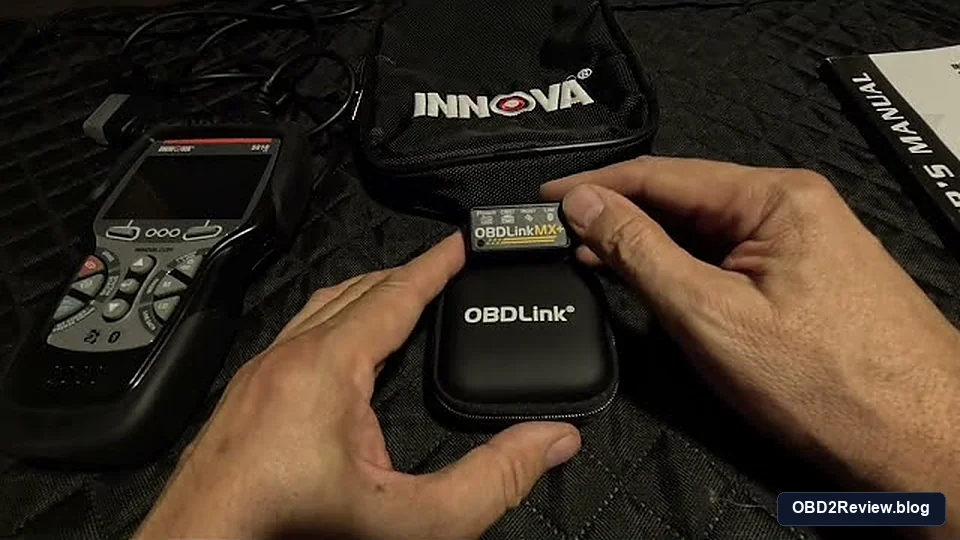
Both handheld units feature durable polymer enclosures designed to withstand harsh shop environments. However, internal processing speeds and memory allocations vary significantly between these two diagnostic platforms.
The Innova 6100p utilizes a streamlined single-board architecture for foundational powertrain diagnostics, whereas our Innova 5610 review highlights a multi-processor layout supporting bidirectional commands, module resets, and advanced system-wide diagnostic execution.
Hardware differentiation dictates core functional ceilings, limiting the entry-level device to read and clear routines, while the higher model processes complex routines required for modern vehicle networks and comprehensive diagnostic trouble code isolation.
- Ruggedized exterior housing protects internal logic boards.
- Distinct processor speeds alter real-time graphing refresh rates.
- Memory allocation dictates maximum live data recording duration.
Internal Processing Hardware Analysis
The internal architecture dictates how fast trouble codes clear and data streams refresh. Engineers prioritize responsive microprocessors to minimize lag during live sensor monitoring sessions.
Evaluating bus communication speed reveals substantial variations in protocol handling efficiency. Technicians working on modern CAN-FD networks benefit immensely from optimized chipsets.
- Optimized chipsets reduce scan latency across modules.
- CAN-FD protocol support enhances modern vehicle coverage.
Diagnostic Depth and Live Data Processing
Accessing comprehensive manufacturer-specific trouble codes separates basic code readers from professional tools, as detailed in our Innova 5610 scanner review covering deep module access across ABS, SRS, and transmission networks.
Meanwhile, the 6100P focuses heavily on emission readiness indicators and powertrain fundamentals. Repair facilities handling routine maintenance find this targeted approach exceptionally practical.
Live data streaming speeds depend heavily on internal buffer sizes and refresh rates, with the 5610 delivering graphical graphing for multiple PID parameters simultaneously over high-speed CAN lines.
Technicians analyzing intermittent sensor failures benefit from the advanced recording capabilities found in the 5610, contrasting with the text-only lists and basic graphing limits inherent to the 6100p interface.
- Comprehensive module scanning uncovers hidden intermittent faults.
- Emission readiness indicators streamline state inspection procedures.
- Live data graphing aids in tracking erratic sensor voltage.
Live Parameter Identification Metrics
Monitoring live sensor telemetry requires high refresh rates to catch micro-dropouts in voltage. Advanced graphing capabilities allow technicians to visualize fuel trim anomalies instantly.
Filtering unnecessary parameter IDs declutters the viewing screen during complex diagnostic procedures. Proper data management directly reduces overall vehicle troubleshooting time.
- High refresh rates isolate intermittent electrical faults.
- Customizable PID lists improve diagnostic workflow efficiency.
Ergonomics, Build Quality, and Physical Footprint
Physical ergonomics dictate technician comfort during extended under-dash testing sessions, as noted in our Innova 5210 review highlighting molded rubber hand grips that prevent slipping while wearing greasy workshop gloves.
Button tactile feedback ensures positive actuation without requiring excessive finger pressure. Clear visual layouts reduce eye strain in poorly lit engine bays.
Both tools utilize robust thermoplastic enclosures wrapped in protective elastomer bumpers designed to absorb repeated workshop drops and resist automotive fluid exposure such as oil, brake fluid, and gasoline.
The physical weight distribution and screen bezel dimensions favor the 5610 for extended diagnostic sessions, providing a larger viewing area without compromising the one-handed grip security necessary in tight engine bays.
- Textured rubber grips enhance physical handling security.
- Tactile buttons prevent accidental input during testing.
- High-contrast color screens remain legible in sunlight.
Cable Durability and Strain Relief
Molded strain reliefs at both scanner and connector ends prevent internal wire breakage. Technicians frequently yank cables, making robust connector reinforcement a vital engineering priority.
Flexible outer insulation resists automotive fluids like brake fluid and motor oil. Long-term durability depends entirely on these protective chemical-resistant outer layers.
- Reinforced strain reliefs prevent premature cable failure.
- Chemical-resistant insulation withstands workshop fluid exposure.
Power Delivery and Vehicle Communication Protocols
Reliable power delivery prevents unexpected reboots while capturing critical engine control module data. Most scanning tools draw primary operating voltage directly from the vehicle port.
Internal battery backups allow technicians to review freeze-frame data away from the vehicle. This portable review capability enhances post-diagnostic report generation efficiency.
Diagnostic hardware relies primarily on 12-volt vehicle battery power supplied through the DLC, yet internal circuit protections must handle voltage drops during heavy cranking loads without resetting the operating system.
Protocol compatibility spans legacy OBD1 adapters through modern Controller Area Network standards, though the 5610 includes broader topology support for multiplexed buses utilized across newer luxury and heavy-duty platforms.
- OBD2 port power minimizes external charging requirements.
- Internal backup batteries preserve session memory states.
- Multi-protocol support covers legacy and modern networks.
Protocol Switching Speed and Stability
Automotive networks utilize diverse communication protocols requiring rapid switching hardware. Seamless protocol transitions prevent communication link errors during multi-module scans.
Stable bus communication guarantees accurate trouble code retrieval without dropping packet data. Engineering rigor in transceiver design ensures long-term operational reliability.
- Rapid protocol switching eliminates communication dropouts.
- Robust transceivers ensure accurate multi-module polling.
Firmware Updates and Maintenance Workflows
Keeping diagnostic databases current requires straightforward firmware update procedures via personal computers. Manufacturers release regular patches to expand vehicle coverage and fix software bugs.
User-friendly update software minimizes downtime for busy professional automotive repair shops. Efficient update management ensures compliance with changing vehicle emission standards.
Maintaining operational accuracy requires regular firmware updates via companion desktop software, ensuring diagnostic databases remain synchronized with emerging vehicle models and newly released manufacturer service bulletins.
USB connectivity standards allow for straightforward patching procedures, minimizing device downtime during critical maintenance cycles while preserving user configurations and custom data logs across multiple update iterations.
- Regular database patches expand year-make-model coverage.
- Simple computer connection streamlines software update tasks.
- Bug fixes improve overall system stability during scans.
Software Interface Usability Standards
Menu navigation structures dictate how quickly apprentices learn to operate the equipment. Logical hierarchy trees prevent users from getting lost inside nested diagnostic sub-menus.
Clear instructional prompts guide technicians through complex system resets and relearn procedures. Usability engineering directly impacts shop productivity and technician confidence.
- Intuitive menu trees reduce technician training time.
- Clear on-screen prompts guide complex relearn tasks.
Comparative Efficiency in Professional Workshops
Workshop efficiency relies on matching the right diagnostic tool to specific bay workloads. High-volume service centers require advanced tools capable of performing active component tests.
General maintenance shops often prioritize speed and simplicity over deep bi-directional actuation features. Choosing appropriately balances initial investment against daily diagnostic capability.
In high-throughput automotive repair environments, diagnostic cycle times dictate profitability, making the fast menu navigation and advanced actuation features of the 5610 a valuable time saver for busy technicians.
Conversely, general service bays handling routine maintenance tasks find the straightforward code-reading focus of the 6100p sufficient for clearing emissions monitors and turning off service reminder lights.
- Active testing speeds up verification of replaced actuators.
- Simplified tools accelerate quick-lube emission check lanes.
- Proper tool matching optimizes overall shop profitability.
Bay Throughput and Diagnostic Velocity
Rapid code retrieval directly increases daily vehicle throughput in busy service bays. Minimizing diagnostic bottlenecks allows service writers to generate estimates much faster.
Reliable equipment performance prevents costly comebacks caused by missed intermittent faults. Investing in capable hardware protects shop reputation and customer satisfaction.
- Faster scan times increase daily service bay capacity.
- Accurate diagnostics eliminate costly repeat repair visits.
Choosing the Optimal Scanning Instrument for Your Needs
Selecting between these two diagnostic tools depends entirely on your daily troubleshooting requirements. Advanced technicians benefit greatly from the bi-directional features found in the upper model.
DIYers and emissions specialists will find the streamlined capabilities of the alternative model completely sufficient. Evaluate your specific diagnostic goals before making a final purchasing decision.
Selecting the appropriate diagnostic instrument demands careful evaluation of your technical skill level, budget constraints, and findings from our Innova Carscan Pro 5610 review regarding the complexity of modern vehicle fleets.
While DIY enthusiasts will appreciate the cost-effective simplicity of the entry model, professional mechanics require the extensive bidirectional controls and graphing capabilities delivered by the advanced scanning unit.
- Match tool capability directly to your repair complexity.
- Consider future vehicle coverage needs before buying.
- Balance budget constraints with required diagnostic depth.
Final Decision Matrix for Technicians
Reviewing key metrics clarifies which tool fits your specific garage environment best. Prioritize features that address your most frequent daily automotive repair challenges.
Consulting professional comparison metrics ensures informed equipment acquisitions for modern repair facilities. Make your final selection based on verified technical capabilities.
- Prioritize frequent repair challenges in your selection.
- Verify technical specifications against your workload.
Frequently Asked Questions
Can both scanners perform full bi-directional control tests?
The Innova 5610 supports comprehensive bi-directional testing, whereas the 6100P focuses primarily on standard code reading and emissions monitoring. Technicians requiring active component actuation should choose the higher model.
Do these diagnostic tools require paid annual subscriptions?
Neither model enforces paid annual subscription fees for standard updates. Users receive free firmware updates throughout the active service life of the scanning hardware.
How do live data graphing capabilities compare between units?
Both units display live sensor data streams, but the 5610 offers advanced graphing with multi-parameter overlay options. This allows technicians to analyze complex powertrain correlations much faster.
Are these scanners compatible with older OBD1 legacy vehicles?
Standard operation is strictly optimized for OBD2 compliant vehicles manufactured from 1996 onward. Legacy OBD1 protocols require separate adapter cables not included in standard kits.
What power source is required during extended diagnostic sessions?
Primary power draws directly from the vehicle data link connector. An internal rechargeable battery backup preserves memory states during sudden vehicle power interruptions.