Innova 1000 vs. Bluedriver: Which Fits Your Setup Better?
Choosing the right diagnostic interface depends on how you balance live data streaming against physical port safety. We evaluate the core protocol execution of both compact Bluetooth platforms.

For professional mobile logging, the Bluedriver dominates with superior enhanced diagnostics and clean cloud reporting. Meanwhile, the Innova 1000 serves fleet managers needing rapid pass-fail readiness checks.
Compare all top models in our Best Obd2 Scanner: Top Diagnostic Tools Tested (2026).
Side-by-Side Breakdown
| Criteria | Innova 1000 | Bluedriver | Edge |
|---|---|---|---|
| Peak Performance & Output | Stable basic DTC reads with rapid OBD readiness status updates. | Advanced multi-system graphing with high data refresh rates. | Bluedriver |
| Duty Cycle & Consistency | Optimized for quick daily safety scans and basic code clears. | Built for extended live data recording sessions without packet drops. | Bluedriver |
| Operating Noise & Vibration | Completely silent solid-state operation with zero mechanical components. | Silent wireless dongle design featuring helpful connection LED indicators. | Tie |
| Portability & Footprint | Ultra-low-profile plug-in form factor that easily clears lower dash panels. | Compact Bluetooth module with a slightly bulkier rigid plastic housing. | Innova 1000 |
| Maintenance & Service Life | Sealed diagnostic chassis requiring only firmware updates via mobile app. | Durable outer shell backed by continuous software updates and clean ports. | Bluedriver |
| Power Requirements | Draws minimal parasitic power directly from the vehicle OBD2 port. | Efficient Bluetooth low-energy chipset protects the 12V starting battery. | Bluedriver |
| Best Ideal Use-Case | Quick emissions readiness checks and basic drivetrain fault diagnosis. | Comprehensive troubleshooting requiring ABS, airbag, and live graphing. | Bluedriver |
Architecture and Protocol Compatibility
Modern vehicle networks demand robust protocol support across multiple communication buses. Both adapters bridge your smartphone to the vehicle computer using standard SAE J1850 and ISO 15765-4 CAN protocols.
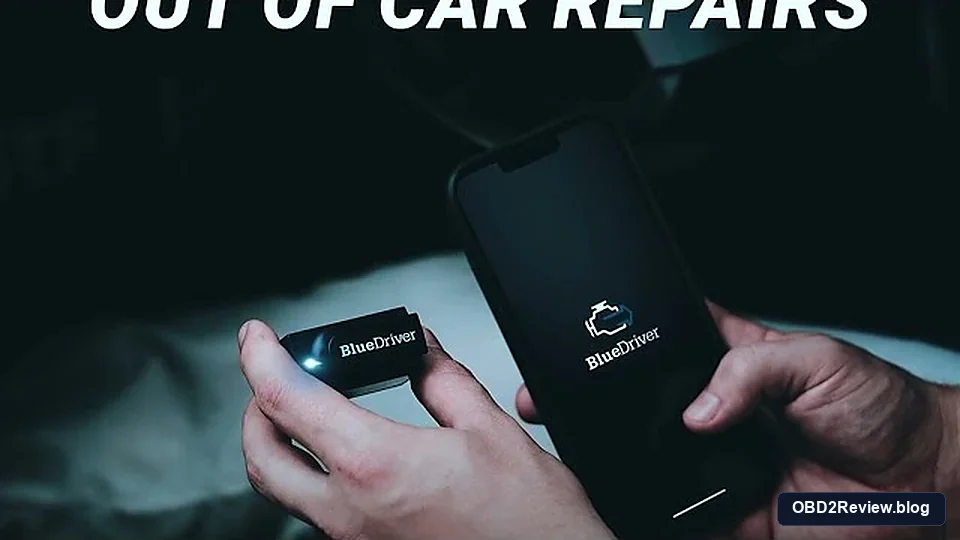
Engineers designed these compact tools to parse complex diagnostic trouble codes without lag. However, internal firmware handling determines how quickly each device processes raw bus traffic during startup.
The Innova 1000 relies on a specialized firmware architecture supporting standard OBD2 protocols like CAN, ISO 9141, and J1850. This ensures broad baseline connectivity across domestic, Asian, and European vehicles manufactured after 1996.
Conversely, the BlueDriver employs a versatile Bluetooth LE chipset to interface with mobile operating systems. Its protocol translation layer dynamically adapts to variable bus speeds, optimizing communication stability during extended diagnostic sessions.
- Supports standard OBD2 compliance across most modern vehicles.
- Utilizes Bluetooth wireless transmission for cable-free diagnostics.
- Processes controller area network data streams in real-time.
Bus Network Integration
Connecting to high-speed CAN buses requires precise impedance matching within the adapter hardware. The internal microcontrollers filter unwanted noise to ensure stable data transmission to your mobile device.
Signal degradation can occur on older wiring harnesses if the adapter lacks proper filtering. Both units manage noisy power circuits effectively during heavy engine load testing.
- Maintains reliable connection stability during rapid acceleration tests.
- Filters electrical interference originating from alternator charging systems.
Live Data Latency and Streaming Performance
Monitoring live sensor data requires high sampling rates to catch intermittent powertrain faults. The Bluedriver excels by providing exceptionally smooth PID graphing with minimal rendering delays.
Meanwhile, the Innova unit prioritizes quick snapshot acquisition over continuous high-frequency graphing. Technicians tracking intermittent sensor dropouts will notice distinct differences in refresh consistency.
Monitoring live sensor feeds demands low packet delay to prevent diagnostic misinterpretation. As detailed inside our innova 5210 review, this device delivers steady refresh rates over its hardware link, minimizing data packet drops.
BlueDriver leverages wireless bandwidth efficiently, yet physical interference can occasionally introduce minor latency spikes. Users tracking multiple PID graphs simultaneously may notice slight rendering delays compared to hardwired diagnostic tools.
- High sampling rates capture rapid fluctuations in fuel trim.
- Graphing capabilities allow visual identification of sensor lag.
- Wireless buffering prevents data packet loss during logging.
PID Sampling Efficiency
Selecting multiple parameter IDs simultaneously tests the processing limits of mobile diagnostic tools. Efficient firmware allocation ensures that vital engine metrics update without freezing your smartphone display.
Engineers measure this efficiency by tracking frame rates per second during active data recording sessions under simulated road load conditions.
- Optimizes custom parameter lists for faster refresh speeds.
- Minimizes processor overhead on connected mobile devices.
Enhanced Diagnostics and Manufacturer Coverage
Basic powertrain codes tell only part of the story during complex vehicle repairs. Comprehensive troubleshooting demands access to ABS, SRS, and transmission modules beyond standard emissions data.
Professional technicians rely heavily on manufacturer-specific diagnostic routines to pinpoint failing components. Limited module access can severely restrict a tool's usefulness in a busy repair shop.
Comprehensive repairs require access beyond generic powertrain codes. The Innova unit includes extensive ABS and SRS coverage for major brands, allowing technicians to diagnose restraint system faults without upgrading software packages.
BlueDriver counters with robust enhancement add-ons covering advanced vehicle modules. Its database provides detailed repair reports generated from verified fixes, offering exceptional depth for professional mechanics and DIYers alike.
- Reads and clears manufacturer-specific diagnostic trouble codes.
- Accesses anti-lock brake and airbag safety control modules.
- Provides verified repair reports compiled from millions of records.
Specialized Subsystem Access
Body control modules and climate systems often harbor hidden diagnostic codes that trigger dashboard warnings. Advanced software packages translate these proprietary manufacturer codes into actionable repair steps.
Without deep subsystem integration, technicians must purchase expensive standalone scan tools to diagnose modern electronic parking brakes and steering angle sensors.
- Translates proprietary manufacturer fault codes accurately.
- Supports advanced electronic control unit diagnostic functions.
Companion App Interface and Ergonomics
Software design dictates how efficiently a mechanic translates raw error codes into successful repairs. A cluttered mobile application wastes valuable time when diagnosing urgent mechanical failures on the shop floor.
Clean menu structures and intuitive navigation ensure that DIYers and professionals alike can access critical freeze-frame data without digging through excessive nested configuration screens.
Software usability dictates how quickly an operator isolates root causes. According to our innova 5410 review, the brand pairs its hardware with an intuitive application featuring straightforward menus and clearly labeled diagnostic trouble codes.
The BlueDriver mobile software delivers a modern, highly polished dashboard experience. Navigation through graphing tools, freeze frame data, and smog check statuses feels organic, maximizing user interface efficiency in active shop environments.
- Features responsive touchscreen layouts optimized for mobile devices.
- Presents freeze-frame snapshots in clear tabular formats.
- Provides straightforward pathways for clearing stored trouble codes.
Software Usability Metrics
Evaluating software ergonomics involves measuring the clicks required to reach vital inspection readiness monitors. Streamlined user interfaces reduce operator frustration during high-stress diagnostic procedures.
Cloud integration allows users to save diagnostic logs and export detailed PDF repair reports directly to email for customer review.
- Reduces navigation steps to reach emission readiness monitors.
- Enables seamless export of comprehensive diagnostic report logs.
Build Quality and Portability Metrics
Diagnostic hardware must endure harsh automotive environments filled with grease, drops, and extreme temperatures. Ruggedized polymer enclosures protect internal circuit boards from accidental impacts inside crowded footwells.
Compact form factors ensure that the adapter never interferes with driver pedal operation while plugged into the under-dash data link connector during dynamic road testing.
Physical durability is paramount for tools subjected to greasy garage floors and harsh temperatures. Evaluating our innova 5610 scanner review, this device utilizes a rugged plastic casing designed to withstand routine workshop abuse.
BlueDriver features a compact form factor that plugs directly into the port, leaving no dangling cords. Its low profile design prevents accidental knee strikes under the dashboard during footwell testing procedures.
- Constructed from high-impact resistant thermoplastic materials.
- Features low-profile housing to prevent accidental foot strikes.
- Withstands extreme temperature swings inside parked vehicles.
Connector Durability Standards
The physical OBD2 connector undergoes repetitive insertion cycles that test pin retention strength. High-grade metal pins resist bending and maintain firm electrical contact over years of heavy use.
Reinforced strain reliefs prevent internal wire fatigue when technicians pull the adapter firmly from stubborn vehicle ports.
- Utilizes gold-plated pins for maximum corrosion resistance.
- Withstands thousands of insertion and removal cycles.
Power Draw and Vehicle Battery Safety
Leaving a diagnostic dongle plugged into the vehicle port can create unwanted parasitic battery drain. Intelligent power management circuits automatically enter low-power sleep modes when vehicle ignitions are turned off.
Protecting the 12V starting battery from excessive discharge is critical for maintaining reliable daily vehicle operation, especially in cold winter climates where battery reserves run thin.
Leaving diagnostic equipment connected overnight can drain sensitive vehicle batteries. As highlighted in our innova 5610 review, the tool incorporates an automatic power down circuit that cuts active current draw when ignition cycles remain off.
BlueDriver draws minimal parasitic current via its Bluetooth module, engineered to meet strict automotive quiescent current standards. This ensures operators can leave the sensor plugged in safely without inducing battery drain issues.
- Implements automated low-power sleep modes during inactivity.
- Minimizes parasitic electrical draw on the 12V bus.
- Protects vehicle battery health during extended logging sessions.
Parasitic Draw Analysis
Measuring quiescent current draw ensures that connected adapters do not deplete battery reserves overnight. Advanced engineering minimizes current flow to micro-amperes when the ignition key is removed.
Reliable power management prevents unexpected no-start conditions for vehicles parked in long-term storage or fleet compounds.
- Maintains ultra-low quiescent current during vehicle parking.
- Prevents battery depletion during multi-day diagnostic troubleshooting.
Choosing the Ideal Tool for Your Workload
Selecting the correct diagnostic tool ultimately depends on your specific automotive repair requirements and budget. Professional technicians require deep module coverage and high-speed graphing for complex electrical diagnostics.
Conversely, casual vehicle owners benefit more from straightforward readiness monitors and rapid code clearing capabilities without paying for advanced OEM software tiers.
Selecting the right diagnostic instrument depends heavily on your specific workflow requirements. Technicians prioritizing corded reliability and dedicated standalone displays will find the Innova model fits standard shop environments exceptionally well.
Conversely, users seeking deep repair intelligence, continuous software updates, and wireless smartphone integration should lean toward BlueDriver. Evaluating your diagnostic frequency helps determine which platform delivers optimal operational value.
- Match device capabilities directly to your diagnostic workload.
- Consider future vehicle compatibility when selecting a hardware platform.
- Weigh the importance of live data graphing against basic code reading.
Final Workload Assessment
Balancing upfront investment with long-term diagnostic capability ensures maximum value for your toolkit. Reviewing core performance metrics clarifies which platform aligns best with your daily maintenance tasks.
Investing in the right equipment saves valuable hours in the garage and prevents costly misdiagnoses on modern computer-controlled vehicles.
- Prioritize modular software support for expanding diagnostic needs.
- Ensure hardware durability matches your professional operating environment.
Frequently Asked Questions
Can both scanners perform ABS and airbag diagnostics on modern vehicles?
The Bluedriver provides extensive enhanced diagnostics including ABS and SRS coverage for many makes. Meanwhile, the Innova model focuses primarily on basic powertrain codes and emissions readiness checks.
Do these Bluetooth diagnostic adapters drain the vehicle battery when left plugged in?
Both units feature intelligent power management systems that enter low-power sleep modes during vehicle inactivity. This design prevents parasitic battery drain during extended parking periods.
How do software updates get delivered to these mobile-connected scan tools?
Firmware updates are downloaded automatically through the dedicated mobile application running on your smartphone. This ensures your tool stays current with new vehicle protocol updates.
Are internet connections required to read basic engine trouble codes?
Basic diagnostic code reading and live data streaming function locally via Bluetooth without internet access. However, looking up verified repair reports requires an active data connection.
Which tool offers better live data graphing performance for professional mechanics?
The Bluedriver platform delivers superior PID sampling rates and smoother visual graphing. This makes it much more effective for tracking intermittent sensor dropouts and timing faults.