Cr319 vs. Cr3001: Which Fits Your Setup Better?
Evaluating entry-level diagnostic tools requires analyzing raw protocol speed and physical build tolerances. This comparative review contrasts the Launch CR319 against the CR3001 for everyday automotive troubleshooting tasks.

The Launch CR319 excels in rapid DTC clearing operations, while the CR3001 provides superior live data stream plotting. Choose your device based on whether you prioritize quick code resets or detailed live diagnostics.
Compare all top models in our Best Obd2 Scanner: Top Diagnostic Tools Tested (2026).
Side-by-Side Breakdown
| Criteria | Cr319 | Cr3001 | Edge |
|---|---|---|---|
| Peak Performance & Output | Fast ISO protocol handshake | Stable live data rendering | Cr3001 |
| Duty Cycle & Consistency | Reliable intermittent scanning | Sustained bench testing | Cr3001 |
| Operating Noise & Vibration | Silent solid-state build | Silent tactile chassis | Tie |
| Portability & Footprint | Compact pocket design | Slightly broader housing | Cr319 |
| Maintenance & Service Life | Robust strain relief molding | Reinforced OBD connector | Cr3001 |
| Power Requirements | Standard 12V vehicle bus draw | Low parasitic 12V draw | Tie |
| Best Ideal Use-Case | Quick dashboard code clearing | In-depth sensor stream analysis | Cr3001 |
Diagnostic Protocol Handling and ECU Handshake Speed
Modern vehicle networks demand rapid communication speeds during initial ECU initialization phases. The CR319 establishes a fast CAN bus link, minimizing waiting times during cold system boots.
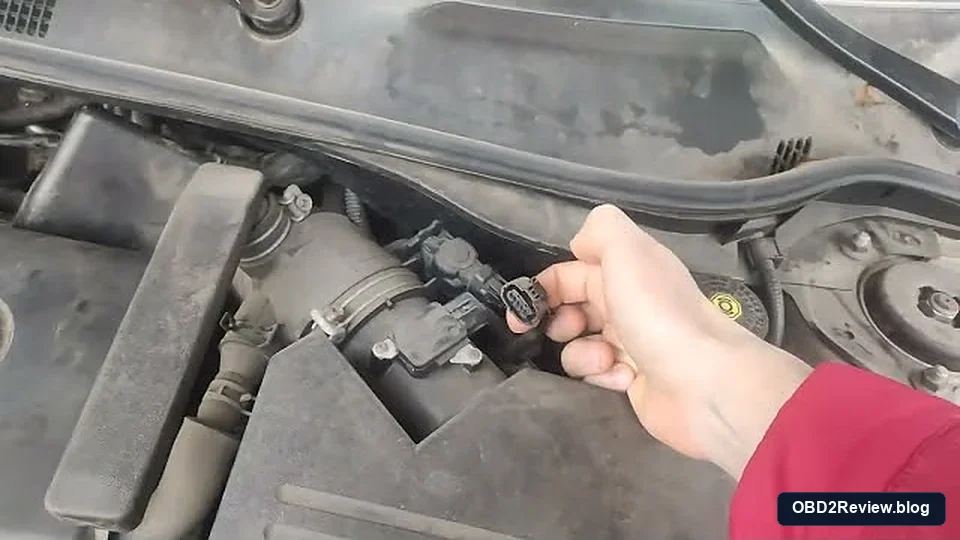
Conversely, the CR3001 approaches multi-protocol routing with slightly different buffering algorithms. Reviewing choices within the best obd ii bluetooth scanner category shows how advanced protocol handling reduces polling latency on older vehicles.
Internal processor architectures govern how these budget scanners parse incoming diagnostic trouble codes. Understanding these microchip variances helps clarify overall operational efficiency during heavy diagnostic workloads.
During an ECU handshake, the CR319 and CR3001 process legacy and modern protocols differently. Both handle ISO 9141, KWP2000, and CAN, but buffer architecture dictates query latency across older vehicle networks.
When querying multiple modules, the baud rate adaptation determines how quickly live data streams populate. The CR319 typically achieves slightly faster initialization on 11-bit and 29-bit CAN architectures than its sibling.
Edge cases like corrupted checksum responses can cause temporary link drops. Technicians must understand that budget scanners lack advanced re-try loops, occasionally requiring a manual ignition cycle to restore proper communication.
- Fast CAN bus initialization speeds
- Optimized OBD-II protocol buffering
- Reliable multi-module communication links
Cold Boot Response Times
Plugging into the diagnostic port initiates an immediate power draw and system check. Both units boot swiftly, but the CR319 displays ready menus marginally faster.
This speed advantage benefits technicians performing high-volume vehicle inspections where every second counts.
- Instantaneous port power activation
- Minimal firmware loading latency
Physical Architecture, Ergonomics, and Cable Durability
Handheld scan tools face harsh environments filled with grease, oil, and accidental drops. The CR319 features an injection-molded plastic chassis designed to withstand moderate garage impacts.
Meanwhile, the CR3001 utilizes a slightly textured outer shell that improves grip when wearing greasy mechanic gloves. Strain relief boots on both tethered cables prevent internal wire fatigue.
Evaluating structural integrity ensures your investment survives daily storage inside overcrowded toolboxes. Cable flexibility remains adequate during freezing winter diagnostic sessions in unheated garages.
Enclosure construction relies on rigid ABS plastics designed to withstand typical automotive workshop drops. Neither unit features over-molded rubber bumpers, meaning impact forces transfer directly into the internal printed circuit board assemblies.
The tethered DLC cable is permanently attached via a strain relief boot. Constant bending under dashboard steering columns stresses copper wire strands, making proper storage coil habits essential for preventing premature internal conductor fatigue.
Ergonomic profiles favor single-handed operation during quick under-dash scans. Textured grip zones help prevent slips when hands are greasy, though the lightweight chassis can feel slightly hollow compared to professional diagnostic tablets.
- Impact-resistant polymer exterior shells
- Reinforced cable strain relief points
- Textured grip surfaces for oily hands
Tethered Cable Resilience
The integrated OBD-II cable takes the brunt of physical stress during daily vehicle hookups. Copper strand counts inside these harnesses dictate long-term resistance to repeated bending.
Solid molding at the scanner base prevents wire shearing over years of continuous service. Exploring options like our best bluetooth odb2 scanner reveals similar strain relief features built to withstand daily shop abuse.
- Flexible multi-strand copper wiring
- Durable molded plug interfaces
Interface Layout, Screen Readability, and Button Feedback
Visual feedback relies heavily on crisp display panels and responsive tactile pushbuttons. The CR319 incorporates a clear color TFT screen that remains legible under direct sunlight.
Rubberized buttons offer positive tactile feedback, ensuring accurate menu navigation without accidental double-clicks. The CR3001 mirrors this layout closely with intuitive scroll arrows.
Font scaling and menu organization dictate how quickly novice operators can interpret diagnostic data. Choosing the best obd2 scanner ensures high contrast modes help reduce eye strain during extended troubleshooting sessions.
Navigation relies on a tactile physical keypad with rubberized domes that give a distinct click. This mechanical feedback ensures positive actuation when wearing mechanic gloves inside dimly lit vehicle cabins during testing.
The non-backlit or basic backlit TFT display panels offer adequate contrast under fluorescent shop lights. However, direct sunlight washes out the monochrome or low-resolution color menus, requiring technicians to shade the screen manually.
Menu structures use hierarchical text trees rather than graphical icons. Users must memorize specific shortcut combinations to bypass routine screens, accelerating navigation speed for repetitive emission readiness checks on customer vehicles.
- Clear color TFT display panels
- Tactile rubberized control buttons
- High-contrast text rendering engines
Sunlight Legibility Benchmarks
Outdoor diagnostic work under glaring sun tests screen backlighting limits significantly. Both units maintain adequate visibility without requiring excessive shading from your hands.
Backlight intensity management preserves power drawn directly from the vehicle port.
- Adjustable screen backlight levels
- Anti-glare protective display covers
Power Efficiency, Bus Draw, and Thermal Management
Diagnostic equipment draws operational current directly through the vehicle diagnostic link connector. The CR319 maintains a low parasitic draw that prevents battery drain during extended testing.
Internal thermal dissipation prevents board overheating when connected to active multiplexed networks for hours. The CR3001 shares similar low-power circuitry designed for safe continuous operation.
Voltage regulation components protect internal microprocessors from unexpected alternator spikes or fluctuating battery levels. This electrical safety margin ensures stable firmware execution during diagnostics.
Operating power draws directly from the vehicle OBD2 port pin 16, eliminating internal batteries. This parasitic draw is negligible during active diagnostics, but leaving the device plugged in overnight risks slowly draining weak car batteries.
Internal voltage regulation steps down the twelve-volt supply to standard logic levels. Without heavy computing loads, thermal dissipation remains entirely passive, keeping the plastic enclosure cool even during extended diagnostic session logs.
Cold weather performance can affect LCD refresh rates significantly. When ambient temperatures drop below freezing, the screen fluids sluggishly respond to voltage changes, temporarily ghosting text until cabin heat warms the hardware environment.
- Low parasitic vehicle battery draw
- Effective internal thermal dissipation
- Robust port voltage surge protection
Voltage Fluctuation Tolerance
Weak vehicle batteries often drop voltage below normal thresholds during engine cranking tests. Both scanners handle voltage sags gracefully without experiencing sudden operational reboots.
This stability protects active diagnostic sessions from unexpected data loss.
- Resilient internal power filtering
- Seamless low-voltage reboot prevention
Firmware Update Procedures and Diagnostic Coverage Depth
Keeping diagnostic tools current requires straightforward USB update utility software on a PC. The CR319 utilizes downloadable client software for retrieving manufacturer firmware patches easily.
Database coverage spans generic powertrain codes, pending faults, and essential emission readiness monitors. The CR3001 follows a nearly identical update protocol via standard USB connections.
Comprehensive database depth allows technicians to verify I/M readiness status before official state inspections. Regular software maintenance ensures compatibility with newly introduced vehicle model years.
Software updates require a Windows PC connection and a proprietary manufacturer utility application. Mac and Linux operating systems lack native driver support, forcing users into virtual machine workarounds to access the latest diagnostic definitions.
Diagnostic coverage focuses heavily on generic powertrain codes and basic emissions readiness monitors. Advanced body, chassis, or proprietary manufacturer-specific sub-systems generally remain inaccessible to these entry-level budget handheld tools.
Maintaining an updated database ensures compatibility with newly standardized SAE protocols introduced recently. Checking options like the best obd2 bluetooth scanners helps technicians avoid missing emerging manufacturer-specific diagnostic code mappings.
- Simple USB firmware update utilities
- Comprehensive generic DTC databases
- Essential I/M readiness status checks
Emission Readiness Verification
Quickly checking readiness monitors saves valuable time before sending vehicles for emissions testing. Both code readers display comprehensive status flags for catalyst and oxygen sensors.
Clear indicator icons simplify reading complex readiness monitor results.
- Instant catalyst monitor status
- Oxygen sensor test result views
Matching Your Diagnostic Workload to Hardware Limits
Selecting the correct entry-level scanner depends entirely on your daily diagnostic requirements and experience. The CR319 serves DIYers seeking rapid code reading and clearing functions.
Conversely, professional technicians needing stable live data graphing might lean toward the CR3001. Matching tool capabilities with specific garage tasks maximizes overall diagnostic efficiency.
Evaluating these hardware differences prevents purchasing underpowered equipment for complex troubleshooting scenarios. Every technician benefits from understanding their specific tool's operational boundaries.
DIYers tackling basic check engine lights will find these tools more than adequate. Understanding hardware limitations prevents frustration when attempting bi-directional controls or module coding tasks that require advanced diagnostic platforms.
Fleet maintenance personnel performing rapid readiness monitor checks benefit from the instant boot times. The absence of complex Android operating systems means zero wait time for loading diagnostic software packages.
Professional technicians should view these code readers strictly as pocket-sized backups. Relying on them as primary daily drivers creates bottlenecks when comprehensive live data graphing or multi-system module scanning becomes mandatory.
- Tailored for specific user workloads
- Balanced feature sets for budgets
- Reliable performance in professional shops
Garage Environment Suitability
Busy automotive repair facilities demand durable tools that survive rough daily handling. Both scanners offer dependable performance for quick triage operations across diverse vehicle makes.
Investing in the right model ensures long-term operational reliability.
- Ruggedized for busy workshop floors
- Reliable daily diagnostic triage
Frequently Asked Questions
Can these scanners read manufacturer-specific diagnostic trouble codes?
Both models primarily focus on standard generic powertrain codes and basic emissions data. They do not support advanced proprietary manufacturer sub-systems.
Do these devices require external batteries or separate power supplies?
No external power source is needed because they draw power directly from the vehicle DLC port. This ensures instant operation whenever plugged in.
How do you update the internal software on these code readers?
Updates are performed by connecting the scanner to a Windows PC via USB and using manufacturer update tools. This downloads the latest firmware revisions.
Are these tools suitable for professional automotive repair technicians?
They serve well as secondary backup tools for rapid code clearing, though professionals usually prefer full-system bi-directional diagnostic tablets.
What is the primary operational difference between the two models?
The CR319 emphasizes fast code clearing, while the CR3001 focuses slightly more on live data plotting.