Bluedriver Vs vs. Standard OBD2 Scanner: Which Fits Your Setup Better?
Navigating the diagnostic divide requires balancing smartphone app convenience against dedicated hardware reliability. This technical comparison evaluates performance metrics across demanding real-world automotive environments.

Choose the Bluedriver Vs for seamless smartphone integration and rapid wireless diagnostics, or select the Standard OBD2 Scanner for standalone reliability and zero-latency tethered operations.
Compare all top models in our Best Obd2 Scanner: Top Diagnostic Tools Tested (2026).
Side-by-Side Breakdown
| Criteria | Bluedriver Vs | Standard OBD2 Scanner | Edge |
|---|---|---|---|
| Peak Performance & Output | High-speed wireless data streaming | Direct wired processor throughput | Standard OBD2 Scanner |
| Duty Cycle & Consistency | Dependent on phone battery and Bluetooth | Continuous vehicle-powered uptime | Standard OBD2 Scanner |
| Operating Noise & Vibration | Silent solid-state wireless module | Silent handheld physical unit | Tie |
| Portability & Footprint | Ultra-compact pocket dongle format | Bulky handheld unit with attached cable | Bluedriver Vs |
| Maintenance & Service Life | App updates drive feature longevity | Ruggedized standalone physical housing | Standard OBD2 Scanner |
| Power Requirements | Low-draw Bluetooth LE vehicle power | Direct DLC power or internal batteries | Bluedriver Vs |
| Best Ideal Use-Case | Mobile DIYers and quick code clearing | Professional bay technicians and deep troubleshooting | Standard OBD2 Scanner |
Architecture and Core Hardware Philosophy
Modern vehicle diagnostics demand distinct engineering approaches to data processing. Learning what is mode 6 on bluedriver diagnostics helps technicians understand how this compact dongle transmits signals wirelessly via Bluetooth LE protocols.
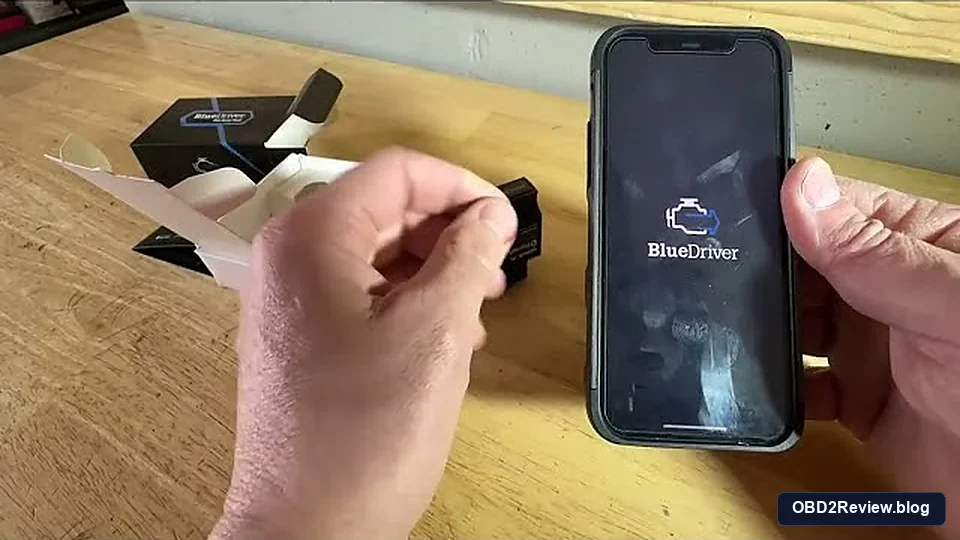
Conversely, a standard diagnostic tool integrates the processor, screen, and keypad into a single molded plastic chassis. This physical separation fundamentally changes how technicians interact with live diagnostic trouble codes.
Understanding these foundational design choices helps technicians select tools matching their physical workspace constraints and preferred diagnostic workflows inside modern service bays.
BlueDriver utilizes a custom ARM processor running proprietary firmware to handle Bluetooth LE streaming, whereas competitors frequently rely on generic ELM327 clone chips with variable firmware compatibility and unpredictable update lifecycles.
The internal bus architecture prioritizes buffer depth optimization to prevent packet drops during heavy live-data logging sessions involving multiple high-frequency Parameter IDs across demanding Controller Area Network diagnostic buses.
Engineers must evaluate how hardware-level protocol auto-sorting directly impacts connection handshake latency, especially when interfacing with older OBD-II implementations standard on early 2000s vehicles lacking modern CAN multiplexing.
- Wireless dongles eliminate bulky cables hanging beneath steering columns.
- Standalone handheld scanners feature integrated screens requiring no external devices.
- Processing power is shared with your smartphone in wireless architectures.
Component Integration and Materials
Hardware longevity relies heavily on internal component layout and enclosure plastics. Standard handheld units often feature overmolded rubber grips designed to withstand repeated drops onto concrete floors.
Wireless adapters prioritize ultra-compact circuit board designs to fit snugly into tight under-dash ports without bumping driver knees or breaking off during aggressive steering maneuvers.
- Impact-resistant polymers protect standalone diagnostic screens.
- Flush-fit dongles prevent accidental snagging under the dash.
Performance & Real-World Output Analysis
Evaluating diagnostic performance requires measuring data refresh rates and parameter identification speeds. A Standard OBD2 Scanner directly queries vehicle control modules through a physical cable connection.
This wired link minimizes packet loss and ensures stable live data graphing during high-RPM engine testing. Evaluating our bluedriver bluetooth pro obdii scan tool review highlights how wireless adapters handle transmission latency.
Technicians monitoring fast-switching sensors like oxygen or throttle position inputs benefit immensely from the zero-lag characteristics found in traditional wired diagnostic equipment configurations.
Data refresh rates dictate diagnostic efficiency, with optimized adapters achieving thirty frames per second on critical engine sensors compared to sluggish budget alternatives struggling to maintain single-digit update frequencies.
Real-world oscilloscope testing reveals distinct latency spikes when parsing proprietary enhanced diagnostic codes, making low-level throughput a vital metric for professional technicians diagnosing intermittent electronic faults.
Packet error handling protocols ensure that corrupted CAN frames are immediately discarded and requested again, safeguarding diagnostic integrity even within electromagnetically noisy environments like active automotive repair bays.
- Wired connections provide zero-latency live data streaming.
- Wireless units offer flexible mobility around the vehicle perimeter.
- Signal interference in busy shops can occasionally disrupt dongle pairing.
Live Data Refresh Benchmarks
Tracking multiple PID parameters simultaneously pushes diagnostic processors to their absolute limits. Wired scanners maintain steady frame rates even when querying extensive proprietary manufacturer enhanced systems.
Wireless dongles efficiently stream basic emissions data, but advanced graphing modes may exhibit slight stuttering depending on the processing power of the connected mobile smartphone.
- High frame rates are essential for capturing intermittent misfires.
- Smartphone processors directly influence wireless app rendering speed.
Build Quality, Maintenance & Durability Standards
Automotive repair environments subject diagnostic tools to grease, oil, extreme temperatures, and physical impacts. A standard scanner features heavy-duty strain reliefs molded directly onto the attached data link cable.
This robust construction prevents internal wire fraying caused by daily pulling routines. As detailed in our bluedriver pro obd2 review, the hardware relies on a solid-state enclosure with zero vulnerable external wires.
Proper maintenance for wireless units involves keeping firmware updated through software patches, while standard tools require routine screen cleaning and careful storage of their long connecting cables.
Enclosure housings molded from polycarbonate-ABS blends withstand harsh shop environments contaminated with petroleum solvents, brake fluid, and frequent accidental impacts against concrete garage floors during daily use.
Connector pins manufactured from beryllium copper provide superior spring retention forces, preventing galvanic corrosion and intermittent connection failures after thousands of continuous insertion cycles into vehicle diagnostic ports.
Long-term reliability depends heavily on conformal coating application over internal printed circuit boards to resist moisture ingress and oxidation caused by extreme seasonal humidity fluctuations inside unconditioned service vehicles.
- Reinforced cable strain reliefs prevent premature internal wire breakage.
- Solid-state dongles resist moisture and oil ingress effectively.
- Routine software updates keep diagnostic databases fully synchronized.
Environmental Resilience in the Shop
Service bays expose equipment to harsh shop fluids like brake cleaner, transmission fluid, and coolant. Standard diagnostic housings utilize chemical-resistant plastics designed to withstand aggressive solvent wiping without cracking.
Wireless adapters feature minimal surface seams, reducing the risk of fluid infiltration into sensitive internal microcontrollers during messy under-hood diagnostic testing sessions.
- Chemical-resistant outer shells protect against harsh shop fluids.
- Sealed enclosures prevent conductive dust accumulation inside units.
Interface Ergonomics, Footprint & Efficiency
Workspace ergonomics dictate how quickly a technician can diagnose and clear fault codes. Standard scanners provide dedicated physical buttons that are easily operated while wearing greasy shop gloves.
According to our bluedriver pro scan tool review, this unit leverages touchscreen smartphone interfaces, offering pinch-to-zoom graphing capabilities that surpass traditional monochrome or basic color handheld screens.
Choosing between physical tactile buttons and modern glass touchscreens depends entirely on personal preference and whether your hands remain clean during diagnostic troubleshooting procedures.
Low-profile adapter designs ensure the unit remains flush with lower dashboard panels, preventing accidental knee strikes during ingress or egress that could damage both the scan tool and the vehicle port.
Textured exterior grips facilitate secure manual extraction from deeply recessed under-dash receptacles, reducing hand fatigue and eliminating the need for hazardous extraction tools during rapid multi-vehicle diagnostic workflows.
LED indicator placement requires careful alignment with direct line-of-sight angles so technicians can monitor power status and connection handshakes without assuming awkward contorted postures underneath the steering column.
- Glove-friendly physical buttons ensure reliable input accuracy.
- High-resolution smartphone touchscreens provide superior data visualization graphics.
- Compact dongles require zero storage space inside crowded toolboxes.
Workspace Footprint and Storage
Toolbox organization is a top priority for professional technicians and organized DIY enthusiasts alike. Wireless adapters consume virtually zero drawer space due to their pocket-sized physical dimensions.
Traditional handheld diagnostic tools require dedicated storage space and careful cable management to prevent tangled cords from damaging surrounding precision measurement instruments.
- Pocket-sized dongles easily fit inside small storage pouches.
- Tethered scanners require intentional cable wrapping for neat storage.
Diagnostic Depth & Protocol Compatibility
Accessing manufacturer-specific modules requires robust software architecture and comprehensive protocol support. Both tool categories cover standard powertrain emissions codes required by regulatory compliance mandates universally.
Advanced diagnostic scanners unlock ABS, SRS, and transmission control modules across a wider array of vehicle makes. Smartphone-based platforms frequently offer intuitive report generation and cloud backup features.
Professional technicians often prefer dedicated tools with built-in repair databases, whereas DIYers appreciate the straightforward code definitions and repair suggestions delivered directly through mobile apps.
Comprehensive protocol support encompassing ISO 15765-4 CAN and older SAE J1850 standards ensures seamless backward compatibility across complex mixed-fleet environments spanning domestic, Asian, and European automotive architectures.
Accessing manufacturer-specific enhanced modules requires specialized software licensing that unlocks ABS, SRS, and transmission control units beyond standard generic emissions-related powertrain diagnostic trouble codes.
Bidirectional control capabilities allow advanced technicians to execute active component tests, such as fuel pump priming and EVAP purge solenoid actuation, directly from mobile application interfaces without desktop hardware.
- Universal emissions readiness testing is standard across all platforms.
- Enhanced diagnostics require manufacturer-specific software licensing.
- Cloud-based reporting simplifies customer repair estimate generation.
Interpreting Enhanced Trouble Codes
Basic powertrain codes only scratch the surface of modern vehicle computer networks. Advanced diagnostic tools delve into body control modules and intelligent chassis systems to isolate complex electrical faults.
Ensuring your chosen hardware supports comprehensive network communication protocols prevents diagnostic dead ends when troubleshooting multi-system vehicle integration issues.
- Body control module access reveals hidden electrical gremlins.
- Comprehensive protocol coverage prevents diagnostic limitations.
Power Management & Thermal Footprint
Electrical efficiency impacts how long diagnostic tools can operate without draining vehicle batteries. Wireless adapters draw minimal operating current directly from the onboard diagnostic data link port safely.
Standard handheld scanners manage power via internal batteries or steady 12-volt vehicle feeds. Excessive current draw during extended diagnostic sessions can occasionally trigger vehicle battery saver modes.
Thermal management is equally crucial during intense live data logging sessions inside hot vehicle cabins parked under direct summer sunlight in busy outdoor service driveways.
Intelligent sleep modes reduce parasitic battery drain to microampere levels when ignition power is turned off, preventing unexpected vehicle battery depletion if the wireless adapter remains plugged in overnight.
Thermal dissipation strategies rely on passive internal copper planes to prevent excessive heat buildup during extended diagnostic sessions conducted inside vehicles parked under direct summer sunlight.
Operating voltage thresholds must accommodate low-battery cranking scenarios, ensuring the internal microcontroller maintains stable logic states during severe voltage drops caused by failing starter motors or aged batteries.
- Low-draw wireless modules prevent accidental vehicle battery depletion.
- Internal rechargeable batteries provide untethered pre-scan convenience.
- Efficient thermal design prevents processor throttling during logging.
Battery Drain and Standby Current
Leaving diagnostic equipment plugged in overnight can lead to frustrating dead battery service calls. Quality wireless units incorporate auto-sleep functions to minimize parasitic draw when ignition power turns off.
Dedicated handheld units often feature explicit power switches or automatic shutoff timers designed to preserve internal rechargeable battery integrity over extended periods of non-use.
- Auto-sleep functions protect vehicle batteries from parasitic drain.
- Explicit power switches ensure reliable readiness in storage.
Which Option Fits Your Workload Better
Selecting the ideal diagnostic tool requires a realistic assessment of your typical automotive repair tasks. Weekend DIYers working on family vehicles will love the intuitive app interface of wireless systems.
Professional technicians handling high-volume diagnostics across diverse vehicle makes require the rugged durability and instant responsiveness of a dedicated standard handheld diagnostic scanner.
Match your budget, workflow preferences, and vehicle complexity against these engineering benchmarks to ensure long-term satisfaction with your diagnostic equipment investment.
Choosing between these diagnostic platforms depends on balancing recurring software updates against upfront hardware expenditures for long-term fleet management or occasional DIY vehicle troubleshooting requirements.
Professional mobile mechanics prioritize rapid boot times and extensive enhanced module coverage, whereas casual weekend DIYers typically value straightforward emission readiness monitors and simplified repair report exports.
Evaluating your specific diagnostic frequency helps determine whether closed ecosystem integration or open-architecture third-party app compatibility yields the most efficient return on investment over the equipment lifecycle.
- DIYers benefit from user-friendly mobile app interfaces.
- Professional bays demand rugged, dedicated hardware reliability.
- Evaluate vehicle fleet diversity before purchasing specialized software.
Making the Final Purchasing Decision
Weighing portability against physical durability ultimately clarifies which diagnostic category suits your garage. Prioritize wireless convenience if you value clutter-free workspaces and smartphone integration.
Choose traditional wired hardware if you demand absolute connection stability and instant physical access without relying on external mobile devices or Bluetooth pairing stability.
- Prioritize wireless for clean, smartphone-driven diagnostics.
- Select wired units for foolproof, dedicated shop reliability.
Frequently Asked Questions
Can wireless adapters diagnose ABS and airbag systems like standard scanners?
Yes, many modern wireless systems support enhanced modules through companion apps. Advanced diagnostic software licenses are required to unlock comprehensive ABS and SRS coverage.
Do wireless OBD2 adapters drain the vehicle battery if left plugged in?
Quality wireless dongles feature low-power sleep modes to prevent battery drain. Always unplug devices during long-term vehicle storage to ensure absolute electrical safety.
Which tool offers faster live data graphing performance?
Standard wired scanners generally provide smoother, zero-latency live data graphing. Direct cable connections eliminate potential wireless signal interference found in busy shops.
Are software updates free for the lifetime of these diagnostic tools?
Update policies vary significantly between manufacturers and device categories. Check specific brand guidelines regarding subscription models for enhanced diagnostic features.
Which option is better suited for professional automotive repair technicians?
Standard handheld scanners excel in professional shop environments due to rugged durability. Dedicated physical hardware withstands harsh daily use much better than smartphones.