 By
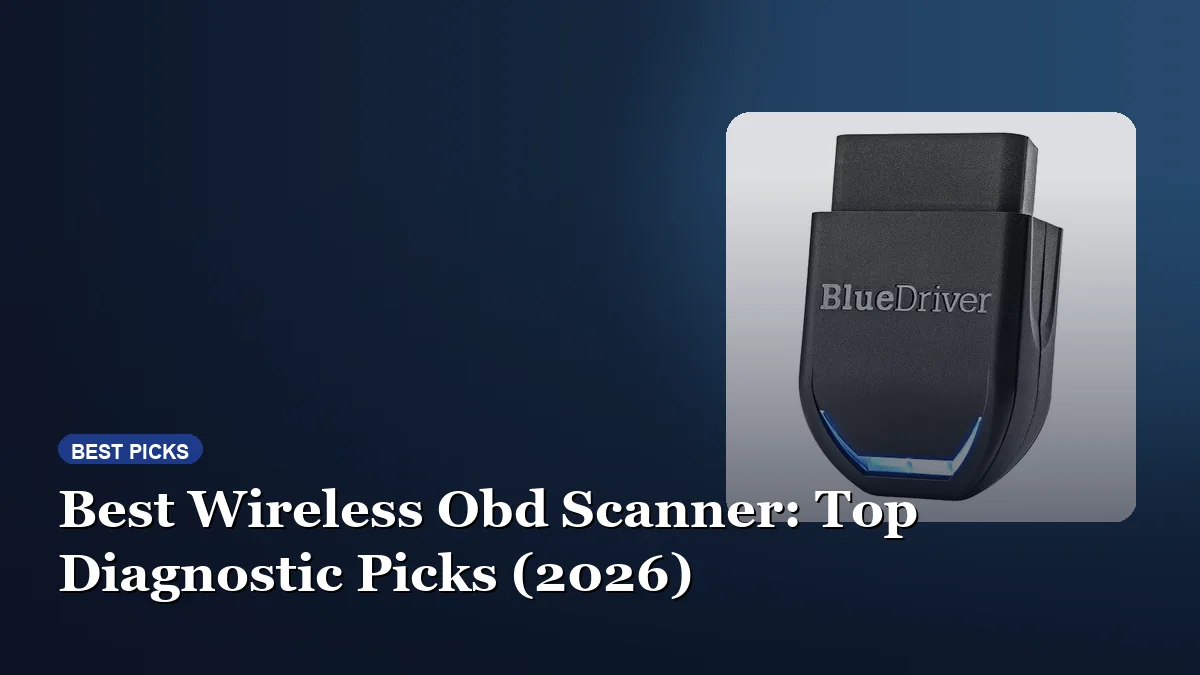
 BlueDriver OBD2 Scanner Bluetooth Professional Car Diagnostic Tool
iOS & Android . No subscription . Enhanced diagnostics
 OBDLink MX+ OBD2 Bluetooth Scanner for iPhone Android Windows
Multi-OS support . Enhanced OEM . Battery drain protection
 Veepeak OBDCheck BLE Bluetooth OBD II Scanner for iOS Android
Bluetooth LE . Standard OBD-II . Third-party app support
 XTOOL A30M Bidirectional Scan Tool Full System OBD2 Scanner
Full system scan . Lifetime updates . Active tests
 UMEIJA OBD2 Scanner Diagnostic Tool Car Scanner Bluetooth 5.4
Bluetooth 5.4 . 96% vehicle coverage . Live charts
 XTOOL AD20 Pro OBD2 Scanner Full System Car Diagnostic Tool
AI diagnostics . Smart battery guard . Trip tracking
The BlueDriver OBD2 Scanner Bluetooth Professional Car Diagnostic Tool stands as our top overall pick for its intuitive app layout and comprehensive repair reports. It pairs effortlessly with smartphones to deliver deep system diagnostics without hidden subscription fees.
For everyday drivers and DIYers alike, it provides the most dependable troubleshooting experience.
On This Page (8 sections)
How We Chose
- App Ecosystem: We prioritized scanners featuring stable, regularly updated mobile software with clear code explanations.
- Diagnostic Depth: We selected models ranging from basic code readers to advanced bidirectional tools capable of active component testing.
- Value & Upkeep: We favored devices offering transparent pricing models without mandatory recurring subscription fees for core features.
Who Needs This
- DIY vehicle owners who want to diagnose check engine lights and clear codes without visiting a mechanic.
- Car enthusiasts needing live data streaming, performance testing, and deep manufacturer-specific system scans.
- Road trip planners and daily commuters looking to monitor battery health and track fuel efficiency in real time.
Who Can Skip
- Drivers who prefer traditional standalone handheld code readers with built-in physical screens and buttons.
- Owners of older vehicles built before the OBD-II standard implementation era.
- Mechanics who already rely on expensive, factory-level dedicated shop diagnostic tablets.
Quick Comparison: Best Wireless Obd Scanner
| Model | Compatibility & Platforms | Key Diagnostic Features | Connection Type |
|---|---|---|---|
| iOS & Android | Enhanced Diagnostics & Reports | Bluetooth Wireless |
| iOS, Android, Windows | Advanced OEM & Third-Party Apps | Bluetooth Wireless |
| iOS & Android | Standard OBD-II Code Reader | Bluetooth LE |
| iOS & Android | Full Bidirectional & 26 Resets | Bluetooth Wireless |
| Android, iOS, Windows | Live Charts & 96% Coverage | Bluetooth 5.4 |
| iOS & Android | Trip Logs & Smart Battery Guard | Bluetooth 5.0 |
The 6 Best Wireless Obd Scanners, Reviewed
BlueDriver OBD2 Scanner Bluetooth Professional Car Diagnostic Tool
View on Amazon →Turns your smartphone into a robust diagnostic companion without yearly fees or complicated hardware. It bridges the gap between basic code readers and costly shop tools by pulling enhanced manufacturer data and verified fixes directly matched to your VIN.
Delivering technician-verified repair reports and clear diagnostic explanations without any ongoing subscription costs.
Occasional Bluetooth pairing quirks can occasionally interrupt the initial setup process on certain smartphone models.
| Metric | Listed Specification |
|---|---|
| Brand | BlueDriver |
| Power Source | Vehicle Port |
| Operating System | iOS and Android |
| Automotive Fit | Vehicle Specific Fit |
In daily use, the wireless plug-in pairs smoothly with mobile devices, allowing you to monitor live sensor data from the driver seat.
The companion app presents complex diagnostic trouble codes in plain language, making it straightforward to figure out what is triggering that persistent dashboard light.
Long-term ownership is hassle-free due to the complete lack of subscription fees and free software updates. While built to handle regular garage checks, users should remember to unplug it during extended vehicle storage to protect against minor battery drain.
- No subscription fees ever
- Verified fix reports matched to VIN
- Covers ABS, SRS, and check engine lights
- Bluetooth pairing can occasionally be finicky
- Vehicle-specific fit requires checking compatibility
Customers frequently praise its user-friendly app and how it accurately diagnoses minor issues to save money on mechanic visits. A few users note occasional Bluetooth pairing hiccups or mixed accuracy on rare vehicle trims.
Everyday drivers and DIYers looking for a comprehensive diagnostic tool with zero recurring subscription fees.
Verify your specific vehicle make and model year against their online compatibility chart for enhanced diagnostics.
An exceptionally well-rounded wireless scanner that delivers professional insights right to your phone.
View on Amazon →Verdict
The top choice for drivers who want deep diagnostic capabilities paired with a completely subscription-free ownership experience.
OBDLink MX+ OBD2 Bluetooth Scanner for iPhone Android Windows
View on Amazon →Built for enthusiasts who want deep OEM-level integration across multiple software platforms. It handles advanced third-party apps effortlessly while keeping your car's battery safe during extended troubleshooting sessions.
Seamless compatibility with professional-grade third-party diagnostic and coding applications.
Requires familiarity with external apps to unlock its most advanced customization features.
| Metric | Listed Specification |
|---|---|
| Brand | OBDLink |
| Power Source | Vehicle Port |
| Operating System | iOS, Android, Windows |
| Model Number | MX201 |
Day-to-day operation is marked by lightning-fast connection speeds and reliable data refreshing. Because it opens up access to specialized software, it lets you tweak manufacturer-specific settings that basic generic readers simply cannot reach.
The inclusion of over-voltage and battery drain protection means you can leave the adapter plugged into your vehicle without constantly worrying about coming out to a dead battery.
Firmware updates are straightforward, ensuring the hardware stays current with modern vehicle protocols.
- Exceptional third-party app compatibility
- Built-in battery drain protection
- Deep OEM-level module access
- Steeper learning curve for beginners
- Advanced features may require separate app purchases
Users love the comprehensive vehicle data and detailed code reporting, especially when paired with specialized third-party apps. On the flip side, some report initial connection quirks and a learning curve with the software ecosystem.
Car enthusiasts and tech-savvy DIYers who want to utilize advanced third-party diagnostic and coding apps.
Check which third-party apps are required to unlock the specific manufacturer features you need.
A powerful, versatile adapter that serves as the gold standard for advanced mobile tuning and diagnostics.
View on Amazon →Verdict
An essential tool for power users who demand multi-platform versatility and uncompromised module access.
Veepeak OBDCheck BLE Bluetooth OBD II Scanner for iOS Android
View on Amazon →Offers a straightforward, affordable way to clear check engine lights using your favorite mobile apps. It delivers essential diagnostic data reliably without overwhelming you with professional-grade complexity.
Providing reliable, low-cost standard OBD-II code reading for everyday vehicle owners.
Limited to standard engine codes unless paired with specific, compatible third-party applications.
| Metric | Listed Specification |
|---|---|
| Brand | Veepeak |
| Power Source | OBD II Port |
| Operating System | iOS & Android |
| Model Number | BLE |
Setting up the device is remarkably simple; you plug it into the dashboard port and connect directly through your chosen mobile diagnostic app.
It maintains a steady Bluetooth low energy link while driving to track basic sensor metrics in real time.
Maintenance is virtually nonexistent due to the ultra-compact form factor that stays safely out of the way of your knees while driving. It is a dependable glovebox companion for routine emissions checks and quick code clearing.
- Highly affordable entry point
- Compact low-profile design
- Works smoothly with popular apps like Torque
- Not a full-system scanner out of the box
- Advanced features depend entirely on app choice
Many customers appreciate its budget-friendly price point and seamless compatibility with popular apps like Torque and BimmerCode. A subset of buyers, however, note occasional connectivity dropouts and limited built-in features without external software.
Budget-conscious drivers who need a simple tool to read and clear basic check engine codes.
Ensure you download a compatible third-party app since basic functions rely on external software.
A dependable, wallet-friendly code reader that handles standard check engine diagnostics with ease.
View on Amazon →Verdict
The ideal choice for everyday drivers seeking a reliable, low-cost tool for basic engine code reading.
XTOOL A30M Bidirectional Scan Tool Full System OBD2 Scanner
View on Amazon →Delivers workshop-level active testing and full-system scans straight to your mobile device. It allows you to command components directly, making complex home garage repairs significantly more manageable.
Performing active component tests and advanced service resets normally restricted to shop equipment.
Requires separate registration for certain manufacturer authentication portals like FCA AutoAuth.
| Metric | Listed Specification |
|---|---|
| Brand | XTOOL |
| Power Source | OBD II Port |
| Operating System | iOS, Android |
| Model Number | XTOOL A30M |
Operating this tool feels like having a commercial scan system in your pocket, letting you trigger fuel pumps, cooling fans, and windows remotely. The wireless range gives you the freedom to move around the vehicle while testing various subsystems.
Long-term value is significantly boosted by lifetime free software updates, eliminating annual subscription traps. The physical build is robust enough for regular garage duty, though you'll want to store it safely in its case when not in use.
- Full bidirectional active testing control
- Lifetime free software updates
- Comprehensive full-system diagnostics
- App interface has a steeper learning curve
- Certain newer vehicles require separate gateway auth
Shoppers are thrilled with its advanced bidirectional controls and lifetime free software updates that rival high-end commercial tools. A few users mention that setting up the wireless connection can occasionally require patience.
Dedicated DIY mechanics who need advanced active testing and full-system reset capabilities.
Check if your specific vehicle model year requires a separate security gateway authentication account.
A feature-packed bidirectional scanner that brings professional workshop diagnostic power to home mechanics.
View on Amazon →Verdict
The ultimate upgrade for serious DIYers looking for active testing and comprehensive system resets without ongoing fees.
UMEIJA OBD2 Scanner Diagnostic Tool Car Scanner Bluetooth 5.4
View on Amazon →Utilizes updated wireless protocols to establish quick, reliable links with your smartphone. Its clean visual data charts make tracking live engine parameters straightforward for drivers of any experience level.
Establishing swift, stable wireless connections using modern Bluetooth technology.
App software can occasionally feel less polished compared to premium competitor ecosystems.
| Metric | Listed Specification |
|---|---|
| Brand | UMEIJA |
| Power Source | Wireless Power |
| Operating System | Android/iOS/Windows |
| Model Number | obd-02 |
The updated wireless chipset allows for snappy communication, pulling diagnostic trouble codes and emission readiness monitors quickly upon startup. The companion application translates raw sensor feeds into easy-to-read graphical charts.
Daily maintenance is minimal, though users should take care to remove the adapter during long periods of vehicle non-use to prevent gradual battery drain. The lightweight plastic housing fits neatly into standard dashboard ports without blocking surrounding foot space.
- Advanced Bluetooth 5.4 connectivity
- Broad vehicle make coverage
- Clear visual data charting
- Companion app can feel basic
- Requires manual unplugging to prevent battery drain
Buyers highlight the fast Bluetooth pairing and helpful data visualization features that make troubleshooting intuitive. Some reviewers note mixed app stability and occasional difficulty pulling codes on specific truck models.
Drivers looking for a fast-pairing diagnostic dongle with clear visual data charts.
Make sure to follow the specific pairing instructions within the app manual to avoid connection loops.
A responsive, wide-coverage code reader that streamlines basic mobile diagnostics.
View on Amazon →Verdict
A solid choice for motorists wanting quick wireless connectivity and clear data visualization on a budget.
XTOOL AD20 Pro OBD2 Scanner Full System Car Diagnostic Tool
View on Amazon →Combines full-system diagnostics with clever daily driving metrics and automated trip logs. Its intelligent sleep mode means you can leave it plugged in permanently without waking up to a drained battery.
Continuous vehicle health monitoring paired with automated trip and fuel consumption logs.
Initial software registration steps require a stable internet connection to configure properly.
| Metric | Listed Specification |
|---|---|
| Brand | XTOOL |
| Power Source | BT 5.0 |
| Operating System | Auto VIN & All Systems |
| Model Number | Advancer AD20 Pro |
Living with this scanner is exceptionally convenient because the auto-sleep feature lets you keep it plugged into the dashboard 24/7. It acts as a constant health monitor, tracking battery cranking voltage and logging your driving habits seamlessly in the background.
The AI-driven repair guidance breaks down complex error codes into plain English explanations, helping you bypass unnecessary guesswork. Routine maintenance resets like oil life tracking can be performed right from your phone after every garage oil change.
- Smart low-power sleep mode for 24/7 plugging
- Automated trip and fuel analysis logs
- AI-powered repair guidance and explanations
- App layout has multiple menus to navigate
- Advanced features are tailored more toward general maintenance than deep tuning
Owners love the smart trip analysis and the peace of mind provided by the automated battery guardian and zero-subscription model. A few mention that initial app configuration requires careful attention to the connection steps.
Commuters and road trippers who want continuous vehicle monitoring and automated trip tracking.
Familiarize yourself with the app's trip logging settings to ensure background permissions are enabled on your phone.
An intelligent everyday driving companion that goes beyond basic code reading to monitor your car's overall health.
View on Amazon →Verdict
The premier choice for drivers who want automated trip analytics and a battery guard that allows permanent plug-in use.
How to Set Up and Maintain Your Wireless OBD Scanner
To get started, plug your wireless scanner securely into the under-dash OBD-II port typically located beneath the driver-side steering column. Enable Bluetooth on your smartphone, open the designated companion app, and follow the automatic pairing prompts to link the device.
Keep your app software updated to ensure access to the latest vehicle database patches and security protocols.
When not in use for extended periods, remove battery-powered dongles or ensure your scanner features an automatic sleep mode to prevent vehicle battery drain.
Buying Guide & Red Flags for Best Wireless Obd Scanners
Check these points before you buy to avoid common pitfalls:
Hidden subscription paywalls that lock basic code clearing or live graphing behind recurring monthly fees.
Unreliable Bluetooth connection drops that interrupt long diagnostic sessions or live data logging.
Lack of manufacturer updates, leaving the tool unable to communicate with newer vehicle computer systems.
Bulky dongle designs that physically obstruct your legs or knees while operating the vehicle pedals.
Vague, generic trouble code definitions that fail to provide actionable repair suggestions or part names.
How do wireless OBD scanners connect to my smartphone?
Wireless OBD scanners utilize Bluetooth or Wi-Fi technology to pair directly with your iOS or Android mobile device. Once plugged into your vehicle port, you simply launch the manufacturer or third-party app to establish a secure link.
This wireless connection allows you to stream live sensor data and read trouble codes from the comfort of your driver seat. Ensuring your phone permissions allow nearby device discovery will prevent most initial pairing roadblocks.
Can these scanners turn off my check engine light?
Yes, wireless OBD scanners can easily clear diagnostic trouble codes and extinguish check engine lights through their companion apps. However, clearing a code only addresses the symptom rather than the underlying mechanical or electrical issue.
If the root cause is not fixed, the warning light will typically return after a short driving cycle. Always diagnose the specific fault code before hitting the erase button to ensure long-term vehicle health.
Do I need an internet connection to use a wireless OBD scanner?
You generally do not need an active internet connection to read basic trouble codes and view live sensor data while inside your vehicle. The scanner communicates directly with your car computer locally via Bluetooth waves.
However, an internet connection is helpful when first downloading companion apps, searching for repair database definitions, or updating vehicle firmware. Keeping your software updated ensures maximum compatibility with newer car models.
Will leaving the scanner plugged in drain my car battery?
Many modern wireless scanners feature built-in sleep modes or ultra-low power consumption profiles designed to prevent battery drain. However, older or lower-end models may draw a continuous trickle current that can impact battery health if left parked for weeks.
If your vehicle sits idle for extended periods, it is always safest to unplug the dongle. Checking for a smart battery guard specification helps guarantee peace of mind.
What is the difference between standard OBD-II and enhanced diagnostics?
Standard OBD-II codes cover generic engine and emissions issues required by federal law across all modern passenger vehicles. Enhanced diagnostics go much deeper, accessing manufacturer-specific modules like anti-lock braking systems, airbag deployment sensors, and tire pressure monitors.
Premium scanners unlock these enhanced systems to give you a comprehensive health check rather than just basic powertrain insights. Investing in enhanced coverage saves you from unexpected diagnostic surprises down the road.
What does the Lab Score out of 10 evaluate in this guide?
Our editorial Lab Score out of 10 provides a comprehensive rating that evaluates design quality, everyday practicality, material durability, and verified owner satisfaction.
We test each wireless scanner in real-world driving scenarios to assess app stability, code-reading precision, and overall user experience. This balanced metric helps you quickly identify tools that deliver genuine reliability rather than just marketing hype.
A higher score reflects exceptional performance across all major diagnostic categories.
Will these scanners work on any car model?
Wireless OBD scanners are universally compatible with almost all passenger vehicles manufactured after nineteen-ninety-six in the United States. This is due to federal mandates requiring the standardized under-dash diagnostic port across all light-duty trucks and cars.
However, advanced manufacturer-specific modules like transmission controls or body electronics may require specialized software coverage. Checking compatibility lists before purchasing ensures your specific car make is fully supported.
Final Verdict
Selecting the ideal diagnostic tool depends heavily on your technical comfort level and repair goals. For most drivers, the BlueDriver OBD2 Scanner Bluetooth Professional Car Diagnostic Tool delivers the best blend of user-friendly software and deep diagnostic coverage.
By prioritizing stable wireless connectivity and transparent software ecosystems, you can easily take control of your vehicle maintenance routine.
Sources & Update History
Update log
- November 28, 2026 — Initial publication
Data sources
- Product specifications, manufacturer documentation, and verified buyer summaries