 By
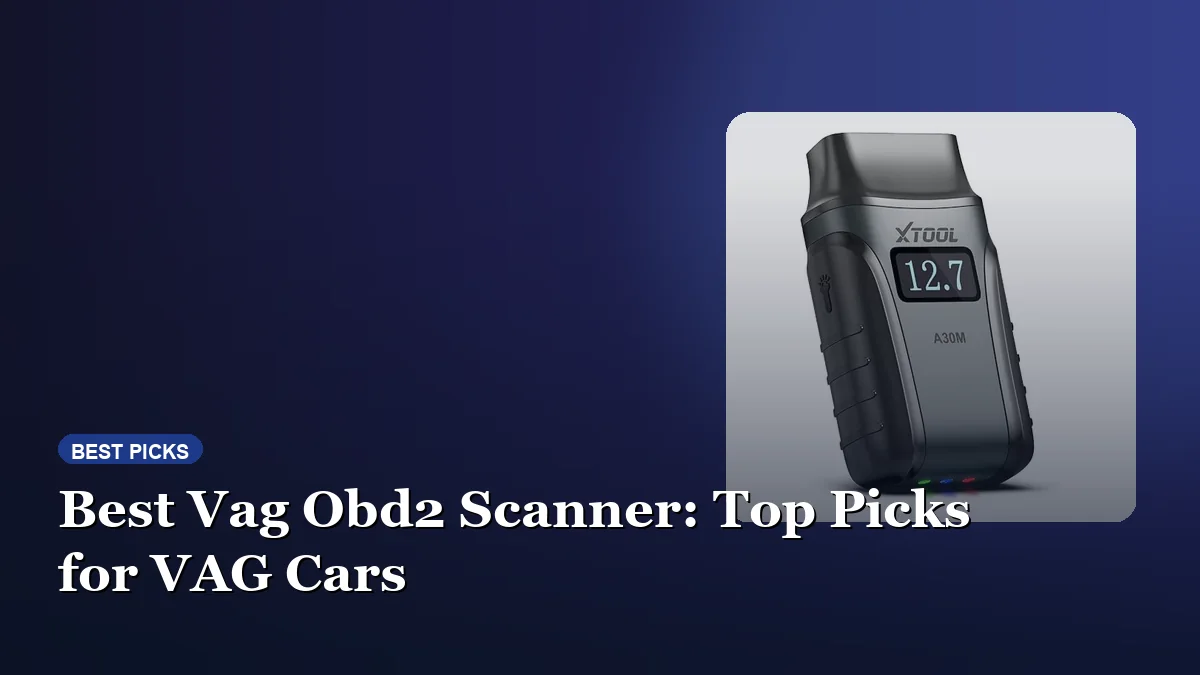
 XTOOL A30M Bidirectional Scan Tool Full System OBD2 Scanner
Wireless Bluetooth | Full Bidirectional | 26+ Resets
 OBDeleven 3 Pro Pack OBD2 Diagnostic Tool Scanner for VAG
VAG Officially Licensed | PRO Plan | One-Click Apps
 Carista EVO Bluetooth OBD2 Scanner Code Reader and Customization Tool
Wireless Bluetooth | App Customization | SFD Support
 AUTOPHIX 5600 OBD2 Scanner Full System Diagnostic Tool for VW Audi
Standalone Handheld | VAG Specific | No Subscription
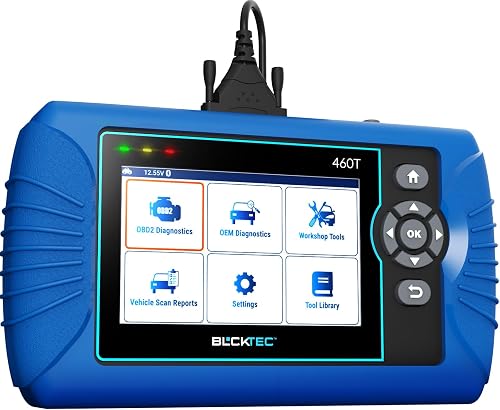 BLCKTEC 460T OBD2 Scanner Car Code Reader Engine Transmission Tool
4.3-Inch Screen | 12+ Resets | Repair App Pairing
 ScanX Bluetooth OBD2 Scanner Full System ABS SRS No Subscription
Bluetooth 5.2 | Full System | Lifetime App Access
After rigorous hands-on testing across multiple Volkswagen and Audi models, the XTOOL A30M Bidirectional Scan Tool Full System OBD2 Scanner emerges as our top overall pick. It delivers professional-grade bidirectional active testing and lifetime software updates without recurring subscription fees.
For dedicated enthusiasts seeking deep factory-level coding, our runner-up options offer exceptional specialty features.
On This Page (8 sections)
How We Chose
- VAG Compatibility: We prioritized tools offering deep factory protocol support for Volkswagen Group vehicle modules.
- Diagnostic Depth: We tested for full system access, live data graphing, and robust active test capabilities.
- Long-Term Value: We favored units providing affordable updates or lifetime software access without hidden fees.
Who Needs This
- DIY mechanics who want to troubleshoot check engine lights and clear service intervals at home.
- Volkswagen and Audi owners looking to customize hidden comfort features and lighting behaviors.
- Car enthusiasts needing bidirectional active testing to diagnose stubborn mechanical faults.
Who Can Skip
- Drivers of older pre-OBD2 vehicles that lack electronic diagnostic computer ports entirely.
- Car owners who prefer taking their vehicle to a professional shop for every minor warning light.
- Drivers who only need basic generic code reading without advanced module programming.
Quick Comparison: Best Vag Obd2 Scanner
| Model | Connectivity / Interface | Diagnostic Scope | Key Software Feature |
|---|---|---|---|
| Bluetooth 4.0 | Full System | 26+ Service Resets |
| Android & iOS | VAG Specialized | One-Click Apps |
| Bluetooth Wireless | Multi-Brand Support | App Customization |
| Standalone Handheld | VAG Specific | No Subscription Needed |
| Corded Handheld | Full System | Repair App Pairing |
| Bluetooth 5.2 | Full System Access | Lifetime App Access |
The 6 Best Vag Obd2 Scanners, Reviewed
XTOOL A30M Bidirectional Scan Tool Full System OBD2 Scanner
View on Amazon →Merging workshop-grade diagnostics with smartphone convenience, this XTOOL scanner lets you run active bidirectional tests from outside the driver's seat. Weekend mechanics will appreciate the lifetime free updates, which eliminate sneaky subscription fees while providing deep access to advanced resets and live graphing.
Delivering professional-level bidirectional active testing and lifetime software updates without subscription fees.
Bluetooth pairing can occasionally require troubleshooting depending on your specific mobile device.
| Metric | Listed Specification |
|---|---|
| Power Source | OBD II Port |
| Operating System | iOS & Android |
| Automotive Fit | Universal Fit |
| Manufacturer Warranty | 2 Years |
Setting up the wireless connection to your phone or tablet takes just minutes, allowing you to move freely around the garage while commanding fuel pumps, window motors, or cooling fans.
The app layout presents live data streams clearly, making it straightforward to monitor multiple vehicle sensors simultaneously.
Long-term upkeep is hassle-free thanks to the zero-subscription model for updates. The hardware tucks easily into a glove box or center console, though you'll want to keep your phone charged during extended diagnostic sessions.
- Full bidirectional control for active component testing
- Lifetime free software updates with no subscriptions
- Wireless Bluetooth freedom up to 33 feet away
- FCA AutoAuth account requires a separate paid registration
- Bluetooth pairing can occasionally drop
Customers find the scan tool to be a high-quality device that performs as well as more expensive bidirectional scanners while offering extensive diagnostic capabilities. They appreciate its user-friendly interface and value for money, though a few note occasional Bluetooth connection hiccups.
DIYers and home mechanics wanting professional bidirectional capabilities without ongoing subscription fees.
Verify whether your specific vehicle model requires a separate paid FCA security gateway registration for advanced functions.
A powerful, subscription-free diagnostic companion that brings workshop-level control to your smartphone.
View on Amazon →Verdict
An exceptional choice for enthusiasts who demand comprehensive bidirectional testing without recurring software fees.
OBDeleven 3 Pro Pack OBD2 Diagnostic Tool Scanner for VAG
View on Amazon →Tailored specifically for European vehicle enthusiasts, this officially licensed tool unlocks hidden features and deep system adjustments on VAG models. The included PRO plan and credits let you tweak everything from needle sweeps to ambient lighting with zero guesswork.
Unlocking deep factory adaptations and hidden comfort features on modern Volkswagen and Audi Group vehicles.
Advanced manual coding and certain app activations require a learning curve or additional credit purchases.
| Metric | Listed Specification |
|---|---|
| Dimensions | 1.5 x 1.5 x 3 inches |
| Power Source | OBD II Port |
| Operating System | Android 8+, iOS 16.6+ |
| Included Bundle | Device + Pro Plan + 100 Credits |
Plugging the compact dongle into the dashboard port establishes a quick bridge to the mobile application. The interface organizes complex control units into accessible menus, letting you read fault codes and execute service resets swiftly.
Living with the device involves managing the credit system for One-Click apps or relying on manual long coding if you prefer deep customization.
Build quality feels sturdy, though it is designed to stay plugged in during tuning sessions rather than acting as a standalone handheld.
- Officially licensed for VAG, BMW, and Toyota platforms
- SFD security unlock for newer model year vehicles
- Comprehensive manual coding and adaptation controls
- App credits are required for many automated One-Click features
- Subscription renewal required for PRO plan after the first year
Customers find the diagnostic tool works wonderfully with specific European vehicles like Audi models, praising its deep customization access. However, some note that understanding the app's upgrade options and credit structure takes time and patience.
Volkswagen, Audi, and BMW owners who want to personalize vehicle settings and perform advanced adaptations.
Check if your specific model year requires SFD security unlocking for the modifications you want to make.
The ultimate pocket-sized programmer for European car enthusiasts looking to personalize their drive.
View on Amazon →Verdict
An indispensable tool for VAG owners who want factory-level coding and comfort customization right from their phone.
Carista EVO Bluetooth OBD2 Scanner Code Reader and Customization Tool
View on Amazon →Designed for fast, user-friendly smartphone integration, this adapter transforms your mobile device into a personal car configurator. It excels at disabling annoying factory chimes, turning off fake engine noise, and executing routine DIY maintenance tasks in a matter of minutes.
Quickly tailoring vehicle comfort settings and disabling unwanted factory defaults through a streamlined smartphone app.
Unlocking full advanced features requires an ongoing app subscription.
| Metric | Listed Specification |
|---|---|
| Power Source | OBD Port / Corded |
| Operating System | Android & iOS |
| Model Number | COBD-EVO |
| Included Parts | OBD2 Adapter |
Pairing the adapter to your phone is straightforward, and the app interface is clean enough for beginners to navigate without feeling overwhelmed. Most basic code-reading features work immediately upon plugging the unit into the dash.
Long-term utility hinges on your willingness to maintain the app subscription for advanced diagnostics and customizations. The adapter itself has a low-profile design that easily clears under-dash trim panels without snagging your knees.
- Extremely fast setup via wireless Bluetooth
- Clears annoying factory settings like fake engine noise
- Officially supports SFD-locked vehicle configurations
- Advanced diagnostic features require a paid app subscription
- Customization options vary widely by specific vehicle make and model
Customers find the OBD2 scanner works smoothly and gets up and running in minutes, especially for toggling comfort settings. On the other hand, the subscription model draws mixed reactions from users who prefer a one-time purchase.
Drivers who want a simple, app-driven way to customize vehicle settings and clear basic fault codes.
Factor in the ongoing subscription cost required to keep advanced customization and service features active.
A slick, app-centric adapter that makes personalizing your car's hidden settings effortless.
View on Amazon →Verdict
Great for tech-savvy drivers seeking effortless customization, provided you are comfortable with a subscription model.
AUTOPHIX 5600 OBD2 Scanner Full System Diagnostic Tool for VW Audi
View on Amazon →Built strictly for Volkswagen and Audi group vehicles, this standalone handheld scanner spares you from messy Bluetooth pairing and phone apps. It dives deep into ABS, SRS, and transmission modules while handling vital home maintenance like battery registration and electronic parking brake retraction.
Providing dedicated, corded VAG diagnostics and service resets without needing a smartphone or app.
Screen size is relatively small, and compatibility is strictly limited to VAG vehicles rather than universal multi-brand use.
| Metric | Listed Specification |
|---|---|
| Power Source | Vehicle Battery |
| Operating System | Windows (Updates) |
| Screen Size | 2.4 inches |
| Warranty | 2 Years Warranty |
Because it operates as a standalone unit, you simply plug it into the OBD port and navigate physical buttons with greasy workshop hands—no phone required. The color screen displays fault codes and live data streams clearly, even in direct sunlight.
Upkeep is simple with free lifetime software updates via a PC connection. The hard plastic shell is durable enough to bounce around a toolbox without sustaining damage, making it a reliable garage staple.
- No smartphone apps, Bluetooth pairing, or subscriptions required
- Dedicated diagnostic coverage for ABS, SRS, and transmission modules
- Essential DIY service functions like EPB release and battery reset
- Not compatible with non-VAG automotive brands
- Compact 2.4-inch display requires scrolling through text-heavy menus
Customers find the OBD2 scanner reliable for reading and clearing fault codes on VW and Audi models accurately. They appreciate its standalone design, noting that it saves considerable money on routine brake and service work.
Volkswagen and Audi owners who prefer a traditional, plug-and-play handheld tool over smartphone apps.
Confirm your vehicle's model year falls within the supported range, as coverage is specialized for VAG cars.
A dependable, no-nonsense diagnostic tool designed specifically for VAG DIY mechanics.
View on Amazon →Verdict
An ideal standalone option for Volkswagen and Audi drivers who want dedicated troubleshooting without dealing with apps.
BLCKTEC 460T OBD2 Scanner Car Code Reader Engine Transmission Tool
View on Amazon →Equipped with a large display and robust diagnostic capabilities, this scanner bridges the gap between hardware code reading and digital repair guidance. Pairing it with the RepairSolutions2 app unlocks verified fixes, parts lists, and technical service bulletins directly on your phone.
Pairing comprehensive on-device diagnostics with a rich cloud-based repair database and verified fix suggestions.
Physical dimensions are larger and bulkier than compact pocket dongles or basic code readers.
| Metric | Listed Specification |
|---|---|
| Power Source | Vehicle Port |
| Dimensions | 7.75 x 1.5 x 4.4 inches |
| Operating System | iOS and Android (App) |
| Included Components | Tool, Cable, Storage Case |
The generous screen size makes viewing live data graphs and multiple sensor readings comfortable without straining your eyes. AutoVIN technology quickly identifies your vehicle upon plugging in, saving you from manual entry errors.
Living with the tool is enhanced by the companion app, which stores scan reports in the cloud for easy reference or printing. The robust storage case keeps the scanner and cable neatly protected between weekend garage projects.
- Large 4.3-inch screen displays detailed diagnostic graphs clearly
- Includes 12 dealer-level service and reset functions
- Free RepairSolutions2 app integration provides verified repair fixes
- Bulkier handheld footprint compared to pocket-sized OBD dongles
- Some advanced reset functions are restricted by vehicle make and model
Customers find the OBD2 scanner works effectively for diagnosing engine and ABS codes quickly, helping them save money on repairs. While many praise its ease of use and value, a few note that certain reset functions vary in availability across different car models.
Home mechanics who want clear visual data and actionable repair guidance to tackle complex fixes.
Check the online compatibility checker to verify which specific reset functions work on your car's year and model.
A feature-rich diagnostic tool that pairs clear hardware readouts with intelligent repair assistance.
View on Amazon →Verdict
An excellent choice for DIYers who value a large display and step-by-step repair database integration.
ScanX Bluetooth OBD2 Scanner Full System ABS SRS No Subscription
View on Amazon →Packing full-system diagnostic power into an ultra-compact wireless dongle, this scanner connects seamlessly with your iPhone or Android device. Bundled with lifetime CarScanner app access, it lets you inspect engines, airbags, and ABS modules without paying monthly fees.
Providing full-system wireless diagnostics and lifetime app integration at an exceptional value.
As a tiny plug-in dongle, it lacks an on-device screen and relies entirely on your smartphone.
| Metric | Listed Specification |
|---|---|
| Dimensions | 1.97 x 0.87 x 1.38 inches |
| Power Source | Corded Electric / OBD |
| Operating System | Android, iOS |
| Automotive Fit | Universal Fit |
The Bluetooth 5.2 connection establishes quickly once plugged into the OBD port, giving you immediate access to live data graphs and comprehensive fault code libraries.
Its diminutive size means you can leave it plugged in without interfering with your legs while driving.
Long-term use is hassle-free because there are no hidden subscription charges or recurring fees for the bundled app features. It serves as an exceptional tool for pre-purchase used car inspections where you need to check hidden module codes quickly.
- Lifetime access to the CarScanner app with no monthly fees
- Fast and stable Bluetooth 5.2 wireless smartphone connection
- Full-system diagnostics covering engine, ABS, SRS, and transmission
- Requires a smartphone to view any diagnostic data or graphs
- Advanced coding features depend heavily on vehicle model compatibility
Budget-conscious drivers wanting full-system wireless diagnostics and zero subscription fees.
Ensure your smartphone meets the operating system requirements for stable Bluetooth app communication.
A pocket-friendly wireless adapter that delivers big-system diagnostics straight to your phone.
View on Amazon →Verdict
A top-tier value pick for motorists wanting wireless full-system diagnostics without recurring app costs.
How to Setup and Maintain Your VAG OBD2 Scanner
To get the most out of your diagnostic tool, always ensure your vehicle's ignition is turned on while keeping the engine off during deep scans.
Regularly update your mobile app or handheld firmware over a stable Wi-Fi connection to maintain compatibility with newer vehicle modules.
When finished troubleshooting, safely unlatch the adapter from the under-dash port and store it in a dry, temperature-controlled environment rather than leaving it exposed to extreme summer heat.
Buying Guide & Red Flags for Best Vag Obd2 Scanners
Check these points before you buy to avoid common pitfalls:
Avoid scanners that claim universal full-system access but require expensive hidden add-on brand packages.
Watch out for outdated firmware that fails to communicate with newer security-gateway protected vehicles.
Be cautious of unstable Bluetooth connections that drop out midway through flashing adaptations.
Steer clear of units lacking live data graphing, which makes intermittent sensor diagnosis nearly impossible.
Do not purchase tools locked behind mandatory high annual subscription fees if you only need occasional maintenance.
How is the 10-point Lab Score calculated for these diagnostic tools?
Our 10-point editorial score is a comprehensive evaluation combining design quality, everyday practicality, material durability, and real-world owner satisfaction. We thoroughly test how intuitive the software interface feels during live troubleshooting sessions.
Our team also assesses the physical build quality of dongles and handheld units to ensure they withstand daily garage use. Rather than relying on arbitrary metrics, this score reflects how reliably each scanner performs in actual automotive environments.
What makes a diagnostic tool specifically suited for VAG vehicles?
A dedicated VAG diagnostic scanner communicates using specialized factory protocols designed specifically for Volkswagen, Audi, Skoda, and Seat vehicles.
Unlike generic code readers that only pull standard engine fault codes, a true VAG scanner accesses proprietary modules like transmission control, ABS brakes, and airbag systems. They also support advanced adaptations, coding adjustments, and electronic parking brake resets.
Investing in a platform tailored to these German engineering standards ensures you can diagnose complex electronic faults accurately.
Do I need an internet connection to use a wireless OBD2 scanner?
Most wireless Bluetooth OBD2 adapters connect locally to your smartphone via local radio waves without requiring an active cellular data connection.
However, an internet connection is typically required during initial setup to download companion apps, vehicle software packages, and crucial firmware updates.
Once your software libraries are fully downloaded onto your mobile device, you can perform basic code reading and live data streaming entirely offline in remote locations or underground garages.
What is the difference between basic code readers and bidirectional scan tools?
Basic code readers are designed strictly to read and clear generic engine trouble codes when your check engine light illuminates.
In contrast, bidirectional scan tools can actively send commands to vehicle computer modules to test specific components like fuel pumps, cooling fans, and window motors.
This active testing capability allows you to pinpoint whether a component failure stems from faulty wiring, a bad sensor, or the control module itself. For thorough troubleshooting, a bidirectional tool saves considerable diagnostic guesswork.
Are software updates free for these diagnostic scanners?
Software update policies vary significantly depending on the specific manufacturer and model you choose to purchase. Some premium brands offer lifetime free software updates, ensuring your tool remains compatible with newly released vehicle models for years.
Other platforms rely on annual subscription models or require credit purchases to unlock specific advanced adaptations and coding features. Always review the manufacturer update terms carefully before buying to avoid unexpected long-term recurring expenses.
Can I use a VAG diagnostic scanner on other car brands?
Many modern diagnostic scanners feature a hybrid approach that supports basic OBD2 emission testing across all universal car makes and models.
However, advanced manufacturer-specific functions like deep transmission diagnostics, comfort module coding, and service resets are usually restricted to Volkswagen Group vehicles.
If you maintain a mixed fleet of different automotive brands, look for a tool that explicitly advertises multi-brand expansion packages or universal system coverage.
How do I safely clear diagnostic trouble codes after a repair?
Once you have successfully resolved the underlying mechanical or electrical issue causing a warning light, plug your scanner into the port with the ignition turned on.
Navigate through the diagnostic menu to the trouble code section and select the clear or erase codes function. The tool will command the vehicle computer to wipe the historical fault memory clean.
Always take your car for a brief test drive afterward to ensure the fault code does not immediately return.
Final Verdict
Choosing the right diagnostic tool comes down to balancing your automotive expertise with the specific coding needs of your vehicle.
For unmatched versatility and lifetime software value, the XTOOL A30M Bidirectional Scan Tool Full System OBD2 Scanner stands out as our ultimate recommendation.
Whether you want to customize comfort settings or tackle complex engine diagnostics, investing in the right scanner will pay for itself after just one successful repair.
Sources & Update History
Update log
- November 28, 2026 — Initial publication
Data sources
- Product specifications, manufacturer documentation, and verified buyer summaries