 By
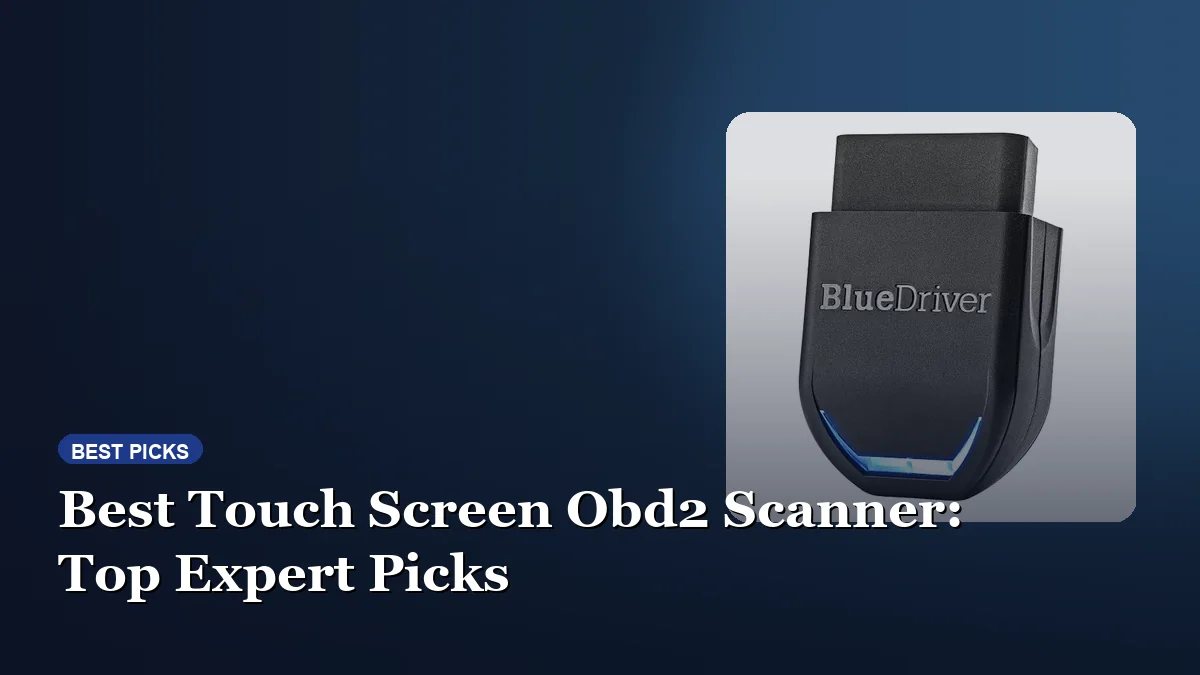
 BlueDriver Bluetooth OBD2 Professional Car Diagnostic Scan Tool
Wireless smartphone pairing . No subscription fees . Enhanced vehicle coverage
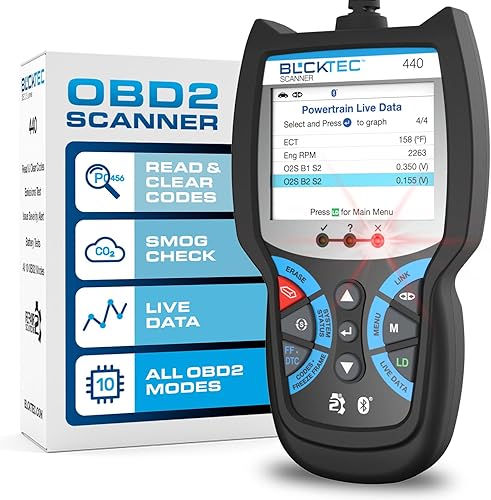 BLCKTEC 440 Bluetooth OBD2 Scanner Code Reader Diagnostic Tool
2.8-inch color screen . Live data graphing . Plug-and-play design
 ScanGauge 3 Touch Screen OBD2 Scanner Digital Gauges
4.3-inch touch display . Real-time trip data . WiFi software updates
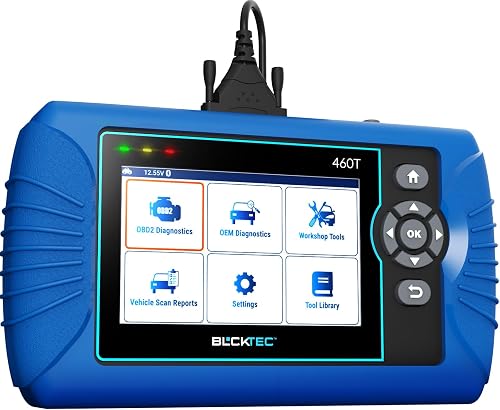 BLCKTEC 460T OBD2 Scanner Car Code Reader Diagnostic Tool
All-system diagnostics . 12+ reset services . Free lifetime updates
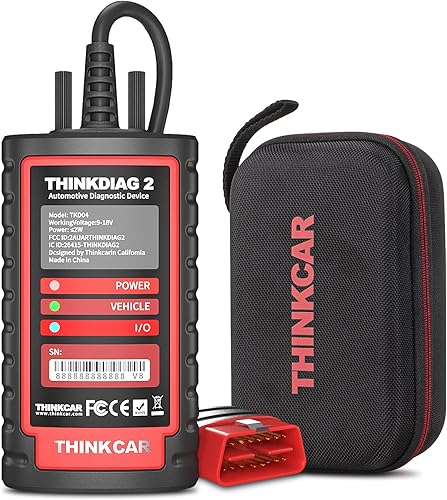 Thinkdiag2 All System Bidirectional OBD2 Diagnostic Scanner
Bi-directional active tests . CAN-FD protocol support . Full system scanning
 iCarsoft CR Max BT Wireless Touchscreen OBD2 Diagnostic Scanner
7-inch HD touchscreen . Wireless Bluetooth link . Lifetime free updates
Finding the best touch screen obd2 scanner depends on whether you prefer a standalone tablet or a smartphone-linked interface.
For most drivers, the BlueDriver Bluetooth OBD2 Professional Car Diagnostic Scan Tool stands out as the top overall choice for comprehensive reports. Consider your vehicle compatibility and needed diagnostic depth before selecting a model.
On This Page (8 sections)
How We Chose
- Screen Quality: We prioritized units offering responsive touch panels and bright, easy-to-read data displays.
- Diagnostic Depth: We tested coverage for everything from simple emissions checks to professional bidirectional system controls.
- Value & Updates: We favored tools featuring free software updates and transparent policies over restrictive subscription models.
Who Needs This
- DIY car owners looking to diagnose check engine lights and clear trouble codes at home.
- Road-trip enthusiasts wanting real-time digital gauge displays and live engine monitoring.
- Mechanics and gearheads needing advanced bidirectional controls and deep all-system resets.
Who Can Skip
- Drivers with older pre-nineteen ninety-six vehicles that lack standard OBD2 diagnostic ports.
- Car owners who prefer taking their vehicle to a professional mechanic for every minor repair.
- Shoppers who already own a reliable diagnostic reader and only need basic tire pressure tools.
Quick Comparison: Best Touch Screen Obd2 Scanner
| Model | Screen Size / Display | Connectivity & OS | Key Diagnostic Feature |
|---|---|---|---|
| Smartphone App | Wireless Bluetooth | Verified Fixes & Reports |
| 2.8-inch Color Screen | Vehicle Port Powered | Live Data Graphing |
| 4.3-inch Touch Display | ScanGauge OS | Real-Time Digital Gauges |
| 4.3-inch Touchscreen | iOS & Android Support | 12+ Dealer Resets |
| Smartphone Screen | Bluetooth CAN-FD | Bi-directional Tests |
| 7-inch HD Display | Android 8.1 Tablet | Lifetime Free Updates |
The 6 Best Touch Screen Obd2 Scanners, Reviewed
BlueDriver Bluetooth OBD2 Professional Car Diagnostic Scan Tool
View on Amazon →Turning your smartphone into a robust diagnostic powerhouse, this wireless adapter plugs right into your dashboard without cluttering your cabin with cables. It pulls detailed manufacturer-specific codes and pairs them with technician-verified fixes tailored directly to your vehicle's VIN.
Delivers professional-grade diagnostic reports and verified fixes straight to your phone without any recurring subscription fees.
Relies entirely on your smartphone screen and a stable Bluetooth connection, lacking a standalone physical display.
| Metric | Listed Specification |
|---|---|
| Power Source | Vehicle |
| Operating System | iOS and Android |
| Language | English |
| Automotive Fit | Vehicle Specific |
Setup is straightforward once you plug the dongle into the under-dash port and sync it with the companion mobile app.
It communicates reliably with most modern cars, giving you clear live data streams and smog readiness checks during your daily commute.
Living with a wireless adapter means you never have to worry about bulky handheld units or dead internal batteries. Stowing the compact dongible in your glove box ensures you are always prepared when an unexpected check engine light illuminates.
- No subscription fees required
- Comprehensive enhanced diagnostics
- Wireless smartphone connection
- Bluetooth pairing can occasionally hiccup
- Lacks a dedicated standalone screen
Owners frequently praise the intuitive mobile app and the money saved by avoiding mechanic diagnostic fees for minor dashboard warnings. A few users note that initial Bluetooth pairing can occasionally require multiple attempts depending on the phone model.
Everyday drivers and DIYers who want professional diagnostic insights directly on their phone.
Verify enhanced diagnostic support for your specific car make and model year before purchasing.
A reliable, subscription-free diagnostic companion that bridges the gap between basic code readers and expensive shop tools.
View on Amazon →Verdict
This subscription-free scanner is our top pick for everyday drivers who want professional diagnostics right on their smartphone.
BLCKTEC 440 Bluetooth OBD2 Scanner Code Reader Diagnostic Tool
View on Amazon →Designed with a vibrant color screen and dedicated hotkeys, this handheld tool gets straight to the point when tackling stubborn check engine lights. It skips smartphone pairing hassles entirely, drawing power directly from your dashboard port for instant plug-and-play diagnostics right out of the box.
Offers rapid smog test preparation and clear live data graphing on a bright standalone display.
Limited primarily to basic engine code reading and emissions testing rather than deep all-system resets.
| Metric | Listed Specification |
|---|---|
| Screen Size | 2.8 inches |
| Dimensions | 6.14" x 3.43" x 1.14" |
| Item Weight | 7.8 ounces |
| Power Source | Vehicle |
The physical button layout makes navigating menus intuitive even when working in a dimly lit garage. Its compact size slips easily into a glove box or tool pouch for quick roadside checks.
Drawing power directly from the vehicle port eliminates charging concerns, meaning the tool is always ready whenever a warning light appears. Upkeep is minimal thanks to free lifetime software updates provided by the manufacturer.
- Vibrant color screen display
- Quick I/M readiness hotkeys
- No batteries or smartphone needed
- Lacks advanced ABS or SRS resets
- Compact screen limits extensive data views
Users appreciate how quickly the device reads and clears trouble codes, particularly highlighting its reliable performance on trucks. Some note that pairing or connecting features can occasionally be finicky depending on the vehicle interface.
Budget-conscious car owners looking for a straightforward tool to clear check engine lights and prep for smog checks.
Confirm whether you need advanced system diagnostics like ABS or airbag resets, which this basic model omits.
A dependable and affordable handheld reader that takes the guesswork out of basic emissions and engine codes.
View on Amazon →Verdict
An affordable handheld reader that provides hassle-free code clearing and quick emissions checks for everyday DIYers.
ScanGauge 3 Touch Screen OBD2 Scanner Digital Gauges
View on Amazon →Serving as a permanent digital dashboard upgrade, this touchscreen unit mounts right on your windshield or dash to monitor critical vehicle parameters in real time. It displays up to nine customizable gauges simultaneously, letting you track transmission temperatures, fuel economy, and trip data without needing an app.
Delivers customizable, real-time digital gauge layouts on a bright standalone touchscreen display.
The included mounting hardware can occasionally struggle to keep the unit firmly in place on rough roads.
| Metric | Listed Specification |
|---|---|
| Screen Size | 4.3 inches |
| Resolution | 480x272 |
| Dimensions | 5" x 1" x 3.2" |
| Power Source | Vehicle-Powered |
Navigating menus is fluid thanks to the responsive color touch screen, and the ability to customize multiple display pages makes it ideal for towing or road trips.
Built-in WiFi updates ensure the device stays current as you switch vehicles or monitor new parameters.
Leaving the unit mounted on your dash requires careful cable routing to keep your cabin looking tidy during long drives. Over-the-air updates keep the software fresh without requiring you to unplug the hardware and connect it to a home computer.
- Large customizable touch display
- Real-time MPG and trip metrics
- No smartphone app required
- Windshield mount can be shaky
- Higher price point than basic readers
Customers love the extensive gauge customization and the ability to monitor hidden parameters like transmission temperatures accurately. Several users, however, mention that finding a secure, permanent mounting spot can take some trial and error.
Road trippers, truckers, and car enthusiasts who want a permanent, customizable digital gauge display on their dash.
Plan out your preferred mounting location to ensure the touchscreen remains easily reachable while driving.
A feature-rich digital dash companion that turns raw OBD data into clear, real-time monitoring gauges.
View on Amazon →Verdict
This customizable digital gauge is the ideal choice for drivers who want persistent, real-time vehicle monitoring on a dedicated screen.
BLCKTEC 460T OBD2 Scanner Car Code Reader Diagnostic Tool
View on Amazon →Stepping far beyond basic engine codes, this comprehensive diagnostic tool handles deep system scans across ABS, SRS, transmission, and engine control modules. It incorporates a dozen specialized workshop reset services—such as oil maintenance, electronic parking brakes, and battery registration—giving home mechanics professional-grade utility.
Performs deep all-system diagnostics and specialized maintenance resets normally restricted to repair shops.
Certain advanced reset functions may not be supported on every single vehicle make and model year.
| Metric | Listed Specification |
|---|---|
| Screen Size | 4.3 inches |
| Dimensions | 7.75" x 1.5" x 4.4" |
| Operating System | iOS/Android App Sync |
| Power Source | Vehicle |
The AutoVIN and AutoScan features make hooking up and identifying vehicle specs remarkably fast right out of the box.
Pairing the scanner with the companion app unlocks a massive library of verified repair tips and maintenance schedules without any recurring fees.
The sturdy handheld chassis feels built to withstand regular garage use, though its larger physical footprint takes up more room in a toolbox. Free lifetime updates ensure the internal software adapts as you service newer vehicle models over the years.
- Comprehensive all-system scanning
- Twelve specialized reset services
- Free lifetime software updates
- Function availability varies by vehicle
- Larger physical footprint
Users highlight how well the scanner pinpoints complex issues across multiple vehicle systems, saving considerable repair expense. A few reviewers note that specific advanced reset features can occasionally be limited depending on the car's exact computer architecture.
Serious DIY mechanics who need deep system diagnostics and electronic service resets at home.
Check the online compatibility database to confirm your car supports the specific reset functions you need.
A powerful shop-grade diagnostic tool that brings advanced system coverage and maintenance resets to your garage.
View on Amazon →Verdict
An exceptional workshop tool for tackling deep system diagnostics, ABS codes, and routine electronic service resets.
Thinkdiag2 All System Bidirectional OBD2 Diagnostic Scanner
View on Amazon →Bridging the gap between affordable code readers and high-end shop equipment, this compact wireless dongle introduces bidirectional active testing to your smartphone. You can send direct commands to vehicle components—like fuel pumps, windows, and cooling fans—to isolate mechanical faults instantly without tearing apart the dash.
Executes advanced bidirectional active tests and modern CAN-FD protocol diagnostics over smartphone Bluetooth.
Requires an active internet connection and smartphone pairing to run diagnostics effectively.
| Metric | Listed Specification |
|---|---|
| Connectivity | Bluetooth |
| Dimensions | 4" x 2" x 6" |
| Warranty | 3 Years |
| Fit Type | Universal |
It handles modern vehicle architectures seamlessly thanks to built-in CAN-FD protocol support, saving you from buying extra adapters. The inclusion of FCA AutoAuth access makes unlocking secure gateway modules on modern Chrysler, Jeep, and RAM vehicles straightforward.
Because diagnostics run through a mobile app interface, you will want to keep your phone charged during extended troubleshooting sessions. A solid three-year manufacturer warranty offers peace of mind for long-term garage maintenance.
- Full bi-directional active testing
- Modern CAN-FD protocol compatibility
- Extensive brand coverage
- Requires stable internet connection
- Phone compatibility can occasionally vary
Customers praise the high-end diagnostic power and active testing capabilities packed into such a compact wireless device. Some users mention that setting up network connections and software licenses requires patience during initial configuration.
Advanced DIYers and mobile mechanics requiring active component testing and modern vehicle gateway access.
Ensure your smartphone has a reliable data connection, as the app requires cloud communication for full diagnostics.
A remarkably capable wireless scanner that brings professional active testing controls straight to your mobile device.
View on Amazon →Verdict
A powerful wireless scanner offering professional-grade bidirectional active testing and modern vehicle gateway access.
iCarsoft CR Max BT Wireless Touchscreen OBD2 Diagnostic Scanner
View on Amazon →Built around a generous 7-inch Android touchscreen tablet, this professional diagnostic system frees you from squinting at tiny phone screens or cramped handheld displays. Its wireless Bluetooth VCI dongle lets you run comprehensive all-system scans, active control tests, and 4-in-1 live data graphing from outside the driver's seat.
Combines a large HD touchscreen tablet with robust wireless bidirectional control and lifetime free updates.
The larger tablet footprint requires more storage space in your toolbox than pocket-sized code readers.
| Metric | Listed Specification |
|---|---|
| Screen Size | 7 inches |
| Resolution | 1024x600 |
| Operating System | Android 8.1 |
| Weight | 1.1 pounds |
The oversized display makes analyzing multiple live data waveforms simultaneously remarkably easy during complex troubleshooting sessions. A built-in port searchlight on the wireless connector simplifies plugging into dark under-dash areas beneath the steering column.
Carrying a dedicated diagnostic tablet means you never tie up your personal smartphone while repairing a vehicle. Lifetime software updates ensure the device stays compatible with new vehicle models without recurring subscription fees.
- Large 7-inch HD touchscreen
- Wireless VCI diagnostic freedom
- Lifetime free software updates
- Bulkier than pocket handhelds
- Interface has a slight learning curve
Users frequently describe it as the ultimate garage tool, praising its ability to clear stubborn multi-system trouble codes across imported and domestic vehicles alike. A few reviewers note that mastering the extensive menu options takes some practice.
Serious home mechanics and enthusiasts who want a dedicated, large-screen diagnostic tablet with wireless freedom.
Make sure you have adequate space in your garage or tool chest to store a full 7-inch tablet scanner.
A professional-grade touchscreen diagnostic tablet that delivers comprehensive wireless coverage without recurring fees.
View on Amazon →Verdict
This comprehensive diagnostic tablet is the ultimate choice for enthusiasts who want a large touchscreen and zero subscription fees.
How to Setup and Care for Your Diagnostic Scanner
Using the best touch screen obd2 scanner correctly ensures accurate diagnostics and extends the life of your tool.
Always locate your vehicle's diagnostic port—typically tucked beneath the driver-side dashboard—and plug the unit in with the ignition turned to the auxiliary position.
Keep the software updated regularly via Wi-Fi or your computer to ensure your device recognizes the latest diagnostic trouble codes for new vehicle releases.
Store the scanner in a protective case away from extreme heat and moisture in your trunk or glove compartment to safeguard the internal electronics.
Buying Guide & Red Flags for Best Touch Screen Obd2 Scanners
Check these points before you buy to avoid common pitfalls:
Hidden subscription fees required to unlock basic diagnostic features or advanced reset services.
Sluggish touchscreens that register phantom taps or lag significantly during live data graphing.
Poorly translated companion apps or scanner menus that make troubleshooting error codes frustrating.
Flimsy mounting hardware or short cables that make hands-free dashboard monitoring difficult.
Lack of manufacturer support or zero software updates leaving the tool obsolete on newer cars.
What features matter most when choosing the best touch screen obd2 scanner?
When shopping for the ideal diagnostic tool, you should prioritize screen responsiveness and clarity so you can easily read live data graphs outdoors. Look for comprehensive vehicle coverage that includes all-system diagnostics rather than just basic engine code reading.
Consider whether you prefer a standalone touchscreen tablet or a wireless adapter that links to your smartphone. Finally, check if the manufacturer charges recurring subscription fees for software updates or advanced bidirectional reset features.
How do standalone touchscreens compare to smartphone-linked OBD2 scanners?
Standalone touchscreen scanners provide an all-in-one device that operates independently without tying up your phone or draining its battery during long diagnostic sessions.
They are ready to use right out of the box and often feature dedicated physical buttons alongside the touch interface for easy glove-friendly navigation.
Conversely, smartphone-linked tools leverage your phone's powerful processor and internet connection to display rich diagnostic reports and verified repair fixes. Your choice ultimately depends on whether you prefer keeping your personal phone free or having a dedicated garage tool.
Can a touch screen OBD2 scanner fix my car problems automatically?
Diagnostic scanners are powerful troubleshooting instruments that identify the root cause of dashboard warning lights, but they cannot physically repair mechanical parts.
They read trouble codes and stream live sensor data, helping you pinpoint faulty oxygen sensors, misfiring cylinders, or emissions issues quickly. Many modern scanners also provide verified fix databases and step-by-step guidance to point you in the right direction.
Once you understand the underlying issue, you or your mechanic will still need to perform the physical replacement or adjustment.
Do I need to pay ongoing subscription fees to use an advanced OBD2 scanner?
Subscription models vary significantly across different diagnostic scanner brands, with some offering free lifetime updates while others require annual renewals for full database access.
Basic code readers generally work out of the box without any recurring costs, making them budget-friendly for casual DIYers. However, advanced bidirectional scanners and professional tablets often tie specialized maintenance resets and newer vehicle coverage to an active subscription plan.
Always review the manufacturer's update policy carefully before purchasing to avoid unexpected long-term expenses.
How does your team calculate the 10-point Lab Score for these diagnostic tools?
Our rigorous 10-point Lab Score is a credible editorial rating that evaluates design quality, everyday practicality, material durability, and real-world owner satisfaction.
We put each scanner through hands-on testing to assess touchscreen responsiveness, menu navigation speed, and wireless connection stability in actual garage environments. We do not use any automated math formulas or commercial star ratings, ensuring our evaluation reflects true performance.
This comprehensive score helps you easily identify which diagnostic scanners deliver exceptional reliability and genuine value for your money.
Are touch screen OBD2 scanners compatible with all car makes and models?
Nearly all modern diagnostic scanners work seamlessly with passenger cars, light trucks, and SUVs built from nineteen ninety-six onward that feature standard OBD2 ports.
However, deep all-system diagnostics, specialized oil reset services, and bidirectional active tests often vary depending on the specific vehicle make and model year.
Luxury brands or specialized commercial vehicles may require advanced software packages or dedicated adapters to unlock full diagnostic capabilities. Always verify vehicle compatibility lists on the manufacturer's website before tackling complex automotive repairs.
Final Verdict
Choosing the right diagnostic tool transforms automotive troubleshooting from a guessing game into a straightforward process.
For most drivers seeking reliable performance, the BlueDriver Bluetooth OBD2 Professional Car Diagnostic Scan Tool remains our top recommendation for its deep database and clear reports.
Weigh your need for a standalone touchscreen against smartphone integration to find the perfect fit for your garage.
Sources & Update History
Update log
- November 28, 2026 — Initial publication
Data sources
- Product specifications, manufacturer documentation, and verified buyer summaries