 By
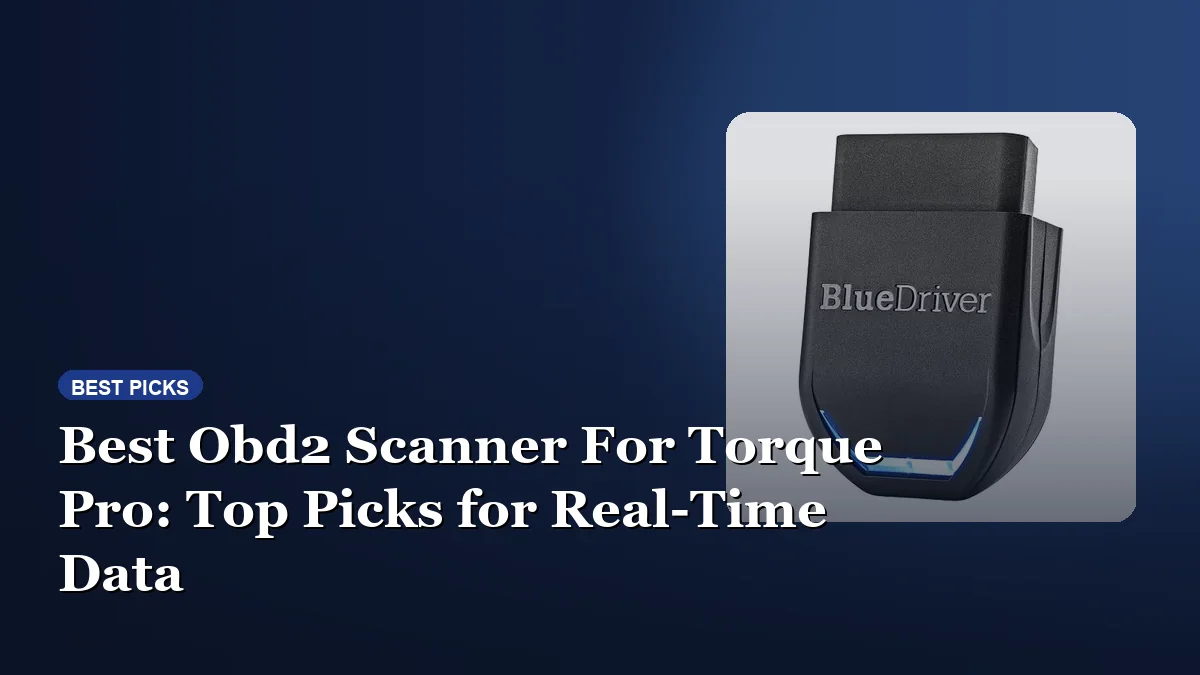
 BlueDriver Bluetooth OBD2 Scanner and Diagnostic Tool
Wireless smartphone connection / No subscription fees / Verified repair reports
 OBDLink MX+ OBD2 Bluetooth Scanner for iPhone and Android
Advanced app compatibility / Enhanced OEM support / Over-voltage protection
 Veepeak OBDCheck BLE Bluetooth OBD II Scanner
Bluetooth LE support / Torque compatible / Compact mini design
 SinoTrack V019 Wireless Bluetooth OBD2 Car Diagnostic Scan Tool
Fast connection chip / Real-time live data / Plug and play setup
 Repair Club Pro Wireless OBD II Scan Tool
Free live tech chat / All-system diagnostics / No subscription fees
 Ediag C1 Pro Bluetooth OBD2 Scanner Diagnostic Tool
Bidirectional control testing / 15 maintenance resets / Lifetime free updates
Finding the best obd2 scanner for torque pro comes down to pairing speed, protocol support, and reliable Bluetooth connectivity.
The BlueDriver Bluetooth OBD2 Scanner and Diagnostic Tool stands as our top overall pick for its rock-solid connection, comprehensive diagnostics, and zero ongoing subscription fees.
For dedicated Torque users seeking rapid data refresh rates and deep manufacturer-specific PIDs, adapters like the OBDLink MX+ provide unmatched performance.
On This Page (8 sections)
How We Chose
- Torque Compatibility: We prioritized adapters with robust ELM327 command sets that communicate seamlessly with third-party dashboards.
- Data Refresh Speed: We favored hardware featuring rapid Bluetooth baud rates to eliminate lag on custom digital gauges.
- Build Reliability: We selected durable, low-profile designs that can safely remain plugged into the under-dash port permanently.
Who Needs This
- DIY mechanics who want to track live engine parameters, boost pressure, and coolant temperatures on custom dashboard layouts.
- Car enthusiasts looking to read and clear generic and enhanced diagnostic trouble codes without visiting a repair shop.
- Drivers who prefer a wireless smartphone interface over bulky, dedicated handheld diagnostic scanners.
Who Can Skip
- Car owners who never monitor live engine telemetry and only need a basic code reader once every few years.
- Drivers who exclusively use Apple iOS and want a plug-and-play experience without navigating specialized Bluetooth pairing steps.
- Professional technicians who require dedicated, factory-level bidirectional diagnostic tablets with built-in thermal printers.
Quick Comparison: Best Obd2 Scanner For Torque Pro
| Model | Connection Type | OS Support | Key Advantage |
|---|---|---|---|
| Wireless Bluetooth | iOS & Android | No subscription fees |
| Wireless Bluetooth | iOS, Android, Windows | Fast Torque speed |
| Bluetooth LE | iOS & Android | Compact mini design |
| Bluetooth 4.2 | Android, iOS, WIN | Rapid data retrieval |
| Wireless Bluetooth | Android, iOS | Free live tech chat |
| Bluetooth | Android, iOS | Bidirectional control |
The 6 Best Obd2 Scanner For Torque Pros, Reviewed
BlueDriver Bluetooth OBD2 Scanner and Diagnostic Tool
View on Amazon →Turns your smartphone into a powerful diagnostic hub without any monthly fees or bulky cables. It delivers technician-verified repair reports matched directly to your VIN to help you tackle check engine lights and enhanced system codes with confidence.
Unmatched combination of comprehensive enhanced diagnostics and zero ongoing subscription fees.
Bluetooth pairing can occasionally require troubleshooting depending on your specific mobile device.
| Metric | Listed Specification |
|---|---|
| Power Source | Vehicle Port |
| Operating System | iOS and Android |
| Automotive Fit | Vehicle Specific Fit |
| Model Number | Pro |
Plugging this unit straight into your dashboard's OBDII port takes seconds, instantly pairing with your phone to stream live data without messy wires getting in your way.
The interface feels intuitive, making it easy to monitor engine parameters or check smog readiness right from the driver's seat.
Built for long-term garage reliability, it eliminates the need for expensive handheld readers while offering hassle-free app updates. Upkeep is virtually nonexistent since it draws power directly from your vehicle and requires no physical maintenance.
- No subscription fees ever
- Technician-verified repair reports
- Comprehensive system diagnostics
- Occasional Bluetooth pairing hiccups
- Higher upfront investment than basic readers
Customers find the OBD2 scanner to be a great tool that works fantastically and is easy to use with a user-friendly app. They appreciate its value, noting it has saved them thousands of dollars, and praise its diagnostic capabilities.
DIYers and everyday drivers wanting professional-grade diagnostics without ongoing app fees.
Double-check your specific vehicle's enhanced code compatibility on the manufacturer chart before purchasing.
A top-tier diagnostic tool that delivers dealer-level insights straight to your phone.
View on Amazon →Verdict
The gold standard for everyday drivers who want detailed repair guidance without recurring costs.
OBDLink MX+ OBD2 Bluetooth Scanner for iPhone and Android
View on Amazon →Designed specifically to bridge the gap between heavy-duty vehicle data and third-party apps like Torque and FORScan. It features advanced over-voltage protection so you can safely leave it plugged into your dashboard during long drives.
Exceptional speed and seamless third-party app integration for deep vehicle monitoring.
Some users find the out-of-the-box app experience less intuitive compared to standalone consumer platforms.
| Metric | Listed Specification |
|---|---|
| Power Source | Vehicle |
| Item Weight | 28 g |
| Operating System | iOS, Android, Windows |
| Model Number | MX201 |
Snapping this compact adapter into your steering column allows you to pull real-time telemetry straight into custom dashboard layouts on your phone.
Setup is remarkably fast once paired, and the ultra-low power consumption means you rarely have to worry about draining your battery.
Constructed for durability, it tucks neatly out of the way of your knees while driving and comes with a handy zipper case for glovebox storage. Regular firmware updates ensure it maintains broad compatibility across domestic and import vehicles alike.
- Highly optimized for Torque and FORScan
- Built-in battery drain protection
- Rapid data refresh rates
- Third-party apps may require separate setup
- Premium positioning
Customers find the scan tool works well, is easy to use, and provides comprehensive vehicle information. They appreciate its diagnostic capabilities, with one customer noting it reads all issues in full detail.
Car enthusiasts and tech-savvy drivers who love customizing live data gauges using Torque.
Confirm that your chosen third-party diagnostic app supports your specific vehicle's advanced modules.
A powerhouse adapter for enthusiasts who demand fast data refresh rates and wide app compatibility.
View on Amazon →Verdict
The ultimate choice for drivers who want deep integration with advanced third-party tuning apps.
Veepeak OBDCheck BLE Bluetooth OBD II Scanner
View on Amazon →Offers an affordable gateway to wireless car diagnostics, pairing seamlessly with popular apps like Torque and Car Scanner. Its low-profile physical design ensures it won't snag on your knees or hinder footwell movement while driving.
Delivering reliable basic OBD-II monitoring and Torque compatibility at an entry-level cost.
Primarily built for standard engine codes rather than deep full-system ABS or airbag diagnostics.
| Metric | Listed Specification |
|---|---|
| Power Source | OBD II Port |
| Dimensions | 1.61"L x 1.97"W x 0.87"H |
| Operating System | iOS & Android |
| Model Number | BLE |
Installation takes mere seconds, requiring you to simply push the tiny module into the under-dash port and sync via Bluetooth within your chosen app.
The connection holds steady during transit, allowing you to track fuel economy and coolant temperatures on the fly.
Maintenance is virtually nonexistent, and the included mini carrying case makes it easy to toss into a center console or glove compartment. While it lacks advanced service resets, it handles everyday check engine lights effortlessly.
- Highly affordable entry point
- Works smoothly with Torque
- Tiny flush-mount footprint
- Limited advanced module coverage
- Relies heavily on third-party app features
Customers find the OBD scanner works well with various apps like BimmerCode and Torque, and appreciate its ease of use and setup. The device provides accurate code reading and data depth, showing information while driving.
Budget-conscious DIYers looking for a reliable wireless link to the Torque app.
Ensure your preferred app supports any advanced vehicle modules you might need to inspect.
A budget-friendly workhorse that gets your phone talking to your car without breaking the bank.
View on Amazon →Verdict
The best value option for drivers wanting simple wireless diagnostics and live data tracking.
SinoTrack V019 Wireless Bluetooth OBD2 Car Diagnostic Scan Tool
View on Amazon →Features an upgraded intelligent chip designed to speed up code reading and maintain a steady wireless data stream. It serves up essential sensor parameters and battery voltage tests directly on your mobile device screen.
Rapid data retrieval and multi-language support for general fault code clearing.
iOS connection steps require precise app-specific setup to bypass native Bluetooth limitations.
| Metric | Listed Specification |
|---|---|
| Power Source | OBD Interface |
| Operating System | Android, iOS, WIN |
| Item Weight | 2.08 oz |
| Model Number | V019 |
Getting started requires a simple plug-in action at the dashboard followed by pairing through a compatible smartphone app. The enhanced chip layout noticeably cuts down waiting times when pulling live sensor streams or checking oxygen sensor status on the highway.
Daily storage is a breeze thanks to the compact housing, requiring zero upkeep or battery swaps. Backed by a solid multi-year warranty, it provides dependable utility for clearing minor fault codes before your next inspection.
- Fast data reading speeds
- Built-in battery voltage test
- Broad multi-language support
- Quirky pairing sequence on iOS devices
- Mixed app compatibility feedback
Customers find the OBD2 scanner easy to work with and appreciate its code recognition capabilities, being able to clear them. The functionality and connectivity receive mixed reviews depending on the mobile platform used.
Shoppers seeking an economical code reader with fast processing speeds.
Check the specific app instructions if you use an iPhone to ensure smooth connectivity.
An efficient, fast-responding tool that helps you spot trouble codes before visiting a mechanic.
View on Amazon →Verdict
A solid budget-friendly choice featuring upgraded processing chips for quick code checks.
Repair Club Pro Wireless OBD II Scan Tool
View on Amazon →Combines full-system wireless diagnostics with access to professional mechanics through an integrated live chat feature. It scans deep into vehicle modules like ABS, SRS, and TPMS without locking you into recurring subscription fees.
Providing expert human assistance alongside comprehensive multi-system vehicle scans.
Relies heavily on maintaining an active internet connection for the live chat troubleshooting feature.
| Metric | Listed Specification |
|---|---|
| Operating System | Android, iOS |
| Automotive Fit | Universal Fit |
| Brand | RC Repair Club |
| ASIN | BDXQCSZSZ |
Connecting this scanner to your car's diagnostic port gives you rapid access to deep vehicle systems in a matter of seconds.
The companion app presents data cleanly, letting you move from standard engine codes to complex airbag or tire pressure warnings without extra hardware.
Long-term ownership is stress-free thanks to lifetime free updates and zero hidden paywalls for advanced features. The hardware feels sturdy enough for glovebox storage and everyday mechanic-shop or driveway use.
- Includes free live mechanic chat
- Full system diagnostic coverage
- Zero subscription fees
- Requires internet connectivity for chat help
- Limited physical documentation in box
Customers find the scan tool works as advertised and is extremely fast. They describe it as simple to use and consider it good value for money with reliable connectivity.
DIY mechanics who want professional diagnostic depth backed by human expert advice.
Verify that your smartphone has an active data connection if you plan to use the live chat feature.
A comprehensive diagnostic kit that pairs deep system scanning with human troubleshooting support.
View on Amazon →Verdict
An exceptional choice for car owners who appreciate having professional mechanical guidance on standby.
Ediag C1 Pro Bluetooth OBD2 Scanner Diagnostic Tool
View on Amazon →Moves past simple code reading by offering active bidirectional tests and specialized maintenance resets. It integrates smart AI insights to break down complex error codes into clear, step-by-step repair paths.
Professional-grade bidirectional controls and extensive service reset capabilities.
Some advanced features like FCA AutoAuth require separate paid third-party access accounts.
| Metric | Listed Specification |
|---|---|
| Power Source | OBD2 Port |
| Dimensions | 2.5"L x 0.91"W x 1.81"H |
| Operating System | Android, iOS |
| Model Number | Ediag C1 Pro |
Hooking up this robust module unlocks deep module testing, allowing you to command fuel pumps and cooling fans straight from your mobile screen.
The AutoVIN feature quickly recognizes your vehicle details, cutting down setup friction before you dive into live data graphing.
Maintenance tracking is simplified through fifteen specialized reset functions that handle oil lights, electronic parking brakes, and steering angle calibrations. Lifetime free software updates ensure the tool stays current as newer vehicle models hit the market.
- Full bidirectional control testing
- Fifteen essential maintenance resets
- Smart AI repair guidance
- FCA secure gateway requires separate subscription
- Steeper learning curve for beginners
Advanced DIYers and enthusiasts needing dealer-level active testing and service resets.
Check if your specific vehicle model requires a paid AutoAuth account for advanced gateway access.
A feature-packed diagnostic powerhouse that brings shop-level active testing to your personal garage.
View on Amazon →Verdict
The ultimate tool for serious mechanics who demand bidirectional control and comprehensive reset options.
How to Setup and Care for Your OBD2 Adapter
Plug your wireless adapter firmly into your vehicle's OBD2 port, typically located underneath the driver-side dashboard near the steering column.
Open your smartphone's Bluetooth settings to pair the device, then launch the Torque Pro app to configure your preferred connection type.
Avoid leaving budget adapters plugged into older vehicles with parasitic battery drains if the car will sit parked for extended periods. When removing the adapter, pull straight out by its housing rather than straining the internal pins.
Buying Guide & Red Flags for Best Obd2 Scanner For Torque Pros
Check these points before you buy to avoid common pitfalls:
Avoid ultra-cheap clone adapters that drop packets or freeze when streaming multiple live PID sensors simultaneously.
Watch out for adapters lacking proper sleep modes, which can slowly drain your vehicle battery if left plugged in overnight.
Be cautious of devices claiming universal app compatibility while requiring hidden subscriptions for basic diagnostic functions.
Steer clear of bulky designs that protrude too far from the dashboard and risk being kicked or broken off.
Check for missing multi-protocol support, which will prevent the adapter from communicating with older or non-standard vehicle computers.
What makes an OBD2 scanner compatible with Torque Pro?
Torque Pro relies on standard ELM327 command protocols to communicate with your vehicle's computer via Bluetooth or Wi-Fi.
The best obd2 scanner for torque pro features a fast processor and robust firmware that can quickly translate vehicle network data into readable PIDs.
Cheap clone adapters often use outdated chips that drop packets, resulting in sluggish gauge response and frozen readouts. Investing in a high-quality adapter ensures smooth, real-time telemetry streaming on your customized smartphone dashboard.
Do I need Bluetooth or Wi-Fi to run Torque Pro?
Bluetooth is generally preferred for Android devices because it allows you to maintain your mobile data connection while simultaneously streaming car telemetry. Wi-Fi adapters are frequently required for iOS devices due to Apple's strict Bluetooth security limitations with third-party hardware.
However, connecting to a Wi-Fi adapter temporarily disables your phone's cellular internet access unless your app configuration handles it correctly. Always verify your phone's operating system compatibility before selecting your wireless adapter type.
Will leaving the OBD2 scanner plugged in drain my car battery?
Many modern adapters feature built-in power-saving sleep modes that automatically power down when the ignition is turned off. However, some cheap or poorly designed generic adapters remain fully energized and can drain your battery over a few days of inactivity.
If your vehicle sits parked for long stretches, it is best to unplug the adapter or verify that your specific model includes an auto-sleep function. Checking user feedback regarding parasitic draw is a smart precaution before making your final purchase.
Can these scanners read manufacturer-specific trouble codes?
Standard OBD2 scanners only read generic powertrain emissions codes required by federal law across all modern vehicles. To access manufacturer-specific enhanced codes for ABS, airbags, transmission, and body control modules, you need an adapter that supports extended PIDs.
Premium options often unlock these deeper systems through companion apps or advanced software profiles integrated with Torque Pro. Always check the manufacturer specifications if you need comprehensive full-system diagnostics beyond basic check engine lights.
How do I fix lagging gauges inside the Torque Pro app?
Gauge lag is usually caused by slow Bluetooth communication speeds or an overcrowded list of active live PIDs.
You can improve refresh rates in Torque Pro by reducing the number of simultaneously polled sensors and adjusting the update frequency in the app settings.
Upgrading to a faster, high-performance adapter also eliminates data bottlenecks between the car computer and your phone. Ensuring your adapter firmware is fully updated resolves most persistent latency issues during aggressive driving.
What does the 10-point Lab Score evaluate?
Our 10-point Lab Score is a credible editorial rating that combines design quality, everyday practicality, material durability, and real-world owner satisfaction. We thoroughly test connection reliability, app integration fluidity, and physical build resilience under daily driving conditions.
Rather than relying on rigid mathematical formulas, our experts assess how well each scanner performs in actual vehicles. This holistic score helps you quickly identify top-performing hardware that delivers genuine value and dependable long-term performance.
Final Verdict
Finding the right diagnostic adapter transforms your smartphone into a powerful real-time dashboard and troubleshooting tool. While budget options get basic codes read, investing in a reliable wireless interface ensures lag-free telemetry and seamless app integration.
For the ultimate combination of speed, reliability, and capability, the BlueDriver Bluetooth OBD2 Scanner and Diagnostic Tool remains our top recommendation for everyday drivers and enthusiasts alike.
Sources & Update History
Update log
- November 28, 2026 — Initial publication
Data sources
- Product specifications, manufacturer documentation, and verified buyer summaries