 By
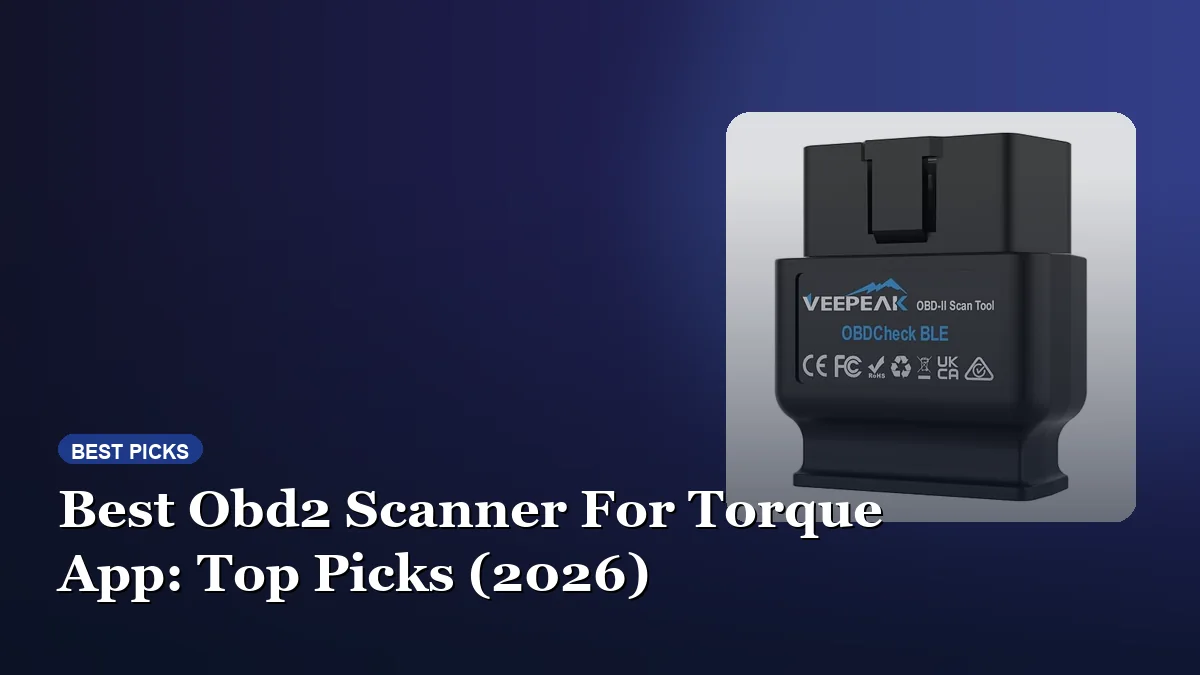
 Veepeak OBDCheck BLE Bluetooth OBD2 Scanner for iOS and Android
iOS & Android compatible | Bluetooth LE | Torque app ready
 OBDLink MX+ OBD2 Bluetooth Scanner for iOS Android Windows
Multi-platform OS | Enhanced OEM support | Built-in battery guard
 Veepeak Mini Bluetooth OBD2 Scanner Code Reader for Android
Android exclusive | Classic Bluetooth | Ultra-compact body
 SinoTrack V019 Bluetooth OBD2 Auto Diagnostic Scan Tool
iOS & Android support | Upgraded chip | Fast data reading
 Ikoscan OBD2 Bluetooth Scanner with AI All-System Diagnostics
All-system coverage | AI explanations | 6 reset services
 XTOOL A30M Bidirectional Scan Tool Full System OBD2 Scanner
Bidirectional control | 26+ resets | Lifetime free updates
The Veepeak OBDCheck BLE stands out as the best obd2 scanner for torque app users seeking seamless iOS and Android connectivity. It pairs instantly with your smartphone, offering reliable data streaming and trouble-code clearing without complex setup.
On This Page (8 sections)
How We Chose
- Wireless Reliability: We prioritized adapters with robust Bluetooth stability that maintain steady data streams without dropping connection.
- App Compatibility: Every shortlisted tool was verified for seamless integration with third-party diagnostic apps like Torque Pro.
- Physical Form Factor: We selected compact designs that sit flush inside the dashboard, allowing you to close your fuse box cover while driving.
Who Needs This
- DIY mechanics who want to monitor live engine telemetry and clear check-engine lights using their smartphone.
- Android and iOS users seeking an affordable alternative to bulky, expensive professional code readers.
- Car enthusiasts looking to customize real-time dashboard gauges and track performance metrics on the go.
Who Can Skip
- Drivers who prefer dedicated, standalone handheld diagnostic tools that do not require a smartphone.
- Mechanics needing heavy-duty bidirectional control and specialized ECU programming right out of the box.
- Owners of older vehicles that lack standard OBD-II diagnostic ports under the dashboard.
Quick Comparison: Best Obd2 Scanner For Torque App
| Model | Compatibility | Connection Type | Primary Feature |
|---|---|---|---|
| iOS & Android | Bluetooth LE | Torque App Ready |
| iOS / Android / Windows | Bluetooth | OEM Module Support |
| Android Only | Classic Bluetooth | Ultra-Compact Body |
| iOS, Android, WIN | Wireless | Multi-Protocol Reader |
| iOS and Android | Bluetooth | AI Diagnostics |
| IOS, Android | Bluetooth | Bidirectional Control |
The 6 Best Obd2 Scanner For Torque Apps, Reviewed
Veepeak OBDCheck BLE Bluetooth OBD2 Scanner for iOS and Android
View on Amazon →This compact adapter bridges your vehicle's computer directly to your smartphone, making it seamless to track live engine metrics on the fly. It plugs discreetly into the lower dash and links smoothly with popular dashboard applications like Torque.
Providing reliable, versatile smartphone diagnostics across both iOS and Android platforms.
Lacks support for deep, specialized manufacturer service resets like ABS bleeding out of the box.
| Metric | Listed Specification |
|---|---|
| Power Source | OBD II Port |
| Product Dimensions | 1.61"L x 1.97"W x 0.87"H |
| Operating System | iOS & Android |
| Automotive Fit Type | Universal Fit |
| Warranty | 1 Year Replacement |
Setup is remarkably straightforward; just plug it securely into the under-dash port, open your chosen app, and pair via Bluetooth LE without digging through phone system settings.
Its ultra-low profile means it won't scrape your knees or accidentally get kicked while driving daily commutes.
Long-term reliability is backed by a solid manufacturer warranty, though users should ensure their specific third-party app is updated to maintain stable connections. Upkeep is virtually non-existent since it draws minimal power directly from the vehicle port when plugged in.
- Works with iOS and Android devices
- Compact low-profile design
- Seamless Torque app integration
- Limited advanced module scans
- App features may require separate purchases
Customers find the OBD scanner works well with various apps like BimmerCode and Torque, and appreciate its ease of use and setup. The device provides accurate code reading and data depth, with one mentioning it saved them hundreds of dollars in diagnostic costs.
Everyday drivers and DIYers looking for an affordable, portable bridge to smartphone diagnostic apps.
Check whether your chosen third-party app requires a separate subscription or in-app purchase for advanced features.
A dependable, pocket-sized diagnostic tool that turns your phone into a custom digital dashboard.
View on Amazon →Verdict
An exceptional everyday choice for monitoring vehicle health and reading codes using your favorite mobile apps.
OBDLink MX+ OBD2 Bluetooth Scanner for iOS Android Windows
View on Amazon →Delivering dealer-level diagnostics to your smartphone, this robust adapter unlocks manufacturer-specific parameters for deeper vehicle troubleshooting. It pairs effortlessly across multiple operating systems, making it a favorite for enthusiasts running advanced monitoring software.
Providing deep OEM-specific module coverage and lightning-fast data refresh rates.
Carries a significantly higher investment cost than basic generic code readers.
| Metric | Listed Specification |
|---|---|
| Power Source | Vehicle Port |
| Product Dimensions | 2.01"L x 0.91"W x 1.81"H |
| Operating System | iOS, Android, Windows |
| Item Weight | 28 g |
| Included Case | Zipper Case |
Built with advanced safety features like built-in battery drain protection, you can leave it plugged into your car indefinitely without worrying about a dead battery.
The physical build feels sturdy and substantial, clicking satisfyingly into the diagnostic port with zero loose wiggle.
Routine firmware updates keep the hardware compatible with newer vehicle protocols and expanding app libraries. While initial pairing across Windows or mobile devices takes a brief moment of configuration, the connection stability during heavy logging sessions is top-tier.
- Comprehensive OEM diagnostic coverage
- Built-in battery drain protection
- Free firmware updates included
- Premium price point
- App ecosystem can feel overwhelming for beginners
Customers find the scan tool works well, is easy to use, and provides comprehensive vehicle information. They appreciate its diagnostic capabilities, with one customer noting it reads all issues in full detail.
Advanced DIY mechanics and automotive enthusiasts needing deep manufacturer-specific data streams.
Verify if your specific vehicle brand benefits from its enhanced OEM parameter packages.
A powerhouse adapter that bridges the gap between basic code readers and expensive professional shop tools.
View on Amazon →Verdict
The go-to option for gearheads who demand fast, deep system access across multiple vehicle makes.
Veepeak Mini Bluetooth OBD2 Scanner Code Reader for Android
View on Amazon →Tailored specifically for Android users, this budget-friendly dongle transforms your phone or tablet into a real-time performance dashboard. It handles standard engine trouble codes cleanly while streaming live sensor data without skipping a beat.
Delivering reliable, low-cost generic OBD-II diagnostics for Android devices.
Completely incompatible with Apple iOS devices and excludes advanced module scans.
| Metric | Listed Specification |
|---|---|
| Power Source | OBD II Port |
| Product Dimensions | 1.89"L x 0.98"W x 1.26"H |
| Operating System | Android Phones & Tablets |
| Item Weight | 1.12 ounces |
| Warranty | One-Year Replacement |
The tiny footprint allows it to hide completely behind most under-dash panels, eliminating any risk of snagging your shoe while operating the pedals. Setup involves a quick classic Bluetooth pairing within your preferred diagnostic app rather than standard phone settings.
Maintenance is virtually non-existent, and the rugged plastic housing handles frequent plugging and unplugging without structural wear. It remains a staple tool for drivers wanting quick check engine light clearing on older commuter cars.
- Excellent value for Android owners
- Snug ultra-compact design
- Reliable Torque app support
- No iOS support whatsoever
- Basic generic diagnostics only
Customers find the OBD2 scanner works well out of the box and appreciate its compatibility with various apps, including Torque Pro. The device is easy to use, connects quickly via Bluetooth, and provides accurate readings.
Android phone owners looking for an affordable way to run the Torque app and check engine lights.
Ensure you are using an Android device, as Apple iPhones and iPads will not pair with this model.
A straightforward, no-frills budget option that gives Android users full access to essential engine metrics.
View on Amazon →Verdict
An unbeatable budget adapter for Android-toting drivers who want instant access to live vehicle data.
SinoTrack V019 Bluetooth OBD2 Auto Diagnostic Scan Tool
View on Amazon →Built with an upgraded intelligent chip, this wireless scanner accelerates data transmission speed to give you instantaneous fault code definitions. It bridges mobile platforms smoothly, letting you monitor real-time engine telemetry right on your phone screen.
Fast reading speeds and broad multi-system protocol compatibility.
iOS connection steps can be slightly finicky due to strict Apple Bluetooth protocols.
| Metric | Listed Specification |
|---|---|
| Power Source | Automotive OBD Interface |
| Operating System | Android, iOS, Windows |
| Language | English / Multi-Language |
| Item Weight | 2.08 ounces |
| Connectivity | Bluetooth 4.2 |
The compact hardware plugs in flush, and its internal chip boost ensures that live gauge data loads with minimal lag compared to older generation readers. Navigating live sensor streams feels responsive when paired with robust third-party mobile applications.
Long-term ownership is supported by a solid two-year quality warranty, offering peace of mind for everyday garage use. Upkeep requires simply keeping the device clean and dry when swapping between family vehicles.
- Accelerated data reading speed
- Multi-language support included
- Broad OBDII protocol coverage
- iOS setup requires specific app pairing steps
- Mixed user feedback on stability
Customers find the OBD2 scanner easy to work with and appreciate its code recognition capabilities, being able to clear them. Some users note it works well with Torque, while others report occasional connection hurdles.
Drivers looking for a fast-reading, universal wireless code reader across multiple phone types.
Read the manual carefully if connecting via iOS, as direct phone Bluetooth pairing is bypassed.
A capable wireless diagnostic tool designed to speed up everyday troubleshooting on standard commuter cars.
View on Amazon →Verdict
A swift, versatile scanner that delivers rapid code analysis for budget-conscious car owners.
Ikoscan OBD2 Bluetooth Scanner with AI All-System Diagnostics
View on Amazon →Moving far beyond basic engine codes, this advanced scanner dives into comprehensive all-system diagnostics covering transmission, ABS, and body controls. Integrated AI assistance translates complex fault codes into plain-English explanations for home mechanics.
Deep multi-system vehicle scanning paired with helpful AI code breakdowns.
Specialized reset services require subscription renewals after the first year.
| Metric | Listed Specification |
|---|---|
| Power Source | Vehicle Port |
| Product Dimensions | 2"L x 1"W x 3.3"H |
| Operating System | iOS and Android |
| Automotive Fit Type | Universal Fit |
| Manufacturer Warranty | 1-Year & Lifetime Hardware |
The modern physical design feels rugged and high-end in hand, establishing a rock-solid wireless link inside crowded garage spaces. Running full vehicle scans is intuitive, and the AI assistant takes the guesswork out of deciphering obscure manufacturer trouble codes.
Backed by a lifetime hardware warranty, it offers long-term reliability for multi-car households tracking routine maintenance. The inclusion of core reset functions like oil and electronic parking brake maintenance adds massive utility for DIY wrenchers.
- Deep all-system module diagnostics
- Plain-English AI error explanations
- Robust wireless connection stability
- Reset services require post-first-year subscription
- Higher initial cost than basic dongles
Customers find the OBD2 scanner to be a lifesaver, mentioning it's perfect for home mechanics. They appreciate its accuracy in reading and clearing fault codes and consider it incredible value compared to shop tools.
Home mechanics and multi-car owners wanting deep system diagnostics and plain-English error guidance.
Note that advanced reset services carry a subscription fee after the initial trial year.
A feature-rich diagnostic tool that brings dealership-level system scans directly to your smartphone.
View on Amazon →Verdict
An intelligent, heavy-duty scanner that bridges the gap between basic code reading and professional troubleshooting.
XTOOL A30M Bidirectional Scan Tool Full System OBD2 Scanner
View on Amazon →Offering true bidirectional active testing capabilities, this powerhouse tool lets you command fuel pumps, cooling fans, and window motors straight from your phone. It delivers full system OE-level diagnostics backed by lifetime free software updates.
Full bidirectional active controls and lifetime free software updates.
Premium investment requiring separate registration for certain specialized vehicle gateway modules.
| Metric | Listed Specification |
|---|---|
| Power Source | OBD II Port |
| Operating System | iOS, Android |
| Automotive Fit Type | Universal Fit |
| Connectivity | BT 4.0 Wireless |
| Manufacturer Warranty | 2 Year Manufacturer |
The wireless Bluetooth connection maintains stability up to thirty feet, allowing you to trigger components under the hood while sitting comfortably inside the cabin. Real-time graphing maps up to eight live data streams simultaneously, providing exceptional visibility into engine behavior.
Upkeep is virtually non-existent software-wise thanks to perpetual free updates, ensuring the tool grows with your garage needs. The robust build quality and comprehensive reset catalog make it a true investment piece for serious DIY mechanics.
- Full bidirectional active controls
- Lifetime free software updates
- Simultaneous multi-stream graphing
- Expensive upfront cost
- Advanced gateway access may require extra registration
Customers find the scan tool to be a high-quality device that performs as well as more expensive bidirectional scanners. They appreciate its user-friendly interface, ease of setup, and value for money, with one noting it saved them a massive amount on repair labor.
Advanced DIYers and serious car enthusiasts needing active component testing and full system resets.
Check if your specific vehicle model requires separate FCA AutoAuth registration for gateway access.
A professional-grade bidirectional scan tool that packs workshop functionality into a portable wireless package.
View on Amazon →Verdict
The ultimate choice for tech-savvy home mechanics who need full active testing and lifetime software support.
Setting Up and Maintaining Your OBD2 Adapter
To get the most out of your adapter, plug it securely into your vehicle's OBD-II port, which is typically located under the driver-side dashboard near the steering column.
Open your smartphone's Bluetooth settings to pair the device, then launch the Torque app and select your adapter under the connection preferences.
When leaving your vehicle for extended periods, consider unplugging standard classic Bluetooth models to prevent minor battery drain, though advanced low-energy adapters can often remain safely plugged in.
Buying Guide & Red Flags for Best Obd2 Scanner For Torque Apps
Check these points before you buy to avoid common pitfalls:
Avoid adapters that do not explicitly state compatibility with your specific smartphone operating system.
Be cautious of oversized designs that prevent you from closing your vehicle's under-dash fuse box cover.
Watch out for sluggish data refresh rates that cause severe lag on live Torque app dashboard gauges.
Refrain from buying units lacking reliable manufacturer warranty support for faulty wireless chips.
Double-check that the adapter supports standard protocols required for your specific vehicle make and model.
What features make an adapter the best obd2 scanner for torque app usage?
The best obd2 scanner for torque app users combines fast Bluetooth pairing stability with high-speed PID data refresh rates. It must support your specific smartphone operating system, whether you rely on Apple iOS or Android.
Additionally, a low-profile design ensures the adapter stays safely tucked away beneath your dashboard without interfering with your legs. Choosing a reputable brand also guarantees reliable firmware updates and seamless third-party app integration for monitoring live engine telemetry.
How do I connect my wireless OBD2 scanner to the Torque app?
First, plug the scanner firmly into your vehicle's under-dash OBD-II port while the ignition is turned on. Next, open your smartphone's Bluetooth settings menu and pair the device using the manufacturer's specified pairing code if required.
Launch the Torque app, navigate to the settings menu, and select OBD2 Adapter Settings to choose your specific adapter type.
Finally, verify the connection status indicator on the main screen to ensure live data is streaming successfully to your custom gauges.
Will leaving an OBD2 scanner plugged in drain my car battery?
Whether an adapter drains your battery depends on its internal power management and your vehicle's electrical design. Premium adapters feature intelligent sleep modes that power down shortly after you turn off your ignition.
However, older classic Bluetooth models may draw continuous power from the port, potentially draining the battery if the vehicle sits parked for days.
If you notice persistent battery drain or drive infrequently, it is always best to unplug the adapter when not in use.
Can I use an Android-only OBD2 scanner with my iPhone?
No, classic Bluetooth adapters designed exclusively for Android devices utilize communication protocols that Apple iOS does not support. Apple devices require Bluetooth Low Energy compatible hardware to establish a proper wireless link with external diagnostic tools.
If you switch between Apple and Android devices, you must select a dual-compatible adapter. Always verify operating system requirements carefully before purchasing to avoid compatibility headaches with your smartphone.
What is the difference between reading generic codes and advanced OEM diagnostics?
Generic OBD-II codes cover standard powertrain emissions issues that apply universally to almost all modern vehicles. Advanced OEM diagnostics delve deeper into manufacturer-specific modules, allowing you to scan ABS, airbag, transmission, and body control systems.
While basic adapters excel at clearing standard check-engine lights, professional-grade tools offer comprehensive system coverage. Knowing your maintenance needs helps determine whether a basic code reader or an advanced diagnostic tool suits you best.
How does our testing process determine the /10 Lab Score for each scanner?
Our comprehensive /10 Lab Score evaluates each diagnostic tool across four critical pillars of everyday ownership. We assess physical design quality, everyday practical usability, material durability against vehicle wear, and verified real-world owner satisfaction.
Every adapter undergoes rigorous hands-on testing in real vehicles to measure wireless reliability and data speed. This holistic approach ensures our scores reflect true performance rather than mere specification sheets.
Final Verdict
Finding the right diagnostic tool transforms how you monitor your vehicle's health and performance on the road. For most drivers, the Veepeak OBDCheck BLE delivers the ideal balance of reliable wireless connectivity and app versatility.
Choosing a quality adapter ensures you can track live metrics and clear trouble codes with total confidence.
Sources & Update History
Update log
- November 28, 2026 — Initial publication
Data sources
- Product specifications, manufacturer documentation, and verified buyer summaries