 By
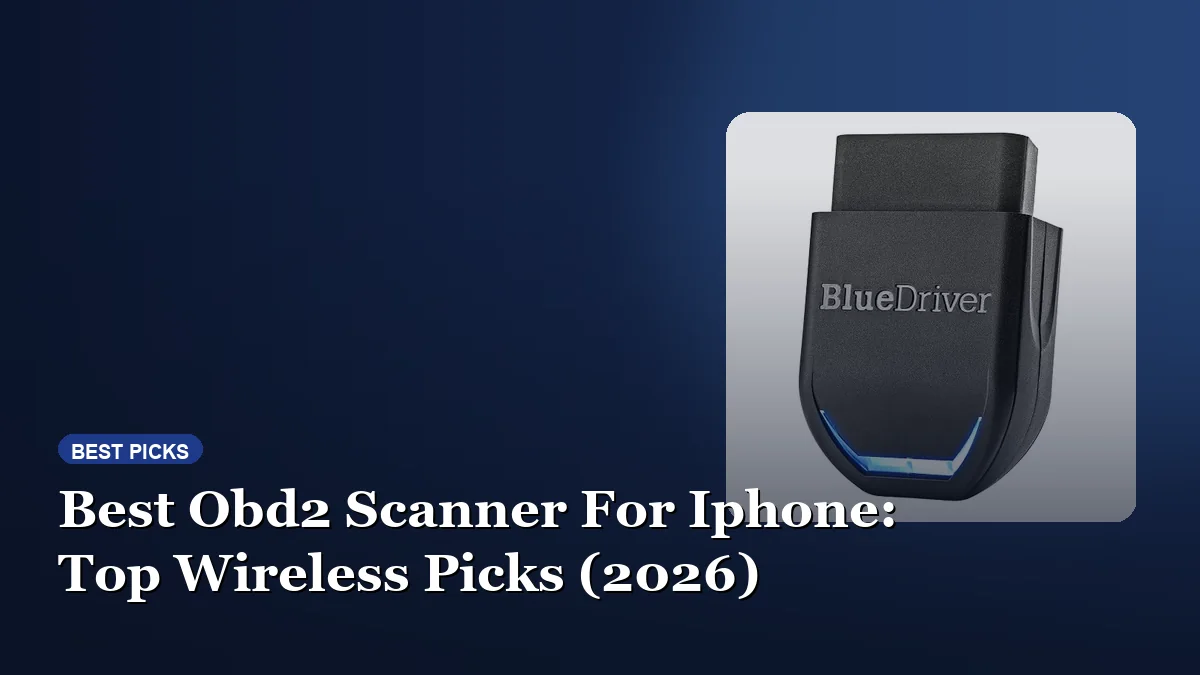
 BlueDriver OBD2 Bluetooth Scanner for iPhone and Android
Wireless Bluetooth . No Subscriptions . Enhanced Diagnostics
 Veepeak OBDCheck BLE Bluetooth OBD2 Scanner for iPhone
Ultra-Compact . BLE iOS Support . Third-Party Apps
 OBDLink MX+ OBD2 Bluetooth Scanner for iPhone
Ultra-Fast Data . Enhanced OEM Support . Battery Saver
 XTOOL A30M Bidirectional OBD2 Scanner for iPhone
Full Bidirectional . Lifetime Updates . 26+ Resets
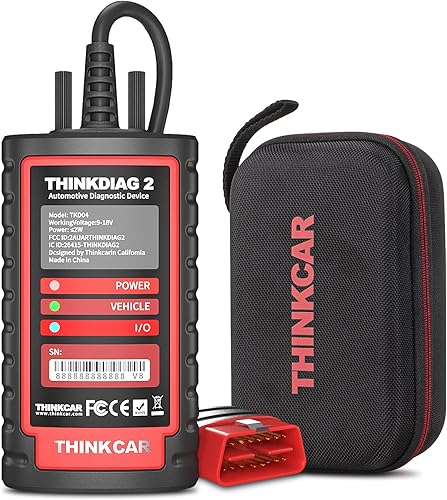 Thinkdiag2 All System Bidirectional OBD2 Scanner for iPhone
CAN-FD Protocol . 15+ Resets . Active Testing
 XTOOL AD20 Pro Full System OBD2 Scanner for iPhone
Sleep Mode . AI Diagnostics . Trip Analysis
The BlueDriver OBD2 Bluetooth Scanner stands out as the best overall choice for iPhone users due to its robust app ecosystem and zero subscription fees.
If you need a more budget-friendly option for basic code clearing, the Veepeak OBDCheck BLE is an ideal pocket-sized companion.
On This Page (8 sections)
How We Chose
- iOS Integration: We prioritized adapters with seamless Bluetooth pairing and intuitive iPhone app compatibility.
- Diagnostic Depth: We tested everything from simple code readers to advanced bidirectional scanning capabilities.
- Value & Subscriptions: We favored tools offering transparent pricing without hidden recurring software fees.
Who Needs This
- DIY mechanics looking to diagnose check engine lights and clear codes directly from an iPhone.
- Commuters and road-trippers wanting real-time vehicle health monitoring and trip logging.
- Car enthusiasts seeking live data streaming and advanced sensor parameters on their mobile device.
Who Can Skip
- Drivers who prefer visiting a professional repair shop for every minor warning light.
- Owners of older vehicles built before 1996 that lack standard OBD2 ports.
- Tech users who exclusively use desktop or dedicated handheld standalone diagnostic tablets.
Quick Comparison: Best Obd2 Scanner For Iphone
| Model | Platform / Compatibility | Connectivity Type | Key Feature / Style |
|---|---|---|---|
| iOS & Android | Bluetooth Wireless | Enhanced Diagnostics |
| iOS & Android | Bluetooth LE | Ultra-Compact Body |
| iOS, Android, Windows | Multi-Protocol Bluetooth | Lightning-Fast Data |
| iOS & Android | Wireless Dongle | Full Bidirectional |
| iOS & Android | Wireless CAN-FD | All-System Pro |
| iOS & Android | Bluetooth 5.0 | Auto-Sleep Guard |
The 6 Best Obd2 Scanner For Iphones, Reviewed
BlueDriver OBD2 Bluetooth Scanner for iPhone and Android
View on Amazon →This powerhouse dongle transforms your iPhone into a pro-level scan tool without the messy cables or hidden fees. It goes beyond basic engine codes to tackle ABS, SRS, and transmission systems while delivering verified technician repair reports directly to your screen.
Providing comprehensive diagnostic reports with zero subscription fees.
Premium capability comes at a higher upfront investment than basic readers.
| Metric | Listed Specification |
|---|---|
| Operating System | iOS and Android |
| Fit Type | Vehicle Specific Fit |
| Power Source | Vehicle Port |
| Warranty | 180-Day Guarantee |
Setup is remarkably straightforward—just plug the compact unit into your dashboard port, launch the app, and let it pair wirelessly via Bluetooth.
The interface is clean and intuitive, making it easy for everyday drivers to read live data streams or check smog readiness before an inspection without fumbling through manuals.
Built for long-term reliability, the hardware stays securely seated in the port during daily commutes and road trips. Because there are no recurring subscription charges, you can run diagnostic scans as often as needed without worrying about extra bills.
- No subscription fees
- Enhanced ABS and SRS diagnostics
- Verified repair reports
- Higher initial price point
- Bluetooth pairing can occasionally lag
Customers love how user-friendly and powerful the app is, noting it easily pays for itself by accurately diagnosing minor issues. While most enjoy smooth pairing, a small number report occasional connection hiccups with Bluetooth.
Daily drivers and DIYers wanting detailed diagnostics without recurring fees.
Confirm specific enhanced coverage for your exact vehicle make and model.
A robust, subscription-free diagnostic companion that bridges the gap between DIYers and professional shops.
View on Amazon →Verdict
The top pick for iPhone users who want deep diagnostic insights without getting trapped in monthly subscription models.
Veepeak OBDCheck BLE Bluetooth OBD2 Scanner for iPhone
View on Amazon →Measuring under two inches, this ultra-compact dongle tucks neatly into your dashboard port without bumping your knees. It relies on third-party apps to unlock standard engine code reading and live sensor monitoring right on your iPhone screen.
Delivering affordable, pocket-sized wireless connectivity for basic code clearing.
Advanced system diagnostics require purchasing separate compatible third-party apps.
| Metric | Listed Specification |
|---|---|
| Power Source | OBD II Port |
| Operating System | iOS & Android |
| Fit Type | Universal Fit |
| Model | BLE |
The tiny footprint means you can leave it plugged in permanently without cluttering your cabin space.
Pairing requires connecting directly through your chosen diagnostic app rather than standard phone settings, which takes a moment to get used to but ensures a stable data link.
Day-to-day upkeep is nonexistent, as the durable plastic housing handles extreme cabin temperatures well. It serves as a dependable glovebox staple for clearing annoying check engine lights on the fly.
- Compact low-profile design
- Works with popular third-party apps
- Budget-friendly price
- Requires separate apps for advanced features
- Not a full-system scanner out of the box
Users appreciate its seamless integration with apps like BimmerCode and its overall affordability for basic code reading. A few note that initial Bluetooth setup requires careful attention to app-specific connection settings.
Budget-conscious drivers looking for a simple tool to clear check engine lights.
Check if your preferred third-party app requires an in-app purchase for advanced coding.
An affordable, minimalist tool that makes monitoring vehicle health on your iPhone remarkably easy.
View on Amazon →Verdict
An exceptional budget choice for iPhone owners who want basic code reading without paying for a heavy-duty system.
OBDLink MX+ OBD2 Bluetooth Scanner for iPhone
View on Amazon →Built for speed and deep software compatibility, this adapter handles complex data streams with lightning-fast refresh rates. It features built-in battery drain protection so you can leave it plugged into your vehicle without draining your battery over the weekend.
Delivering lightning-fast data transmission for enthusiast-grade diagnostic apps.
Higher price point and relies on third-party software for full functionality.
| Metric | Listed Specification |
|---|---|
| Dimensions | 2.01 x 0.91 x 1.81 in |
| Operating System | iOS, Android, Windows |
| Power Source | Vehicle |
| Model Number | MX201 |
The hardware feels robust and snaps securely into place with a satisfying click. It connects smoothly to demanding enthusiast platforms, providing lag-free live parameters and enhanced OEM support across a wide range of domestic and import vehicles.
Long-term durability is a strong suit, backed by over-voltage protection and free firmware updates. The included zipper case keeps it protected when tossing it into a center console or toolbox.
- Lightning-fast data refresh rates
- Over-voltage and battery drain protection
- Wide enthusiast app compatibility
- Premium price tag
- Requires third-party apps for advanced features
Customers praise its depth of vehicle information and flawless compatibility with advanced third-party diagnostic software. Some users mention that navigating the various compatible apps requires a bit of a learning curve.
Automotive enthusiasts and DIYers running advanced tuning or coding apps.
Verify that your preferred diagnostic software fully supports your specific vehicle make.
A high-performance, ultra-fast scanner built to handle the most demanding automotive software on your iPhone.
View on Amazon →Verdict
The premier choice for enthusiasts who demand professional-grade speed and deep app integration.
XTOOL A30M Bidirectional OBD2 Scanner for iPhone
View on Amazon →Bringing workshop-level power to your smartphone, this advanced tool offers full bidirectional control to actively test components like fuel pumps, windows, and cooling fans. Best of all, it includes lifetime free software updates so your diagnostic capabilities stay current without recurring subscription fees.
Performing active component tests and full system diagnostics without subscription costs.
FCA security gateway access requires a separate paid manufacturer registration.
| Metric | Listed Specification |
|---|---|
| Power Source | OBD II Port |
| Operating System | iOS, Android |
| Wireless Range | 33 Feet |
| Model Number | XTOOL A30M |
Wireless Bluetooth connectivity gives you up to 33 feet of freedom, letting you sit inside the cabin while commanding exterior components like wipers or door locks.
The app presents data through real-time graphing, allowing you to monitor up to eight live streams simultaneously.
Routine maintenance is simplified thanks to twenty-six dedicated reset functions, covering everything from oil life resets to electronic parking brake service. The sturdy hardware is built to withstand busy garage environments while remaining portable enough for glovebox storage.
- Full bidirectional active testing
- Lifetime free software updates
- Comprehensive full-system scanning
- FCA AutoAuth requires separate registration
- Advanced service functions vary by model
Owners rave about its high-end diagnostic performance and cost-saving maintenance resets that rival professional shop tools. While most enjoy stable wireless pairing, a few note occasional drops in connection range.
Advanced DIYers and home mechanics needing active component testing capabilities.
Check if your specific vehicle year requires a separate FCA gateway subscription for full access.
A feature-packed bidirectional scanner that delivers incredible value through lifetime free software updates.
View on Amazon →Verdict
The ultimate choice for iPhone users wanting professional active testing power without subscription fees.
Thinkdiag2 All System Bidirectional OBD2 Scanner for iPhone
View on Amazon →Designed to bridge the gap between amateur code readers and high-end shop equipment, this scanner brings full-system active testing and advanced CAN-FD protocol support to your iPhone. It automatically identifies your vehicle via Auto-VIN and generates detailed health reports that you can easily save or share.
Delivering deep dealership-level system diagnostics and active testing on newer vehicles.
Requires a steady internet connection during diagnostics and specific subscription renewals for extended features.
| Metric | Listed Specification |
|---|---|
| Power Source | Vehicle Port |
| Operating System | iOS & Android |
| Model | Thinkdiag2 |
| Diagnostics | All Systems |
The compact hardware plugs securely into the lower dash, establishing a reliable wireless link to your smartphone. Navigating the app reveals fifteen dedicated maintenance resets and multi-parameter graphing that makes tracking intermittent engine glitches straightforward.
Upkeep is minimal, but the device demands an active network connection to pull vehicle databases and diagnostic routines. Its robust build quality handles heavy weekend garage use with ease.
- Built-in CAN-FD protocol support
- Full-system active bidirectional testing
- Auto-VIN vehicle identification
- Requires internet connection during use
- Some advanced features require activation
Users appreciate getting high-end shop functionality at a fraction of traditional diagnostic tool costs. A few customers mention that initial setup and software package downloads require patience.
Serious home mechanics and small workshops working on diverse modern vehicle fleets.
Ensure you have a stable Wi-Fi or cellular connection while diagnosing vehicles in your garage.
A formidable diagnostic powerhouse that packs dealership-level capabilities into a compact smartphone accessory.
View on Amazon →Verdict
A top-tier pick for advanced users who need deep system coverage and active testing across modern vehicles.
XTOOL AD20 Pro Full System OBD2 Scanner for iPhone
View on Amazon →More than just a simple code reader, this intelligent dongle features a low-power sleep mode that lets you leave it plugged into your dashboard 24/7 without draining your car battery. It blends full-system scanning with AI-powered repair guidance to help you understand engine codes in plain English.
Continuous vehicle health monitoring and automated trip logging without battery drain.
Lacks advanced bidirectional active component testing found in heavier shop units.
| Metric | Listed Specification |
|---|---|
| Power Source | BT 5.0 Port |
| Operating System | iOS & Android |
| Weight | Lightweight Dongle |
| Model Number | AD20 Pro |
Installation takes seconds, and the Bluetooth 5.0 connection links instantly with your iPhone whenever you turn the ignition.
The app goes beyond basic warnings by tracking your driving habits, logging fuel consumption, and offering a virtual dashboard for real-time engine telemetry.
Long-term ownership is stress-free thanks to free software updates and a robust two-year warranty. The sleep mode mechanism works seamlessly, waking up only when the engine starts so your battery stays fully protected.
- Safe 24/7 plug-in sleep mode
- AI-powered plain English repair guidance
- Comprehensive trip and fuel analysis
- No bidirectional active testing controls
- App layout can feel data-dense at first
Drivers love its ability to stay plugged in permanently while tracking daily commutes and battery health. A few users note that Bluetooth pairing can occasionally require a manual app restart to sync properly.
Daily commuters and road-trip enthusiasts who want continuous vehicle health monitoring.
Confirm if you need active bidirectional component testing, which this monitoring-focused tool omits.
A smart, set-it-and-forget-it driving companion that keeps a constant eye on your car's electrical health.
View on Amazon →Verdict
The ideal choice for iPhone users who want continuous battery tracking and intelligent diagnostic insights on every drive.
How to Setup and Care for Your iPhone OBD2 Scanner
Plug your chosen OBD2 wireless adapter directly into the diagnostic port typically located beneath your vehicle's steering column. Enable Bluetooth on your iPhone, open the manufacturer's companion app, and follow the on-screen prompts to pair the devices.
When not in use, ensure your scanner features an auto-sleep power mode if you plan to leave it plugged in permanently to prevent draining your car battery during long periods of inactivity.
Buying Guide & Red Flags for Best Obd2 Scanner For Iphones
Check these points before you buy to avoid common pitfalls:
Beware of generic adapters that require expensive monthly subscriptions just to read basic fault codes.
Check for compatibility limitations, as some advanced features require Android or separate third-party apps.
Avoid leaving poorly designed adapters plugged in continuously if they lack a low-power sleep mode.
Confirm whether specific manufacturer software unlocks or security gateway access require additional registration.
Watch out for sluggish Bluetooth connection drops that interrupt live data streaming during road tests.
What does the /10 Lab Score evaluate?
The /10 Lab Score is our comprehensive editorial rating that combines physical design quality, everyday practicality, material durability, and verified owner satisfaction.
We test each scanner for Bluetooth pairing stability, iOS app responsiveness, and overall diagnostic depth in real-world driving conditions.
Rather than relying on simple spec sheets, this score reflects how reliably the hardware and software perform together during daily troubleshooting tasks. It provides American shoppers with a trustworthy benchmark to easily identify top-performing diagnostic tools for their iPhone.
Will these OBD2 scanners drain my iPhone battery?
No, these wireless diagnostic adapters draw minimal power from your iPhone's internal battery during active use. The actual power source for the scanner itself comes directly from your vehicle's OBD2 port when plugged in.
Many modern units feature an automated sleep mode to conserve vehicle battery power when the ignition is turned off. You can safely keep compatible models plugged in without worrying about depleting your phone or car battery prematurely.
Do I need a cellular or internet connection to use an iPhone OBD2 scanner?
You generally do not need an active cellular connection to read basic diagnostic trouble codes or view live sensor data. The scanner communicates directly with your iPhone via a local Bluetooth connection rather than relying on internet data.
However, an internet connection is helpful if you need to look up repair reports, download software updates, or research specific diagnostic trouble codes online. Offline functionality makes these tools convenient for troubleshooting in remote areas or underground parking garages.
Can I clear a check engine light permanently with these scanners?
Yes, an iPhone OBD2 scanner allows you to clear trouble codes and turn off the check engine light instantly through its companion app.
However, if the underlying mechanical or electrical issue has not been repaired, the warning light will likely return after a short drive.
These tools are designed to help you identify the root cause of the problem rather than just masking dashboard lights. Always fix the underlying vehicle fault before attempting to clear the dashboard codes permanently.
Are third-party apps required for all iPhone OBD2 scanners?
Not all scanners require third-party apps, as many manufacturers provide their own dedicated, polished iOS applications right out of the box. Some open-architecture adapters are designed specifically to work with popular third-party diagnostic software available on the App Store.
Using a dedicated app often provides a more streamlined setup process and guaranteed compatibility with the hardware's advanced features. Always check the manufacturer guidelines to see whether proprietary or third-party software is recommended for your specific tool.
Will an OBD2 scanner work on any car model?
Most OBD2 scanners are universally compatible with passenger vehicles manufactured from 1996 onward in the United States. This standard applies to almost all light trucks, SUVs, and passenger cars running on standard gasoline engines.
Hybrid and electric vehicles may support basic OBD2 parameters, but deep system diagnostics often require specialized manufacturer software. Always verify your vehicle's model year and protocol compatibility before purchasing a diagnostic scanner.
Final Verdict
Choosing the right iPhone diagnostic tool comes down to balancing your budget with your appetite for deep vehicle analytics.
For most drivers, the BlueDriver OBD2 Bluetooth Scanner delivers the best overall experience thanks to its comprehensive app and zero recurring fees.
Whether you need simple code clearing or advanced bidirectional testing, these wireless adapters turn your iPhone into a powerful automotive dashboard.
Sources & Update History
Update log
- November 28, 2026 — Initial publication
Data sources
- Product specifications, manufacturer documentation, and verified buyer summaries