 By
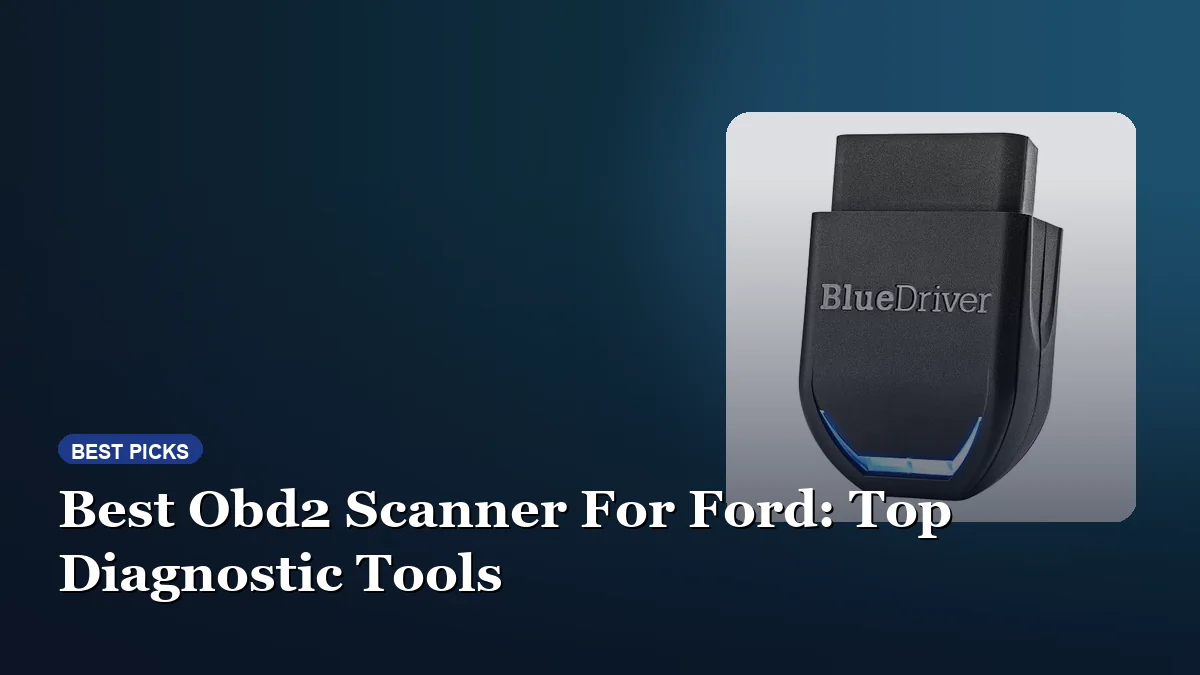
 BlueDriver Bluetooth Pro OBD2 Scanner and Diagnostic Tool
Wireless Bluetooth . No Subscription . Enhanced Diagnostics
 XTOOL A30M Bidirectional Scan Tool Full System OBD2 Scanner
Lifetime Updates . Active Tests . 26 Resets
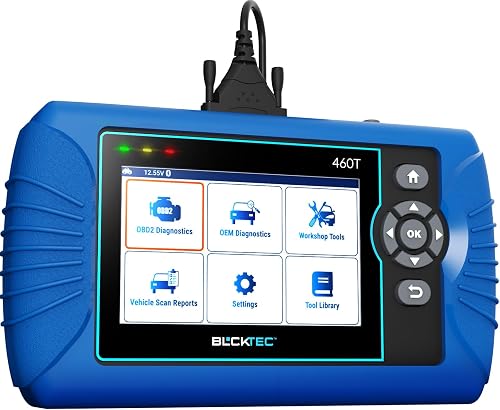 BLCKTEC 460T OBD2 Scanner Car Code Reader Diagnostic Tool
4.3 Inch Screen . 12+ Resets . AutoVIN
 ANCEL FD500 OBD2 Scanner for Ford Lincoln and Mercury
Ford Specific . Battery Registration . Color LCD
 OBDMATE OM901 OBD2 Scanner with Transmission Diagnostic Tool
3.5 Inch Screen . ABS/SRS/Trans . Silicone Case
 LAUNCH AIOBD Plus Bidirectional OBD2 Scanner Bluetooth
AI Diagnostics . Wireless BT . 15+ Resets
Finding the best obd2 scanner for ford vehicles depends on whether you want smartphone integration or standalone convenience.
For most drivers, the BlueDriver Bluetooth Pro OBD2 Scanner and Diagnostic Tool is the ultimate choice thanks to its seamless app connectivity and comprehensive Ford-specific repair reports.
If you prefer a dedicated handheld screen or advanced bidirectional active tests, our lineup covers every level of DIY mechanics.
On This Page (8 sections)
How We Chose
- Ford Compatibility: We prioritized scanners that go beyond generic OBD2 codes to read proprietary Ford manufacturer modules.
- App & Screen Usability: Every selected tool offers either an intuitive smartphone app or a clear, glare-resistant physical display.
- Value & Upgrades: We evaluated hardware reliability, warranty backing, and whether software updates require recurring costs.
Who Needs This
- Ford, Lincoln, and Mercury owners looking to troubleshoot check engine lights and clear diagnostic trouble codes at home.
- DIY mechanics who want to perform advanced maintenance like battery registration, oil resets, and live data logging.
- Budget-conscious drivers hoping to avoid expensive dealership diagnostic fees for minor sensor issues.
Who Can Skip
- Drivers who never experience dashboard warning lights and prefer taking their vehicle to a professional mechanic for any service.
- Owners of non-Ford vehicles looking for deep brand-specific coverage that these specialized tools might lack.
- Anyone uncomfortable using smartphone apps or basic diagnostic menus to interpret vehicle trouble codes.
Quick Comparison: Best Obd2 Scanner For Ford
| Model | Connectivity | Primary Screen / App | Key Ford Feature |
|---|---|---|---|
| Wireless Bluetooth | iOS / Android App | Enhanced Repair Reports |
| Bluetooth 4.0 | Smartphone App | 26 Active Resets |
| Standalone Corded | 4.3 Inch Screen | AutoVIN & 12 Resets |
| Corded Handheld | 2.4 Inch Color LCD | Battery Registration |
| Corded Electric | 3.5 Inch TFT Screen | ABS and Transmission |
| Wireless Bluetooth | Android App | AI-Powered Diagnostics |
The 6 Best Obd2 Scanner For Fords, Reviewed
BlueDriver Bluetooth Pro OBD2 Scanner and Diagnostic Tool
View on Amazon →This wireless Bluetooth scanner pairs smoothly with your smartphone, offering comprehensive vehicle diagnostics without the clutter of cables or bulky handheld units. It delivers technician-verified repair reports tailored to your specific vehicle, helping you diagnose check engine lights and clear trouble codes right in your driveway.
Providing clear, verified repair reports and enhanced diagnostics straight to a smartphone app.
Relies entirely on a stable smartphone connection, which can occasionally require re-pairing.
| Metric | Listed Specification |
|---|---|
| Operating System | iOS & Android |
| Power Source | Vehicle OBD2 Port |
| Language | English |
| Automotive Fit | Vehicle Specific Fit |
Plugging directly into your car's under-dash port, the unit connects seamlessly to your phone to translate complex computer codes into plain-English explanations. Daily usage feels effortless since you do not have to mess with standalone screens or power cords.
The lack of subscription fees makes long-term ownership hassle-free, allowing you to run continuous live data checks and smog readiness tests without facing recurring charges.
- No subscription fees ever
- Wireless smartphone integration
- Verified repair fixes matched to VIN
- Occasional Bluetooth pairing quirks
- Requires a compatible smartphone
Customers find the scanner to be an exceptionally useful tool that works smoothly with a user-friendly app, helping them easily diagnose and clear codes. While many praise its cost-saving diagnostic capabilities, a few note occasional Bluetooth pairing hiccups.
Everyday drivers and DIYers looking for a straightforward, subscription-free wireless diagnostic tool.
Check your specific vehicle year and model coverage for enhanced ABS and SRS diagnostics.
An intuitive, highly portable scanner that brings professional-grade insights right to your phone.
View on Amazon →Verdict
The best overall choice for smartphone-based troubleshooting and clear, subscription-free diagnostic reports.
XTOOL A30M Bidirectional Scan Tool Full System OBD2 Scanner
View on Amazon →Bringing advanced bidirectional active testing to your home garage, this wireless scanner lets you send direct commands to components like fuel pumps and windows. It combines a robust full-system scan capability with lifetime free updates, making it a powerhouse for serious DIY mechanics.
Executing deep component-level active tests and comprehensive system resets without subscription fees.
Some advanced features like FCA AutoAuth require separate manufacturer registrations and fees.
| Metric | Listed Specification |
|---|---|
| Operating System | iOS & Android |
| Power Source | OBD II Port |
| Connectivity | Wireless Bluetooth |
| Warranty | 2 Year Manufacturer |
The wireless design grants up to thirty feet of range, letting you sit inside the cabin while testing wipers, door locks, or cooling fans.
Setting up the app on your tablet or phone is straightforward, and the real-time graphing makes monitoring sensor data simple.
With twenty-six built-in reset and relearn routines, routine maintenance like oil changes and electronic parking brake service become simple weekend tasks. The durable build and ongoing software updates ensure it remains useful as you service different vehicles.
- Full bidirectional control and active tests
- Lifetime free software updates
- Covers 26 essential service resets
- FCA AutoAuth requires separate registration
- Can experience rare connection drops
Customers praise the scan tool for offering high-end bidirectional capabilities and detailed diagnostics at a fraction of dealership costs. They particularly appreciate the ease of setup and the value of lifetime free software updates.
Enthusiast DIYers and home mechanics who need active component testing and advanced reset functions.
Verify whether your specific vehicle model requires a separate gateway authorization for full system access.
A feature-packed diagnostic tool that bridges the gap between basic code readers and expensive shop equipment.
View on Amazon →Verdict
A standout bidirectional scan tool delivering professional active testing and zero subscription fees.
BLCKTEC 460T OBD2 Scanner Car Code Reader Diagnostic Tool
View on Amazon →Equipped with a bright, easy-to-read color display, this dedicated handheld scanner skips the need for a smartphone app during basic troubleshooting. It features lightning-fast AutoVIN technology that instantly recognizes your vehicle and dives straight into all-system diagnostics and maintenance resets.
Delivering fast, standalone all-system scanning with a dedicated physical screen and repair app integration.
Physical corded design lacks the total wireless freedom of Bluetooth dongles.
| Metric | Listed Specification |
|---|---|
| Screen Size | 4.3 Inches |
| Operating System | iOS & Android Companion |
| Power Source | Vehicle Port |
| Language | English, French, Spanish |
The physical button layout and clear screen make it exceptionally easy to navigate with greasy hands or in bright sunlight.
Plugging it in triggers an immediate AutoVIN scan, letting you read and clear trouble codes in seconds without waiting for Bluetooth pairing.
Pairing the device with the companion repair app unlocks verified technician fixes and maintenance schedules, turning a simple code reader into a complete repair workstation.
The rugged build holds up well to being tossed into a glove box or tool chest.
- Dedicated 4.3-inch color screen
- Fast AutoVIN vehicle identification
- Includes RepairSolutions2 app database
- Corded design tethers you to the dash
- Advanced functions vary by exact model
Customers find the scanner to be a reliable and straightforward garage tool that quickly reads engine and ABS codes. They appreciate how much money it saves on diagnostics, though some note that specific reset functions vary by vehicle.
Home mechanics who prefer a traditional, standalone handheld tool with a physical screen over smartphone apps.
Check the online compatibility tool to ensure your specific car model supports all desired reset features.
A rugged, dependable standalone scanner that streamlines troubleshooting with a clear screen and fast processing.
View on Amazon →Verdict
The best handheld diagnostic tool for drivers wanting a dedicated physical display and robust repair guidance.
ANCEL FD500 OBD2 Scanner for Ford Lincoln and Mercury
View on Amazon →Tailored specifically for Ford, Lincoln, and Mercury vehicles, this dedicated scanner goes far beyond generic tools by accessing factory-level modules. It provides specialized functions like battery registration and oil resets, making it an essential garage companion for Ford truck and car owners.
Deep, dedicated system diagnostics and battery registration specifically for Ford-family vehicles.
Highly specialized programming means it lacks the universal multi-brand depth of broader commercial scanners.
| Metric | Listed Specification |
|---|---|
| Screen Size | 2.4 Inches TFT |
| Power Source | Vehicle Battery |
| Compatibility | Ford Group 1996+ |
| Warranty | 1 Year Manufacturer |
Navigating through the color screen is intuitive, allowing you to quickly check transmission temperatures, ABS modules, and HVAC systems that generic readers ignore. The device feels solid in hand and plugs securely into the lower dash port.
When swapping out an aging car battery, the built-in battery registration routine ensures your vehicle's charging system adapts properly to the new power source. Lifetime free updates keep the software current as newer Ford models roll out.
- Deep factory-level Ford diagnostics
- Built-in battery registration tool
- Lifetime free software updates
- Limited deep service outside Ford vehicles
- Smaller 2.4-inch display screen
Customers appreciate how easy the scanner is to use for reading live data streams and clearing persistent codes on Ford vehicles. While many find it a valuable money-saving tool, a few note that compatibility can vary on very recent model years.
Ford, Lincoln, and Mercury owners who want deep factory-level diagnostics and battery registration capabilities.
Confirm software version updates if you drive a very recent model year Ford truck or car.
A must-have specialized diagnostic tool designed to keep Ford family vehicles running at their absolute best.
View on Amazon →Verdict
The best for Ford owners seeking dedicated factory-level system coverage and essential maintenance resets.
OBDMATE OM901 OBD2 Scanner with Transmission Diagnostic Tool
View on Amazon →Built to handle the four most critical vehicle systems, this handheld scanner covers engine, transmission, ABS, and airbag modules without breaking the bank. It features a bright 3.5-inch color display and comes bundled with a protective silicone case for garage durability.
Affordable four-system diagnostic coverage packaged with a rugged protective carrying case.
Lacks advanced oil reset or battery registration service functions found on pricier models.
| Metric | Listed Specification |
|---|---|
| Display Resolution | 480x320 |
| Power Source | Corded Electric (OBD Port) |
| Languages | 5 Supported |
| Warranty | 3 Year Quality Warranty |
The plug-and-play design means you can start diagnosing right out of the box without messing with software downloads or batteries. The dedicated I/M readiness shortcut key lets you check emissions status in seconds before heading to a smog check.
Including a battery voltage checker and DLC pin test adds great diagnostic value for tracking down electrical gremlins. The physical drop-resistant case protects the unit from accidental knocks against concrete garage floors.
- Covers engine, transmission, ABS, and SRS
- Large 3.5-inch color screen
- Includes protective silicone case and bag
- No advanced maintenance reset functions
- Bulkier handheld footprint
Customers praise the scanner for its clear display and reliable ability to read and clear codes across multiple systems. They consider it an exceptional value that easily pays for itself on the first successful diagnostic check.
Budget-conscious car owners needing dependable four-system diagnostics and clear screen readouts.
Ensure your diagnostic needs focus on core system code clearing rather than specialized oil or brake resets.
A well-protected, user-friendly multi-system scanner that delivers solid diagnostic performance on a budget.
View on Amazon →Verdict
The best value multi-system diagnostic tool for everyday drivers seeking essential coverage and durability.
LAUNCH AIOBD Plus Bidirectional OBD2 Scanner Bluetooth
View on Amazon →Integrating cutting-edge AI diagnostics, this wireless Bluetooth scanner translates complex fault codes into plain English guidance directly on your smartphone screen. It features full bidirectional control and over fifteen essential service resets, giving you professional repair power in a compact wireless package.
Combining smart AI-driven code analysis with wireless bidirectional active testing on a smartphone.
Requires a smartphone and active Bluetooth connection to operate.
| Metric | Listed Specification |
|---|---|
| Operating System | Android / Smartphone |
| Power Source | Vehicle Port |
| Connectivity | Wireless Bluetooth |
| Language | English |
Cutting the cord lets you move freely around the vehicle while commanding fuel pumps, cooling fans, and window actuators from your phone screen. The AI diagnostic helper cuts through confusing error codes by suggesting targeted repair paths.
With fifteen built-in maintenance resets covering oil life, electronic parking brakes, and steering angle calibration, routine garage upkeep becomes effortless. The compact dongle form factor makes it easy to leave plugged in or store cleanly in a center console.
- Smart AI-powered diagnostic assistance
- Full bidirectional active control
- Compact wireless Bluetooth design
- Dependent on smartphone pairing stability
- Requires app installation
Tech-savvy DIYers looking for advanced wireless bidirectional testing and smart AI diagnostic support.
Check that your phone operating system version fully supports the companion diagnostic app.
A forward-thinking wireless tool that brings high-end AI assistance and active testing to your mobile device.
View on Amazon →Verdict
The best AI-powered wireless scanner for modern drivers wanting smart diagnostic guidance and active control.
Getting the Most From Your Ford OBD2 Scanner
Locating your Ford's OBD2 port is the first step; it is almost always tucked under the driver's side dashboard near the steering column.
Plug in your chosen scanner with the ignition switched to the on position without cranking the engine, allowing the device to draw power and establish a communication link with your car's computer.
When storing your diagnostic tool, keep it in a cool, dry place away from extreme cabin temperatures and moisture to protect its internal circuitry and connectors.
Regularly check for software updates via your computer or companion app to ensure your scanner recognizes the latest diagnostic trouble codes and manufacturer parameters.
Buying Guide & Red Flags for Best Obd2 Scanner For Fords
Check these points before you buy to avoid common pitfalls:
Beware of scanners that only read generic emissions codes while completely ignoring Ford-specific transmission and ABS modules.
Check for hidden subscription paywalls that lock advanced reset functions behind expensive monthly or annual fees.
Avoid units with poorly translated user manuals or sluggish, unresponsive touchscreens that make troubleshooting frustrating.
Ensure the tool explicitly supports your specific Ford model year, as older OBD1 crossovers and modern CAN-FD networks require different protocols.
Be cautious of flimsy plastic connectors that loosen over time and cause intermittent connection drops during live data logging.
How is the OBD2Review Lab Score calculated?
Our 10-point editorial score is a comprehensive evaluation combining design quality, everyday practicality, material durability, and real-world owner satisfaction. We test how effortlessly each scanner connects to vehicle modules, evaluate the responsiveness of its interface, and weigh long-term reliability.
Rather than relying on rigid mathematical formulas, our automotive experts spend hours hands-on with every tool to see how it performs in actual garage conditions.
This holistic approach ensures our top recommendations genuinely deliver exceptional value and reliable performance for everyday Ford drivers.
Will a standard generic code reader work on my Ford?
Standard generic OBD2 code readers will successfully read and clear basic powertrain check engine lights on almost any post-nineteen-ninety-six vehicle. However, they will completely miss manufacturer-specific trouble codes hidden within your Ford's ABS, airbag, and transmission control modules.
If you want to diagnose complex drivetrain issues or perform maintenance tasks like battery registration, a dedicated Ford scanner is essential.
Investing in a specialized tool saves you from buying multiple cheap readers that only scratch the surface of your vehicle's onboard computer.
Do I need an internet connection to use a wireless Ford scanner?
Wireless Bluetooth scanners require an initial internet connection to download their companion smartphone applications and download vehicle database updates.
Once the software is installed on your device, basic code reading and live data streaming operate entirely offline using local Bluetooth signals. However, updating vehicle databases or looking up detailed repair reports will require an active Wi-Fi or cellular connection.
It is always best to perform initial app downloads and software updates at home before heading out on the road.
What is the difference between reading codes and bidirectional control?
Reading codes simply tells you what diagnostic trouble codes are triggering your dashboard warning lights by listening to sensor data.
Bidirectional control allows your scanner to actively send commands to vehicle components, such as cycling fuel pumps, testing cooling fans, or resetting electronic parking brakes.
This advanced capability lets you test individual parts directly to see if they are failing before spending money on replacement hardware. While basic scanners only read codes, bidirectional tools act as active diagnostic assistants in your garage.
Can an OBD2 scanner fix my car problems automatically?
An OBD2 scanner cannot physically repair mechanical or electrical problems, but it pinpoints the exact root cause of your dashboard warning lights.
By translating complex sensor data into clear diagnostic trouble codes and suggested fixes, it removes the guesswork from automotive repair. You still need to replace faulty sensors, change fluids, or tighten loose wiring based on the information the tool provides.
Think of the scanner as an expert diagnostician that guides your hands rather than a magic wand that fixes parts on its own.
Are lifetime free updates really free on these diagnostic scanners?
Most reputable diagnostic scanner brands include lifetime free software updates without charging recurring annual subscription fees for standard vehicle coverage. However, some advanced diagnostic functions or specialized manufacturer software modules may occasionally require separate registration or optional add-on purchases.
Always review the manufacturer policy before buying to confirm whether future vehicle year updates are included in the upfront purchase price. Choosing a tool with genuine free updates ensures your scanner remains useful as automakers introduce new technology.
How do I know if my Ford requires a special adapter or protocol?
Most modern Ford vehicles utilize standard OBD2 communication protocols accessible through the under-dash diagnostic port without requiring extra adapters.
Older Ford models built before nineteen-ninety-six often feature proprietary under-hood diagnostic connectors that demand specialized adapter cables to interface with modern code readers.
Additionally, newer Ford trucks and SUVs may utilize high-speed CAN-FD communication networks that require updated hardware to avoid connection timeouts. Checking your vehicle's specific service manual or scanner compatibility list will clarify whether you need any extra hardware components.
Final Verdict
Choosing the best obd2 scanner for ford maintenance comes down to balancing your technical needs with your budget and preferred interface style.
For most drivers, the BlueDriver Bluetooth Pro OBD2 Scanner and Diagnostic Tool stands out as the top recommendation thanks to its unmatched smartphone integration and verified repair reports.
Whether you opt for a wireless app-based dongle or a robust standalone handheld screen, adding one of these diagnostic tools to your garage puts professional-grade insights right in the palm of your hand.
Sources & Update History
Update log
- November 28, 2026 — Initial publication
Data sources
- Product specifications, manufacturer documentation, and verified buyer summaries