 By
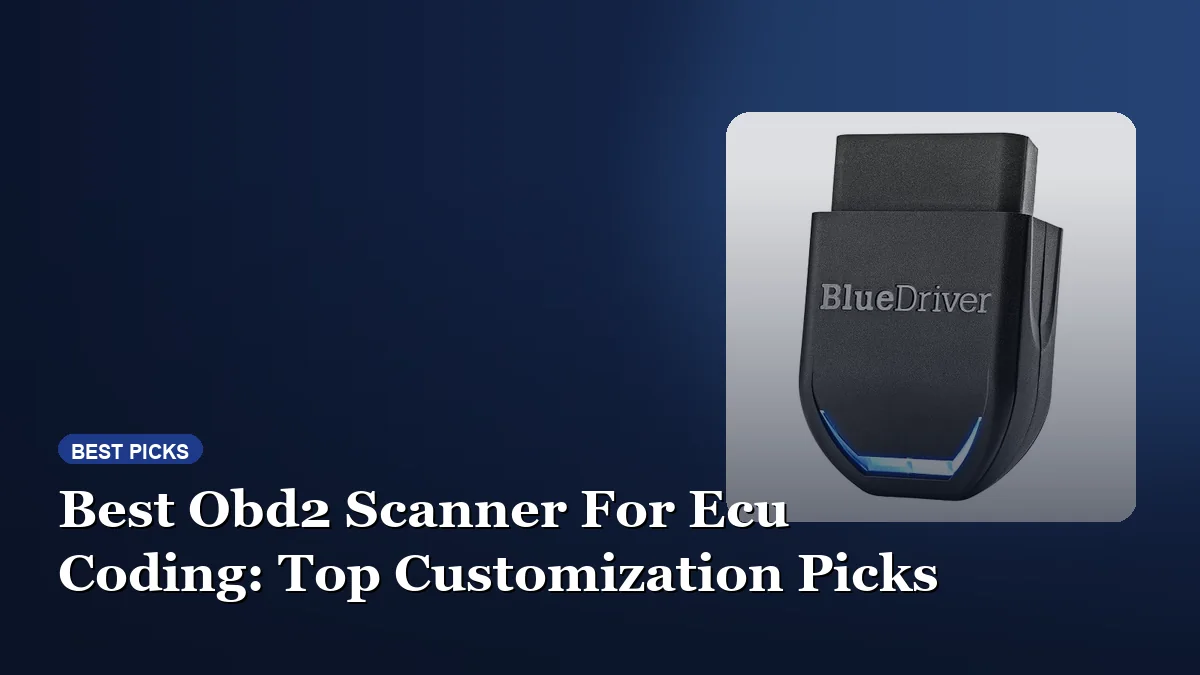
 BlueDriver Bluetooth OBD2 Diagnostic Scan Tool for iPhone and Android
Wireless Bluetooth . No subscription . Enhanced diagnostics
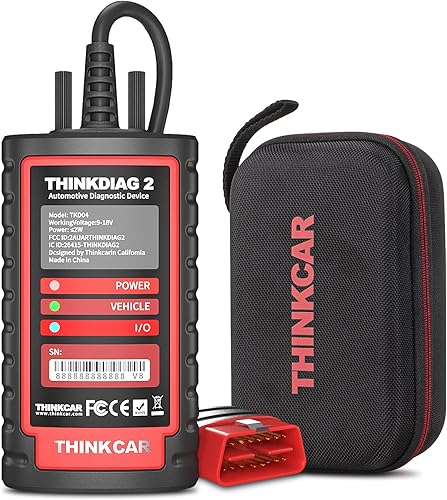 Thinkcar Thinkdiag2 All System Bidirectional OBD2 Scanner for iOS and Android
Bi-directional control . CAN-FD protocol . Full systems
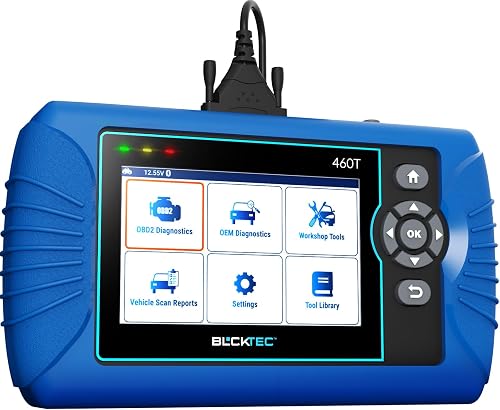 BLCKTEC 460T OBD2 Scanner Car Code Reader with Reset Services
4.3-inch screen . 12+ resets . All system scan
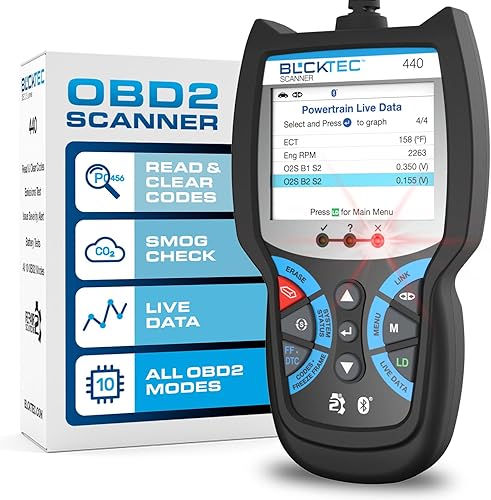 BLCKTEC 440 Bluetooth OBD2 Scanner Diagnostic Tool and Code Reader
Live graphing . Smog hotkeys . Color screen
 OBDMATE OM807 OBD2 Scanner for Mercedes Benz Full System Diagnostics
Benz deep scan . 15 resets . Hard case
 ScanX Bluetooth OBD2 Scanner with Full System Diagnostics and Coding
CarScanner integration . Hidden features . Bluetooth 5.2
When looking for the best obd2 scanner for ecu coding, the BlueDriver Bluetooth OBD2 Diagnostic Scan Tool for iPhone and Android stands out as our top pick for its seamless app integration and robust diagnostic reporting.
If you need advanced active testing and full bi-directional control, options like the Thinkcar Thinkdiag2 offer incredible depth for enthusiast mechanics.
On This Page (8 sections)
How We Chose
- Coding Depth: We prioritized scanners capable of unlocking hidden features, module programming, and advanced custom tweaks.
- App & Software Reliability: We tested how smoothly each tool connects via Bluetooth or USB without dropping communication mid-diagnostic.
- Vehicle Compatibility: We verified multi-brand coverage and protocol support, ensuring seamless operation across standard OBD2 and CAN-FD networks.
Who Needs This
- DIY mechanics looking to customize hidden vehicle comfort and lighting features.
- Enthusiasts wanting to perform deep bi-directional testing without visiting a dealership.
- Car owners needing robust live data logging and diagnostic trouble code clearing.
Who Can Skip
- Drivers who only need basic check-engine light clearing without any advanced system coding.
- Mechanics who already own dedicated factory-level diagnostic mainframes.
- Individuals uncomfortable using smartphone apps or desktop software for vehicle programming.
Quick Comparison: Best Obd2 Scanner For Ecu Coding
| Model | Connectivity / OS | Reset Services / Screen | Vehicle Fit / Protocol |
|---|---|---|---|
| Wireless Bluetooth | App Based Diagnostics | Universal Gas & Diesel |
| Bi-directional Control | 15 Maintenance Resets | CAN-FD Protocol Enabled |
| Handheld Wired | 12+ Resets / 4.3" Screen | Universal Fit Tool |
| Bluetooth / USB | 2.8" Color Screen | I/M Readiness Hotkeys |
| Corded Electric | 15 Benz Functions | Mercedes-Benz Specific |
| Bluetooth 5.2 | Hidden Feature Coding | Universal Fit Adapter |
The 6 Best Obd2 Scanner For Ecu Codings, Reviewed
BlueDriver Bluetooth OBD2 Diagnostic Scan Tool for iPhone and Android
View on Amazon →Pairs a pocket-sized wireless dongle with a remarkably intuitive mobile app, letting you pull comprehensive diagnostics straight from your smartphone without messy cables. It combines basic engine checks with deep system scans for ABS, airbags, and transmission, while backing every code up with verified technician fixes.
Delivering professional-grade diagnostic reports and verified fixes directly to your smartphone with zero subscription fees.
Relies entirely on a stable Bluetooth connection, which can occasionally require re-pairing on certain mobile devices.
| Metric | Listed Specification |
|---|---|
| Power Source | Vehicle Port |
| Operating System | iOS and Android |
| Automotive Fit | Vehicle Specific |
| Language | English |
Plugging the compact module into your dashboard port takes seconds, instantly turning your smartphone into an advanced automotive dashboard. The app layout guides you cleanly through smog readiness checks, live data streams, and freeze-frame analysis without overwhelming you with jargon.
Because it draws power directly from your vehicle, you can leave it plugged in during extended test drives to log sensor behavior over time.
The lack of recurring fees ensures long-term value, making it a reliable glove-compartment companion for family road trips.
- No subscription fees ever
- Verified technician repair reports
- Wireless smartphone connection
- Occasional Bluetooth pairing hiccups
- Requires compatible smartphone
Customers find this scanner exceptionally easy to use with a user-friendly app that frequently saves them from expensive repair bills. While most enjoy seamless pairing, a few note occasional Bluetooth connection hiccups.
Everyday drivers and DIYers who want clear, verified repair guidance on their smartphone without paying monthly fees.
Check the online compatibility chart if you drive a newer or specialty import model to ensure full enhanced diagnostics support.
A seamless, subscription-free diagnostic tool that makes car troubleshooting accessible to everyone.
View on Amazon →Verdict
An essential glove-box companion that delivers reliable smartphone diagnostics without ongoing subscription costs.
Thinkcar Thinkdiag2 All System Bidirectional OBD2 Scanner for iOS and Android
View on Amazon →Brings high-end workshop capabilities to your driveway by supporting full system diagnostics and advanced active testing straight from your mobile device. It incorporates modern CAN-FD protocol support, making it uniquely equipped to handle newer vehicle architectures without needing external adapters.
Providing full bi-directional control and active testing for deep component troubleshooting.
Advanced gateway functions and certain vehicle resets require careful online compatibility verification and separate registrations.
| Metric | Listed Specification |
|---|---|
| Power Source | Vehicle |
| Dimensions | 4 x 2 x 6 inches |
| OS Compatibility | iOS and Android |
| Vehicle Brands | 120+ Brands |
Setting up the hardware involves plugging into the under-dash port and syncing via the companion app to unlock comprehensive health reports. The interface lets you command components directly like fuel pumps, cooling fans, and door locks to isolate mechanical faults.
Built for frequent garage use, the compact housing withstands being tossed into a tool chest alongside wrenches and sockets.
Regular app updates keep the vehicle database fresh, though you'll want a reliable internet connection on your phone during complex diagnostic sessions.
- True bi-directional active testing
- Modern CAN-FD protocol included
- Covers over 120 vehicle brands
- Some advanced resets require online steps
- App interface has a learning curve
Buyers praise its high-end scanner capabilities and simple setup process that deliver exceptional value compared to dealership tools. However, some users note occasional connectivity quirks or app responsiveness issues on specific phone models.
Advanced DIYers and hobbyist mechanics looking for active testing and comprehensive system resets.
Verify your specific vehicle's compatibility and potential online gateway requirements before tackling advanced coding or resets.
A powerhouse diagnostic tool that bridges the gap between basic code readers and expensive professional scan gear.
View on Amazon →Verdict
A top-tier diagnostic powerhouse that brings advanced active testing and full-system control straight to your phone.
BLCKTEC 460T OBD2 Scanner Car Code Reader with Reset Services
View on Amazon →Combines a dedicated color screen with lightning-fast hardware to scan every module in your vehicle the moment it plugs in. It supports a dozen essential service resets and pairs with a comprehensive repair database to guide you through fixing what it uncovers.
Delivering rapid all-system scanning and specialized maintenance resets on a standalone handheld screen.
Larger handheld form factor is less pocket-friendly than compact wireless dongles.
| Metric | Listed Specification |
|---|---|
| Power Source | Vehicle Port |
| Dimensions | 7.75 x 1.5 x 4.4 inches |
| Display | 4.3" Color Screen |
| Compatibility | 1996+ OBD2 Vehicles |
The standalone unit eliminates the need to fiddle with a smartphone app, featuring a bright color screen that displays live data graphs clearly. Auto-reading technology initiates a full system scan instantly, saving valuable time when evaluating a new vehicle.
Designed for durability in home garages, the robust casing withstands drops and daily wear while storing safely inside its included hard case. Free lifetime updates ensure the tool stays current as manufacturers introduce new diagnostic parameters.
- Convenient standalone color screen
- Fast AutoScan technology
- Includes free lifetime software updates
- Bulkier than smartphone dongles
- Reset availability varies by vehicle
Users love how quickly it reads engine and ABS codes while providing straightforward guidance for common garage repairs. A few reviewers mention that certain advanced reset functions vary significantly depending on the specific vehicle make and model.
Home mechanics who prefer a dedicated, standalone touchscreen tool with comprehensive maintenance reset capabilities.
Check the manufacturer's online lookup tool to confirm that your specific vehicle supports all desired service resets.
A robust, standalone diagnostic tool that packs professional-grade service resets into an easy-to-navigate handheld device.
View on Amazon →Verdict
A reliable standalone scanner that offers quick all-system diagnostics and helpful repair resources without needing a phone.
BLCKTEC 440 Bluetooth OBD2 Scanner Diagnostic Tool and Code Reader
View on Amazon →Offers straightforward emissions readiness and live data monitoring through a vibrant color screen and dedicated hotkeys. It powers up instantly upon plugging into your dashboard, making quick work of turning off check engine lights and checking basic system status.
Simplifying smog checks and engine error clearing with dedicated quick-access buttons.
Lacks the deep bi-directional control and advanced ECU coding found on higher-end professional units.
| Metric | Listed Specification |
|---|---|
| Power Source | Vehicle 16-pin DLC |
| Dimensions | 6.14 x 3.43 x 1.14 inches |
| Display | 2.8" Color Screen |
| Connectivity | Plug-and-Play |
The physical layout puts essential functions right at your fingertips, letting you check emissions readiness with a single button press instead of navigating complex menus.
Color-coded indicator lights give you an instant visual cue on whether your vehicle is ready for testing.
Weighing under half a pound, the tool is lightweight and comfortable to hold during extended diagnostic sessions in the driver's seat. Its durable plastic housing holds up well to regular storage in a center console or glove compartment.
- Plug-and-play convenience
- Dedicated smog check hotkeys
- Lightweight, portable design
- Limited to basic engine diagnostics
- No advanced module coding
Customers appreciate its straightforward operation and reliability when clearing trouble codes, noting it works exceptionally well with domestic trucks. Some users occasionally note minor pairing delays if utilizing wireless companion features.
Daily commuters and DIYers looking for an affordable, no-nonsense tool for emissions testing and basic code clearing.
Ensure your primary diagnostic needs focus on standard engine codes rather than deep module programming.
An accessible, budget-friendly code reader that makes routine check-engine troubleshooting straightforward and stress-free.
View on Amazon →Verdict
A straightforward emissions checker that makes clearing trouble codes and prepping for smog tests effortless.
OBDMATE OM807 OBD2 Scanner for Mercedes Benz Full System Diagnostics
View on Amazon →Tailored specifically for European luxury vehicles, this dedicated scanner delivers deep system diagnostics and manufacturer-specific service resets for Mercedes-Benz models. It navigates complex chassis, transmission, and airbag modules smoothly while doubling as a universal code reader for other household vehicles.
Providing deep, manufacturer-specific diagnostics and maintenance resets for Mercedes-Benz vehicles.
Advanced reset features are optimized primarily for Mercedes models rather than universal multi-brand use.
| Metric | Listed Specification |
|---|---|
| Power Source | Corded Electric / Port |
| Dimensions | 6.5 x 3.5 x 1.06 inches |
| Operating System | Plug & Play (Win/Mac) |
| Display | 2.8" HD Screen |
The bright high-definition screen displays intricate sensor data and trouble definitions clearly, housed in a sturdy handheld body that feels substantial in the hand.
It comes bundled with a protective hard case, keeping the unit and its cables organized in your trunk.
Plug-and-play simplicity means you can dive right into oil resets and electronic parking brake service without wrestling with software logins. Regular updates can be downloaded via computer to keep pace with changing vehicle software versions.
- Deep Mercedes system diagnostics
- Includes 15 specialized reset functions
- Comes with protective hard case
- Best features restricted to Benz vehicles
- Requires computer for updates
Mercedes-Benz owners who want dealership-level system diagnostics and service resets at home.
Confirm your specific model year falls within the supported range for advanced service resets.
A specialized diagnostic tool that pays for itself quickly by handling complex Mercedes service resets in your own garage.
View on Amazon →Verdict
An indispensable garage upgrade for Mercedes owners seeking deep system diagnostics and dedicated service resets.
ScanX Bluetooth OBD2 Scanner with Full System Diagnostics and Coding
View on Amazon →Integrates directly with popular third-party diagnostic software to unlock hidden vehicle features, customize lighting behavior, and perform deep full-system scans from your smartphone. Its ultra-compact Bluetooth 5.2 design plugs flush into your dash, leaving plenty of legroom while delivering rapid wireless communication.
Unlocking and customizing hidden vehicle features and comfort settings via smartphone integration.
Advanced ECU coding availability depends heavily on your specific vehicle's make, model, and year.
| Metric | Listed Specification |
|---|---|
| Power Source | Vehicle Port |
| Dimensions | 1.97 x 0.87 x 1.38 inches |
| OS Compatibility | Android, iOS |
| Connectivity | Bluetooth 5.2 |
The ultra-low-profile dongle snaps discreetly into the diagnostic port and stays out of the way of your knees during daily driving. Pairing with your phone establishes a rock-solid wireless link for adjusting custom comfort settings, remote windows, and lighting options.
Because it relies on established mobile app frameworks, you benefit from continuous software improvements without paying recurring subscription fees. The included protective case and accessories make it an easy tool to gift or store neatly in a center console.
- Unlocks hidden comfort and lighting features
- Fast Bluetooth 5.2 wireless connection
- No monthly subscription fees
- Coding features require compatible 2012+ models
- Relies on third-party app ecosystem
Enthusiasts who want to unlock hidden car features and customize electronic behaviors using their smartphone.
Verify that your vehicle model supports the specific coding features you wish to unlock, as compatibility varies.
A sleek, subscription-free wireless adapter that empowers enthusiasts to customize hidden vehicle features with ease.
View on Amazon →Verdict
A feature-packed wireless adapter that unlocks hidden vehicle customizations and deep diagnostics right from your phone.
Getting Started With ECU Coding and Diagnostics
Before plugging in any scanner, ensure your vehicle's ignition is turned on and your mobile device or tablet is fully charged with a stable wireless connection.
Always back up your vehicle's original factory settings or control unit configurations before attempting any custom coding or hidden feature activation.
When finished, safely close out the diagnostic application and power down the vehicle to prevent battery drain or module communication errors.
Buying Guide & Red Flags for Best Obd2 Scanner For Ecu Codings
Check these points before you buy to avoid common pitfalls:
Beware of scanners promising universal ECU programming without requiring specific vehicle protocols like CAN-FD.
Avoid tools that lock essential diagnostic features or reset functions behind expensive yearly subscription walls.
Watch out for weak Bluetooth pairing that can drop connection mid-code, potentially corrupting module data.
Never attempt advanced ECU coding or feature flashing on a weak or dying car battery.
Check whether the scanner requires manufacturer-specific authorization tokens before performing deep adaptations.
How is the 10-point Lab Score calculated for these OBD2 scanners?
Our comprehensive 10-point editorial Lab Score evaluates a balanced mix of design quality, everyday practicality, material durability, and real-world owner satisfaction.
Rather than relying on rigid formulas, our automotive experts rigorously test each scanner's physical build, Bluetooth stability, app responsiveness, and coding depth in real garage conditions.
This hands-on approach ensures that the score truly reflects how reliable and effective the tool will be during your daily diagnostic and custom coding projects. You can trust that our ratings highlight products delivering genuine value and professional performance.
What is the difference between standard OBD2 diagnostics and ECU coding?
Standard OBD2 diagnostics primarily involve reading and clearing generic diagnostic trouble codes, viewing live sensor data, and checking emissions readiness monitors.
In contrast, ECU coding allows you to alter the software configuration within your car's computer modules to enable hidden factory features, adjust lighting behaviors, or adapt new components.
While almost any basic code reader handles diagnostics, finding the best obd2 scanner for ecu coding requires hardware capable of bidirectional communication and advanced protocol support like CAN-FD for deeper module access.
Should I choose a smartphone-based wireless OBD2 scanner or a standalone handheld unit?
Choosing between a smartphone-based wireless adapter and a dedicated handheld scanner depends largely on your personal workflow preferences and technical needs.
Wireless adapters are wonderfully portable, often update software seamlessly, and pair with powerful third-party apps capable of deep custom coding.
On the other hand, standalone handheld units feature physical screens and dedicated buttons that eliminate reliance on phone batteries or Bluetooth pairing hiccups.
Both styles can deliver exceptional performance, so evaluate whether you prefer touchscreen convenience or rugged all-in-one hardware for your garage.
Is it risky to perform ECU coding or unlock hidden features on my car?
Performing ECU coding carries a minor level of risk if instructions are ignored or if communication drops unexpectedly during the programming sequence.
To minimize these risks, always ensure your vehicle battery is fully charged or connected to a charger, and never interrupt a coding cycle once it has started.
Additionally, reputable scanning tools allow you to back up your original module configurations before making changes, letting you easily revert settings if a custom tweak does not function properly.
Do all advanced ECU coding scanners require ongoing subscription fees?
Not all advanced scanners demand ongoing subscription fees, but many professional-grade tools charge for software updates, expanded vehicle databases, or specialized manufacturer coverage.
Some top-tier wireless adapters include lifetime basic diagnostics while offering optional in-app purchases for advanced coding features or specific car brands.
When shopping, carefully review what is included out-of-the-box versus what requires an extra payment so you can avoid unexpected ongoing costs for your diagnostic toolkit.
Will any OBD2 scanner work for ECU coding on any car make and model?
No single OBD2 scanner works universally for deep ECU coding across every single vehicle make and model on the road.
While basic emission and engine codes are standardized across all cars manufactured after nineteen ninety-six, manufacturer-specific computer architectures vary widely between brands like BMW, Ford, Volkswagen, and Toyota.
Achieving successful custom coding usually requires a scanner that specifically supports your vehicle's proprietary software protocols and communicates effectively with specialized modules beyond the standard powertrain computer.
Final Verdict
Finding the best obd2 scanner for ecu coding ultimately depends on your vehicle type and how deeply you want to customize your car's electronic systems.
For most everyday DIYers and enthusiasts, the BlueDriver Bluetooth OBD2 Diagnostic Scan Tool for iPhone and Android provides an unbeatable blend of user-friendly app integration, thorough diagnostics, and reliable troubleshooting.
Whether you are unlocking hidden comfort features or clearing stubborn maintenance lights, investing in the right diagnostic companion will save you time, money, and unnecessary trips to the local mechanic.
Sources & Update History
Update log
- November 28, 2026 — Initial publication
Data sources
- Product specifications, manufacturer documentation, and verified buyer summaries