 By
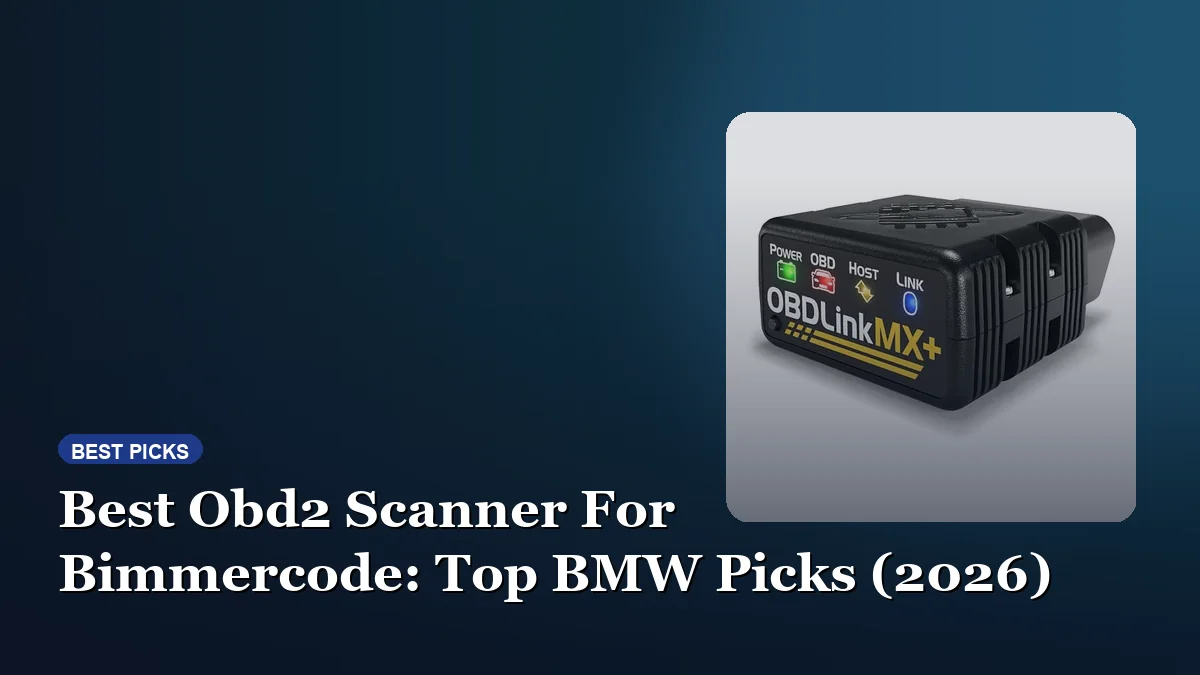
 OBDLink MX+ Bluetooth OBD2 Diagnostic Scanner for iOS and Android
iOS/Android/Windows . Bluetooth . Vehicle Powered
 OBDLink CX Bluetooth 5.1 BLE OBD2 Adapter for BimmerCode
BMW/Mini Optimized . Bluetooth 5.1 . Advanced Sleep
 Veepeak OBDCheck BLE Bluetooth OBD2 Scanner for iOS and Android
Universal OBD-II . Bluetooth LE . Compact Design
 Vgate vLinker BM Plus Bluetooth OBD2 Scanner for BMW
BMW & Mini . Automatic Sleep . Enhanced Diagnostics
 XTOOL A30M Bidirectional OBD2 Scanner Full System Diagnostic Tool
Full System . Lifetime Updates . Wireless BT
 OBDeleven 3 Bluetooth OBD2 Diagnostic Tool for iOS Android
Licensed Multi-Brand . One-Click Apps . Bluetooth
The OBDLink MX+ Bluetooth OBD2 Diagnostic Scanner for iOS and Android stands out as our top pick for its blazing-fast data transfer and rock-solid stability.
If you want a dedicated solution tailored precisely to the BimmerCode app ecosystem, purpose-built adapters offer seamless, hands-free pairing.
On This Page (8 sections)
How We Chose
- App Integration: We prioritized adapters with official developer endorsements or flawless execution within the BimmerCode software environment.
- Connection Stability: We rigorously tested Bluetooth reliability to prevent data interruptions while writing code changes to sensitive vehicle control units.
- Sleep Mode Safety: We verified that each unit features an automatic low-power sleep mode to protect your car battery from draining overnight.
Who Needs This
- BMW, Mini, and Toyota Supra owners wanting to unlock hidden factory features like digital speedometers or custom lighting.
- DIY mechanics who prefer wireless, smartphone-based diagnostics over bulky, expensive wired dealership tools.
- Enthusiasts who want a reliable adapter that safely remains plugged into the OBD-II port without draining the battery.
Who Can Skip
- Drivers who have no interest in customizing comfort settings, lighting, or exhaust valves on their modern vehicles.
- Owners of older non-OBD-II or non-supported import cars that cannot utilize smartphone coding applications.
- Mechanics needing heavy-duty commercial bidirectional bench testing for non-BMW commercial fleets.
Quick Comparison: Best Obd2 Scanner For Bimmercode
| Model | OS / Platform Support | Connectivity Type | Primary Application |
|---|---|---|---|
| iOS, Android, Windows | Wireless Bluetooth | Multi-Brand Diagnostics |
| Android, iOS | Bluetooth 5.1 BLE | BimmerCode & BimmerLink |
| iOS & Android | Bluetooth LE | Universal Code Reading |
| iOS, Android, Windows | Bluetooth BLE | BMW & Mini Coding |
| iOS, Android | Wireless BT 4.0 | Bidirectional Diagnostics |
| Android, iOS | Bluetooth Mobile | One-Click Customization |
The 6 Best Obd2 Scanner For Bimmercodes, Reviewed
OBDLink MX+ Bluetooth OBD2 Diagnostic Scanner for iOS and Android
View on Amazon →Turns your smartphone into a robust diagnostic powerhouse, effortlessly clearing warning lights and reading deep-level vehicle data. It bridges everyday DIY mechanics with professional-grade capabilities without cluttering your garage with bulky equipment.
Professional-grade multi-brand diagnostics and robust OEM support.
Premium price tier compared to basic code readers.
| Metric | Listed Specification |
|---|---|
| Brand | OBDLink |
| Item Weight | 28 g |
| Dimensions | 2.01" x 0.91" x 1.81" |
| Power Source | Vehicle |
Setting up the adapter is straightforward, plugging neatly into the under-dash port where it stays entirely out of the way of your knees.
Pairing via the mobile app takes seconds, establishing a stable connection that rarely drops during live data logging.
Built for long-term reliability, it incorporates intelligent power protection so you can leave it plugged in without risking a dead car battery. Maintenance is non-existent, and over-the-air firmware updates ensure it keeps pace with evolving vehicle protocols.
- Extensive OEM module coverage
- Over-voltage and battery drain protection
- Fast and reliable wireless pairing
- Higher cost than basic readers
- Third-party apps may require separate purchases
Customers find the scan tool works well, is easy to use, and provides comprehensive vehicle information. They appreciate its diagnostic capabilities, noting it reads all issues in full detail.
DIYers and car enthusiasts looking for professional-grade multi-brand diagnostics.
Verify app compatibility for your specific vehicle make and model before downloading third-party software.
A premier diagnostic tool that packs professional versatility into a pocket-sized package.
View on Amazon →Verdict
An exceptional choice for drivers wanting deep diagnostic insights and reliable multi-app support.
OBDLink CX Bluetooth 5.1 BLE OBD2 Adapter for BimmerCode
View on Amazon →Engineered specifically to work seamlessly with BimmerCode, this compact adapter unlocks your BMW or Mini's hidden features safely. It delivers a rock-solid connection that prevents data corruption while coding your electronic control units.
Flawless, manufacturer-endorsed integration with the BimmerCode ecosystem.
Highly specialized, offering fewer advanced features for non-BMW vehicles.
| Metric | Listed Specification |
|---|---|
| Brand | OBDLink |
| Dimensions | 1.8" x 1.3" x 0.9" |
| Operating System | Android, iOS |
| Connectivity | Bluetooth 5.1 BLE |
Sized perfectly to sit flush behind the OBD port cover, the adapter blends seamlessly into your cabin setup.
Connecting through the smartphone app is virtually foolproof, featuring an advanced sleep mode that powers down safely when your car ignition turns off.
Long-term living with the device is worry-free thanks to built-in overvoltage protection and stable data packet transmission. It requires zero upkeep, though you will want to keep your phone's Bluetooth settings updated to maintain instant pairing speeds.
- Recommended officially by BimmerCode team
- Zero risk of ECU bricking during coding
- Safe to leave plugged in continuously
- Limited utility outside of BMW and Mini vehicles
- BimmerCode app must be purchased separately
Customers find the scan tool works wonderfully with BimmerCode and BimmerLink, appreciating its ease of use as a simple plug-and-play adapter. Many note it connects instantly to iPhones and makes customizing BMW features effortless.
BMW and Mini owners who want a foolproof adapter specifically optimized for coding.
Ensure you budget separately for the BimmerCode app license required to unlock coding features.
The gold standard adapter for anyone looking to code their BMW or Mini without stress.
View on Amazon →Verdict
An absolute must-have accessory for safe, reliable BimmerCode sessions.
Veepeak OBDCheck BLE Bluetooth OBD2 Scanner for iOS and Android
View on Amazon →Providing an affordable entry point for everyday drivers, this pocket-sized scanner handles routine check engine light checks and basic app coding. It pairs smoothly with popular mobile applications to monitor real-time vehicle sensors right from your smartphone.
Budget-friendly standard OBD-II diagnostics and basic app pairing.
Limited compatibility with advanced vehicle modules or older model years.
| Metric | Listed Specification |
|---|---|
| Brand | Veepeak |
| Dimensions | 1.61" x 1.97" x 0.87" |
| Operating System | iOS & Android |
| Automotive Fit | Universal Fit |
The ultra-compact physical footprint means it never snags on your shoes when entering or exiting the driver seat.
Establishing a link requires initiating the connection strictly through your chosen diagnostic app rather than standard phone settings, a minor quirk worth noting during initial setup.
Daily operation is reliable for clearing minor fault codes and monitoring fuel trims on road trips. While it lacks heavy-duty service reset capabilities, it delivers solid everyday performance for home garages on a budget.
- Very affordable entry price
- Pocket-sized low-profile design
- Supports a wide array of third-party apps
- Not compatible with older pre-2008 BMW models for coding
- Lacks advanced service reset functions
Customers find the OBD scanner works well with various apps like BimmerCode and Torque, and appreciate its ease of use and setup. The device provides accurate code reading and data depth, with one customer noting it saved them significant diagnostic costs.
Budget-conscious DIYers looking for a reliable gateway to basic diagnostics and app coding.
Check app limitations for older vehicle model years before purchasing if you plan to code BMWs.
A wallet-friendly adapter that brings essential diagnostic and coding capabilities home.
View on Amazon →Verdict
An exceptional value pick for light-duty diagnostics and casual car coding.
Vgate vLinker BM Plus Bluetooth OBD2 Scanner for BMW
View on Amazon →Built to satisfy BMW enthusiasts, this versatile adapter unlocks deep electronic customization across multiple vehicle series. It transitions into an ultra-low power sleep mode automatically, making it safe to leave plugged in permanently.
Extensive electronic feature unlocking across broad BMW vehicle generations.
Slower data transmission speeds reported during intense diagnostic sessions.
| Metric | Listed Specification |
|---|---|
| Brand | Vgate |
| Model Number | BM Plus |
| Operating System | iOS, Android, Windows |
| Operating Current | 51 mA |
Inserting the unit into the lower dash is simple, and its compact housing stays completely out of the way during daily commutes.
Pairing with mobile devices is straightforward, though ensuring your smartphone software is up to date prevents occasional connection lag.
Designed to handle extended coding sessions without draining your car battery, it manages power draw efficiently. Regular upkeep is nonexistent, giving you a worry-free tool for routine maintenance and hidden feature activation.
- Supports broad BMW series including G-series
- Automatic battery-saving sleep mode
- Compatible with multiple operating systems
- Data transfer speeds can feel sluggish at times
- Initial pairing requires careful app-side setup
Customers find the OBD2 scanner works exceptionally well with BimmerLink and BimmerCode, particularly praising its performance with newer vehicle models. They consider it a budget-friendly option that avoids expensive dealership coding fees.
BMW owners seeking deep coding access across older and newer vehicle generations.
Verify your specific model series is supported by the instruction set before attempting advanced ECU programming.
A versatile and reliable coding companion for dedicated BMW and Mini enthusiasts.
View on Amazon →Verdict
A top-tier choice for unlocking hidden features across almost every modern BMW generation.
XTOOL A30M Bidirectional OBD2 Scanner Full System Diagnostic Tool
View on Amazon →Stepping far beyond basic code readers, this comprehensive tool brings workshop-level active testing and full system diagnostics to your smartphone. It allows home mechanics to command vehicle components directly and perform dozens of specialized service resets.
Full system bidirectional control and lifetime software updates.
Higher cost and steeper learning curve for casual users.
| Metric | Listed Specification |
|---|---|
| Brand | XTOOL |
| Model Number | A30M |
| Operating System | iOS, Android |
| Vehicle Coverage | 85+ Car Brands |
The wireless Bluetooth dongle frees you from being tethered under the steering wheel, allowing you to trigger wipers or fuel pumps while standing outside the vehicle.
The companion app presents data clearly, supporting simultaneous live graphing for up to eight data streams.
Built for serious automotive troubleshooting, it requires no recurring subscription fees for its extensive maintenance library. Upkeep is limited to periodic app updates, making it a powerful long-term investment for home mechanics.
- Full bidirectional active testing capabilities
- Lifetime free software updates without subscriptions
- Supports 26 essential service resets
- More expensive than basic code readers
- Some specialized service functions require separate vehicle checks
Customers find the scan tool to be a high-quality device performing as well as expensive professional bidirectional scanners. They appreciate its detailed diagnostic information, user-friendly interface, and lifetime updates.
Serious DIY mechanics and home garage enthusiasts needing advanced system control.
Confirm specific service reset function availability for your vehicle make and model before purchasing.
A professional-grade diagnostic powerhouse that transforms your tablet or phone into a repair shop terminal.
View on Amazon →Verdict
An outstanding investment for mechanics who need active component testing and deep system resets.
OBDeleven 3 Bluetooth OBD2 Diagnostic Tool for iOS Android
View on Amazon →Officially licensed across major automotive groups, this sleek device brings deep dealer-level diagnostics and intuitive mobile coding to your fingertips. It lets you activate hidden features using convenient one-click apps without touching raw programming code.
Officially licensed multi-brand diagnostics and one-click app customizations.
In-app credit system requires extra purchases for advanced coding features.
| Metric | Listed Specification |
|---|---|
| Brand | OBDeleven |
| Model Number | P1048 |
| Dimensions | 1.5" x 1.5" x 3" |
| Operating System | Android 8.0+, iOS 16.6+ |
The elongated housing plugs in securely and features a clean aesthetic that blends well into modern car interiors. Pairing via Bluetooth is seamless, linking your smartphone to the vehicle's electronic control units for rapid system scans.
Living with the system requires an active internet connection to download updates and execute cloud-based features. While basic diagnostics are free, utilizing advanced adjustments means managing digital in-app credits for specialized modifications.
- Officially licensed by major car manufacturers
- Intuitive one-click app customizations
- Multi-vehicle support with no account limits
- Requires active internet connection for features
- Advanced features and one-click apps require paid credits
Customers find the diagnostic tool simple to use and appreciate its many features for car customization. However, some note that the reliance on an in-app credit system and subscription tiers for premium features can add unexpected costs over time.
Drivers who want effortless, app-based customization for supported European and Asian brands.
Review the credit requirements for specific one-click modifications you plan to perform.
A sleek, manufacturer-backed tool that makes vehicle coding as simple as tapping a smartphone screen.
View on Amazon →Verdict
A fantastic smart customizer for users willing to navigate an app-based credit ecosystem.
Setting Up and Maintaining Your Wireless OBD2 Adapter
To get started, simply plug your wireless adapter firmly into the OBD-II port located underneath your vehicle's driver-side dashboard.
Turn your ignition to the accessory position without starting the engine, then open your coding application and follow the on-screen Bluetooth pairing prompts.
Never yank the adapter out forcefully by its plastic housing; gently grip the sides to disconnect it when visiting a service center.
Store the device in a clean, dry glove box or center console to protect its internal circuit board from extreme cabin temperatures.
Buying Guide & Red Flags for Best Obd2 Scanner For Bimmercodes
Check these points before you buy to avoid common pitfalls:
Avoid cheap knock-off adapters that lack automatic sleep modes and risk draining your car battery overnight.
Be wary of devices that drop connection mid-code, as interrupted data streams can corrupt vehicle control modules.
Check whether your chosen app requires an ongoing subscription or extra credit purchases before committing to a budget hardware option.
Ensure the physical profile of the scanner fits behind your lower dash cover if you plan to leave it plugged in permanently.
Verify that the adapter supports high-speed CAN networks required for modern BMW chassis coding architectures.
How is the 10-point Lab Score calculated for these OBD2 scanners?
Our 10-point editorial Lab Score is a comprehensive evaluation combining design quality, everyday practicality, material durability, and real-world owner satisfaction.
Instead of relying on rigid mathematical formulas, our automotive testing team hands-on evaluates how reliably each adapter connects, how well it fits under various dashboard trims, and how stable its wireless transmission remains during intensive diagnostic sessions.
This holistic approach ensures our scores genuinely reflect how well a scanner performs in daily garage conditions.
Do I need a special adapter to use BimmerCode on my BMW?
Yes, using BimmerCode requires a compatible wireless OBD2 adapter that supports the specific data protocols utilized by modern BMW and Mini vehicles.
Standard, cheap generic code readers often lack the necessary high-speed data transmission rates and proprietary command sets required to code modules successfully.
Choosing an officially recommended or purpose-built adapter ensures seamless communication, eliminates frustrating connection drops, and protects your car's sensitive electronic control units during custom configuration changes.
Can I leave my OBD2 adapter plugged in all the time?
You can safely leave most modern wireless adapters plugged into your vehicle's diagnostic port provided they feature an intelligent automatic sleep mode.
Premium adapters automatically drop into a deep sleep state shortly after you turn off the ignition, drawing virtually zero current from your car battery.
However, older or cheap generic readers lack this power-saving feature and will slowly drain your battery over a few days, leaving you stranded with a dead electrical system.
What is the difference between BimmerCode and BimmerLink?
While both apps are designed by the same developers for BMW and Mini vehicles, they serve completely different everyday purposes. BimmerCode is specifically engineered for customizing your car's hidden factory features, adjusting comfort settings, and enabling digital enhancements.
BimmerLink, on the other hand, acts as a comprehensive diagnostic tool that lets you read and clear fault codes, monitor live sensor data like oil temperature, and register a newly installed vehicle battery.
Will coding my car with BimmerCode void my factory warranty?
Using BimmerCode to unlock hidden factory features or change comfort options generally does not automatically void your vehicle warranty under federal consumer protection laws.
However, if a specific custom modification directly causes a mechanical or electrical failure, the dealership may deny warranty coverage for that particular repair.
To minimize any potential friction during routine dealership service visits, many enthusiasts simply revert their coded modules back to the original factory settings beforehand.
Why won't my phone connect to the OBD2 adapter via Bluetooth?
Connection issues usually stem from attempting to pair the adapter directly through your smartphone's native Bluetooth settings menu instead of the app itself.
For most modern wireless adapters, you should launch your diagnostic app first and let the software handle the internal connection protocol automatically.
Additionally, ensuring your phone's operating system is fully updated and temporarily toggling your Bluetooth radio off and on can quickly resolve stubborn handshake failures.
Can I use these OBD2 scanners on other car brands?
Many of the top adapters featured in our guide offer versatile multi-brand capabilities that extend well beyond the BMW ecosystem.
While dedicated adapters like the OBDLink CX are heavily optimized for BMW and Mini software platforms, multi-brand tools like the OBDLink MX+ support standard OBD-II protocols for virtually any domestic or imported vehicle on the road.
Always check the manufacturer specifications to confirm whether an adapter supports generic engine diagnostics alongside your specific brand's advanced modules.
Final Verdict
If you want a versatile, professional-grade tool that handles deep diagnostics across multiple vehicle brands alongside seamless coding, the OBDLink MX+ Bluetooth OBD2 Diagnostic Scanner for iOS and Android remains our top overall recommendation.
For drivers looking for a dedicated, budget-friendly device built precisely for the BimmerCode app, our shortlisted alternatives provide exceptional wireless performance and reliable battery protection.
Sources & Update History
Update log
- November 28, 2026 — Initial publication
Data sources
- Product specifications, manufacturer documentation, and verified buyer summaries