 By
 Veepeak OBDCheck BLE Bluetooth OBD2 Scanner
BLE Support | 3rd-Party Apps | Compact
 XTOOL A30M Bidirectional OBD2 Scanner Diagnostic Tool
Bi-directional | 26+ Resets | Lifetime Updates
 UMEIJA V011 Bluetooth OBD2 Scanner Diagnostic Tool
Bluetooth 5.4 | 9 Protocols | Visual Charts
 CAR2LS ScanX Bluetooth OBD2 Scanner
CarScanner Integration | Hidden Features | ABS/SRS
 RC Repair Club Pro OBD II Scan Tool
Live Tech Chat | All Systems | Free Updates
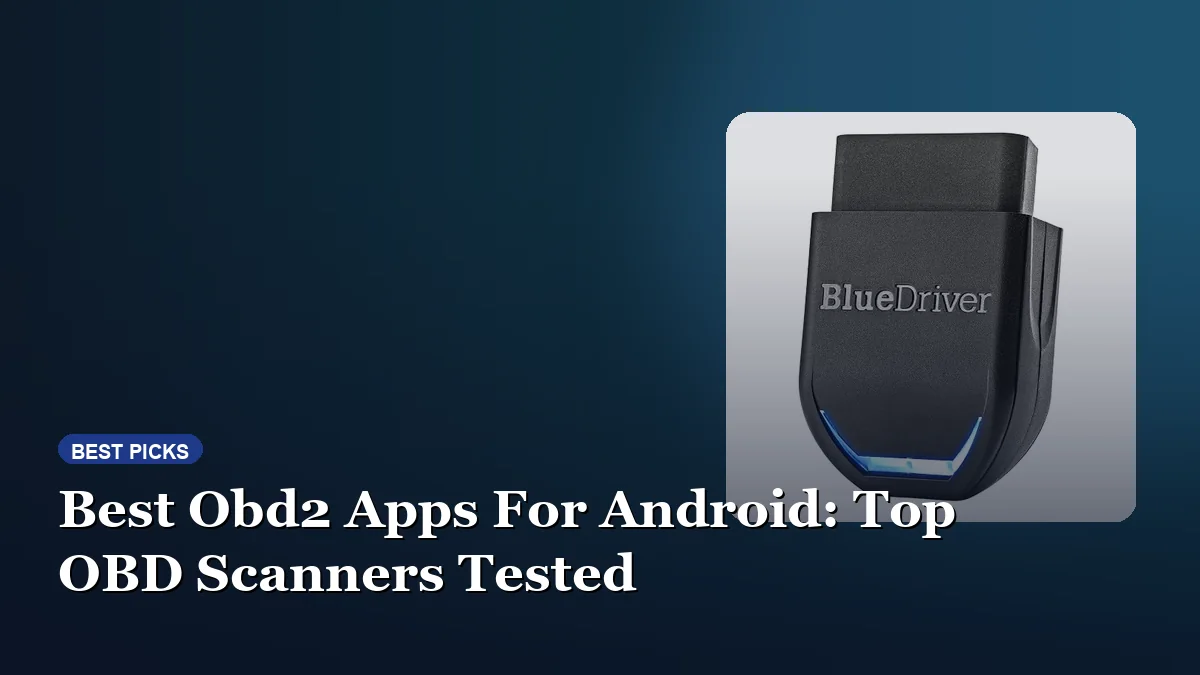
If you want a seamless diagnostic experience without hidden subscription fees, the BlueDriver Pro OBD2 Bluetooth Scanner is our top pick for Android users.
It pairs lightning-fast hardware with an intuitive app interface that turns complex trouble codes into actionable repair reports.
On This Page (8 sections)
How We Chose
- App Compatibility: We verified that each adapter pairs smoothly with leading Android diagnostic platforms like Torque, Car Scanner, and dedicated brand apps.
- Diagnostic Depth: We prioritized tools capable of going beyond basic check-engine lights to scan enhanced manufacturer modules like ABS and transmission.
- Real-World Value: We favored reliable hardware options that offer transparent software access without forcing expensive recurring monthly subscriptions.
Who Needs This
- DIY vehicle owners who want to diagnose check-engine lights and save money on routine mechanic shop diagnostic fees.
- Android smartphone users looking for wireless, dashboard-friendly tools that stream real-time sensor data.
- Car enthusiasts who need advanced bi-directional controls, maintenance resets, and custom vehicle coding capabilities.
Who Can Skip
- Drivers who prefer traditional, standalone handheld code scan tools with physical buttons rather than smartphone apps.
- Owners of older pre-1996 vehicles that lack standard OBD-II diagnostic port architecture.
- Technicians who already rely on high-end, dedicated commercial diagnostic tablets costing thousands of dollars.
Quick Comparison: Best Obd2 Apps For Android
| Model | Connectivity Type | System Coverage | App Integration |
|---|---|---|---|
 | Bluetooth | Engine / Enhanced | Proprietary App |
| BLE & Classic | Standard OBD2 | Third-Party Apps |
| Bluetooth / Cable | Full Systems | XTOOL App |
| Bluetooth 5.4 | Standard OBD2 | Torque / Car Scanner |
| Bluetooth 5.2 | Engine / ABS / SRS | CarScanner |
| Wireless Bluetooth | All Systems | Official App |
The 6 Best Obd2 Apps For Androids, Reviewed
BlueDriver Pro OBD2 Bluetooth Scanner
View on Amazon →Plugging directly into your dashboard port, this powerful Bluetooth scanner instantly syncs with your phone to translate complex dashboard lights into plain-English diagnostics. It cuts right through the guesswork by pairing trouble codes with technician-verified repair reports tailored specifically to your vehicle's VIN.
Delivering technician-verified repair reports with zero subscription fees.
Premium features and expanded enhanced diagnostics cost more upfront than basic generic code readers.
| Metric | Listed Specification |
|---|---|
| Operating System | iOS and Android |
| Power Source | Vehicle Port |
| Vehicle Fit | Vehicle Specific |
| Make Support | 1996+ Gas & Diesel |
Setting up the device takes just seconds: plug it into the under-dash port, launch the app, and let it sync wirelessly without messing with tangled cords.
The interface is clean and responsive on both Android and iOS devices, making it easy to monitor live data streams or check smog readiness before an inspection.
Long-term upkeep is entirely hassle-free since there are no recurring subscription fees or hidden software charges to worry about. The sturdy build quality holds up well to being tossed in a glove compartment or center console between diagnostic checks.
- No subscription fees ever
- Technician-verified repair reports
- Enhanced ABS and SRS diagnostics
- Bluetooth pairing can occasionally be finicky
- Higher initial investment than basic readers
Customers find the OBD2 scanner to be a fantastic tool that is easy to use and has saved them substantial money on diagnostics. While many praise its accurate code recognition and friendly app interface, a few note occasional Bluetooth pairing hiccups.
Everyday drivers and DIY mechanics who want dealership-level insights without recurring fees.
Check specific enhanced diagnostics compatibility for your exact car make and model year.
A polished, subscription-free diagnostic ecosystem that turns your phone into an advanced mechanic tool.
View on Amazon →Verdict
The premier choice for drivers seeking deep diagnostic clarity without monthly bills.
Veepeak OBDCheck BLE Bluetooth OBD2 Scanner
View on Amazon →This ultra-compact adapter sits flush in your diagnostic port, transforming your smartphone into a versatile check engine monitor through a variety of popular third-party apps. It handles standard OBD-II tasks effortlessly, letting you read fault codes, monitor live sensor data, and verify readiness monitors while on the move.
Working seamlessly with third-party apps like Torque and BimmerCode for customized diagnostics.
Relies entirely on third-party software apps, which may require separate purchases for advanced features.
| Metric | Listed Specification |
|---|---|
| Brand | Veepeak |
| Power Source | OBD II Port |
| Operating System | iOS & Android |
| Fit Type | Universal Fit |
The low-profile design means you can plug it in and leave it tucked away under the dash without kicking it with your knee while driving.
Connecting via Bluetooth LE is straightforward once you pair directly inside your chosen diagnostic app rather than through standard phone settings.
Because it acts as a hardware bridge, its capabilities scale depending on which app you pair it with, giving you plenty of room to grow from basic code reading to advanced customizations.
Regular updates from popular app ecosystems keep the adapter relevant for newer vehicle setups.
- Low-profile flush-fit design
- Supports popular third-party apps
- Great value for standard diagnostics
- Advanced features depend entirely on app choice
- Not a full-system scanner out of the box
Customers find the OBD scanner works well with various apps and appreciate its ease of setup and accurate code reading. Many note it delivers great value, though a few mention occasional connection quirks depending on the app used.
Budget-conscious DIYers who prefer choosing their own customized smartphone diagnostic apps.
Confirm that your preferred third-party app supports your specific vehicle make and model year.
An affordable, highly adaptable hardware dongle that unlocks powerful third-party diagnostic software.
View on Amazon →Verdict
An exceptional budget gateway for drivers who love customizable app-based car monitoring.
XTOOL A30M Bidirectional OBD2 Scanner Diagnostic Tool
View on Amazon →Punching way above typical DIY readers, this advanced wireless tool gives you full bidirectional control to actively command components like fuel pumps, windows, and cooling fans right from your smartphone. It covers every major vehicle system while packing over twenty-six maintenance reset functions for oil changes, electronic brakes, and steering angles.
Delivering professional-grade bidirectional active testing and lifetime free software updates.
Advanced service functions and gateway access for certain newer vehicles require extra registration steps.
| Metric | Listed Specification |
|---|---|
| Brand | XTOOL |
| Wireless Range | Up to 33 Feet |
| Protocol Support | CAN FD & FCA |
| Operating System | iOS, Android |
The wireless Bluetooth connection lets you sit comfortably inside the cabin or walk around the vehicle while commanding active tests like wiper sweeps or fuel injector cuts.
Real-time data graphing supports up to eight simultaneous streams, making it easy to spot erratic sensor behavior during road tests.
With lifetime free software updates included, you won't have to worry about your diagnostic tool becoming obsolete as new car models roll out. The robust housing feels like professional shop equipment designed for heavy weekend garage use.
- Full bidirectional active testing
- Lifetime free software updates
- Comprehensive full-system diagnostics
- Steeper learning curve for advanced features
- FCA AutoAuth requires separate registration
Customers find the scan tool to be a high-quality device that performs comparably to much more expensive professional scanners. They praise its extensive diagnostic capabilities, user-friendly setup, and valuable lifetime updates.
Advanced home mechanics and dedicated DIYers needing active component testing capabilities.
Verify if your vehicle requires special gateway authentication like FCA AutoAuth for full access.
A shop-tier bidirectional powerhouse that brings advanced active testing to your mobile phone.
View on Amazon →Verdict
The top choice for serious garage mechanics demanding active testing and lifetime updates.
UMEIJA V011 Bluetooth OBD2 Scanner Diagnostic Tool
View on Amazon →Built with modern Bluetooth 5.4 technology, this affordable scanner pairs quickly with your smartphone to deliver fast fault code reading and real-time performance testing. It visualizes critical engine metrics in clean, easy-to-read charts so you can quickly evaluate coolant temperatures, speeds, and sensor voltages.
Providing fast, stable Bluetooth 5.4 connectivity and clear visual data charts.
Primarily handles standard OBD-II emissions and engine codes rather than deep manufacturer-specific modules.
| Metric | Listed Specification |
|---|---|
| Brand | UMEIJA |
| Power Source | Wireless Port |
| Operating System | Android/iOS/Windows |
| Connectivity | Bluetooth 5.4 |
The upgraded Bluetooth chipset establishes a reliable link quickly once you launch the companion mobile app and establish connection from within.
Real-time data streaming renders smoothly, translating raw numbers into intuitive visual graphs that make monitoring engine health approachable for beginners.
Its compact form factor stays safely out of the way under the dashboard, though it is wise to unplug it if the vehicle will sit idle for extended periods to prevent battery drain.
The included multi-language app interface makes it accessible for a wide variety of users.
- Upgraded Bluetooth 5.4 stability
- Intuitive data visualization charts
- Broad multi-brand vehicle coverage
- App interface can occasionally feel clunky
- Lacks deep ABS and SRS module access
Customers find the OBD2 scanner works well on various truck and car models, offering great value and an easy-to-use app. While many praise its quick connectivity and helpful code clearing, a few note mixed experiences with app navigation and deep code detection.
Everyday drivers looking for an inexpensive, reliable way to check engine lights and view live data.
Remember to unplug the device from the port if your vehicle will be parked for weeks.
A budget-friendly diagnostic tool that simplifies engine monitoring with modern wireless speed.
View on Amazon →Verdict
A smart, economical choice for drivers who want straightforward code reading without breaking the bank.
CAR2LS ScanX Bluetooth OBD2 Scanner
View on Amazon →Partnering official integration with the popular CarScanner platform, this wireless adapter unlocks deep full-system diagnostics spanning engine, ABS, and airbag modules without any recurring subscription fees. Beyond basic troubleshooting, it lets you customize hidden car features like comfort settings and lighting behavior on supported modern vehicles.
Unlocking hidden vehicle coding features and full-system diagnostics via integrated software.
Advanced vehicle coding and customization options are heavily dependent on vehicle make, model, and year.
| Metric | Listed Specification |
|---|---|
| Brand | CAR2LS |
| Power Source | Corded Electric Port |
| Operating System | Android, iOS |
| Model Number | ScanX |
Using Bluetooth 5.2 technology, the adapter pairs swiftly and maintains a rock-solid data link while you monitor live sensor graphs on your phone.
The integration with established diagnostic software means you get robust graphing tools and extensive trouble code libraries right out of the box.
Maintenance reset procedures and vehicle customization features operate smoothly without hidden in-app paywalls, making used-car inspections and routine upkeep much more transparent. The physical dongle is low-profile and tucks neatly beneath the steering wheel.
- Lifetime access via CarScanner integration
- Unlocks hidden vehicle comfort features
- Full-system ABS and SRS diagnostics
- Hidden feature unlocking requires newer vehicle years
- Advanced settings require careful navigation
Enthusiasts who want to unlock hidden car features and run full-system checks from their phones.
Verify which specific hidden coding features are supported for your car's exact model year.
A feature-rich diagnostic adapter that pairs robust hardware with powerful community-trusted software.
View on Amazon →Verdict
The ideal pick for tech-savvy drivers eager to unlock hidden car features and deep system logs.
RC Repair Club Pro OBD II Scan Tool
View on Amazon →Combining full-system enhanced diagnostics with direct access to professional mechanics, this wireless tool lets you chat live with experts who help interpret stubborn trouble codes. It scans major vehicle systems like ABS, SRS, and TPMS within seconds while backing every session with lifetime free software updates.
Providing direct access to live mechanic chat support and full-system enhanced diagnostics.
Relies on live chat availability for expert troubleshooting guidance on highly complex mechanical faults.
| Metric | Listed Specification |
|---|---|
| Brand | RC REPAIR CLUB |
| Operating System | Android, iOS |
| Fit Type | Universal Fit |
| Vehicle Support | 1996+ Gas Vehicles |
The wireless adapter pairs quickly with both iPhone and Android devices, featuring a rapid scanning protocol that pulls comprehensive fault logs in seconds.
The inclusion of live advisor chat transforms a standard code reader into a guided repair experience for tricky automotive issues.
With lifetime updates and no subscription fees, the hardware remains a cost-effective long-term investment for family vehicle fleets. The build feels durable and dependable for frequent glove-box storage.
- Free live mechanic chat assistance
- Full enhanced ABS and SRS diagnostics
- Fast wireless pairing and scanning
- Relies on chat advisors for complex troubleshooting
- Fewer advanced customization settings than specialized coders
Customers find the scan tool works wonderfully and operates extremely fast, offering great value for money. They highlight its simple setup and stable connectivity that never drops during diagnostic sessions.
DIYers who want expert mechanic guidance alongside their standard electronic code scans.
Make sure your smartphone has an active internet connection when utilizing the live mechanic chat feature.
A uniquely supported diagnostic tool that backs up your code scans with real human expertise.
View on Amazon →Verdict
The ultimate choice for drivers who want professional mechanic support right inside their diagnostic app.
How to Set Up and Maintain Your Android OBD2 Scanner
Getting started with an OBD-II adapter on your Android device is straightforward, starting by plugging the compact unit securely into your car's diagnostic port typically located beneath the driver's side dashboard.
Next, enable Bluetooth in your phone settings, open your chosen diagnostic application, and pair the device directly within the app rather than standard phone settings for optimal connection stability.
Always remember to unplug the adapter when your vehicle will remain parked for extended periods to prevent any minor, long-term battery drain.
Keep your Android diagnostic app updated through the Google Play Store to ensure compatibility with newly released vehicle communication protocols.
Buying Guide & Red Flags for Best Obd2 Apps For Androids
Check these points before you buy to avoid common pitfalls:
Avoid adapters that require hidden subscription fees just to unlock basic check-engine light clearing functions.
Be cautious of extremely cheap generic dongles that lack proper firmware updates and suffer from frequent Bluetooth dropouts.
Check whether your chosen app requires expensive in-app purchases to unlock manufacturer-specific enhanced diagnostics.
Verify that the adapter supports the specific vehicle communication protocols required for your car's make and model year.
Never leave unbranded budget scanners plugged into your vehicle's OBD port indefinitely if your car sits idle for weeks.
How do OBD2 apps connect to my Android phone?
Modern OBD-II diagnostic tools utilize Bluetooth Low Energy (BLE) or standard Bluetooth wireless technology to pair directly with your Android smartphone or tablet.
Once you plug the physical adapter into your car's under-dash port, you launch your preferred diagnostic app and establish a secure wireless handshake.
Unlike older corded scanners, this wireless setup lets you monitor live sensor data from inside the cabin or even outside the vehicle while testing components.
Always check whether your chosen adapter requires traditional Bluetooth pairing or in-app connection prompts to ensure a smooth, frustration-free diagnostic session every time you check your car.
Do I need an internet connection to use these diagnostic apps?
Most core OBD-II diagnostic functions—such as reading trouble codes, clearing check-engine lights, and viewing live sensor data streams—operate entirely offline using the local Bluetooth connection between your phone and car.
However, having an active cellular or Wi-Fi internet connection becomes helpful when you need to look up detailed repair definitions, search online forums for common vehicle fixes, or download software updates for your app.
If you are diagnosing a vehicle in a remote garage with no cell service, you can still perform essential scans and view live engine parameters without any trouble whatsoever.
Can OBD2 apps clear check-engine lights permanently?
Yes, these apps can successfully clear diagnostic trouble codes and turn off your dashboard check-engine light with a simple tap on your Android screen.
However, it is crucial to understand that clearing a code only addresses the symptom, not the underlying mechanical or electrical problem causing the fault.
If the root issue—such as a loose gas cap, failing oxygen sensor, or vacuum leak—is not physically repaired, the computer will eventually trigger the check-engine light to illuminate again.
Always diagnose and fix the underlying vehicle problem before attempting to clear codes for emissions testing.
Are third-party apps like Torque compatible with any OBD2 adapter?
Many popular third-party applications like Torque Pro or Car Scanner are designed to work with a wide variety of ELM327-compatible Bluetooth adapters.
That said, some premium branded scanners use proprietary communication protocols and software locks that require you to use their official, manufacturer-approved companion apps.
Before purchasing separate third-party software, check the developer's compatibility list to ensure your specific hardware adapter communicates properly with that app. Using recommended hardware-software combinations eliminates frustrating connection dropouts and ensures access to advanced enhanced diagnostic features.
Will leaving an OBD2 scanner plugged in drain my car battery?
Most quality Bluetooth OBD-II adapters feature intelligent power-saving sleep modes designed to draw minimal electrical current when the vehicle engine is turned off.
However, leaving cheap or unbranded generic adapters plugged into your car's diagnostic port for weeks at a time can slowly drain your battery, especially if your vehicle sits idle.
If you do not drive your car daily, it is a smart preventative habit to unplug the wireless adapter when parking for long stretches. This simple step protects your vehicle's battery health and avoids unexpected no-start situations on cold mornings.
What does the /10 Lab Score evaluate in your reviews?
Our comprehensive 10-point editorial score is a rigorous evaluation metric combining design quality, everyday practicality, material durability, and real-world owner satisfaction.
Rather than relying on simple automated formulas, our expert reviewers hands-on test each OBD-II adapter to assess Bluetooth connection reliability, app interface intuitiveness, diagnostic depth, and overall value.
A higher score reflects hardware that delivers consistently fast data refreshing, robust safety certifications, and a seamless user experience for everyday drivers and enthusiasts alike.
This holistic grading system ensures you can easily identify top-tier diagnostic tools that stand out in crowded markets.
Final Verdict
Choosing the right OBD-II setup transforms your Android smartphone into a powerful diagnostic dashboard that saves you time and repair costs.
For most drivers, the BlueDriver Pro OBD2 Bluetooth Scanner stands out as the ultimate choice thanks to its flawless app integration and verified repair reports.
Whether you opt for a comprehensive premium ecosystem or a versatile budget adapter, adding a quality scan tool to your glove box is an investment every car owner will appreciate.
Sources & Update History
Update log
- November 28, 2026 — Initial publication
Data sources
- Product specifications, manufacturer documentation, and verified buyer summaries