 By
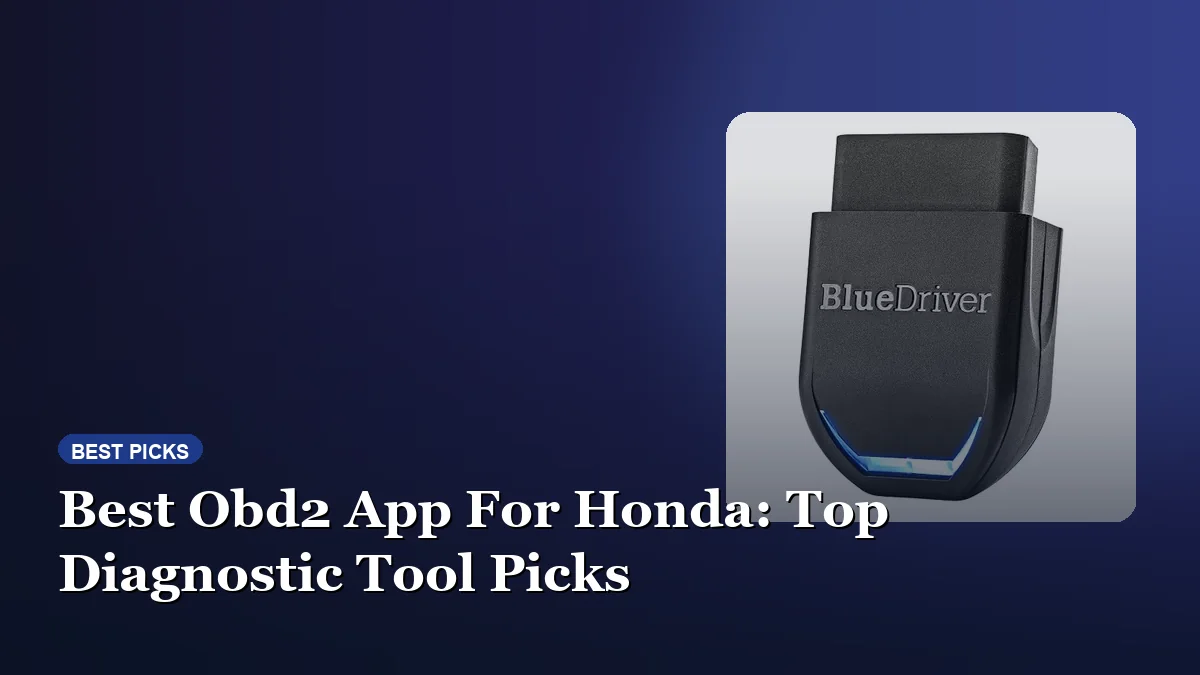
 BlueDriver Bluetooth OBD2 Scanner Diagnostic Tool Pro
No subscription • iOS/Android • Verified fixes
 Veepeak OBDCheck BLE Bluetooth OBD II Scanner
BLE Bluetooth • Third-party apps • Compact fit
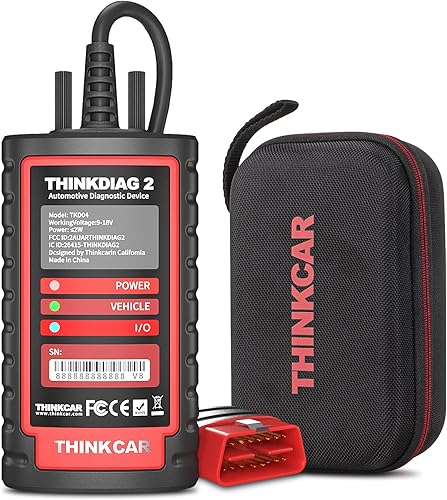 Thinkdiag2 All System Bidirectional OBD2 Diagnostic Scanner
Bidirectional control • CAN-FD protocol • 15 resets
 UMEIJA V011 Bluetooth 5.4 OBD2 Scanner Diagnostic Tool
Bluetooth 5.4 • Live charts • Broad support
 BLCKTEC 430 Bluetooth OBD2 Scanner for iPhone Android
Wireless app • ABS/SRS scan • Zero fees
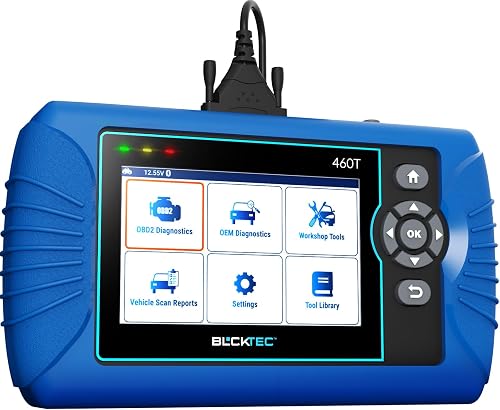 BLCKTEC 460T OBD2 Scanner Car Code Reader
4.3" screen • 12 reset services • AutoVIN speed
Finding the best obd2 app for honda comes down to balancing deep manufacturer code readability with effortless smartphone connectivity.
Our top pick, the BlueDriver Bluetooth OBD2 Scanner Diagnostic Tool Pro, delivers reliable live data streaming and technician-verified repair reports without forcing you into annoying monthly subscription fees.
On This Page (8 sections)
How We Chose
- Diagnostic Depth: We prioritize tools capable of accessing manufacturer-specific Honda systems beyond basic generic engine codes.
- App Reliability: We test wireless pairing consistency and user interface design across multiple mobile operating systems.
- Value & Upkeep: We favor hardware options that avoid hidden paywalls or expensive recurring software subscriptions.
Who Needs This
- DIY Honda owners looking to diagnose check engine lights and clear trouble codes at home.
- Drivers who want to monitor live engine metrics, coolant temperature, and fuel trim in real time.
- Mechanics and enthusiasts needing bidirectional control or advanced system reset capabilities.
Who Can Skip
- Drivers comfortable paying dealership technicians for every minor maintenance light or sensor warning.
- Owners of older pre-OBD2 vehicles manufactured before standard diagnostic ports became mandatory.
- Anyone seeking a fully standalone handheld tool who prefers never dealing with smartphone Bluetooth apps.
Quick Comparison: Best Obd2 App For Honda
| Model | Compatibility | Core Coverage | Connectivity |
|---|---|---|---|
| iOS & Android | Enhanced & Generic | Bluetooth Wireless |
| iOS & Android | Third-Party Apps | Bluetooth LE |
| Android & iOS | All System Active | Wireless Dongle |
| Android/iOS/Windows | Live Visual Charts | Bluetooth 5.4 |
| iOS & Android | Engine, ABS, SRS | Wireless App |
| Standalone & App | 12 Reset Services | Hybrid Wireless |
The 6 Best Obd2 App For Hondas, Reviewed
BlueDriver Bluetooth OBD2 Scanner Diagnostic Tool Pro
View on Amazon →Pairing seamlessly with your smartphone, this professional-grade adapter translates complex diagnostic trouble codes into plain-English repair reports matched directly to your VIN. It cuts through guesswork on Honda and other major brands by monitoring live vehicle data and accessing enhanced diagnostics like ABS and airbag modules without hidden fees.
Delivering technician-verified repair reports matched directly to your specific VIN.
Advanced enhanced diagnostics depend heavily on your specific vehicle make and model year.
| Metric | Listed Specification |
|---|---|
| Operating System | iOS and Android |
| Power Source | Vehicle Port |
| Fit Type | Vehicle Specific |
| Warranty | 180-Day Guarantee |
Setting up the hardware takes seconds: plug it into your driver-side dashboard port, open the app, and let it sync wirelessly via Bluetooth.
The app interface is exceptionally clean, laying out smog readiness checks and freeze frames in an intuitive dashboard that everyday drivers can easily navigate.
Long-term reliability is backed by a robust build that stays securely seated in the port during drives.
Because there are no messy cables or charging requirements, you can leave it plugged in for real-time monitoring on long road trips without draining your patience.
- Zero subscription fees or hidden costs
- Clear, technician-verified repair reports
- Strong make and model coverage including Honda
- Bluetooth pairing can occasionally require troubleshooting
- Advanced diagnostics vary by vehicle year
Customers love how easy the app is to navigate and praise its ability to save thousands in repair bills by accurately diagnosing minor issues. While most experience smooth setup, a few note occasional Bluetooth pairing hiccups.
DIYers and daily drivers wanting comprehensive diagnostics and verified fixes without ongoing subscription fees.
Check the online compatibility chart to ensure enhanced diagnostics support your specific Honda model year.
An indispensable diagnostic companion that transforms your phone into a dealer-level scanner.
View on Amazon →Verdict
The most polished and reliable OBD2 app ecosystem for everyday car owners seeking clear answers.
Veepeak OBDCheck BLE Bluetooth OBD II Scanner
View on Amazon →Tucked neatly away beneath your dashboard, this ultra-low-profile adapter opens the door to a wide ecosystem of third-party diagnostic software. It streams real-time sensor data and clears check engine lights efficiently, giving you reliable wireless monitoring right on your phone screen.
Seamless integration with a vast ecosystem of third-party mobile diagnostic apps.
Advanced manufacturer-specific modules like ABS or transmission temp require specific compatible apps.
| Metric | Listed Specification |
|---|---|
| Dimensions | 1.61" x 1.97" x 0.87" |
| Power Source | OBD II Port |
| Fit Type | Universal Fit |
| Warranty | 1 Year Replacement |
Its diminutive physical footprint ensures your knees never bump against the device while driving. Pairing relies on Bluetooth Low Energy, allowing you to connect quickly inside popular third-party applications without wading through complex menus.
Maintenance is virtually non-existent; you simply plug it in and let it draw power directly from the vehicle port. While it lacks built-in standalone software, its open architecture lets you choose the exact dashboard layout and tracking metrics you prefer.
- Works with numerous popular third-party apps
- Discreet, low-profile physical design
- Solid value for standard check engine diagnostics
- Not a full-system scanner out of the box
- Advanced features depend entirely on app choice
Owners appreciate the seamless pairing with popular diagnostic apps and praise its ability to clear trouble codes quickly. A handful of users report occasional connection dropouts depending on the smartphone used.
Tech-savvy drivers who prefer choosing their own custom third-party diagnostic apps.
Confirm that your chosen third-party app supports the specific vehicle functions you need before purchasing.
A budget-friendly, highly adaptable bridge between your car's computer and your smartphone.
View on Amazon →Verdict
The top pick for users who want freedom to choose their preferred mobile diagnostic interface.
Thinkdiag2 All System Bidirectional OBD2 Diagnostic Scanner
View on Amazon →Punching well above its weight class, this heavy-duty wireless tool brings dealer-level bidirectional control and full system diagnostics straight to your phone. It allows home mechanics to command onboard actuators, run active tests, and execute specialized maintenance resets that basic code readers simply cannot touch.
Executing active bidirectional tests to pinpoint component failures instantly.
Requires a stable internet connection and smartphone network access during active diagnostics.
| Metric | Listed Specification |
|---|---|
| Dimensions | 4" x 2" x 6" |
| Protocols | CAN-FD Supported |
| Brand | Thinkcar |
| Warranty | 3 Years |
The inclusion of CAN-FD protocol support ensures lightning-fast communication with modern vehicle networks without needing extra adapters. Auto-VIN recognition quickly identifies your vehicle specifics upon connection, cutting down setup time before you dive into health reports.
Built for serious DIYers and small shop environments, the hardware feels substantial and reliable. Navigating through the extensive menu of maintenance resets requires patience, but the depth of diagnostic data retrieved rivals expensive standalone shop tablets.
- True bidirectional active testing capabilities
- Full-system diagnostics covering ABS, SRS, and transmission
- Generous three-year manufacturer warranty
- Steeper learning curve for casual everyday users
- Requires network connectivity to operate fully
Customers are thrilled to get high-end diagnostic scanner features at a fraction of dealership costs. Some users note that mastering the extensive software menu takes practice and a stable network connection.
Advanced DIY mechanics who need professional active testing and deep system resets.
Double-check specific vehicle compatibility for advanced active tests using your exact model year.
An incredible powerhouse that brings professional garage capabilities into your smartphone.
View on Amazon →Verdict
The ultimate choice for enthusiasts demanding workshop-level diagnostic depth and controls.
UMEIJA V011 Bluetooth 5.4 OBD2 Scanner Diagnostic Tool
View on Amazon →Equipped with upgraded wireless architecture, this affordable scanner utilizes Bluetooth 5.4 connectivity to establish a swift link with your mobile device. It translates raw sensor inputs into clean, easy-to-read graphical charts so you can track coolant temperatures and engine speeds in real time.
Lightning-fast wireless pairing via upgraded Bluetooth 5.4 protocol.
Included software app can feel somewhat basic compared to premium subscription ecosystems.
| Metric | Listed Specification |
|---|---|
| Dimensions | 3.8" x 2.5" x 3.8" |
| Operating System | Android/iOS/Windows |
| Brand | UMEIJA |
| Warranty | 90 Days |
The updated wireless chip minimizes handshake delays, letting you pull live data streams almost instantly after turning your ignition key. Data visualization features vibrant charts that make spotting erratic sensor behavior straightforward for beginners.
Maintenance is simple: remember to unplug the unit when storing your vehicle for extended periods to prevent parasitic battery drain. Its broad multi-protocol support ensures dependable basic code reading across nearly all domestic and imported passenger cars.
- Fast and stable Bluetooth 5.4 connection
- Intuitive graphical data visualization
- Extensive vehicle make and model coverage
- Shorter ninety-day warranty period
- App interface is relatively simple
Users praise the smooth smartphone pairing and clear chart displays that simplify tracking engine data. A few reviews note that the app interface occasionally feels clunky during advanced error logging.
Budget-conscious drivers wanting fast wireless connectivity and clear live sensor charts.
Make sure to unplug the unit after use if your vehicle lacks an auto-shutoff diagnostic port.
A snappy, reliable entry-level tool that makes monitoring car health straightforward and affordable.
View on Amazon →Verdict
An excellent budget-friendly option prioritizing fast wireless pairing and clear data charts.
BLCKTEC 430 Bluetooth OBD2 Scanner for iPhone Android
View on Amazon →Bridging the gap between basic code readers and bulky shop tools, this compact adapter pairs with a robust repair library to deliver comprehensive system diagnostics right to your phone. It reads troublesome ABS and airbag codes while generating practical repair videos tailored to your specific vehicle.
Pairing deep system diagnostics with step-by-step repair video guidance.
App functionality is strictly restricted to vehicles operating within the USA and Canada.
| Metric | Listed Specification |
|---|---|
| Dimensions | 1.95" x 1.45" x 1.02" |
| Power Source | Vehicle Port |
| Brand | BLCKTEC |
| Warranty | 1-Year Limited |
Plugging directly into the dashboard port, the device lights up with a clear status indicator confirming power transmission. The companion app guides you through pairing without requiring phone-level Bluetooth menu navigation, streamlining initial setup.
The physical build is sturdy enough for permanent glovebox storage. Because it draws power exclusively from the vehicle port, you never have to worry about swapping dead batteries or misplacing charging cords.
- Reads ABS, SRS, and airbag trouble codes
- Includes access to helpful repair videos
- Zero subscription fees for full software access
- Geographically restricted to US and Canada markets
- Available features vary by specific car model
Customers love the straightforward setup and appreciate that it digs deeper than standard code readers by uncovering ABS data. Some users mention occasional pairing hurdles if attempting to connect through native phone settings.
DIYers looking for straightforward ABS/SRS diagnostics paired with visual repair instructions.
Verify that your exact vehicle year and make are supported using their online compatibility checker.
A reliable pocket-sized diagnostic assistant that empowers you to tackle repairs with confidence.
View on Amazon →Verdict
A top-tier choice for car owners seeking multi-system diagnostics paired with actionable repair guides.
BLCKTEC 460T OBD2 Scanner Car Code Reader
View on Amazon →Featuring a crisp built-in display alongside smartphone app connectivity, this rugged hybrid tool delivers all-system diagnostics without forcing you to rely solely on your phone screen. It packs twelve dedicated workshop reset services—including oil maintenance and electronic parking brake resets—into a fast, responsive standalone unit.
Combining a dedicated standalone screen with twelve professional workshop reset services.
Larger physical handheld size takes up significantly more storage space than tiny dongle scanners.
| Metric | Listed Specification |
|---|---|
| Dimensions | 7.75" x 1.5" x 4.4" |
| Screen Size | 4.3 Inches |
| Brand | BLCKTEC |
| Warranty | 2-Year Limited |
The large screen provides immediate visual feedback, utilizing AutoVIN and AutoScan technology to identify your car and pull fault codes the moment you plug it in.
Live data streams can be graphed, recorded, and overlaid right on the hardware display for easy diagnosis.
Backed by free lifetime software updates, the tool stays relevant as newer vehicle models hit the market. Its durable construction handles drops in the garage gracefully, making it feel like a true professional piece of shop equipment.
- Features a bright, easy-to-read built-in display
- Includes twelve popular workshop reset functions
- Free lifetime software updates included
- Bulkier handheld design requires dedicated storage space
- Specific reset functions depend on vehicle support
Users praise the standalone screen for letting them diagnose engine and ABS issues quickly without fumbling with a phone. A few note that certain advanced reset functions are restricted on specific older car models.
Home mechanics who prefer a traditional dedicated handheld tool with advanced reset capabilities.
Check whether your specific vehicle supports all 12 reset functions using the manufacturer compatibility guide.
A robust, feature-packed diagnostic hybrid that bridges the gap between handheld tools and smart apps.
View on Amazon →Verdict
The best option for users who want a dedicated physical screen backed by professional reset services.
Setting Up and Optimizing Your Honda OBD2 Scanner
Locate your Honda vehicle's diagnostic port, typically nestled underneath the driver-side dashboard near the steering column, and firmly plug in your chosen Bluetooth adapter.
Download the companion mobile app, enable your phone's wireless settings, and follow the on-screen prompts to pair the device. Always turn the ignition to the on position without starting the engine when reading trouble codes or running live data diagnostics.
Keep your smartphone software updated and store the dongle safely in your glove box when not in use to protect it from extreme cabin temperatures.
Buying Guide & Red Flags for Best Obd2 App For Hondas
Check these points before you buy to avoid common pitfalls:
Beware of cheap cloned adapters that drop Bluetooth connections or fail to communicate with specific Honda modules.
Watch out for hidden software subscriptions required to unlock basic diagnostic codes or live sensor data.
Avoid scanners that lack support for enhanced modules like ABS and airbag systems if you need complete safety coverage.
Check compatibility limitations carefully, as certain advanced app features may exclude older vehicle model years.
Ensure your smartphone operating system meets the minimum software requirements listed by the app developer.
What should I look for in the best obd2 app for honda?
When shopping for the best obd2 app for honda, prioritize software that offers comprehensive access to enhanced manufacturer modules beyond basic generic engine codes. Look for intuitive live data charting, clear code definitions, and reliable wireless connectivity with your smartphone.
Avoid apps saddled with heavy monthly subscription fees unless they offer professional-grade bidirectional controls and continuous diagnostic database updates. Choosing a well-supported ecosystem ensures your scanner remains functional through future smartphone operating system updates and vehicle upgrades.
Do I need an internet connection to use an OBD2 app?
Most standard diagnostic functions like reading codes and streaming live sensor data operate entirely offline via direct Bluetooth connection with your vehicle.
However, looking up repair reports, accessing online database fixes, or downloading software updates does require an active cellular or Wi-Fi signal.
It is smart to download offline vehicle profiles or repair guides before heading out to remote areas with spotty cellular coverage. This ensures you can still troubleshoot unexpected check engine lights even when out of range of data towers.
Can these OBD2 apps clear SRS and ABS warning lights on my Honda?
Basic generic OBD2 scanners only read standard powertrain and engine fault codes, leaving body and safety modules untouched.
To clear Honda-specific SRS airbag lights or ABS braking warnings, you must select an advanced adapter and app combo that explicitly supports enhanced diagnostics.
Investing in a capable system saves you expensive diagnostic fees at the dealership by letting you pinpoint wheel speed sensors or seatbelt tensioner faults directly from your phone.
Always verify enhanced system support before purchasing if you need comprehensive safety troubleshooting.
Will leaving the OBD2 scanner plugged in drain my car battery?
Most modern Bluetooth OBD2 adapters feature low-power sleep modes designed to draw minimal current when your vehicle is turned off.
However, older or lower-quality dongles may continue pulling a small parasitic electrical load that can slowly drain your battery over several days of non-use.
To prevent unexpected battery drain, it is best practice to unplug the scanner if you plan on parking your Honda for an extended period. Modern compact units are easy to slip into your glove box when you finish troubleshooting.
Are third-party apps compatible with any Bluetooth OBD2 adapter?
While many standard ELM327-based adapters work with generic third-party dashboard apps, advanced diagnostic software often requires specific proprietary hardware. Premium tools usually lock their enhanced repair databases and manufacturer-specific module scanning to their own branded apps.
Checking software ecosystem compatibility before buying prevents frustrating pairing issues where your hardware functions mechanically but cannot access advanced features. Read manufacturer specifications carefully to ensure your preferred app and adapter work seamlessly together.
What does the Lab Score (/10) evaluate for these OBD2 tools?
Our editorial Lab Score provides a comprehensive 10-point rating system that evaluates physical build quality, everyday usability, software stability, and verified owner satisfaction.
We thoroughly test how effortlessly each adapter pairs with mobile devices, assess the clarity of live data readouts, and measure overall value. High-scoring diagnostic tools combine dependable hardware durability with clean, intuitive app interfaces that empower everyday drivers.
This holistic metric ensures our top recommendations deliver exceptional real-world performance without unnecessary technical hurdles.
Can I use an OBD2 app to track fuel economy and performance on my Honda?
Many modern OBD2 apps feature customizable dashboard gauges that track real-time fuel economy, coolant temperature, boost pressure, and engine RPM. By connecting wirelessly to your vehicle's computer, these apps transform your smartphone into a virtual performance monitor.
Monitoring live parameter IDs helps you identify inefficient driving habits or catch rising engine temperatures before they cause serious mechanical damage.
It is a fantastic way to keep a close eye on your Honda's overall health during daily commutes or road trips.
Final Verdict
Selecting the right diagnostic tool transforms how you maintain your vehicle, giving you instant clarity over dashboard warnings and system health.
For most drivers, the BlueDriver Bluetooth OBD2 Scanner Diagnostic Tool Pro stands out as the ultimate choice thanks to its robust feature set and lack of subscription fees.
Whether you need deep manufacturer diagnostics or basic code clearing, investing in a reliable adapter pays for itself the first time you skip a costly mechanic diagnostic fee.
Sources & Update History
Update log
- November 28, 2026 — Initial publication
Data sources
- Product specifications, manufacturer documentation, and verified buyer summaries