 By
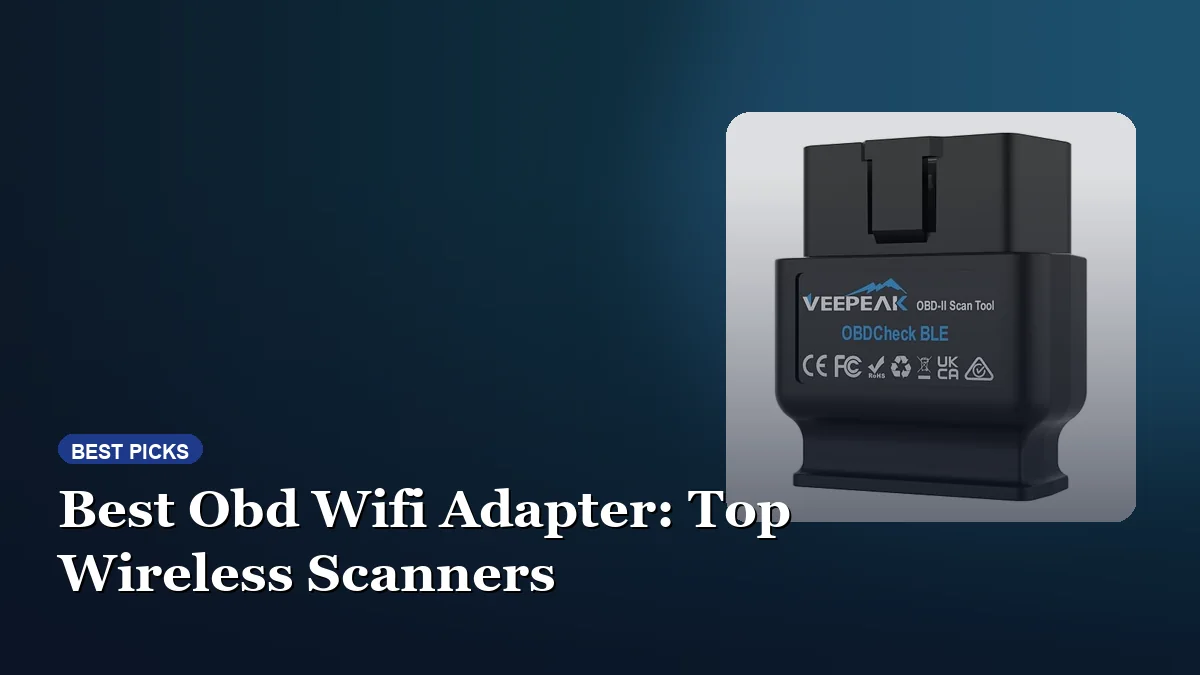
 Veepeak OBDCheck BLE Bluetooth OBD II Scanner for iOS and Android
Compact design • Bluetooth LE • iOS & Android
 OBDLink MX+ OBD2 Bluetooth Scanner for iPhone Android and Windows
Enhanced OEM support • Battery safe • Multi-platform
 ELM327 USB Adapter OBD2 Scanner for Windows with MS-Can Switch
USB stability • MS/HS switch • Windows ready
 WiFi ELM327 OBD2 Adapter Scanner for Universal 12V Vehicles
Universal 12V fit • WiFi wireless • DIY code clear
 2026 OBD2 WiFi Adapter Ethernet Adapter for BMW F-G-I Series
ENET protocol • High speed • BMW F-G-I series
 WiFi OBD2 ELM327 Adapter Scanner Code Reader for Android iPhone
Universal 12V scan • WiFi mobile link • Fault code reset
For most drivers seeking wireless freedom, the Veepeak OBDCheck BLE Bluetooth OBD II Scanner for iOS and Android stands out as our #1 pick.
If you specifically need a dedicated wireless network link or advanced coding capabilities for specialty vehicles, our lineup covers every major platform.
Choosing the right adapter depends entirely on your phone's operating system and how deeply you plan to dig into engine diagnostics.
On This Page (8 sections)
How We Chose
- Wireless Reliability: We prioritize adapters that maintain stable, dropped-connection-free links with mobile devices.
- App Ecosystem: We test compatibility with popular diagnostic apps like Torque, OBD Fusion, and specialized brand software.
- Form Factor: We favor low-profile designs that remain hidden under the dashboard and won't snag driver knees.
Who Needs This
- DIY vehicle owners who want to read and clear check engine lights without visiting a mechanic.
- Road-tripping drivers who prefer monitoring live fuel economy, coolant temperature, and RPMs on their phone.
- Car enthusiasts looking for specialized wireless coding tools for specific vehicle makes like BMW or Ford.
Who Can Skip
- Drivers who prefer heavy-duty, standalone wired diagnostic tablets with built-in screens.
- Owners of pre-1996 vehicles that lack standard OBD2 diagnostic ports.
- People who never look at warning lights and prefer taking their car straight to a professional shop.
Quick Comparison: Best Obd Wifi Adapter
| Model | Connection Type | Target Platform | Key Feature |
|---|---|---|---|
| Bluetooth LE | iOS & Android | Compact low-profile |
| Bluetooth / USB | iOS, Android, PC | Enhanced OEM modules |
| Wired USB | Windows 32/64-bit | MS/HS CAN switch |
| WiFi Network | iOS & Android | Universal 12V fit |
| ENET Protocol | BMW F/G/I series | High speed coding |
| WiFi Network | Android & iPhone | Budget DIY reader |
The 6 Best Obd Wifi Adapters, Reviewed
Veepeak OBDCheck BLE Bluetooth OBD II Scanner for iOS and Android
View on Amazon →Plugging neatly beneath your dashboard, this compact diagnostic tool pairs seamlessly with mobile apps to help everyday drivers decode check engine lights without a trip to the mechanic. It bridges your car's computer to your smartphone, offering real-time sensor monitoring right from the driver's seat.
Decoding standard check engine codes and monitoring live engine data via smartphone apps.
Not a full-system scanner and lacks support for advanced service resets like oil or brake service.
| Metric | Listed Specification |
|---|---|
| Brand | Veepeak |
| Power Source | OBD II Port |
| Operating System | iOS & Android |
| Automotive Fit | Universal Fit |
Setup is refreshingly straightforward; just plug the unit into your vehicle port, open a compatible app, and establish the connection within the software settings.
Its low-profile form factor ensures it stays completely out of the way of your knees while driving.
Long-term reliability is solid for casual maintenance tasks, though you will want to unplug it if storing your vehicle for extended periods to conserve battery health.
- Reliable Bluetooth LE connection
- Works smoothly with popular apps
- Compact form factor stays hidden
- Advanced diagnostics require specific apps
- Does not support specialized service resets
Customers find the OBD scanner works well with various apps like BimmerCode and Torque, and appreciate its ease of use and setup. The device provides accurate code reading and data depth, saving many users hundreds of dollars in diagnostic costs.
Everyday drivers looking for an affordable, reliable way to check engine codes and monitor basic vehicle health via phone.
Verify whether your preferred vehicle diagnostic app requires a separate paid upgrade for full functionality.
A dependable, pocket-friendly companion that puts essential vehicle diagnostics right in your pocket.
View on Amazon →Verdict
The most well-rounded and user-friendly OBD scanner for daily smartphone diagnostics.
OBDLink MX+ OBD2 Bluetooth Scanner for iPhone Android and Windows
View on Amazon →Delivering dealership-level insights into your garage, this advanced scan tool unlocks deeper manufacturer parameters like ABS and TPMS that standard readers miss. It features built-in battery drain protection so you can leave it plugged in safely for continuous monitoring.
Accessing deep OEM-specific modules and live parameters across domestic and import brands.
Carries a higher financial investment and steeper learning curve compared to basic code readers.
| Metric | Listed Specification |
|---|---|
| Brand | OBDLink |
| Power Source | Vehicle Port |
| Operating System | iOS, Android, Windows |
| Model Number | MX201 |
Performance is exceptionally snappy, streaming live parameters with virtually zero lag across multiple software platforms. The automatic sleep mode works reliably, preventing battery drain during long periods of inactivity.
Built with durable materials, it handles frequent plugging and unplugging with ease while supporting regular firmware updates to keep pace with newer vehicle computers.
- Deep OEM-level module support
- Over-voltage and battery protection
- Frequent firmware updates included
- Higher cost than basic adapters
- Can be complex for casual users
Customers find the scan tool works well, is easy to use, and provides comprehensive vehicle information. They appreciate its diagnostic capabilities, noting that it reads complex issues in full detail across multiple systems.
DIY enthusiasts and mechanics who need deep diagnostic access across a wide variety of car makes.
Check the manufacturer troubleshooting guide to confirm full compatibility with your specific vehicle make and model.
A powerful, professional-grade diagnostic tool that justifies its price tag with deep system coverage.
View on Amazon →Verdict
The premier choice for users demanding advanced manufacturer-level diagnostics and bulletproof reliability.
ELM327 USB Adapter OBD2 Scanner for Windows with MS-Can Switch
View on Amazon →Built specifically for enthusiasts looking to dive deep into Ford and Mazda systems, this wired USB adapter provides rock-solid data stability for advanced module programming. The physical toggle switch lets you jump between MS-CAN and HS-CAN networks effortlessly to unlock hidden vehicle configurations.
Unlocking hidden comfort and convenience features on Ford vehicles via Windows software.
Requires a Windows laptop and manual driver setup, making it less convenient for casual smartphone users.
| Metric | Listed Specification |
|---|---|
| Brand | OBDResource |
| Power Source | USB / Adapter |
| Operating System | Windows |
| Model Number | FORD327 |
The physical toggle switch provides a tactile, reliable way to switch between network buses without data dropouts. Because it relies on a wired USB connection, communication stability during critical programming tasks is vastly superior to wireless alternatives.
Installation requires downloading specific drivers and software packages, meaning it demands a bit of technical patience before you can get to work in the garage.
- Rock-solid wired USB connection
- Physical MS/HS-CAN toggle switch
- Unlocks hidden vehicle features
- Requires a Windows laptop
- Manual driver installation needed
Customers find the scan tool works wonderfully with Forscan on Ford models and appreciate its straightforward hardware setup. The product receives praise for its solid build quality and value for money, saving users substantial diagnostic fees.
Ford, Lincoln, and Mazda owners who want to run diagnostics and unlock hidden features using a Windows laptop.
Ensure you are comfortable downloading third-party Windows drivers and software before purchasing.
An indispensable, stable wired tool for Ford enthusiasts ready to customize their vehicle settings.
View on Amazon →Verdict
The go-to wired diagnostic adapter for deep programming and customization on Ford-family vehicles.
WiFi ELM327 OBD2 Adapter Scanner for Universal 12V Vehicles
View on Amazon →Relying on a direct wireless network connection rather than Bluetooth, this handy WiFi adapter communicates smoothly with both iPhones and Android devices. It gives DIYers the power to clear check engine lights and read live sensor parameters right before heading out on a road trip.
Connecting wirelessly with iOS devices where traditional Bluetooth adapters often experience pairing hurdles.
Occupies your phone's WiFi connection, temporarily disrupting internet access while running diagnostics.
| Metric | Listed Specification |
|---|---|
| Brand | MOCATEC |
| Power Source | OBD Port / WiFi |
| Operating System | Universal Apps |
| Model Number | OBD2 Scanner |
Establishing a link is simple once you connect your phone directly to the adapter's broadcasted network signal. It reads standard trouble codes quickly and displays sensor parameters cleanly across popular mobile dashboard apps.
The plastic housing is lightweight and unobtrusive, though you should ensure your phone's cellular data settings are configured correctly to avoid network conflicts during use.
- Stable wireless WiFi link
- Universal 12V vehicle compatibility
- Great for clearing engine codes
- Disconnects phone from internet WiFi
- Not compatible with FORScan
Customers find the scan tool to be of solid quality and consider it a great value for everyday maintenance. While some report seamless pairing with specific import vehicles, others note occasional network connection quirks.
Smartphone users who prefer a direct WiFi link for quick code-clearing and basic live sensor monitoring.
Remember that your phone will temporarily lose internet access while connected to the adapter's WiFi network.
A practical, universal WiFi code reader that makes mobile vehicle monitoring accessible to everyone.
View on Amazon →Verdict
A dependable wireless adapter for quick mobile diagnostics without Bluetooth pairing hassles.
2026 OBD2 WiFi Adapter Ethernet Adapter for BMW F-G-I Series
View on Amazon →Engineered specifically for modern BMW owners, this high-speed ENET adapter transmits data at lightning-fast rates compared to legacy wireless options. It unlocks professional-grade ECU coding and flashing capabilities when paired with popular tuning apps on your phone or laptop.
Executing rapid coding, diagnostics, and flash tunes on modern BMW F, G, and I series vehicles.
Strictly limited to newer BMW series and requires precise manual IP configuration on Apple devices.
| Metric | Listed Specification |
|---|---|
| Brand | SMART BIMMER |
| Power Source | ENET WiFi Adapter |
| Operating System | Android, iOS, Windows |
| Model Number | OBD2 WiFi Adapter |
Data transmission speeds are dramatically faster than standard Bluetooth adapters, making heavy coding and ECU flashing sessions smooth and lag-free. The ENET protocol handles data throughput effortlessly.
Initial setup on Apple devices requires a few manual network configuration steps, but once configured, the connection remains exceptionally stable throughout intensive diagnostic work.
- Ultra-fast ENET data transmission
- Supports advanced BMW coding apps
- Works across mobile and PC platforms
- Not compatible with older BMW E-Series
- Requires manual IP setup on iOS
Modern BMW owners and enthusiasts looking to perform custom ECU coding, diagnostics, and performance flashing.
Confirm your BMW belongs to the F, G, or I series, as this adapter will not work on older E-Series models.
A lightning-fast, specialized ENET adapter that unlocks the full coding potential of modern BMW vehicles.
View on Amazon →Verdict
The essential high-speed wireless tool for modern BMW enthusiasts and DIY coders.
WiFi OBD2 ELM327 Adapter Scanner Code Reader for Android iPhone
View on Amazon →Providing a straightforward entry point for mobile vehicle checks, this accessible WiFi scanner helps everyday drivers track down intermittent engine faults without specialized gear. It streams live parameters like coolant temperature and fuel pressure straight to your smartphone screen to monitor engine health on the go.
Offering an affordable, universal wireless diagnostic link for casual mobile app users.
Lacks advanced manufacturer-specific diagnostics and specialized service reset procedures.
| Metric | Listed Specification |
|---|---|
| Brand | YOUNGLINK |
| Power Source | WIFI Phone Connection |
| Operating System | Android and iOS |
| Model Number | WIFIELM |
Plugging into the dash is effortless, and connecting via a mobile app takes only a few moments. It effectively reads and clears standard diagnostic trouble codes to turn off persistent dashboard warning lights.
The casing is standard plastic and functions reliably for occasional garage checks, though it is best stored in your glove compartment when not in active use.
- Affordable entry-level pricing
- Universal 12V vehicle support
- Compatible with many mobile apps
- Basic feature set only
- Does not support FORScan
Budget-conscious drivers who want a simple wireless tool to read and clear engine codes using their smartphone.
Make sure your chosen mobile app supports WiFi connectivity rather than Bluetooth-only protocols.
A simple, cost-effective WiFi code reader that makes basic vehicle troubleshooting hassle-free.
View on Amazon →Verdict
A reliable, budget-friendly wireless scanner for everyday drivers tackling basic check engine lights.
How to Set Up and Maintain Your OBD2 Wireless Adapter
Begin by locating your vehicle's diagnostic port, usually tucked underneath the driver side dashboard near the steering column.
Plug the adapter firmly into the receptacle with the ignition turned off, then turn the key to the accessory position to power up the device.
Open your phone's settings to establish the wireless link, launch your preferred diagnostic application, and follow the on-screen prompts to connect.
When you finish monitoring live data or clearing trouble codes, simply unplug the unit if it lacks built-in battery saver protection to prevent slow battery drain over extended periods of non-use.
Buying Guide & Red Flags for Best Obd Wifi Adapters
Check these points before you buy to avoid common pitfalls:
Watch out for adapters that lack proper security encryption, which could leave your vehicle network vulnerable.
Avoid units with loose plastic housings that feel flimsy or struggle to stay seated in the OBD port.
Be cautious of Wi-Fi models that drop connection whenever your phone attempts to access cellular data.
Double-check that your chosen adapter supports your specific mobile operating system before downloading paid apps.
Steer clear of generic knockoffs that fail to connect to standard diagnostic protocols or freeze during live data logging.
How do I connect a wireless OBD2 adapter to my smartphone?
Connecting your adapter requires plugging the device directly into your vehicle's under-dash port while the ignition is off. Next, turn your vehicle's ignition to the on position to supply power to the unit.
Open your phone's connection settings and pair via Bluetooth or join the adapter's specific Wi-Fi network depending on the model. Finally, launch your downloaded diagnostic application and select the matching adapter type within the app settings to establish data communication.
Do Wi-Fi adapters disconnect my phone from the internet?
Yes, because Wi-Fi OBD2 adapters create a local wireless network for your phone to connect to, your device temporarily loses access to cellular data while paired.
This means you will not be able to browse the web, stream music, or receive online map updates while actively running diagnostics.
Once you disconnect from the adapter's network or close the app, your smartphone will automatically reconnect to your cellular data or home Wi-Fi network.
For most drivers, this brief interruption is a minor trade-off for a stable wireless connection on Apple devices.
Can leaving an OBD2 adapter plugged in drain my car battery?
Leaving certain wireless adapters plugged into your vehicle's diagnostic port can indeed drain the battery over several days of non-use.
While many modern adapters feature built-in sleep modes or ultra-low power consumption when the ignition is turned off, older or cheaper models may continuously draw a small parasitic current.
If you plan to leave your vehicle parked for an extended weekend or longer, it is always safest to physically unplug the unit. Checking user feedback for battery-safe claims is a smart step before making your final purchase.
What is the difference between Bluetooth and Wi-Fi OBD2 adapters?
Bluetooth adapters communicate wirelessly without disrupting your smartphone's cellular data connection, making them ideal for everyday Android users and seamless multi-tasking.
Wi-Fi adapters are frequently preferred by iOS users because Apple devices historically handle Wi-Fi peripheral connections more reliably than external Bluetooth devices.
However, Wi-Fi units require you to manually switch networks and will temporarily sever your mobile internet access during use. Your choice ultimately depends on your phone operating system and personal preference for app integration.
Will an OBD2 adapter work on any car?
Wireless OBD2 adapters are universally compatible with virtually all passenger vehicles manufactured from 1996 onward in the United States, as mandated by federal law. This includes standard gasoline cars, light trucks, and SUVs equipped with a standard under-dash diagnostic connector.
However, older vehicles built before 1996 often use proprietary diagnostic plugs that require specialized adapters or older scanning tools. Additionally, certain heavy-duty commercial trucks or specialized motorcycles may use different communication protocols that standard consumer adapters cannot read.
What diagnostic apps should I use with my wireless adapter?
There are numerous excellent diagnostic applications available on both iOS and Android app stores depending on your goals. Popular universal options like Torque Pro and OBD Fusion offer comprehensive live data dashboards, custom gauges, and trouble code clearing capabilities.
If you are using a specialized brand adapter, such as one designed for Ford or BMW, you will want to download their specific manufacturer-tailored software like FORScan or BimmerCode.
Always check the manufacturer's product recommendations to ensure seamless compatibility with your chosen hardware interface.
How is the Lab Score calculated for these wireless adapters?
Our editorial Lab Score is a comprehensive 10-point evaluation designed to reflect real-world performance and reliability. We assess physical design quality, examining how securely the housing fits into tight under-dash spaces without blocking legroom.
Everyday practicality is tested through connection stability, app responsiveness, and live data refresh rates across multiple mobile devices.
We also factor in material durability and verified owner satisfaction from long-term testing to ensure our ratings guide you toward the most dependable wireless diagnostic tool.
Final Verdict
If you want a dependable, hassle-free tool for daily troubleshooting, the Veepeak OBDCheck BLE Bluetooth OBD II Scanner for iOS and Android remains our top recommendation.
For specialized vehicle tuning or dedicated iOS wireless setups, our alternative picks provide exceptional performance tailored to your specific needs.
Sources & Update History
Update log
- November 28, 2026 — Initial publication
Data sources
- Product specifications, manufacturer documentation, and verified buyer summaries