 By
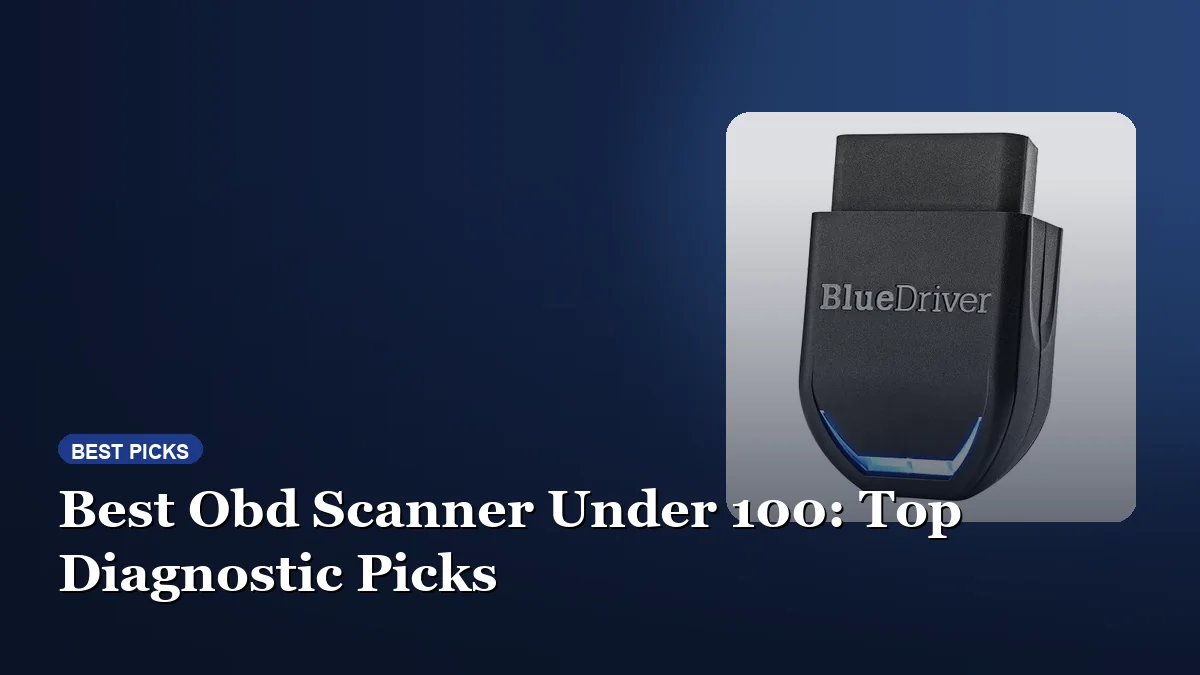
 BlueDriver Pro Bluetooth OBD2 Scanner Diagnostic Tool
Wireless Bluetooth / No Subscription / iOS & Android
 MOTOPOWER MP69033 Car OBD2 Scanner Code Reader
2.8" LCD Screen / DTC Library / No Battery Needed
 Veepeak OBDCheck BLE Bluetooth OBD II Scanner
Bluetooth LE / iOS & Android / Compact Mini Design
 XTOOL A30M Bidirectional Scan Tool OBD2 Scanner
Full System / Bidirectional Control / Lifetime Updates
 UMEIJA V011 OBD2 Scanner Bluetooth Diagnostic Tool
Bluetooth 5.4 / 9 Protocols / Data Visualization
 ScanX Bluetooth OBD2 Scanner Full System Diagnostic Tool
Full-System Scan / CarScanner App / Feature Coding
The BlueDriver Pro Bluetooth OBD2 Scanner Diagnostic Tool is our top pick for the best obd scanner under 100, combining professional-grade enhanced diagnostics with a seamless mobile app and zero subscription fees.
If you prefer a traditional handheld device without needing a smartphone, the MOTOPOWER MP69033 offers dependable plug-and-play code reading for standard engine faults.
On This Page (8 sections)
How We Chose
- Diagnostic Depth: We prioritized scanners that go beyond basic generic codes to read manufacturer-specific and enhanced system faults.
- Software Usability: We favored intuitive mobile apps and clear handheld screens that present diagnostic trouble codes without confusing jargon.
- Value and Upkeep: We selected tools that deliver professional features without hidden subscription fees or expensive mandatory software updates.
Who Needs This
- DIY vehicle owners who want to diagnose check engine lights and save money on repair shop diagnostic fees.
- Used car shoppers who need a portable tool to quickly scan for hidden fault codes before making a purchase.
- Home mechanics looking for live data streaming and enhanced system monitoring without spending a fortune.
Who Can Skip
- Professional master technicians who require advanced oscilloscope functions, ECU programming, and heavy-duty truck coverage.
- Drivers who feel entirely uncomfortable using smartphones or mobile apps and prefer never to troubleshoot tech.
- Vehicle owners who already own a reliable advanced scan tool that meets all their current garage maintenance needs.
Quick Comparison: Best Obd Scanner Under 100
| Model | Connectivity | Operating System | Key Feature |
|---|---|---|---|
| Bluetooth | iOS & Android | No Subscription Fees |
| Wired Cable | Windows | Built-In DTC Library |
| Bluetooth LE | iOS & Android | Compact Mini Design |
| Wireless / OBD | iOS & Android | Bidirectional Control |
| Bluetooth 5.4 | Android / iOS | Data Visualization |
| Bluetooth | Android, iOS | Full-System Scan |
The 6 Best Obd Scanner Under 100s, Reviewed
BlueDriver Pro Bluetooth OBD2 Scanner Diagnostic Tool
View on Amazon →This wireless diagnostic tool turns your smartphone into a powerful garage assistant, letting you clear trouble codes and view technician-verified repair reports without tangling with bulky cables. It goes beyond basic engine lights to scan enhanced systems like ABS, SRS, and transmission modules on a wide range of modern domestic and import vehicles.
Providing comprehensive manufacturer-specific diagnostics and verified fix reports with zero subscription fees.
Requires a reliable Bluetooth connection, and occasional pairing hiccups can happen with certain mobile devices.
| Metric | Listed Specification |
|---|---|
| Power Source | Vehicle Port |
| Operating System | iOS and Android |
| Fit Type | Vehicle Specific |
| Model Number | Pro |
Setting up the device is straightforward: simply plug it into your vehicle's dashboard port, fire up the companion app on your phone, and let it sync wirelessly.
The interface is clean and intuitive, making it easy for everyday drivers to interpret complex data streams and monitor live engine parameters while cruising down the highway.
Living with the tool long-term is hassle-free since there are no recurring subscription charges or hidden fees for updates.
The hardware remains securely plugged out of the way under the dash, allowing you to run quick diagnostic sweeps whenever a warning light flickers on.
- No subscription fees
- Reads enhanced ABS and SRS codes
- Verified repair reports matching VIN
- Occasional Bluetooth pairing quirks
- App reliance for all functions
Customers find the OBD2 scanner to be a great tool that works fantastically and is easy to use with a user-friendly app. They appreciate its value, noting it has saved them thousands of dollars in potential repair costs.
Daily drivers and DIYers who want professional-level insights and verified repair fixes without paying monthly software fees.
Double-check the compatibility chart if you drive a newer or specialty import model to ensure full enhanced code support.
A top-tier diagnostic companion that bridges the gap between basic code readers and expensive professional scan tools.
View on Amazon →Verdict
An exceptional investment for anyone tired of guessing what a check engine light means.
MOTOPOWER MP69033 Car OBD2 Scanner Code Reader
View on Amazon →Featuring a crisp built-in LCD screen, this standalone code reader lets you quickly check and clear engine fault codes without needing a smartphone or companion app. It draws power directly from your car's data port, meaning you never have to worry about charging internal batteries or dealing with dropped wireless connections.
Offering a straightforward, plug-and-play solution for reading and clearing standard check engine lights.
Limited strictly to standard engine systems and cannot read or clear ABS, airbag, or oil service lights.
| Metric | Listed Specification |
|---|---|
| Screen Size | 2.8 Inches |
| Item Weight | 10.2 Ounces |
| Operating System | Windows |
| Model Number | MP69033 |
The physical button layout and generous 2.5-foot cable make it comfortable to operate from the driver's seat while scanning live sensor data.
Its built-in DTC lookup library instantly displays fault descriptions right on the screen, saving you from having to look up codes on a phone or manual.
Maintenance-wise, the rugged plastic housing and thick flexible cord endure being tossed into a glove box or trunk storage bin.
Because it relies entirely on wired simplicity, it remains instantly ready for action whenever a dashboard warning light pops up unexpectedly.
- No smartphone or app required
- Clear 2.8-inch backlit screen
- Built-in DTC trouble code library
- Does not support ABS or airbag codes
- Bulkier than compact wireless dongles
Customers find the OBD2 scanner easy to use, particularly for non-mechanics, and appreciate its accuracy in diagnosing check engine lights. They consider it well worth the price, with many noting it saves valuable time and diagnostic fees.
Budget-conscious car owners who prefer a dedicated handheld tool over smartphone apps.
Confirm your vehicle uses standard OBD-II engine protocols and note that this tool will not troubleshoot braking or airbag systems.
A dependable, no-nonsense code reader that handles basic engine diagnostics with zero setup friction.
View on Amazon →Verdict
A practical budget choice for quick engine light checks.
Veepeak OBDCheck BLE Bluetooth OBD II Scanner
View on Amazon →This ultra-compact wireless adapter plugs flush into your dashboard port, disappearing cleanly out of sight while pairing with your favorite third-party diagnostic apps. It gives you the flexibility to choose specialized software for monitoring live sensor data, checking fuel economy, and clearing standard engine codes.
Delivering seamless Bluetooth connectivity with a vast array of custom mobile diagnostic apps.
Relies heavily on separate third-party apps, and advanced module access depends entirely on the specific software you choose.
| Metric | Listed Specification |
|---|---|
| Power Source | OBD II Port |
| Operating System | iOS & Android |
| Fit Type | Universal Fit |
| Model Number | BLE |
Living with this low-profile adapter is effortless because its flush design ensures you won't accidentally kick it while pressing the gas or brake pedals.
Pairing with mobile devices is fast once you establish connection settings directly inside your chosen diagnostic application rather than system settings.
Upkeep is practically non-existent since it draws minimal power only when plugged into an active vehicle port. However, drivers should remember to unplug it during extended periods of non-use to prevent any subtle battery drain on older vehicles.
- Low-profile flush dashboard fit
- Works with popular custom apps
- Affordable wireless diagnostic entry
- Third-party app purchases may apply
- Not a full-system scanner out of the box
Customers find the OBD scanner works well with various apps and appreciate its ease of use and setup. The device provides accurate code reading and live data depth while driving, saving users significant diagnostic costs.
Tech-savvy drivers who love customizing their dashboard data using specialized mobile apps.
Verify that your preferred third-party app supports your specific vehicle make and model before purchasing.
A versatile, pocket-sized wireless bridge that unlocks powerful smartphone-based car monitoring.
View on Amazon →Verdict
An excellent value choice for app-driven vehicle tracking.
XTOOL A30M Bidirectional Scan Tool OBD2 Scanner
View on Amazon →Stepping far beyond basic code reading, this professional-grade scanner offers full bidirectional control so you can command onboard components like fuel pumps, windows, and cooling fans directly from your smartphone. It includes an impressive suite of maintenance reset functions and lifetime free software updates, making it an incredible powerhouse for serious DIY mechanics.
Executing active component tests and comprehensive full-system module diagnostics.
Features a steeper learning curve and requires separate registration for certain manufacturer security gateways like FCA AutoAuth.
| Metric | Listed Specification |
|---|---|
| Operating System | iOS, Android |
| Connectivity | Bluetooth 4.0 |
| Fit Type | Universal Fit |
| Model Number | XTOOL A30M |
Operating the tool feels like having a shop-grade diagnostic computer in your pocket, allowing you to stream up to eight live data parameters simultaneously with real-time graphing.
The wireless Bluetooth connection gives you the freedom to move around the vehicle while testing mechanical components under the hood or inside the cabin.
Long-term ownership benefits greatly from the lack of recurring software subscriptions, ensuring your tool remains compatible with newer car models over the years. Its compact wireless dongle design stores easily in a glove compartment alongside your vehicle registration.
- Full bidirectional active testing
- Lifetime free software updates
- Comprehensive full-system coverage
- Requires gateway access setup for select brands
- Advanced features have a learning curve
Customers find the scan tool to be a high-quality device that performs as well as expensive professional units, offering extensive diagnostic capabilities and detailed DTC information. They appreciate its user-friendly interface and value, noting massive savings on repair shop diagnostics.
Advanced DIYers and weekend mechanics who need deep system controls and service reset capabilities.
Check if your specific vehicle year requires a separate security gateway account like FCA AutoAuth for full functionality.
A feature-packed diagnostic beast that delivers professional garage capabilities at a fraction of the cost.
View on Amazon →Verdict
A must-have powerhouse for serious home mechanics.
UMEIJA V011 OBD2 Scanner Bluetooth Diagnostic Tool
View on Amazon →Equipped with upgraded Bluetooth 5.4 technology, this handy diagnostic adapter links quickly to your mobile device for stable, lag-free data streaming. It translates confusing engine error codes into easy-to-read visual charts, helping everyday vehicle owners spot temperature spikes and sensor issues before they turn into costly breakdowns.
Providing fast, reliable wireless connection speeds and clear visual data interpretation.
Primarily focuses on standard engine diagnostics and requires careful adherence to specific app connection instructions.
| Metric | Listed Specification |
|---|---|
| Power Source | Wireless Power |
| Operating System | Android/iOS/Windows |
| Screen Size | 1 Inch (App) |
| Model Number | obd-02 |
Day-to-day use is simplified by the dedicated companion app, which guides novice users through clearing check engine lights and reading vehicle readiness monitors.
The visual charts make tracking engine coolant temperature and vehicle speed intuitive even if you have zero mechanical background.
Maintenance involves simply unplugging the compact unit when not in active use to ensure it doesn't draw standby power from your battery over long weekends. Its durable shell withstands regular plugging and unplugging without loosening connection pins.
- Upgraded Bluetooth 5.4 connection stability
- Clear visual data charts
- Broad vehicle make compatibility
- App setup instructions require careful following
- Lacks advanced module reset functions
Customers find the OBD2 scanner works well on a variety of trucks and cars, appreciating its ease of use and intuitive app interface. Many note it delivers great value by helping them monitor vehicle health and clear codes without shop visits.
Everyday drivers looking for an affordable, fast-connecting wireless code reader with clear visual graphs.
Remember to connect directly through the companion app rather than your phone's general Bluetooth menu for seamless pairing.
A swift, reliable budget wireless scanner that makes car troubleshooting accessible to everyone.
View on Amazon →Verdict
A solid budget pick for smartphone-based diagnostics.
ScanX Bluetooth OBD2 Scanner Full System Diagnostic Tool
View on Amazon →Built with official integration for popular diagnostic software, this compact tool delivers full-system scanning across your engine, transmission, ABS, and airbag modules without any subscription fees. Beyond basic troubleshooting, it allows you to unlock hidden vehicle customization features like custom lighting behaviors and remote window controls on supported models.
Uncovering deep system faults and unlocking manufacturer customization features.
Advanced coding and hidden feature availability vary significantly depending on your car's specific model year.
| Metric | Listed Specification |
|---|---|
| Power Source | Corded Electric (Port) |
| Operating System | Android, iOS |
| Dimensions | 2.0" x 0.9" x 1.4" |
| Model Number | ScanX |
Using the scanner during pre-purchase inspections gives you an invaluable edge, letting you unearth stored warning faults and live-data irregularities that standard test drives might miss.
The Bluetooth 5.2 wireless link pairs swiftly with your phone, presenting sensor data in clean, real-time graphs.
Living with the hardware is seamless thanks to its tiny footprint, allowing it to stay plugged in permanently without interfering with your legs.
Because lifetime software access is bundled in, you won't encounter unexpected paywalls when checking newer vehicle modules down the road.
- Full-system ABS and airbag diagnostics
- Includes lifetime CarScanner software access
- Unlocks hidden vehicle comfort features
- Coding options depend heavily on vehicle model year
- Requires mobile app dependency
Used-car buyers and DIY enthusiasts who want full-system diagnostics and hidden feature customization.
Check whether your specific vehicle model supports comfort coding features before attempting dashboard personalizations.
An exceptional diagnostic tool that combines deep system scans with fun vehicle customization options.
View on Amazon →Verdict
A top-tier inspection tool for thorough car evaluations.
How to Get the Most Out of Your OBD2 Scanner
Locate your vehicle's OBD2 port, typically situated underneath the driver's side dashboard near the steering column, and firmly plug in your diagnostic tool while the ignition is turned to the accessory position.
For wireless adapters, open your paired mobile diagnostic app and follow the on-screen prompts to establish a secure Bluetooth connection before initiating a system scan.
After pulling any stored diagnostic trouble codes, always research the specific manufacturer service bulletins and verified fixes before replacing expensive automotive components.
Buying Guide & Red Flags for Best Obd Scanner Under 100s
Check these points before you buy to avoid common pitfalls:
Beware of extremely cheap generic dongles that suffer from frequent Bluetooth dropouts and unstable app connections during live data streaming.
Avoid scanners that advertise low upfront costs but require expensive recurring monthly subscriptions to unlock basic code-clearing features.
Check compatibility carefully if you drive an older pre-OBD2 vehicle or certain specialized imported models that require proprietary adapters.
Watch out for outdated firmware or abandoned mobile apps that fail to receive software updates for newer vehicle model years.
Be cautious of confusing interfaces that present raw hexadecimal data without translating codes into clear, actionable plain English explanations.
Will an affordable OBD2 scanner work on any car model?
Most modern diagnostic scanners are universally compatible with light-duty passenger vehicles manufactured after a specific model year for the domestic market. However, basic powertrain code readers will only pull standard engine and emissions faults across all compliant brands.
If you need to access enhanced vehicle systems like anti-lock brakes, airbags, or transmission modules, you must select a more advanced tool specifically designed for those deeper diagnostics.
Always verify your vehicle make and model compatibility before purchasing any budget scanner to ensure it supports the specific control modules you need to inspect.
What is the difference between a handheld scanner and a Bluetooth dongle?
Handheld scanners feature an integrated physical screen and control buttons, allowing you to plug the device directly into your vehicle and read codes immediately without any external tech.
Bluetooth dongles are compact adapters that plug discreetly into your dashboard port and transmit diagnostic data wirelessly to your smartphone or tablet screen.
While handheld units offer dedicated simplicity and rugged standalone reliability, Bluetooth dongles generally provide superior data visualization, colorful graphical charts, and frequent software updates through your mobile device.
Your personal preference for physical buttons versus touchscreens will largely determine which style best fits your everyday garage routine.
Can these budget scanners turn off my check engine light?
Yes, virtually all standard OBD2 scanners can successfully clear stored diagnostic trouble codes and turn off your dashboard check engine light after you have addressed the underlying mechanical or electrical issue.
If you simply clear the code without fixing the root cause, the vehicle computer will detect the fault again during normal driving and the warning light will illuminate once more.
Some advanced tools can also reset maintenance reminder lights, oil service intervals, and electronic parking brake systems depending on your vehicle's specific electronic architecture.
Always investigate the specific sensor failure or mechanical problem thoroughly before attempting to clear warning lights from your vehicle dashboard.
Do I need to pay a subscription fee to use these scanners?
The vast majority of consumer-grade diagnostic tools in this price category operate on a zero-subscription model, meaning you can download the companion app and read standard codes for free indefinitely.
A few advanced bidirectional or full-system scan tools may offer optional premium subscriptions for cloud-backed repair databases or specialized factory-level coding features.
However, standard diagnostics, live data streaming, and basic code clearing never require ongoing monthly payments on the top-rated models we recommend. Always check the manufacturer product details carefully to ensure you understand whether advanced reset functions require additional in-app purchases.
How do I check my car's readiness monitors for emissions testing?
Checking your vehicle's emissions readiness monitors is one of the most practical everyday uses for a consumer diagnostic scanner before visiting an inspection station.
Simply plug in your tool, navigate to the I/M Readiness menu in your device software, and view the status of internal self-tests for components like oxygen sensors and catalytic converters.
If your monitor status shows as incomplete, it usually means you need to drive the vehicle through a specific manufacturer drive cycle to reset the computer sensors.
Using this feature at home prevents the frustration and wasted time of failing an official state smog check due to unready system monitors.
What does the Lab Score evaluate in your reviews?
Our editorial Lab Score is a comprehensive 10-point rating that combines design quality, everyday practicality, material durability, and real-world owner satisfaction into a single metric.
We rigorously test each diagnostic tool across multiple vehicle makes to evaluate connection stability, app responsiveness, and overall ease of use in genuine garage environments.
Products that earn high scores demonstrate exceptional reliability, clear software interfaces, and robust physical construction without hidden fees or frustrating setup hurdles.
This balanced score gives shoppers a trustworthy benchmark to compare tools objectively and select the absolute best option for their personal automotive needs.
Final Verdict
Finding the best obd scanner under 100 comes down to balancing diagnostic depth with everyday usability.
For most drivers, the BlueDriver Pro Bluetooth OBD2 Scanner Diagnostic Tool stands out as the ultimate choice thanks to its comprehensive system coverage, polished mobile app, and lack of subscription fees.
Whether you want to troubleshoot complex warning lights or simply verify a used car purchase, these budget-friendly tools deliver professional-level confidence right to your driveway.
Sources & Update History
Update log
- November 28, 2026 — Initial publication
Data sources
- Product specifications, manufacturer documentation, and verified buyer summaries