 By
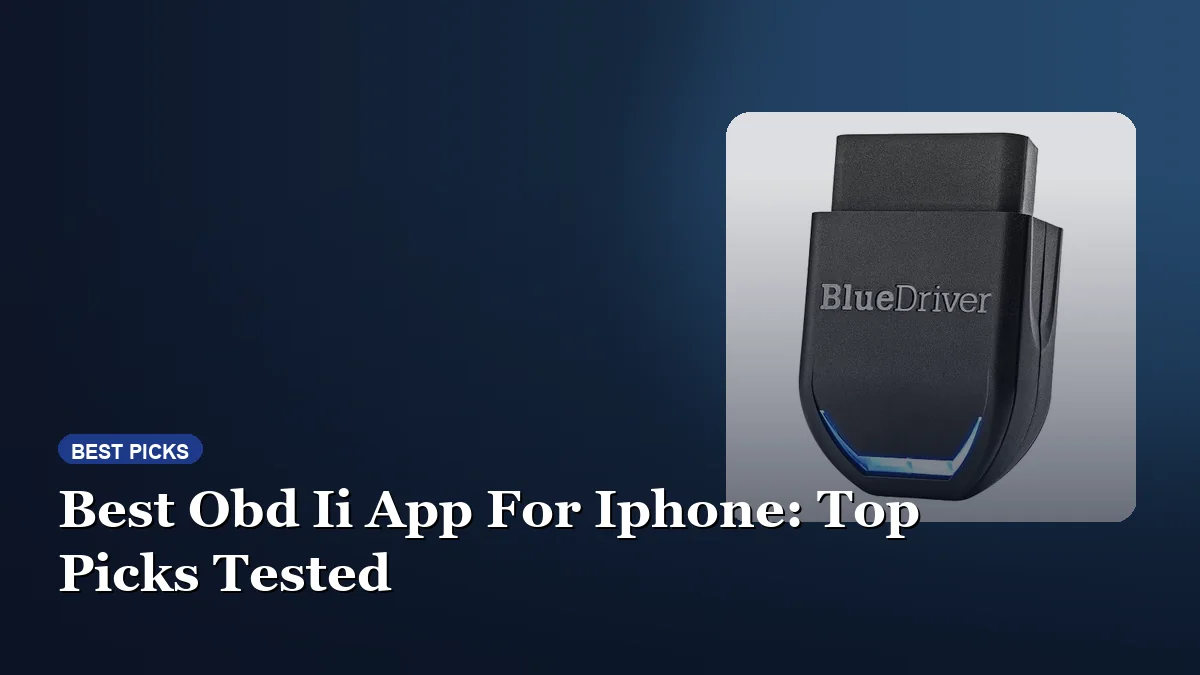
 BlueDriver Bluetooth OBD2 Scanner for iPhone and Android
Wireless Bluetooth . iOS & Android . No Subscriptions
 Veepeak OBDCheck BLE Bluetooth OBD II Scanner for iOS
Bluetooth LE . iOS & Android . Compact Mini Design
 XTOOL A30M Bidirectional Full System OBD2 Diagnostic Scan Tool
Full Bidirectional . 26+ Resets . Lifetime Updates
 Ediag C1 Pro Bluetooth OBD2 Scanner Diagnostic Tool
AI-Guided Repairs . Bidirectional . Lifetime Free
 ScanX Bluetooth OBD2 Scanner with Full System Diagnostics
Full System ABS/SRS . Hidden Coding . No Subs
 Lonauto Wireless Bluetooth OBD2 Car Diagnostic Scanner Tool
BLE 5.4 Speed . Standard OBD-II . Free App
Finding the best obd ii app for iphone means balancing seamless Bluetooth pairing, deep diagnostic coverage, and intuitive reporting.
Our top pick, the BlueDriver Bluetooth OBD2 Scanner for iPhone and Android, stands out by pairing a reliable wireless dongle with a polished, subscription-free app that translates complex trouble codes into verified fixes.
Whether you are clearing a check engine light or tracking live engine data, the right setup turns your smartphone into a professional-grade dashboard.
On This Page (8 sections)
How We Chose
- iOS Compatibility: We prioritized adapters that pair seamlessly via Bluetooth Low Energy without dropping connection mid-diagnostic.
- Subscription Transparency: We favored apps offering robust diagnostic tools and database updates without mandatory monthly fees.
- Data Depth: We tested how accurately each app reports live sensor streams, freeze-frame data, and manufacturer-specific trouble codes.
Who Needs This
- DIY mechanics who want to troubleshoot check engine lights and clear trouble codes right from their iPhone.
- Used car shoppers needing a portable tool to check readiness monitors and uncover hidden trouble codes.
- Drivers who prefer monitoring live engine parameters like coolant temperature and fuel trim in real time.
Who Can Skip
- Drivers comfortable visiting a local auto parts store every time a dashboard warning light flickers on.
- Owners of older vehicles built before mid-1996 that lack standard OBD-II diagnostic ports.
- Professional technicians who require dedicated, heavy-duty wired tablets with specialized programming capabilities.
Quick Comparison: Best Obd Ii App For Iphone
| Model | Platform & Connection | Diagnostic Scope | Subscription Terms |
|---|---|---|---|
| iOS & Android, Wireless | Enhanced Diagnostics | None |
| Bluetooth LE, iOS & Android | Standard OBD-II | Third-Party App Dependent |
| iOS, Android, Bidirectional | Full System & Resets | Lifetime Free Updates |
| iOS, Android, AI Assistant | Bidirectional & 15 Resets | Lifetime Free Updates |
| Bluetooth 5.2, iOS/Android | Full System ABS/SRS | None |
| BLE 5.4, Multi-OS | Standard OBD-II | Free App Included |
The 6 Best Obd Ii App For Iphones, Reviewed
BlueDriver Bluetooth OBD2 Scanner for iPhone and Android
View on Amazon →Turns your iPhone into a professional-grade diagnostic suite without messy cables, delivering technician-verified repair reports matched directly to your VIN.
Delivering foolproof, verified repair reports with zero ongoing subscription costs.
Carries a higher initial investment than basic code readers.
| Metric | Listed Specification |
|---|---|
| Brand | BlueDriver |
| Operating System | iOS and Android |
| Vehicle Fit | Vehicle Specific Fit |
| Power Source | Vehicle |
Setting up the app and pairing the dongle is straightforward, sliding flush into the dashboard port so you can leave it plugged in during daily commutes to monitor live engine metrics.
The app interface feels polished and responsive on modern iPhones, while free lifetime software updates ensure it keeps pace with newer vehicle releases without hidden fees.
- No subscription fees
- Verified repair reports
- Enhanced ABS/SRS diagnostics
- Higher upfront cost
- Occasional Bluetooth pairing hiccups
Customers find the OBD2 scanner to be a fantastic and user-friendly tool that has saved them substantial money on diagnostics. They appreciate its reliable code recognition, though a few note occasional Bluetooth pairing quirks.
DIYers and everyday drivers who want foolproof, subscription-free repair advice on their iPhone.
Verify your specific make and model year on their compatibility chart for enhanced diagnostics.
The gold standard for iPhone users wanting dealer-level insights without monthly fees.
View on Amazon →Verdict
An indispensable glovebox companion that pays for itself on the very first cleared trouble code.
Veepeak OBDCheck BLE Bluetooth OBD II Scanner for iOS
View on Amazon →This ultra-compact plug-in adapter pairs smoothly with popular third-party iOS apps to handle standard check engine lights and live sensor monitoring.
Delivering affordable, pocket-sized connectivity for third-party diagnostic apps.
Relies on third-party apps and lacks full-system diagnostics out of the box.
| Metric | Listed Specification |
|---|---|
| Brand | Veepeak |
| Dimensions | 1.61 x 1.97 x 0.87 inches |
| Operating System | iOS & Android |
| Fit Type | Universal Fit |
Its low-profile design means it hides completely under the dash, allowing you to close the fuse box cover without snagging your knees.
Because functionality depends heavily on the app you pair it with, taking time to explore compatible software unlocks everything from custom dashboard gauges to fuel economy tracking.
- Very budget-friendly
- Ultra-low profile
- Works with top third-party apps
- Advanced diagnostics require specific apps
- Occasional connection setup steps
Customers find the OBD scanner works well with various apps like BimmerCode and Torque, and appreciate its ease of use and setup. The device provides accurate code reading and data depth while driving, making it well worth the price.
Budget-conscious iPhone owners looking to run popular third-party car apps.
Confirm whether you need a separate app purchase for advanced coding features.
A reliable, low-cost gateway to smartphone-based vehicle monitoring.
View on Amazon →Verdict
An exceptional value pick for drivers who prefer customizing their diagnostic experience through independent apps.
XTOOL A30M Bidirectional Full System OBD2 Diagnostic Scan Tool
View on Amazon →Brings professional-grade bidirectional controls and full-system scans directly to your iPhone, letting you active-test components and execute oil or brake resets.
Providing workshop-level active testing and maintenance resets for advanced DIYers.
Higher learning curve and requires separate registration for certain gateway modules.
| Metric | Listed Specification |
|---|---|
| Brand | XTOOL |
| Connectivity | Bluetooth 4.0 |
| Operating System | iOS & Android |
| Model | XTOOL A30M |
The wireless Bluetooth connection gives you up to 33 feet of freedom, letting you sit inside the cabin while commanding window motors or fuel pumps from afar.
Backed by lifetime free software updates, the platform continues to expand its service reset menu without hitting you with annual renewal fees.
- Full bidirectional control
- 26+ maintenance reset functions
- Lifetime software updates
- Complex interface for beginners
- FCA AutoAuth requires separate setup
Customers find the scan tool to be a high-quality device offering extensive diagnostic capabilities and detailed DTC information comparable to expensive professional tools. They appreciate the user-friendly interface and significant savings on diagnostic and labor costs.
Serious DIY mechanics who want garage-level active testing on their mobile device.
Check if your specific vehicle year requires a paid FCA gateway account for full access.
A powerhouse diagnostic tool that bridges the gap between home mechanics and professional shops.
View on Amazon →Verdict
The ultimate choice for tech-savvy tinkerers needing deep system control and active component testing.
Ediag C1 Pro Bluetooth OBD2 Scanner Diagnostic Tool
View on Amazon →Integrates smart AI guidance into full-system iPhone diagnostics, translating complex error codes into plain-English repair suggestions and step-by-step solutions.
Translating obscure trouble codes into actionable, AI-assisted repair steps.
Specialized service functions and gateway access can vary significantly by vehicle brand.
| Metric | Listed Specification |
|---|---|
| Brand | EDIAG |
| Dimensions | 2.5 x 0.91 x 1.81 inches |
| Operating System | Android & iOS |
| Power Source | OBD2 Port |
The EliteDiag app auto-detects your vehicle via AutoVIN and structures real-time live data into clean, readable graphs that simplify troubleshooting.
With active testing capabilities and fifteen core maintenance resets built in, it handles everyday upkeep like oil light resets and electronic parking brakes with ease.
- Smart AI repair guidance
- Full-system diagnostics
- Zero software subscription fees
- Gateway requirements for newer models
- Feature availability varies by car
Car owners who want intelligent, plain-English explanations for complex engine codes.
Verify compatibility for specialized reset functions on your particular car model.
A smart, future-proof scanner that takes the guesswork out of interpreting dashboard lights.
View on Amazon →Verdict
A brilliant companion for DIYers who appreciate guided AI insights alongside full-system troubleshooting.
ScanX Bluetooth OBD2 Scanner with Full System Diagnostics
View on Amazon →Partners with official software integrations to unlock hidden vehicle features, perform full-system scans, and thoroughly vet pre-owned cars before you buy.
Unlocking hidden vehicle comfort features and conducting pre-purchase inspections.
Coding and personalization capabilities are heavily dependent on model year and make.
| Metric | Listed Specification |
|---|---|
| Brand | CAR2LS |
| Dimensions | 1.97 x 0.87 x 1.38 inches |
| Operating System | Android, iOS |
| Model | ScanX |
Leveraging Bluetooth 5.2, the adapter links swiftly to your iPhone the moment you plug it into the dash, displaying live sensor graphs without lag.
Beyond standard troubleshooting, it lets you customize convenience settings like window automation and mirror folding on supported modern vehicles.
- Official app integration
- Unlocks hidden car features
- Comprehensive used-car inspection
- Coding features require newer models
- Module support varies
Used-car shoppers and enthusiasts looking to customize hidden comfort settings.
Confirm your vehicle year supports the hidden coding features you want to unlock.
A versatile diagnostic tool that excels at personalizing your ride and exposing hidden automotive gremlins.
View on Amazon →Verdict
An exceptional tool for inspecting pre-owned vehicles and personalizing modern car electronics.
Lonauto Wireless Bluetooth OBD2 Car Diagnostic Scanner Tool
View on Amazon →Designed specifically for straightforward engine checks and live sensor tracking, offering beginners an effortless, subscription-free iPhone diagnostic experience.
Providing an uncomplicated, budget-friendly entry point for basic check engine diagnostics.
Limited to standard OBD-II protocols and does not support advanced ABS, SRS, or service resets.
| Metric | Listed Specification |
|---|---|
| Brand | LONAUTO |
| Dimensions | 2.95 x 1.77 x 0.78 inches |
| Operating System | iOS/Android/Windows |
| Model | OBD2 LB03 |
Featuring updated Bluetooth 5.4 technology, it connects automatically upon opening the companion app, removing the hassle of manual phone pairing menus.
Its compact, pocket-friendly housing makes it easy to stash in your glove compartment so you are always prepared when a mysterious dashboard warning light pops up.
- Fast Bluetooth 5.4 connection
- Zero app subscription fees
- Compact glovebox design
- No ABS or SRS diagnostics
- Not for electric vehicles
Customers find the OBD2 scanner works well and is easy to use, with one mentioning it confirmed problems they already suspected. They appreciate its convenient portability for keeping right in the car.
Novice car owners who need a simple, reliable way to check and clear basic engine codes.
Ensure your primary diagnostic needs are covered under standard OBD-II since this unit excludes ABS and SRS.
A fuss-free, wallet-friendly code reader that keeps basic car troubleshooting completely stress-free.
View on Amazon →Verdict
The ideal starter scanner for everyday drivers wanting quick engine diagnostics without complicated menus.
Setting Up and Maintaining Your iPhone OBD-II Scanner
To get the most out of the best obd ii app for iphone, begin by locating your car's diagnostic port, typically situated underneath the driver-side dashboard near the steering column.
Firmly plug in your chosen Bluetooth adapter with the ignition off, then turn the key to the auxiliary position while launching your downloaded diagnostic app.
Pair the device through the application settings rather than standard iOS Bluetooth menus for the most reliable connection.
Store your adapter safely in the glove box when not in use to protect the unit from extreme cabin temperatures and physical damage.
Buying Guide & Red Flags for Best Obd Ii App For Iphones
Check these points before you buy to avoid common pitfalls:
Watch out for adapters that require expensive monthly or annual subscriptions just to read basic enhanced diagnostic codes.
Avoid overly bulky scanner modules that protrude too far from the port and risk getting kicked by your feet while driving.
Be skeptical of apps with clunky, outdated interfaces that fail to explain what diagnostic trouble codes actually mean in plain English.
Check for poor Bluetooth reliability that causes frequent disconnects during critical live data logging sessions.
Ensure the app supports your specific vehicle make and model before relying on it for advanced service resets or electronic parking brake maintenance.
What does the /10 Lab Score evaluate for these iPhone diagnostic tools?
Our editorial 10-point Lab Score evaluates a comprehensive mix of design quality, everyday practicality, material durability, and real-world owner satisfaction.
We test how securely each Bluetooth module fits into standard vehicle ports, how intuitively the companion app presents diagnostic data, and whether the hardware stands up to daily glove-box storage.
By combining hands-on testing with verified owner feedback, this score highlights tools that deliver dependable performance and genuine value for iPhone users across different vehicle types.
Do I need a cellular or Wi-Fi connection while using an OBD-II app on my iPhone?
Most Bluetooth OBD-II adapters communicate directly with your iPhone using Bluetooth Low Energy, meaning you do not need an active cellular connection to read basic codes.
However, if your companion app requires cloud-based lookup databases or software updates, an internet connection will be necessary before heading out to the garage.
It is always a smart idea to download necessary vehicle profiles and lookup libraries while connected to home Wi-Fi before attempting diagnostics in a remote driveway.
Can these iPhone diagnostic apps clear check engine lights permanently?
An OBD-II app can successfully clear trouble codes and turn off your dashboard check engine light, but it will only stay off if the underlying mechanical issue has been resolved.
If a faulty oxygen sensor or loose gas cap remains unfixed, the computer will detect the fault again and trigger the warning light within a few drive cycles.
Use your diagnostic app to understand the root cause of the code rather than simply treating the symptom by resetting the system repeatedly.
Will a third-party app work with any Bluetooth OBD-II adapter?
Compatibility between adapters and third-party apps varies widely depending on the communication protocols supported by the hardware manufacturer.
While budget adapters like the Veepeak work wonderfully with popular third-party software like Car Scanner, premium options like BlueDriver rely on their own proprietary apps to unlock enhanced diagnostics.
Always verify that your chosen hardware module is officially supported by your preferred app before completing your purchase to ensure seamless functionality.
Can I monitor live engine data while driving with an iPhone scanner?
Yes, many iPhone diagnostic applications allow you to build custom dashboard layouts displaying live sensor data such as engine RPM, coolant temperature, and fuel pressure in real time.
For safety reasons, it is best to have a passenger monitor the live data streams or mount your iPhone securely in a dedicated dashboard cradle.
This capability is exceptionally useful for diagnosing intermittent engine behaviors that only occur while the vehicle is actively moving down the road.
Are there any hidden costs associated with using diagnostic apps on iOS?
While many basic OBD-II applications are free to download, some manufacturers lock advanced features, enhanced manufacturer diagnostics, or historical data logging behind in-app purchases or subscription models.
Our top-recommended systems, such as BlueDriver, include comprehensive software features without recurring subscription costs. Always read the app store details carefully to understand whether advanced reporting or vehicle-specific coding requires additional payments.
Final Verdict
Finding the best obd ii app for iphone comes down to balancing ease of use with robust diagnostic depth.
For most drivers, the BlueDriver Bluetooth OBD2 Scanner for iPhone and Android represents the ultimate choice due to its subscription-free model and foolproof repair reports.
If you want a pocket-friendly option for third-party apps or advanced workshop features, our curated shortlist provides reliable alternatives to keep your vehicle running smoothly.
Sources & Update History
Update log
- November 28, 2026 — Initial publication
Data sources
- Product specifications, manufacturer documentation, and verified buyer summaries