 By
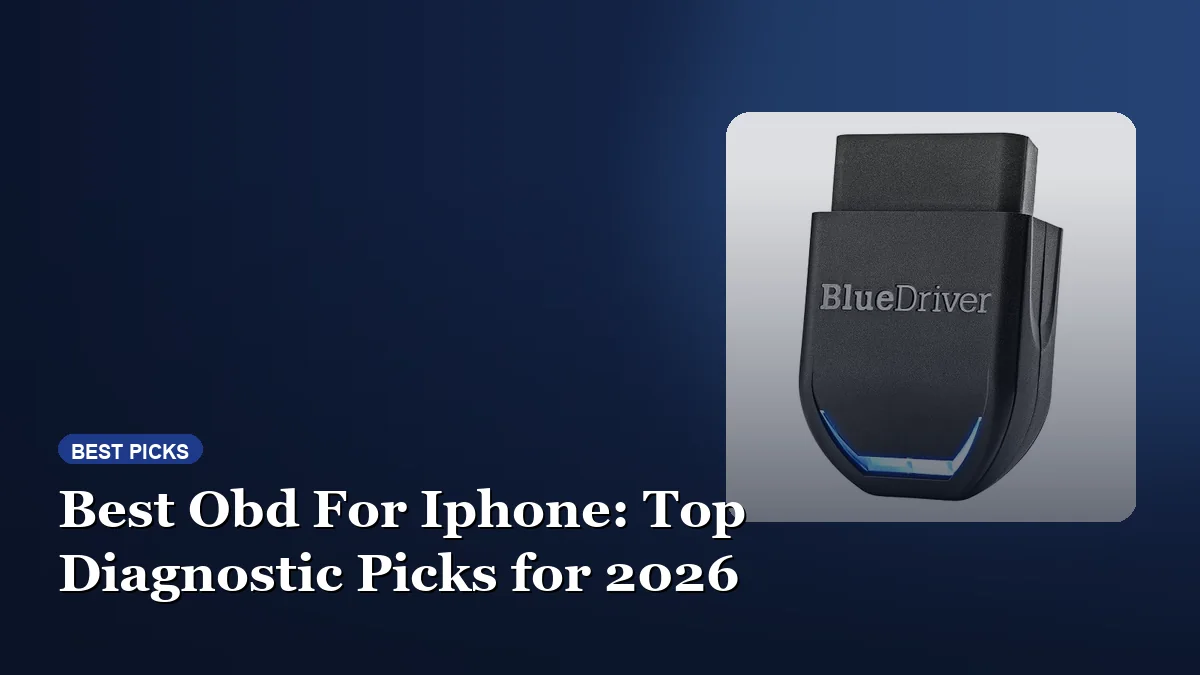
 BlueDriver OBD2 Scanner Bluetooth Professional Diagnostic Tool for iPhone
Wireless Bluetooth | No Subscriptions | Enhanced Diagnostics
 Veepeak OBDCheck BLE Bluetooth OBD II Scanner for iOS
Compact Mini Design | iOS & Android | Standard OBD-II
 OBDLink MX+ OBD2 Bluetooth Scanner for iPhone and Android
Blazing Fast Speed | Enhanced OEM Support | Battery Protection
 BLCKTEC 430 Bluetooth OBD2 Scanner for iPhone and Android
No Subscription Fee | RepairSolutions2 App | ABS & SRS
 OBD2 Scanner Diagnostic Tool Car Scanner for iOS and Android
Bluetooth 5.4 | 9 Protocols | Real-Time Charts
 ScanX Bluetooth OBD2 Scanner Full System ABS SRS
Full System Diagnostics | Lifetime CarScanner App | Coding Options
The BlueDriver OBD2 Scanner Bluetooth Professional Diagnostic Tool for iPhone is our top pick for its unmatched blend of verified repair reports and intuitive iOS app integration. For budget-conscious shoppers, alternatives like the Veepeak offer reliable standard code reading.
Ultimately, the best model depends on whether you need deep manufacturer diagnostics or basic code clearing.
On This Page (8 sections)
How We Chose
- iOS Integration: We prioritized adapters with robust, frequently updated iPhone apps that maintain stable Bluetooth connections without constant dropouts.
- Diagnostic Depth: We tested how well each tool handles deep system checks like ABS, SRS, and manufacturer-specific trouble codes.
- Value and Upgrades: We favored devices offering lifetime software updates and comprehensive reporting without locking essential features behind paywalls.
Who Needs This
- DIY car owners who want to diagnose and clear check engine lights straight from their iPhones.
- Used car shoppers needing to check system monitors and read hidden fault codes before purchasing.
- Tech-savvy drivers who love monitoring live engine telemetry, fuel economy, and coolant temps in real time.
Who Can Skip
- Drivers who prefer traditional wired handheld diagnostic scan tools with built-in physical screens.
- Vehicle owners who never look at dashboard warning lights and prefer visiting a mechanic for any minor glitch.
- Owners of older pre-OBD2 vehicles manufactured before 1996.
Quick Comparison: Best Obd For Iphone
| Model | Platform Compatibility | Connection Type | Diagnostic Scope |
|---|---|---|---|
| iOS & Android | Wireless Bluetooth | Enhanced Diagnostics |
| iOS & Android | Bluetooth LE | Standard OBD-II |
| iOS, Android, Windows | Bluetooth | Advanced OEM Support |
| iOS & Android | Vehicle Port | ABS & SRS Systems |
| iOS, Android, Windows | Bluetooth 5.4 | 9 Standard Protocols |
| iOS & Android | Bluetooth 5.2 | Full System Coding |
The 6 Best Obd For Iphones, Reviewed
BlueDriver OBD2 Scanner Bluetooth Professional Diagnostic Tool for iPhone
View on Amazon →Turns your iPhone into a professional diagnostic tool without messy cables or hidden fees. It delivers verified repair reports matched directly to your VIN so you can tackle check engine lights with total confidence.
Delivering technician-verified repair reports with zero subscription fees.
Higher initial price point compared to basic generic code readers.
| Metric | Listed Specification |
|---|---|
| Power Source | Vehicle Port |
| Operating System | iOS / Android |
| Automotive Fit | Vehicle Specific Fit |
| Model | Pro |
Plugs seamlessly into your vehicle's under-dash port and pairs quickly with your iPhone via wireless Bluetooth. The companion app organizes complex diagnostic data into clear, easy-to-read dashboards that everyday drivers can navigate without a mechanic's background.
Built for long-term reliability in glove compartments or center consoles. It requires no routine maintenance or batteries, drawing power directly from the car whenever it is plugged in for a quick diagnostic check.
- No subscription fees ever
- Comprehensive enhanced diagnostics
- Verified repair reports matched to VIN
- Higher initial cost
- Occasional Bluetooth pairing hitches
Owners love how easily this tool translates complex fault codes into plain English, saving them significant diagnostic fees at the repair shop. While pairing is usually straightforward, a few users note occasional Bluetooth connection drops during busy sessions.
Drivers who want dealer-level diagnostics and verified repair guidance directly on their iPhone.
Confirm your specific vehicle make and model are fully supported for enhanced ABS and SRS diagnostics.
The ultimate iPhone OBD scanner for everyday drivers who want professional insights without recurring fees.
View on Amazon →Verdict
An indispensable glove-box companion that easily earns our top recommendation.
Veepeak OBDCheck BLE Bluetooth OBD II Scanner for iOS
View on Amazon →A pocket-sized wireless adapter that pairs with popular third-party apps to read and clear check engine codes on your iPhone. It offers an affordable entry point for everyday drivers who want basic vehicle health tracking.
Providing budget-friendly standard OBD-II diagnostics through third-party apps.
Relies entirely on third-party apps and lacks advanced factory-level diagnostics out of the box.
| Metric | Listed Specification |
|---|---|
| Power Source | OBD II Port |
| OS Compatibility | iOS & Android |
| Connectivity | Bluetooth LE |
| Model Number | BLE |
The ultra-low profile design sits completely flush in most vehicle footwells, meaning you can leave it plugged in permanently without bumping your knees. Setup requires connecting through your preferred diagnostic app rather than standard phone settings.
Constructed from durable hard plastics designed to withstand temperature shifts inside parked cars. It requires no upkeep and draws minimal power, though you should unplug it during extended storage to protect older car batteries.
- Extremely affordable price point
- Low-profile flush fit design
- Works with a wide variety of apps
- Advanced diagnostics require specific apps
- No built-in proprietary software
Users praise its seamless compatibility with popular third-party coding apps and its impressive budget-friendly value. Some note that initial Bluetooth setup requires careful attention to app-specific instructions rather than standard phone pairing.
Budget-conscious iPhone users looking for a reliable, low-profile check engine reader.
Ensure your chosen third-party app supports the specific vehicle features you want to monitor.
A dependable, minimalist adapter that delivers great everyday value for standard diagnostic tasks.
View on Amazon →Verdict
The top pick for shoppers seeking affordable, app-driven diagnostics.
OBDLink MX+ OBD2 Bluetooth Scanner for iPhone and Android
View on Amazon →Engineered for speed and deep OEM coverage, this high-performance adapter transforms your iPhone into a professional-grade tuning and diagnostic hub. It features built-in battery drain protection so you can leave it plugged in worry-free.
Delivering lightning-fast data refresh rates and deep manufacturer-specific diagnostics.
Premium price tier that may exceed the needs of casual daily drivers.
| Metric | Listed Specification |
|---|---|
| Power Source | Vehicle Port |
| Operating System | iOS, Android, Windows |
| Model Number | MX201 |
| Connectivity | Bluetooth Wireless |
The robust build quality feels noticeably sturdier than standard plastic dongles, featuring an intuitive pairing button and clear status LEDs. It connects instantly to your iPhone with zero lag, providing real-time parameter streaming for performance tracking.
Designed with smart power management that automatically enters sleep mode, protecting your vehicle's battery during long periods of inactivity. It requires no maintenance beyond occasional firmware updates pushed through the companion app.
- Lightning-fast data refresh rates
- Built-in battery drain protection
- Deep manufacturer-specific OEM coverage
- Higher upfront investment
- Steeper learning curve for advanced features
Customers frequently highlight its exceptional speed and robust compatibility with specialized vehicle coding software. A few mention that mastering the advanced parameter settings takes some patience if you are new to deep automotive diagnostics.
Enthusiasts and DIYers who demand lightning-fast data speeds and deep manufacturer-level access.
Check if your preferred vehicle modification app fully supports this specific adapter model.
A top-tier diagnostic tool built for speed, reliability, and advanced vehicle customization.
View on Amazon →Verdict
The premier choice for tech-savvy drivers and vehicle enthusiasts.
BLCKTEC 430 Bluetooth OBD2 Scanner for iPhone and Android
View on Amazon →Paired with an extensive library of video guides, this smart diagnostic scanner guides you step-by-step through home car repairs. It clears check engine lights and reads critical ABS and SRS codes without any hidden subscription fees.
Providing actionable DIY repair video tutorials paired with full system scans.
Regional restriction limited primarily to the US and Canadian vehicle market.
| Metric | Listed Specification |
|---|---|
| Power Source | Vehicle Port |
| Operating System | iOS and Android |
| Model Number | 430 |
| Region | USA and Canada |
The compact housing plugs smoothly into the dashboard port and powers up instantly with a clear indicator light. Connecting through the RepairSolutions2 app is straightforward once you bypass standard phone Bluetooth settings and follow the in-app prompts.
Built for long-lasting durability in home garages and glove compartments alike. It requires no battery replacements or physical maintenance, relying on robust software updates to keep your vehicle database current.
- Comprehensive DIY repair video library
- No recurring subscription costs
- Reads ABS and airbag codes
- App-only pairing process can confuse beginners
- Limited outside North America
Users appreciate the practical video guides and clear step-by-step instructions that make tackling home garage repairs much less intimidating. Some note that initial Bluetooth pairing requires strict adherence to the app's unique connection sequence.
Home mechanics who want guided video tutorials alongside clear diagnostic codes.
Verify your vehicle year and model using their online compatibility checker before purchasing.
An educational, subscription-free diagnostic tool that bridges the gap between code reading and actual garage repairs.
View on Amazon →Verdict
A fantastic choice for DIYers eager to learn and fix car trouble at home.
OBD2 Scanner Diagnostic Tool Car Scanner for iOS and Android
View on Amazon →Equipped with upgraded Bluetooth 5.4 wireless technology, this versatile scanner delivers stable connections and real-time performance charting on your iPhone. It covers a vast range of vehicle makes and models with intuitive visual data feeds.
Providing rapid, stable wireless connections using modern Bluetooth technology.
Bulkier physical footprint than flush-mount micro adapters.
| Metric | Listed Specification |
|---|---|
| Power Source | Wireless Power |
| Operating System | Android / iOS / Windows |
| Model Number | obd-02 |
| Screen Size | 1 inch |
The upgraded wireless chip maintains a rock-solid connection even when walking around the vehicle during live data streaming. The companion app displays sensor readings in clear, color-coded charts that make spotting engine anomalies simple for beginners.
Requires manual unplugging after long diagnostic sessions to prevent vehicle battery drain when parked for days. The sturdy housing handles regular plugging and unplugging without feeling loose in the dash port.
- Upgraded Bluetooth 5.4 connectivity
- Extensive multi-protocol vehicle coverage
- Clear visual performance charts
- Must be manually unplugged to save battery
- Larger physical size than micro dongles
Customers praise the reliable wireless connection and the helpful visual charts that make monitoring live engine stats effortless. A few users mention that the app interface can occasionally feel clunky compared to premium subscription platforms.
Everyday drivers wanting a responsive, multi-protocol scanner with clear graphical data.
Remember to unplug the unit from your dash port after use to preserve your car battery.
A feature-packed, budget-friendly diagnostic tool with speedy wireless connectivity.
View on Amazon →Verdict
A solid, responsive option for drivers prioritizing fast wireless pairing.
ScanX Bluetooth OBD2 Scanner Full System ABS SRS
View on Amazon →Bundled with lifetime access to professional CarScanner software, this adapter digs deep into ABS, transmission, and airbag systems. It is an exceptional tool for inspecting used vehicles and unlocking hidden comfort features.
Unlocking full-system diagnostics and hidden vehicle coding without subscriptions.
Advanced coding availability varies significantly by specific vehicle make and year.
| Metric | Listed Specification |
|---|---|
| Power Source | Corded Electric (Port) |
| Operating System | Android / iOS |
| Model Number | ScanX |
| Connectivity | Bluetooth 5.2 |
The low-profile hardware plugs in cleanly and establishes a rapid connection via stable Bluetooth 5.2 technology. It integrates seamlessly with popular diagnostic software to give you instant access to live graphs and deep system scans.
Designed for daily glove-box storage with minimal maintenance requirements. It draws power efficiently from the vehicle port during active diagnostics and stays out of the way of your feet while driving.
- Lifetime access to premium diagnostic software
- Full-system scans including ABS and SRS
- Unlocks hidden vehicle features and coding
- Coding features depend heavily on vehicle model year
- Requires familiarity with advanced app settings
Used-car buyers and enthusiasts looking to unlock deep system diagnostics and custom car settings.
Check whether your specific vehicle model supports hidden feature coding before attempting customizations.
A robust, subscription-free diagnostic solution that brings dealership-level depth to your iPhone.
View on Amazon →Verdict
The go-to choice for comprehensive system checks and vehicle personalization.
Setting Up and Maintaining Your iPhone OBD2 Scanner
To get started, plug the Bluetooth adapter firmly into your vehicle's OBD-II port, usually located underneath the driver's side dashboard near the steering column.
Turn your vehicle's ignition to the auxiliary position, open your iPhone's Bluetooth settings, and pair the device according to the manufacturer instructions.
Avoid pairing directly through iOS system settings for certain apps; instead, launch the dedicated diagnostic application and connect directly within the app interface.
When not in use, ensure your adapter features an auto-sleep function to prevent draining your car battery during extended periods of inactivity.
Buying Guide & Red Flags for Best Obd For Iphones
Check these points before you buy to avoid common pitfalls:
Adapters that require costly monthly or annual subscriptions just to unlock standard trouble code definitions.
Poorly optimized iOS companion apps that crash frequently or fail to reconnect after turning off the vehicle.
Bulky hardware designs that protrude too far from the dashboard and get snagged by your knees while driving.
Generic clones that lack proper firmware support, resulting in unstable data streams and missed error codes.
Lack of clear manufacturer warranty support or hidden in-app paywalls for advanced ABS and SRS diagnostics.
What does the 10-point Lab Score evaluate for these scanners?
Our comprehensive editorial score evaluates four essential pillars: design quality, everyday practicality, material durability, and real-world owner satisfaction.
We test how securely the hardware plugs into the vehicle port, how reliably the Bluetooth signal maintains connection with an iPhone, and how intuitive the companion app feels during live diagnostics.
Durability reflects the build quality of the casing and pins, while owner satisfaction tracks long-term reliability and bug-free software updates. This holistic rating ensures you choose a diagnostic tool that delivers lasting value on the road.
Do I need a cellular connection or Wi-Fi to use an OBD2 scanner with my iPhone?
Most Bluetooth OBD2 scanners do not require an active cellular or internet connection to read and clear basic trouble codes because they communicate directly with your vehicle's computer via local wireless signals.
However, having an internet connection on your iPhone can be helpful if you want to look up specific code definitions online or download software updates for the companion app.
Some advanced diagnostic apps even pull repair reports and technician-verified fixes from cloud databases when online. Therefore, you can easily troubleshoot a vehicle in a remote garage without cell service, provided your app is already downloaded.
Will leaving a Bluetooth OBD2 adapter plugged in drain my car battery?
Most modern, high-quality OBD2 adapters feature built-in power management systems that automatically enter a low-power sleep mode when the vehicle's engine is turned off.
However, cheaper or poorly engineered generic adapters may continue drawing power constantly, which can slowly drain your battery if the car sits parked for several days.
If you prefer to leave your scanner plugged in permanently for real-time monitoring apps, look for reputable brands known for efficient sleep modes.
If your vehicle will be parked for an extended vacation, it is always best practice to unplug the adapter manually.
Can an iPhone OBD2 scanner fix my car problems automatically?
An OBD2 scanner cannot physically repair your vehicle components, but it is an invaluable diagnostic tool for identifying the root cause of dashboard warning lights.
When a check engine light illuminates, the scanner reads specific diagnostic trouble codes stored in your car's computer system. Many iPhone apps then translate these cryptic codes into plain English and suggest common repair steps or verified fixes.
Once you replace a faulty sensor or fix the underlying mechanical issue, you can use your iPhone to clear the code and turn off the warning light.
What is the difference between basic OBD2 readers and advanced diagnostic tools?
Basic OBD2 code readers focus primarily on generic powertrain emissions codes and turning off the check engine light across almost any standard vehicle.
In contrast, advanced diagnostic tools designed for iPhones often unlock manufacturer-specific modules like anti-lock braking systems, airbag systems, tire pressure monitoring, and live engine telemetry data.
While basic readers are great for quick roadside checks, advanced tools provide the deep-system visibility needed for serious DIY repairs and comprehensive used car inspections. Your choice depends entirely on how deep you want to dive into vehicle troubleshooting.
Are third-party apps compatible with any Bluetooth OBD2 adapter?
Many Bluetooth OBD2 adapters are built to follow standard ELM327 command protocols, making them compatible with popular third-party diagnostic apps available on the App Store.
However, some premium brands require you to use their proprietary companion apps to unlock advanced diagnostics, live custom dashboards, and enhanced manufacturer reports. Always check compatibility guidelines before downloading external apps to ensure the hardware and software communicate properly.
Using the manufacturer-recommended app usually provides the most stable connection and unlocks the full feature set of your specific scanner.
Final Verdict
Choosing the right iPhone OBD2 scanner transforms your smartphone into a powerful diagnostic powerhouse.
For the ultimate combination of verified repair data, flawless app performance, and robust features, the BlueDriver OBD2 Scanner Bluetooth Professional Diagnostic Tool for iPhone stands out as our ultimate top choice.
Whether you need deep manufacturer diagnostics or a simple tool to clear occasional trouble codes, investing in a reliable wireless adapter pays for itself the very first time you avoid a costly mechanic diagnostic fee.
Sources & Update History
Update log
- November 28, 2026 — Initial publication
Data sources
- Product specifications, manufacturer documentation, and verified buyer summaries