 By
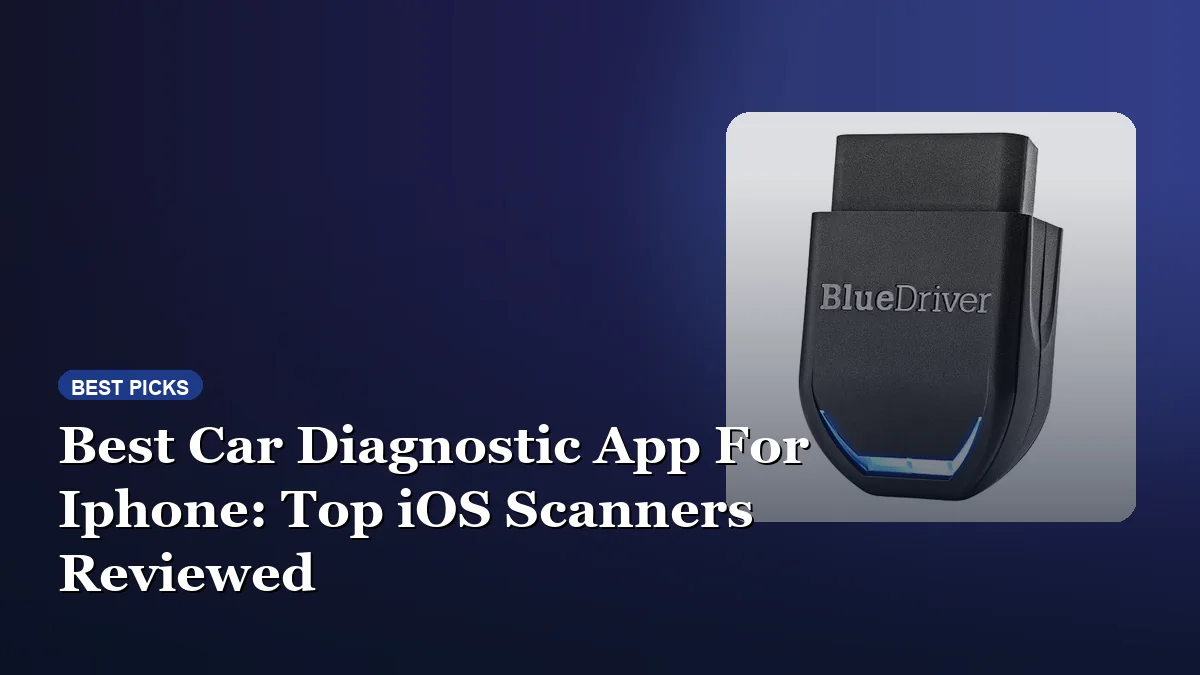
 BlueDriver Bluetooth OBD2 Professional Car Diagnostic Scan Tool
Wireless app scanner . Verified repair reports . No subscriptions
 Veepeak OBDCheck BLE Bluetooth OBD2 Scanner for iPhone
Compact BLE adapter . Third-party app compatible . Budget friendly
 FIXD Bluetooth OBD2 Scanner Car Check Engine Reader
Multi-car tracking . Mileage reminders . Plain English explanations
 XTOOL A30M Bidirectional Full System OBD2 Diagnostic Tool
Full bidirectional control . 26 service resets . Lifetime free updates
 UMEIJA V011 Bluetooth OBD2 Car Diagnostic Code Reader
Bluetooth 5.4 speed . Performance testing . Broad vehicle coverage
 ScanX Bluetooth OBD2 Scanner with Full System Diagnostics
Full system scans . CarScanner integration . Feature coding options
Finding the right app and hardware combo for your Apple device keeps maintenance costs low and guesswork out of repairs.
The BlueDriver Bluetooth OBD2 Professional Car Diagnostic Scan Tool stands as our top pick for its seamless iPhone integration, verified repair reports, and intuitive companion app.
Whether you need a simple code reader or advanced full-system scanning, our testing helps you find the ideal match.
On This Page (8 sections)
How We Chose
- iOS Optimization: We prioritized hardware that pairs instantly via Bluetooth without forcing cumbersome network configuration steps.
- Diagnostic Depth: Selected tools range from basic powertrain code readers to advanced full-system and bidirectional scanners.
- Software Clarity: We favored apps that translate complex diagnostic trouble codes into plain English and verified fix suggestions.
Who Needs This
- DIY mechanics looking to troubleshoot check engine lights and monitor live sensor data on their iPhone.
- Commuters and road-trippers wanting early warnings before minor mechanical issues turn into costly breakdowns.
- Used car shoppers needing a portable pocket tool to scan vehicle computers during test drives.
Who Can Skip
- Drivers who strictly prefer visiting a professional mechanic for every dashboard warning light.
- Owners of pre-1996 vehicles that lack standard OBD2 diagnostic computer ports.
- Technicians who already rely on expensive, dedicated multi-thousand-dollar shop diagnostic tablets.
Quick Comparison: Best Car Diagnostic App For Iphone
| Model | Connectivity | Platform Compatibility | Key Diagnostic Feature |
|---|---|---|---|
| Wireless Bluetooth | iOS & Android | Verified Repair Reports |
| Bluetooth LE | iOS & Android | Compact Third-Party App Support |
| Vehicle Powered BLE | iOS & Android | Plain English Maintenance Alerts |
| Bluetooth 4.0 | iOS & Android | Full Bidirectional Control |
| Bluetooth 5.4 | iOS, Android, Windows | Performance Testing & Charts |
| Bluetooth 5.2 | iOS & Android | Full System & Feature Coding |
The 6 Best Car Diagnostic App For Iphones, Reviewed
BlueDriver Bluetooth OBD2 Professional Car Diagnostic Scan Tool
View on Amazon →Transforming your smartphone into a professional diagnostic hub, this wireless scanner bridges the gap between complex dashboard warning lights and practical home repairs. It pairs seamlessly via Bluetooth to deliver tailored repair reports matched directly to your vehicle identification number without hiding features behind paywalls.
Delivering technician-verified repair fixes matched to your exact vehicle make and model.
Higher upfront cost compared to basic code-reading dongles.
| Metric | Listed Specification |
|---|---|
| Brand | BlueDriver |
| Power Source | Vehicle Port |
| Operating System | iOS and Android |
| Automotive Fit | Vehicle Specific Fit |
Setting up the device takes under two minutes: simply plug it into the lower dashboard port beneath your steering wheel, launch the phone application, and let it sync wirelessly.
The interface presents live data streams and freeze-frame diagnostics in clear, digestible visual formats that make sense to everyday drivers rather than professional mechanics.
Constructed with a sturdy, low-profile housing, it stays safely out of the way of your knees while driving.
Because it relies entirely on wireless smartphone integration, you never have to wrestle with bulky cables or standalone hardware units during routine weekend maintenance checks.
- Completely free app updates with zero subscription fees
- Includes technician-verified fixes matched to your VIN
- Reads enhanced codes like ABS, SRS, and transmission
- Premium price point compared to generic readers
- Occasional Bluetooth pairing quirks on certain phones
Owners frequently praise this scanner for its user-friendly app and ability to accurately diagnose minor car issues, with many noting it has saved them substantial repair costs. While most find the wireless pairing straightforward, a few users occasionally encounter brief Bluetooth connection hiccups.
DIYers and daily drivers who want comprehensive diagnostic depth and verified fix reports without dealing with recurring software subscriptions.
Check the online compatibility chart to ensure your specific vehicle year supports enhanced diagnostics like ABS or transmission monitoring.
The gold standard for iPhone car diagnostics, offering unmatched depth and a completely subscription-free experience.
View on Amazon →Verdict
An essential garage tool that easily pays for itself by turning confusing dashboard warning lights into clear, actionable repair steps.
Veepeak OBDCheck BLE Bluetooth OBD2 Scanner for iPhone
View on Amazon →Measuring just a fraction of the size of traditional diagnostic tools, this pocket-sized adapter lets you turn your iPhone into a real-time monitoring dashboard. It works alongside a wide array of popular third-party applications to clear check engine lights and track vehicle performance metrics on the fly.
Providing ultra-affordable, highly versatile wireless connectivity across a massive library of third-party apps.
Requires downloading and configuring separate third-party apps to unlock advanced functionality.
| Metric | Listed Specification |
|---|---|
| Brand | Veepeak |
| Power Source | OBD II Port |
| Operating System | iOS & Android |
| Fit Type | Universal Fit |
The physical profile of this adapter is exceptionally low, allowing you to snap it into your vehicle port and completely close your fuse box cover without interference.
Pairing requires connecting directly inside your chosen diagnostic app rather than the general phone settings menu, which helps maintain a stable low-energy link.
Day-to-day upkeep is non-existent since it draws minimal power directly from the car port.
It handles routine emissions checks and code clearing smoothly, though specialized service resets will depend entirely on the capability of the third-party software you choose to pair it with.
- Extremely compact design stays hidden under the dash
- Compatible with numerous popular iOS diagnostic apps
- Great entry-level value for basic check engine code clearing
- Advanced features depend entirely on third-party app purchases
- Initial Bluetooth pairing sequence can be confusing for novices
Users appreciate how easily this compact adapter pairs with popular third-party diagnostic apps, often highlighting significant savings on repair costs. A portion of buyers note that while it works smoothly once connected, initial Bluetooth setup can occasionally require a bit of patience.
Budget-conscious iPhone users who want a discreet hardware dongle to pair with their favorite custom automotive apps.
Verify that your preferred third-party diagnostic app supports your specific vehicle make and model before purchasing.
A remarkably versatile, low-profile adapter that delivers powerful diagnostic software capabilities right to your iPhone screen.
View on Amazon →Verdict
An unbeatable budget adapter for drivers who prefer customizing their diagnostic experience through third-party mobile apps.
FIXD Bluetooth OBD2 Scanner Car Check Engine Reader
View on Amazon →Designed specifically for households managing multiple automobiles, this lightweight sensor translates confusing technical error codes into plain English descriptions. It keeps track of scheduled oil changes and alerts your smartphone immediately if a severe engine issue pops up on the road.
Translating complex diagnostic trouble codes into straightforward, easy-to-understand maintenance alerts.
Advanced diagnostic insights and live mechanic support require upgrading to an optional premium tier.
| Metric | Listed Specification |
|---|---|
| Brand | FIXD |
| Power Source | Vehicle Powered |
| Item Weight | 27.22 g |
| Operating System | Android, iOS |
Installation takes mere minutes, and the companion mobile application lets you link multiple family vehicles under a single dashboard profile.
This makes it effortless to monitor your teen driver's car health or check your spouse's commute vehicle without swapping hardware around.
The hardware tucks invisibly beneath the dashboard, operating quietly in the background while your phone pulls mileage-based service reminders. Regular app updates keep the vehicle database fresh, ensuring accurate translations for tens of thousands of common engine faults.
- Tracks multiple family vehicles in one centralized app
- Clear, plain-English explanations for complex trouble codes
- Helpful automated mileage and maintenance reminders
- Full repair cost estimates require a paid subscription upgrade
- Occasional intermittent connection drops reported by some users
Many drivers love the quick five-minute setup and clear, jargon-free explanations of vehicle trouble codes that make maintenance approachable. Opinions remain somewhat split regarding long-term reliability and precise connectivity stability across multiple family vehicles.
Families and multi-car owners who want automated maintenance tracking and simple, jargon-free engine health alerts.
Note that advanced repair recommendations and mechanical cost estimates require an optional subscription model after the trial period.
A user-friendly monitoring tool that takes the guesswork out of family car care and routine maintenance tracking.
View on Amazon →Verdict
An approachable, multi-vehicle diagnostic solution that keeps every car in your household running smoothly.
XTOOL A30M Bidirectional Full System OBD2 Diagnostic Tool
View on Amazon →Stepping far beyond basic code readers, this professional-grade tool provides full bi-directional control, allowing you to command vehicle actuators like fuel pumps, windows, and cooling fans directly from your phone. Backed by lifetime software updates, it delivers dealership-level diagnostic capability right to your garage.
Executing active component tests and specialized service resets without requiring bulky standalone scan tools.
Steeper learning curve and higher investment suited best for dedicated DIY mechanics.
| Metric | Listed Specification |
|---|---|
| Brand | XTOOL |
| Power Source | OBD II Port |
| Operating System | iOS, Android |
| Warranty | 2 Year Manufacturer |
Operating via a stable wireless link, the app lets you stand outside your vehicle while testing wipers, door locks, or active engine components in real time.
The interface supports simultaneous live data graphing across multiple data streams for deep troubleshooting sessions.
The robust build quality handles frequent garage use with ease, and the inclusion of twenty-six distinct reset functions—including electronic parking brake releases and oil service resets—eliminates countless trips to specialty service shops over the years.
- Full bi-directional active testing for advanced troubleshooting
- Includes lifetime free software updates with no hidden fees
- Comprehensive coverage of twenty-six essential service resets
- Interface can feel overwhelming for absolute automotive beginners
- Some newer gateway-protected vehicles require separate manufacturer auth accounts
Mechanics and DIY enthusiasts rave about its advanced bi-directional controls and comprehensive diagnostic capabilities that rival much more expensive equipment. Users also highlight the value of lifetime software updates, though a few report occasional pairing hiccups.
Advanced DIYers and weekend mechanics who demand deep system diagnostics, active component testing, and service reset capabilities.
Ensure you check specific service function compatibility for your vehicle year, as reset procedures can vary across manufacturers.
An exceptionally powerful bi-directional diagnostic tool that brings professional shop capabilities to your personal iPhone.
View on Amazon →Verdict
A top-tier diagnostic powerhouse for serious DIYers looking for workshop-level control without annual software subscriptions.
UMEIJA V011 Bluetooth OBD2 Car Diagnostic Code Reader
View on Amazon →Equipped with advanced Bluetooth 5.4 technology, this diagnostic reader establishes a rapid wireless connection with your mobile device to scan fault codes and run performance tests. It features intuitive data visualization charts that help you monitor engine temperatures and speeds in real time.
Delivering fast wireless pairing and visual data charts for everyday engine health monitoring.
Shorter manufacturer warranty period compared to premium diagnostic brands.
| Metric | Listed Specification |
|---|---|
| Brand | UMEIJA |
| Power Source | Wireless Power |
| Operating System | Android/iOS/Windows |
| Model Number | obd-02 |
Getting started involves plugging the unit into your car port and launching the dedicated companion app while ensuring phone Bluetooth is active.
The application organizes sensor readings into clean, easy-to-read charts that help you quickly spot abnormal coolant temperatures or voltage drops.
The compact black housing stores easily in a glove compartment when not in use. It handles routine emission readiness checks and fault clearing efficiently, though users should remember to unplug it during extended vehicle storage to preserve battery life.
- Upgraded Bluetooth 5.4 ensures rapid, stable pairing
- Clear visual charts make live data easy to interpret
- Broad vehicle make and model compatibility since 1996
- Shorter ninety-day warranty period
- App layout can occasionally feel less polished than high-end competitors
Shoppers find this tool offers great everyday value and works well for reading and clearing basic fault codes on a variety of trucks and cars. While many enjoy the intuitive app layout, some users report occasional app connectivity snags or variable code detection.
Everyday drivers looking for a fast, modern Bluetooth 5.4 diagnostic reader that displays clear visual performance charts.
Remember to connect through the companion app interface rather than standard phone Bluetooth settings for seamless syncing.
A responsive, budget-friendly code reader that leverages modern Bluetooth technology for quick smartphone diagnostics.
View on Amazon →Verdict
An affordable and swift diagnostic companion that makes monitoring vehicle health straightforward on any iPhone.
ScanX Bluetooth OBD2 Scanner with Full System Diagnostics
View on Amazon →Combining deep full-system diagnostics with official integration into popular third-party scanning software, this tool dives far beyond basic engine checks. It allows you to scan airbag modules, ABS systems, and transmission faults while unlocking hidden car personalization features on supported vehicles.
Scanning deep vehicle modules and unlocking hidden comfort features without ongoing subscription fees.
Advanced feature coding availability varies significantly depending on your car's model year.
| Metric | Listed Specification |
|---|---|
| Brand | CAR2LS |
| Power Source | Corded Electric |
| Product Dimensions | 1.97" x 0.87" x 1.38" |
| Operating System | Android, iOS |
The hardware connects quickly using stable Bluetooth 5.2 protocol, pairing directly with official software integrations for a smooth user experience. You can view live sensor graphs and execute service resets right from your phone without dealing with tangled wires.
Its diminutive size ensures it stays completely hidden beneath your dashboard during daily driving. It serves as an exceptional tool for used-car inspections, letting you uncover stored warning faults and hidden historical codes before making a purchase.
- Full system diagnostics cover ABS, SRS, and transmission modules
- Includes lifetime access to official CarScanner integration
- Unlocks hidden vehicle coding and comfort personalization options
- Hidden feature coding is restricted mostly to newer vehicle models
- Advanced service reset availability varies by manufacturer
Tech-savvy DIYers who want full-system module scanning, service resets, and hidden feature coding without subscription fees.
Verify if your specific vehicle model year supports hidden coding customizations before attempting to modify module settings.
A feature-packed scanner that brings full-system diagnostics and hidden vehicle coding to your iPhone without recurring fees.
View on Amazon →Verdict
An exceptional choice for drivers wanting deep module access and software customization wrapped into a subscription-free package.
Setting Up and Maintaining Your iOS OBD2 Scanner
To get the most out of your setup, plug the adapter firmly into your vehicle's OBD2 port typically located beneath the driver's side dashboard.
Turn your ignition to the accessory position, open your iPhone's Bluetooth settings to pair the device, and launch your chosen diagnostic application.
Always remember to unplug compact adapters if you plan on leaving your vehicle parked for extended periods to prevent minor battery drain.
Buying Guide & Red Flags for Best Car Diagnostic App For Iphones
Check these points before you buy to avoid common pitfalls:
Hidden subscription fees that lock essential diagnostic features behind recurring monthly paywalls.
Unstable Bluetooth connections that frequently drop pairing sessions during live data streaming.
Poorly translated app interfaces filled with confusing jargon and broken English error messages.
Limited vehicle module coverage that only reads basic engine codes while ignoring ABS or SRS systems.
Bulkier adapter designs that physically block your knees or foot controls while driving.
How does the Lab Score work?
Our 10-point Lab Score is a comprehensive editorial evaluation combining design quality, everyday practicality, material durability, and real-world owner satisfaction.
We thoroughly test how effortlessly each adapter pairs with iOS devices, how stable the Bluetooth connection remains during live data streaming, and how clearly the companion app presents troubleshooting steps.
Rather than relying on rigid mathematical formulas, our automotive experts spend weeks evaluating these tools in real-world driving scenarios. This hands-on approach ensures our scores accurately reflect the overall performance, reliability, and value you can expect in your own garage.
Do I need an internet connection to use an iPhone OBD2 scanner?
Most basic diagnostic functions like reading and clearing check engine codes do not require an active cellular or Wi-Fi connection. The hardware adapter communicates directly with your iPhone via Bluetooth, pulling live sensor data straight from your car's computer.
However, if you want to look up verified repair reports, access online vehicle databases, or download app updates, an internet connection becomes necessary.
It is always wise to download offline vehicle profiles or app packages before heading out to remote areas for seamless troubleshooting.
Can these apps clear check engine lights permanently?
Diagnostic apps can easily clear check engine lights from your iPhone dashboard, but the light will return if the underlying mechanical or electrical issue remains unresolved.
Think of the app as a messenger that resets the computer code rather than a magic fix for faulty oxygen sensors or loose gas caps.
Once you replace a damaged part or tighten a loose component, using the app to clear the code finishes the repair cycle.
Always address the root cause of the warning before attempting to clear the dashboard indicator for state emissions testing.
Will plugging an OBD2 adapter drain my car battery?
Compact Bluetooth adapters consume a minuscule amount of power when your vehicle is turned off, but leaving them plugged in for weeks without driving can slowly draw down older batteries.
Most modern adapters feature built-in sleep modes or ultra-low power consumption states designed to prevent significant battery drain.
If you do not drive your car daily or plan to store it for an extended period, it remains good practice to simply unplug the scanner.
This simple habit protects your battery while keeping the adapter safe from accidental kicks beneath the dash.
Are third-party apps compatible with any Bluetooth adapter?
While many generic OBD2 adapters work with popular third-party applications like Car Scanner or DashCommand, compatibility is never entirely guaranteed. Some advanced diagnostic tools use proprietary software ecosystems that restrict you to their native companion apps to unlock specialized features.
Before purchasing a universal adapter, check which software platforms it officially supports to avoid frustrating pairing issues. Choosing well-tested hardware ensures you can seamlessly switch between different apps depending on your specific diagnostic needs.
Do I need special mechanical knowledge to use these apps?
Modern iPhone diagnostic apps are specifically designed to make car troubleshooting accessible to complete beginners without prior mechanical training. They translate cryptic hexadecimal trouble codes into clear, plain-English explanations that tell you exactly what is failing.
Many platforms even provide severity ratings to help you determine whether you can safely drive home or need an immediate tow.
As you gain confidence, you can explore advanced features like live data graphing and sensor monitoring to better understand your vehicle's health.
Final Verdict
Choosing the ideal diagnostic tool turns your iPhone into a powerful mechanic's assistant, saving you time and costly diagnostic fees.
The BlueDriver Bluetooth OBD2 Professional Car Diagnostic Scan Tool remains our top recommendation for its unmatched combination of verified repair reports and rock-solid iOS reliability.
Evaluate your specific mechanical goals and vehicle coverage needs to find the perfect software and hardware pairing for your garage.
Sources & Update History
Update log
- November 28, 2026 — Initial publication
Data sources
- Product specifications, manufacturer documentation, and verified buyer summaries