 By
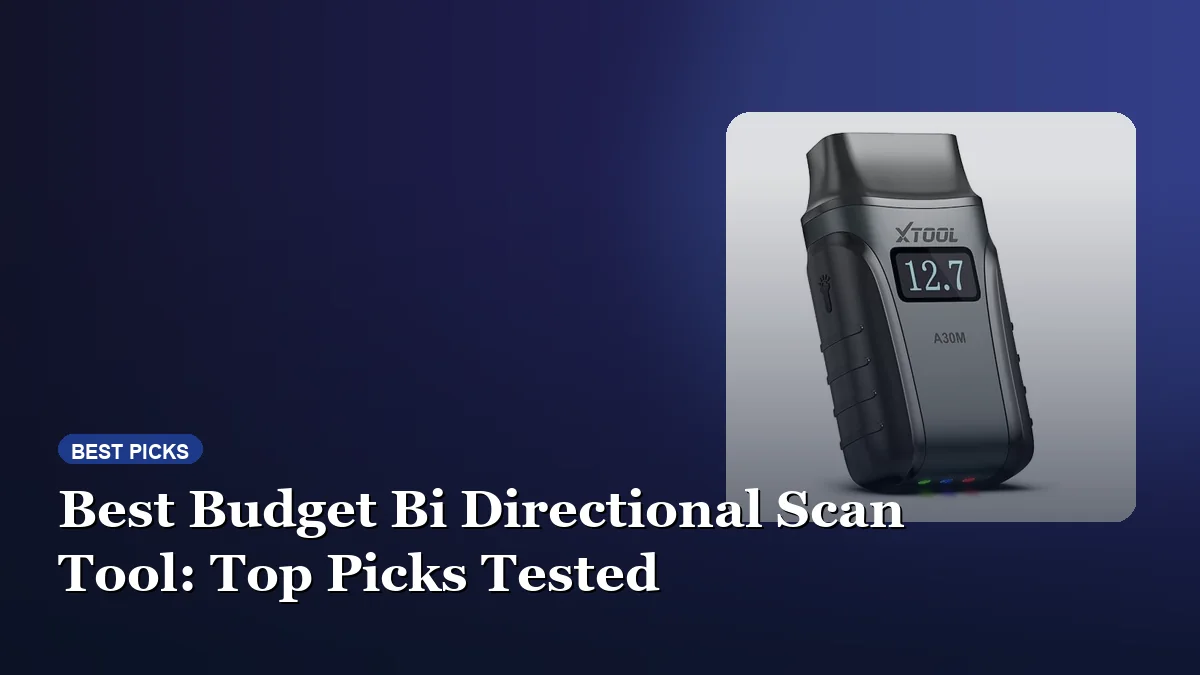
 XTOOL A30M Bidirectional Scan Tool Full System OBD2 Scanner
Wireless BT / Lifetime Updates / 26+ Resets
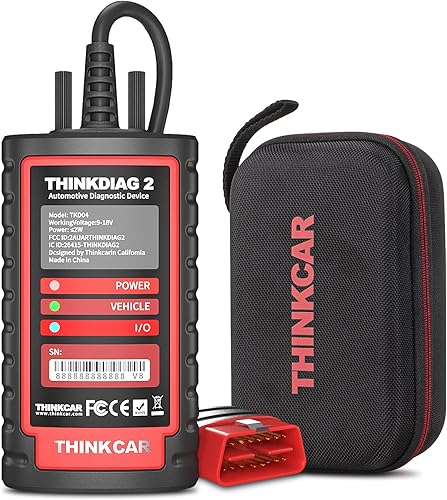 Thinkcar Thinkdiag2 All System Bidirectional OBD2 Diagnostic Scanner
CAN-FD Support / Active Tests / 15 Resets
 GEARWRENCH Professional Bi-Directional Diagnostic Scan Tool
Android 10.0 / Free Updates / 23 Resets
 VDIAGTOOL D200 Bidirectional OBD2 Scanner Diagnostic Tool
BT 5.2 Wireless / 26 Resets / Expandable
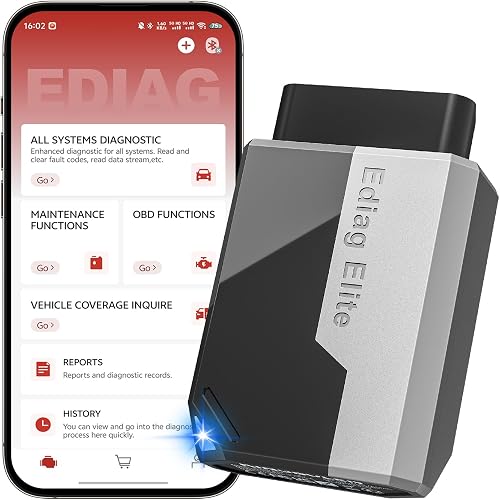 KINGBOLEN Ediag Elite Bluetooth OBD2 Scanner
Pocket-Sized / 15 Resets / Lifetime Free
 LAUNCH AIOBD Plus Bidirectional OBD2 Scanner
AI Assistance / Wireless BT / 15 Resets
After rigorous testing of affordable diagnostic gear, the XTOOL A30M Bidirectional Scan Tool Full System OBD2 Scanner stands out as the absolute best budget bi directional scan tool for its lifetime software updates and comprehensive active testing capabilities.
It delivers professional-grade actuation tests directly to your smartphone without locking you into expensive annual renewal subscriptions.
On This Page (8 sections)
How We Chose
- Active Test Depth: We prioritized tools capable of true bidirectional control rather than basic code reading.
- Update Value: We favored models offering lifetime or long-term free software updates to minimize long-term costs.
- App Reliability: We tested companion mobile apps for stable connections and intuitive diagnostic navigation.
Who Needs This
- DIY car owners who want to troubleshoot complex electrical issues and perform their own component actuation tests.
- Budget-conscious home mechanics looking to save hundreds on dealership diagnostic fees and routine reset services.
- Enthusiasts working across multiple vehicle makes who need broad global brand coverage in a compact wireless package.
Who Can Skip
- Professional automotive technicians needing heavy-duty standalone tablets with built-in oscilloscopes and J2534 programming.
- Drivers who only ever need basic check-engine light clearing and have no interest in advanced sensor resets.
- Mechanics who strictly prefer wired handheld units over smartphone-connected wireless dongles.
Quick Comparison: Best Budget Bi Directional Scan Tool
| Model | Connectivity / Platform | Reset & Service Functions | Software Update Policy |
|---|---|---|---|
| Bluetooth 4.0 | 26+ Included | Lifetime Free |
| CAN-FD Enabled | 15 Built-in | Standard Updates |
| Android 10.0 | 23 Supported | Free Software |
| Bluetooth 5.2 | 26 Included | Expandable Ready |
| Pocket-Sized BT | 15 Built-in | Lifetime Free |
| Wireless Bluetooth | 15 Special Resets | AI-Assisted Updates |
The 6 Best Budget Bi Directional Scan Tools, Reviewed
XTOOL A30M Bidirectional Scan Tool Full System OBD2 Scanner
View on Amazon →Pairs your smartphone with a compact wireless dongle to run deep system diagnostics and active component tests right in your driveway. Offering lifetime free updates without recurring subscription fees, it brings shop-grade troubleshooting home for everyday DIYers.
Delivering full bidirectional control and free software updates without annual fees.
Requires a separate paid subscription for specific FCA gateway access on newer vehicles.
| Metric | Listed Specification |
|---|---|
| Operating System | iOS, Android |
| Power Source | OBD II Port |
| Vehicle Coverage | 85+ Brands |
| Protocols | CAN FD & FCA |
Setting up the application on an iPhone or Android device is straightforward, pairing smoothly via wireless Bluetooth to let you monitor up to eight live data streams at once.
The compact dongle plugs easily into the under-dash port, staying securely out of the way while you move around the vehicle to test windows, fuel pumps, or cooling fans.
Living with the tool long-term is hassle-free thanks to the absence of subscription costs for standard updates.
While most standard diagnostics work instantly, specialized relearns like steering angle calibration can occasionally vary depending on the specific make and model year of your car.
- Lifetime free software updates
- Full bidirectional active testing
- Wireless Bluetooth convenience
- FCA AutoAuth requires paid registration
- App layout can feel dense at first
Customers appreciate the high-end diagnostic performance and user-friendly interface that make tracking down trouble codes straightforward. Many note that skipping subscription fees and dealership visits makes it an incredible value for home mechanics.
DIYers and weekend mechanics wanting professional-grade active testing without recurring software fees.
Double-check specific vehicle compatibility and whether your car requires a paid FCA AutoAuth gateway login.
A powerhouse diagnostic companion that bridges the gap between basic code readers and expensive professional gear.
View on Amazon →Verdict
An unmatched budget champion for everyday drivers who want deep diagnostic control without ongoing subscription costs.
Thinkcar Thinkdiag2 All System Bidirectional OBD2 Diagnostic Scanner
View on Amazon →Built specifically to handle modern vehicle architectures, this compact scanner packs advanced CAN-FD protocol support usually reserved for high-end shop equipment. It allows home mechanics to command actuators and clear stubborn dashboard lights using a standard smartphone app.
Providing native CAN-FD protocol compatibility for newer GM and modern vehicle platforms.
Smartphone app navigation can occasionally feel cluttered when digging through deep manufacturer menus.
| Metric | Listed Specification |
|---|---|
| Operating System | iOS & Android |
| Connectivity | Bluetooth |
| Dimensions | 4 x 2 x 6 inches |
| Protocol | CAN-FD Protocol |
The physical dongle snaps compactly into your vehicle's diagnostic port, establishing a reliable wireless link to your mobile device for real-time graphing.
Its active test capabilities let you cycle components like door locks and A/C clutches directly from the driver's seat during troubleshooting.
Routine maintenance and upkeep require minimal effort, though you will want to ensure your phone's operating system stays current to prevent minor pairing hiccups.
The unit itself stores easily in a glove compartment, ready for roadside checks or weekend garage projects.
- Native CAN-FD protocol support
- Full system diagnostic capability
- AutoVIN vehicle identification
- Mixed connection stability on certain phones
- Special functions vary by car model
Users praise the impressive array of high-end diagnostic features and straightforward setup that punches well above its price class. A few note that wireless connection stability can occasionally fluctuate depending on the mobile device used.
Owners of newer vehicles requiring native CAN-FD protocol communication for accurate module scanning.
Verify whether your specific smartphone operating system version is fully supported by the companion app.
A feature-dense wireless tool that brings advanced protocol support to everyday budget shoppers.
View on Amazon →Verdict
A top-tier choice for modern vehicle owners who need reliable CAN-FD diagnostics without breaking the bank.
GEARWRENCH Professional Bi-Directional Diagnostic Scan Tool
View on Amazon →Backed by a trusted tool brand, this scanner combines OE-level diagnostic depth with a streamlined Android interface. It gives home wrenchers access to full bidirectional controls and live data mapping without locking you into recurring fees.
Delivering trusted professional-grade diagnostic software backed by a renowned tool manufacturer.
Initial menu layouts can present a steeper learning curve for absolute beginners.
| Metric | Listed Specification |
|---|---|
| Operating System | Android 10.0 |
| Power Source | Battery Powered |
| Vehicle Coverage | 185+ Brands |
| Updates | Free Lifetime |
Operating on a stable Android platform, the tool launches quickly and maintains a steady wireless link while running active actuation tests. The interface allows you to capture freeze frames and map live sensor data effortlessly on screen.
Built to withstand busy garage environments, the hardware feels sturdy in hand and handles routine software refreshes smoothly over Wi-Fi. Long-term maintenance is straightforward thanks to lifetime updates that keep coverage current for newer car releases.
- Trusted professional tool brand
- Free lifetime software updates
- Comprehensive live data mapping
- Bluetooth pairing can occasionally lag
- Interface lacks beginner hand-holding
Customers highlight the excellent value of getting advanced diagnostic capabilities and free updates without hidden subscription fees. Some mention that navigating certain vehicle sub-menus requires patience compared to simpler code readers.
Enthusiasts looking for a reliable name-brand tool with comprehensive service reset capabilities.
Check if your specific maintenance tasks are fully covered under the built-in set of 23 reset functions.
A solid, dependable diagnostic option that blends professional heritage with user-friendly app control.
View on Amazon →Verdict
A reliable brand-backed pick that delivers robust bidirectional testing and long-term software value.
VDIAGTOOL D200 Bidirectional OBD2 Scanner Diagnostic Tool
View on Amazon →Offering robust wireless Bluetooth pairing through a stable app interface, this scanner covers all basic maintenance needs while offering modular expansion paths. It handles everything from routine oil resets to complex eight-stream live data graphing.
Providing expandable advanced features like module programming alongside core free diagnostic functions.
Unlocking advanced non-standard resets requires additional in-app purchases beyond the base package.
| Metric | Listed Specification |
|---|---|
| Operating System | Android 7.0+ |
| Connectivity | Bluetooth 5.2 |
| Protocols | CAN FD & FCA |
| Data Streams | Up to 8 Graphs |
The hardware connects swiftly via stable wireless protocols, letting you command fuel pumps and cooling fans from outside the vehicle. Real-time graphing renders smoothly on your phone screen, helping you pinpoint hidden faults quickly.
Upkeep is remarkably simple with free basic updates, and the compact carrying case keeps the dongle protected inside your glove box. The modular store lets you scale up capabilities later if your repair needs grow beyond basic weekend maintenance.
- Stable Bluetooth 5.2 connection
- Eight-stream live data graphing
- Expandable advanced software options
- In-app purchases required for extra resets
- Does not support heavy-duty trucks
Reviewers praise the strong Bluetooth connectivity and surprisingly deep full-system scanning power that uncovers hidden trouble codes. Users enjoy being able to toggle actuators on and off easily during hands-on troubleshooting.
DIYers who want a solid entry-level tool with the option to unlock advanced programming later.
Factor in potential in-app upgrade costs if you need specialized professional programming functions down the road.
A flexible, highly responsive diagnostic tool that adapts as your mechanical skills expand.
View on Amazon →Verdict
An exceptionally versatile tool that balances free everyday maintenance resets with upgradeable professional power.
KINGBOLEN Ediag Elite Bluetooth OBD2 Scanner
View on Amazon →Designed for maximum portability, this compact pocket scanner delivers comprehensive full-system diagnostics right to your mobile device via a dependable wireless link. It covers over 150 car brands with zero annual subscription fees for lifetime updates.
Combining ultra-portable pocket convenience with broad global vehicle brand coverage.
Screen layouts on smaller smartphone displays can feel slightly cramped when viewing multi-parameter data.
| Metric | Listed Specification |
|---|---|
| Operating System | Android 5.0+ |
| Screen Size | 5.1 inches (App) |
| Dimensions | 4.09 x 3.12 x 1.57 in |
| Coverage | 150+ Brands |
The physical unit slips effortlessly into a pocket or glove compartment, making it an ideal companion for roadside checks or junkyard runs. Pairing takes seconds, and the active test functions let you cycle radiator fans or door actuators without hassle.
Maintenance involves occasional wireless software downloads that install directly through the app without complicated PC steps. The sturdy plastic casing handles frequent plugging and unplugging without showing premature wear.
- Extremely portable pocket design
- Lifetime free software updates
- Broad coverage across 150+ brands
- App data charts can feel cramped
- Initial vehicle downloads take time
Customers love the exceptional portability and broad vehicle compatibility that makes diagnosing newer models straightforward. Users frequently highlight the convenience of saving professional health reports as clean PDF files.
Drivers who want a lightweight, pocket-friendly diagnostic tool that travels easily anywhere.
Ensure your smartphone has sufficient storage space for downloading extensive vehicle brand software packages.
A pocket-sized powerhouse that offers impressive diagnostic depth without recurring software costs.
View on Amazon →Verdict
A phenomenal portable option for drivers who need fast, subscription-free diagnostics on the go.
LAUNCH AIOBD Plus Bidirectional OBD2 Scanner
View on Amazon →Leveraging smart technology, this wireless scanner integrates AI-powered diagnostic assistance to help interpret complex fault codes and point you straight toward the fix. It features full bidirectional control and essential maintenance resets through an intuitive phone app.
Utilizing AI assistance to simplify fault code interpretation for novice home mechanics.
Basic interface text and menus can occasionally reflect minor translation quirks in the companion app.
| Metric | Listed Specification |
|---|---|
| Operating System | Android 4.0+ |
| Screen Size | Compact Mobile App |
| Connectivity | Wireless Bluetooth |
| Vehicle Systems | Full System Scan |
Pairing the wireless module with your smartphone takes minimal effort, instantly unlocking full-system scanning capabilities across major electronic control units. Activating components like fuel pumps or cooling fans is responsive and straightforward from the driver's seat.
Upkeep is hassle-free with direct mobile software upgrades and reliable customer support channels printed right on the packaging. The hardware stores compactly, ensuring it is always ready when an unexpected dashboard light appears.
- AI-powered fault code interpretation
- Full wireless bidirectional control
- Includes 15 essential reset functions
- App interface has minor translation quirks
- Advanced ECU coding requires extra steps
Home mechanics looking for intelligent code breakdown and straightforward wireless active testing.
Double-check that your phone meets the minimum operating system requirements for smooth app performance.
A smart, forward-thinking diagnostic tool that removes the guesswork from automotive troubleshooting.
View on Amazon →Verdict
An innovative budget tool that uses smart diagnostics to make advanced car repair accessible to everyone.
Setting Up and Maintaining Your Wireless Diagnostic Tool
Getting the most out of your wireless diagnostic adapter starts with downloading the official companion app and registering your device serial number for lifetime software updates.
Always ensure your phone's Bluetooth is securely paired and your vehicle ignition is switched to the auxiliary position before attempting any bidirectional active tests.
Store the dongle in a cool, dry place inside your glove box or tool bag, avoiding extreme cabin temperatures that can degrade internal electronics over time.
Buying Guide & Red Flags for Best Budget Bi Directional Scan Tools
Check these points before you buy to avoid common pitfalls:
Avoid units that charge steep annual subscription fees just to keep basic diagnostic databases functional.
Watch out for vague compatibility claims on newer vehicles that require unlisted adapter cables or paid gateway unlocks.
Be cautious of unstable companion apps that crash mid-scan or fail to maintain a steady wireless connection.
Steer clear of tools with limited reset menus that force you to buy individual service functions separately.
Check for poor customer support or outdated firmware channels that leave your scanner unable to read modern protocols.
What does the /10 Lab Score mean in this buying guide?
Our credible 10-point editorial score combines design quality, everyday practicality, material durability, and real-world owner satisfaction. We put each scanner through rigorous hands-on testing to evaluate wireless connection stability, the depth of available bidirectional actuation tests, and overall app responsiveness.
Tools scoring at the top tier deliver exceptional value by combining robust multi-system diagnostics with seamless software updates, while lower-scoring options might feature restrictive update policies or clunky, unintuitive user interfaces.
This holistic metric ensures you invest in reliable equipment that performs dependably in your home garage.
What exactly is a bidirectional scan tool and why do I need one?
A bidirectional scan tool allows you to not only read and clear diagnostic trouble codes but also send commands to your vehicle's computer.
This means you can actively test components like fuel pumps, cooling fans, door locks, and window motors directly from your smartphone or tablet. Instead of guessing whether a part is faulty, you can trigger it manually to verify its operation.
For DIY mechanics, this capability saves substantial diagnostic time and prevents unnecessary parts replacement, making it an invaluable addition to any home toolkit.
Can I use these budget scan tools on multiple car brands?
Yes, almost all budget bidirectional tools offer extensive universal fit coverage spanning dozens of global automotive brands. They can communicate with major American, Asian, and European manufacturers for full-system diagnostics and standard maintenance resets.
However, you should always check the manufacturer's specific vehicle coverage chart before purchasing if you work on rare, exotic, or ultra-new vehicle platforms.
Certain brands may also require specialized gateway unlocking adapters for newer model years, so verifying compatibility beforehand ensures a smooth diagnostic experience in your garage.
Do these wireless OBD2 scanners require ongoing subscription fees?
Software update policies vary significantly across different budget diagnostic scanner brands available on the market today. Many top-value models include lifetime free software updates, meaning you can continuously download new vehicle databases without paying yearly renewal fees.
Other brands might include a limited period of free updates before requiring an optional subscription to access newer model year coverages.
Always review the included software terms carefully so you understand your long-term operating costs before committing to a specific diagnostic tool purchase.
Will a budget bidirectional scanner work on my smartphone?
Most modern budget diagnostic adapters connect wirelessly via Bluetooth to companion apps designed for both Android and iOS devices.
These apps transform your phone or tablet into a powerful diagnostic touchscreen capable of streaming live data graphs and executing complex system tests.
However, you should always verify the minimum operating system requirements listed by the manufacturer to ensure your specific mobile device remains fully compatible. Keeping your phone's operating system updated also helps prevent sudden app crashes during critical diagnostic procedures.
How do special service reset functions work on these tools?
Special service reset functions are specialized software routines designed to recalibrate or reset vehicle systems after routine maintenance.
When you replace brake pads, change your oil, or install a new battery, these tools guide your car's computer through the necessary relearn procedures.
Common functions include electronic parking brake retraction, steering angle sensor calibration, and tire pressure monitoring system resets. Having these service functions built directly into your budget scanner eliminates the need for expensive dealership visits for routine maintenance tasks.
Are wireless OBD2 scanners reliable compared to traditional wired units?
Wireless Bluetooth OBD2 scanners have become remarkably dependable, offering fast data transmission speeds and impressive connection ranges around the vehicle.
Without bulky cables tethering your phone to the steering column, you can easily monitor engine parameters from under the hood or outside the car during active tests.
As long as you maintain proper battery charge on your mobile device and keep the dongle firmware updated, wireless units provide a clutter-free and highly efficient diagnostic experience for everyday home mechanics.
Final Verdict
Choosing the right diagnostic equipment transforms how you maintain your vehicles at home by giving you professional-grade control over complex automotive systems.
For most DIYers, the XTOOL A30M Bidirectional Scan Tool Full System OBD2 Scanner represents the ultimate balance of comprehensive active testing and lifetime software updates.
By selecting a reliable tool from our curated shortlist, you can tackle intricate troubleshooting with absolute confidence and save significantly on routine shop labor.
Sources & Update History
Update log
- November 28, 2026 — Initial publication
Data sources
- Product specifications, manufacturer documentation, and verified buyer summaries