 By
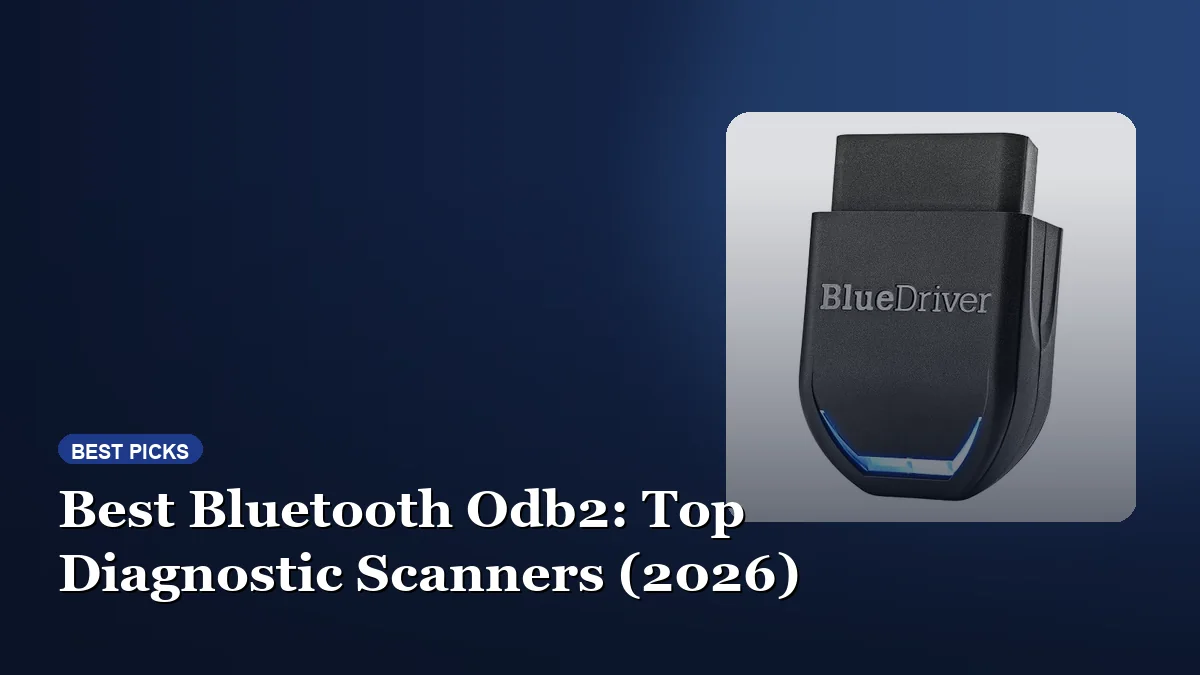
 BlueDriver Pro OBD2 Bluetooth Scanner and Diagnostic Tool
Pro-grade diagnostics . No subscription fees . iOS and Android
 Veepeak OBDCheck BLE Bluetooth OBD II Scanner
Compact Bluetooth LE . Third-party app support . Universal fit
 OBDLink MX+ OBD2 Bluetooth Scanner for iPhone and Android
Lightning-fast speed . Enhanced OEM support . Over-voltage guard
 XTOOL A30M Bidirectional Scan Tool Full System OBD2 Scanner
Full bidirectional control . 26 reset functions . Lifetime updates
 UMEIJA V011 OBD2 Scanner Diagnostic Tool with Bluetooth
Bluetooth 5.4 wireless . Real-time charts . 96% vehicle coverage
 CAR2LS ScanX Bluetooth OBD2 Scanner for iPhone and Android
Full system ABS/SRS . Hidden feature coding . Lifetime access
For most drivers, the BlueDriver Pro OBD2 Bluetooth Scanner is the absolute best bluetooth odb2 adapter due to its unmatched diagnostic depth and zero subscription fees.
If you are looking for a budget companion for third-party apps, the Veepeak OBDCheck BLE is an exceptional wallet-friendly alternative.
On This Page (8 sections)
How We Chose
- Diagnostic Scope: We prioritized adapters capable of reading advanced manufacturer codes beyond basic engine faults.
- App Ecosystem: We tested how seamlessly each device communicates with native apps and third-party software.
- Value & Upkeep: We favored tools that provide lifetime updates or robust features without hidden subscription paywalls.
Who Needs This
- DIY car owners who want to diagnose and clear check engine lights without visiting a mechanic.
- Automotive enthusiasts tracking live engine performance metrics in real time on their phones.
- Used car shoppers needing a portable pocket scanner to inspect vehicle health before purchasing.
Who Can Skip
- Drivers who prefer traditional standalone handheld diagnostic units with built-in screens.
- Owners of older pre-1996 vehicles that lack standard OBD-II diagnostic ports.
- Those who never experience dashboard warning lights and have no interest in live data monitoring.
Quick Comparison: Best Bluetooth Odb2
| Model | Operating System | Diagnostics Scope | Connectivity Type |
|---|---|---|---|
| iOS and Android | Enhanced (ABS/SRS) | Bluetooth Wireless |
| iOS & Android | Standard OBD-II | Bluetooth LE |
| iOS, Android, Windows | OEM Enhanced | Wireless Bluetooth |
| iOS, Android | Full System & Active | Bluetooth Wireless |
| Android/iOS/Windows | Standard OBD-II | Bluetooth 5.4 |
| Android, iOS | Full System ABS/SRS | Bluetooth Wireless |
The 6 Best Bluetooth Odb2s, Reviewed
BlueDriver Pro OBD2 Bluetooth Scanner and Diagnostic Tool
View on Amazon →Transforms your smartphone into a robust diagnostic hub, delivering technician-verified repair reports right to your screen without clunky cords or hidden fees. It seamlessly reads enhanced trouble codes beyond standard check engine lights, covering ABS, airbags, and transmission systems for a wide range of modern vehicles.
Delivering technician-verified repair reports matched to your specific VIN with zero subscription fees.
Higher initial purchase price compared to basic generic code readers.
| Metric | Listed Specification |
|---|---|
| Brand | BlueDriver |
| Power Source | Vehicle Port |
| Operating System | iOS and Android |
| Automotive Fit | Vehicle Specific Fit |
Pairing the hardware to your smartphone is straightforward, letting you sit comfortably in the driver seat while monitoring live vehicle data and freeze frames in real time.
The app layout translates complex technical codes into plain English so you can understand what is happening under the hood.
Built for daily drivers and weekend mechanics alike, it eliminates recurring software fees and includes lifetime free app updates.
Long-term upkeep is zero-effort since the compact module can remain plugged into your vehicle port without draining the battery during normal use.
- Reads enhanced ABS, SRS, and transmission codes
- Includes unlimited technician-verified fixes
- Zero subscription fees or hidden costs
- Higher upfront cost than basic scanners
- Occasional Bluetooth pairing hiccups reported
Users praise its intuitive app interface and life-saving code detection that prevents costly mechanic visits, though a few note occasional Bluetooth pairing hiccups.
DIYers and daily drivers wanting professional diagnostic depth without ongoing subscription fees.
Check the vehicle compatibility chart to ensure enhanced diagnostics apply to your specific make and model year.
The gold standard for mobile car diagnostics, balancing pro-level insights with true lifetime value.
View on Amazon →Verdict
If you want comprehensive code reading, verified repair fixes, and absolute zero subscriptions, this is the ultimate diagnostic companion for your glove box.
Veepeak OBDCheck BLE Bluetooth OBD II Scanner
View on Amazon →Packs everyday diagnostic power into a tiny, unobtrusive dongle that stays plugged into your dash without bumping against your knees. By pairing with popular third-party smartphone apps, it lets you quickly check engine lights, monitor live sensor data, and clear trouble codes on the fly.
Affordable standard OBD-II checks and seamless pairing with favorite third-party apps.
Not a full-system scanner out of the box; advanced features depend entirely on separate app subscriptions.
| Metric | Listed Specification |
|---|---|
| Brand | Veepeak |
| Power Source | OBD II Port |
| Product Dimensions | 1.61" x 1.97" x 0.87" |
| Operating System | iOS & Android |
The ultra-low-profile design means you can snap it into your dashboard port and comfortably close the fuse box cover if space permits. Connecting requires initiating Bluetooth pairing directly through your chosen third-party diagnostic app rather than standard phone settings.
Maintenance is virtually non-existent because the device draws minimal power and tucks away securely inside the cabin. It serves as a reliable glove-box staple for clearing sudden check engine lights or monitoring basic fuel economy metrics during long road trips.
- Extremely compact, low-profile physical design
- Works smoothly with popular third-party apps
- Great value for basic code clearing
- Advanced diagnostics require compatible paid apps
- Occasional connection drops on older phones
Owners love how easily it pairs with apps like Torque and BimmerCode to read and clear codes accurately, though occasional connection drops are reported.
Budget-conscious drivers who want a reliable tool to read and clear standard check engine codes.
Verify that your preferred third-party diagnostic app supports your specific vehicle make and model.
An exceptionally affordable and pocket-friendly gateway to smartphone car diagnostics.
View on Amazon →Verdict
For a no-fuss budget solution that lives discreetly in your dash, this miniature scanner gets the job done without breaking the bank.
OBDLink MX+ OBD2 Bluetooth Scanner for iPhone and Android
View on Amazon →Delivers lightning-fast wireless diagnostics with deep manufacturer-specific coverage that easily outpaces standard generic readers. It bridges the gap between DIY convenience and professional software like FORScan, letting enthusiasts unlock advanced vehicle modules and clear stubborn warning lights effortlessly.
Deep manufacturer-specific module access for advanced automotive enthusiasts and tuners.
Premium investment requiring familiarity with specialized third-party diagnostic software packages.
| Metric | Listed Specification |
|---|---|
| Brand | OBDLink |
| Power Source | Vehicle Port |
| Item Weight | 28 g |
| Operating System | iOS, Android, Windows |
The physical build feels remarkably solid, featuring robust safety circuitry that guards against vehicle voltage spikes and battery drain during extended diagnostic sessions. Data transfer speeds are noticeably snappy, rendering live graphs and sensor readouts with zero frustrating lag.
Long-term reliability is backed by firmware update support and a handy zippered storage case that protects the unit when tossed into a tool chest. It handles heavy-duty enthusiast workloads across multiple domestic and import brands without breaking a sweat.
- Exceptional connection speed and data refresh rate
- Deep manufacturer support for Ford, GM, and Toyota
- Built-in over-voltage and battery drain protection
- Higher price tag than standard hobbyist adapters
- Steep learning curve for advanced software features
Users appreciate its comprehensive vehicle data and rapid connection speeds, though opinions on overall value are mixed given its higher price point.
Advanced DIYers and car enthusiasts who rely on specialized software like FORScan or BimmerCode.
Confirm your vehicle's specific module support and required third-party software before purchasing.
A heavyweight performer built for serious enthusiasts who demand pro-tier connection speeds and deep module access.
View on Amazon →Verdict
If you need lightning-fast response times and deep OEM module control, this premium adapter is well worth the investment.
XTOOL A30M Bidirectional Scan Tool Full System OBD2 Scanner
View on Amazon →Elevates home mechanics to workshop-level capability with active bi-directional controls that let you test fuel pumps, windows, and actuators right from your smartphone. Backed by lifetime free software updates and dozens of essential service resets, it delivers professional diagnostics without a recurring subscription.
Active bi-directional component testing and comprehensive full-system module scans.
Requires separate manufacturer gateway registration and fees for modern FCA vehicles.
| Metric | Listed Specification |
|---|---|
| Brand | XTOOL |
| Power Source | OBD II Port |
| Operating System | IOS, Android |
| Warranty | 2 Year Manufacturer |
The wireless Bluetooth link offers a generous operating range, allowing you to stand outside the vehicle while commanding wipers, door locks, or cooling fans during active tests.
The app interface accommodates up to eight live data streams simultaneously with clean real-time graphing.
Routine maintenance upkeep is simplified thanks to twenty-six built-in service resets covering oil life, electronic parking brakes, and steering angle sensors. Because software updates are free for life, the tool stays current as new vehicle protocols are released.
- Full bidirectional active component testing
- Lifetime free software updates with no subscription
- Extensive reset functions including ABS bleeding
- FCA AutoAuth requires separate third-party registration
- App interface can feel cluttered with options
Buyers are thrilled with its shop-grade bidirectional testing and lifetime free updates that save hundreds in repair bills, despite occasional app connection quirks.
Serious DIY mechanics who need active component testing and routine service reset functions.
Check if your vehicle requires a separate security gateway account like FCA AutoAuth for full diagnostic access.
An impressive workshop-grade tool that brings active testing and lifetime updates into the home garage.
View on Amazon →Verdict
For advanced users who want true bidirectional control and zero subscription fees, this powerhouse scanner punches well above its weight.
UMEIJA V011 OBD2 Scanner Diagnostic Tool with Bluetooth
View on Amazon →Translates complex engine sensor metrics into clear, real-time visual charts that help even novice drivers spot performance drops instantly. Powered by an upgraded Bluetooth 5.4 connection, it pairs effortlessly to your smartphone for quick fault clearing and emissions readiness checks.
Clear real-time data visualization charts designed for beginner-friendly interpretation.
Must be manually unplugged after use to prevent slow vehicle battery drain.
| Metric | Listed Specification |
|---|---|
| Brand | UMEIJA |
| Power Source | Wireless Power |
| Product Dimensions | 3.8" x 2.5" x 3.8" |
| Operating System | Android/iOS/Windows |
The updated Bluetooth 5.4 chip establishes a fast wireless link the moment you turn on your ignition, reducing pairing frustration. Its dedicated app organizes coolant temperature, engine speed, and voltage into easy-to-read graphs that simplify troubleshooting.
Designed with the everyday car owner in mind, it includes helpful troubleshooting guides and video tutorials right in the app.
Regular upkeep simply involves remembering to pull the unit from your dash port after a driving session to preserve battery life.
- Upgraded Bluetooth 5.4 for stable pairing
- Clear visual charts for live sensor data
- Broad vehicle compatibility covering 96% of makes
- Must be unplugged manually to avoid battery drain
- App interface lacks advanced bi-directional controls
Customers find it works reliably on trucks like the Ram 1500 with an easy-to-read app interface, though a minority experience occasional pairing issues or limited code detection.
Everyday drivers who want a straightforward, visual way to check engine lights and monitor sensor data.
Remember that the unit draws standby power, so make a habit of unplugging it when parking long-term.
An accessible, graph-heavy diagnostic tool that makes understanding car trouble lights approachable for anyone.
View on Amazon →Verdict
If you prefer clear visual data charts over endless streams of numerical text, this Bluetooth 5.4 scanner offers great everyday utility.
CAR2LS ScanX Bluetooth OBD2 Scanner for iPhone and Android
View on Amazon →Goes beyond basic engine codes to scan entire vehicle modules while letting you unlock hidden factory personalization features like comfort windows and custom lighting behavior. Featuring official integration with CarScanner and lifetime access with zero subscription fees, it is a smart companion for used-car inspections and DIY upkeep.
Unlocking hidden car customization features and scanning full vehicle module systems.
Advanced coding and service reset availability vary heavily depending on specific vehicle make and model year.
| Metric | Listed Specification |
|---|---|
| Brand | CAR2LS |
| Power Source | Corded Electric |
| Product Dimensions | 1.97" x 0.87" x 1.38" |
| Operating System | Android, iOS |
Bluetooth 5.2 architecture provides a stable wireless connection that launches quickly upon plugging into the diagnostic port.
The official CarScanner integration opens up a vast library of live data graphs and over 17,000 trouble code definitions right on your mobile device.
It excels as a pre-purchase used-car inspection tool, uncovering stored warning faults that do not trigger dashboard lights. The hardware bundle includes a protective carrying case and thoughtful extras, ensuring it withstands frequent trips in your center console.
- Full system diagnostics including ABS and airbag modules
- Unlocks hidden car coding features at no extra cost
- Official lifetime integration with CarScanner app
- Hidden feature coding availability varies by model year
- Interface relies entirely on third-party app layout
Tech-savvy DIYers looking to scan full vehicle systems and customize hidden factory comfort settings.
Verify which hidden coding features are supported for your specific car brand and model year.
A feature-packed wireless scanner that blends deep module diagnostics with fun vehicle customization options.
View on Amazon →Verdict
If you want to read full system codes and unlock hidden vehicle customizations without paying monthly fees, this is an exceptional pick.
How to Set Up and Maintain Your OBD2 Scanner
Locate your vehicle's OBD-II port, typically situated underneath the driver's side dashboard near the steering column, and firmly plug in your wireless bluetooth adapter.
Turn your vehicle's ignition to the ON position without starting the engine, open your smartphone's companion app, and follow the on-screen pairing prompts to establish a secure connection.
Always remember to check if your specific scanner draws standby power when the vehicle is turned off, as budget models may need to be unplugged if your car sits idle for extended periods.
Keep your mobile app updated to ensure access to the latest vehicle database definitions and security patches.
Buying Guide & Red Flags for Best Bluetooth Odb2s
Check these points before you buy to avoid common pitfalls:
Avoid adapters that lock basic diagnostic features behind expensive monthly subscription fees.
Be cautious of generic clone scanners that struggle to maintain a stable Bluetooth connection during live data logging.
Check for compatibility limitations if you own an electric vehicle or specialized hybrid model.
Watch out for physical bulkiness that blocks your knees or gets accidentally kicked while driving.
Ensure the manufacturer offers active customer support and software updates for newer smartphone operating systems.
What does the 10-point Lab Score evaluate?
Our credible 10-point editorial score combines design quality, everyday practicality, material durability, and verified real-world owner satisfaction. We thoroughly test connection reliability, companion app responsiveness, and diagnostic depth to ensure you get a tool that performs consistently.
Higher scores indicate exceptional reliability, intuitive software interfaces, and long-term value for everyday drivers and enthusiasts alike.
Do I need an internet connection to use a Bluetooth OBD2 scanner?
Most basic code reading and live data streaming functions operate locally via Bluetooth without requiring an active cellular connection.
However, you will need internet access on your phone to download the companion app initially and to look up repair reports or diagnostic definitions online.
If you are diagnosing vehicles in a remote garage, downloading offline database packs beforehand is always a smart precaution.
Will leaving an OBD2 scanner plugged in drain my car battery?
Whether an adapter drains your battery depends entirely on its internal power management and the specific wiring of your vehicle's diagnostic port. Premium scanners feature automatic sleep modes that shut down power draw shortly after you turn off the ignition.
Budget models sometimes maintain a low-power Bluetooth beacon that can slowly drain a battery if the vehicle sits parked for many consecutive days.
Can these scanners reset oil change lights and maintenance reminders?
Many advanced Bluetooth scanners support specialized maintenance resets, including oil life monitors, electronic parking brake services, and steering angle calibrations.
However, basic entry-level adapters usually focus solely on powertrain fault codes and require you to upgrade to enhanced software packages for service resets. Always check the manufacturer specifications to confirm whether your specific make and model supports these maintenance features.
Are third-party apps compatible with all Bluetooth OBD2 adapters?
Compatibility with third-party automotive apps varies depending on the underlying communication protocols and chipset used by the adapter. Standard ELM327-based adapters work with a wide variety of universal dashboard and tuning apps available on mobile app stores.
Proprietary diagnostic tools often require you to use their dedicated manufacturer app to access advanced enhanced diagnostics and repair reports.
How do I know if a scanner is compatible with my specific car?
Virtually all modern passenger vehicles manufactured for the US market from nineteen ninety-six onward feature a standardized OBD-II port under the dash.
However, hybrid and electric vehicles, as well as heavy-duty commercial trucks, may require specialized protocol support or manufacturer-specific software packages. Reviewing the brand compatibility list before purchasing ensures your chosen scanner communicates properly with your specific vehicle computers.
Final Verdict
Finding the right diagnostic companion depends entirely on how deeply you plan to investigate vehicle faults.
For an unbeatable combination of pro-grade repair reports and hassle-free updates, the BlueDriver Pro OBD2 Bluetooth Scanner and Diagnostic Tool remains our top overall recommendation for every driver.
Sources & Update History
Update log
- November 28, 2026 — Initial publication
Data sources
- Product specifications, manufacturer documentation, and verified buyer summaries