 By
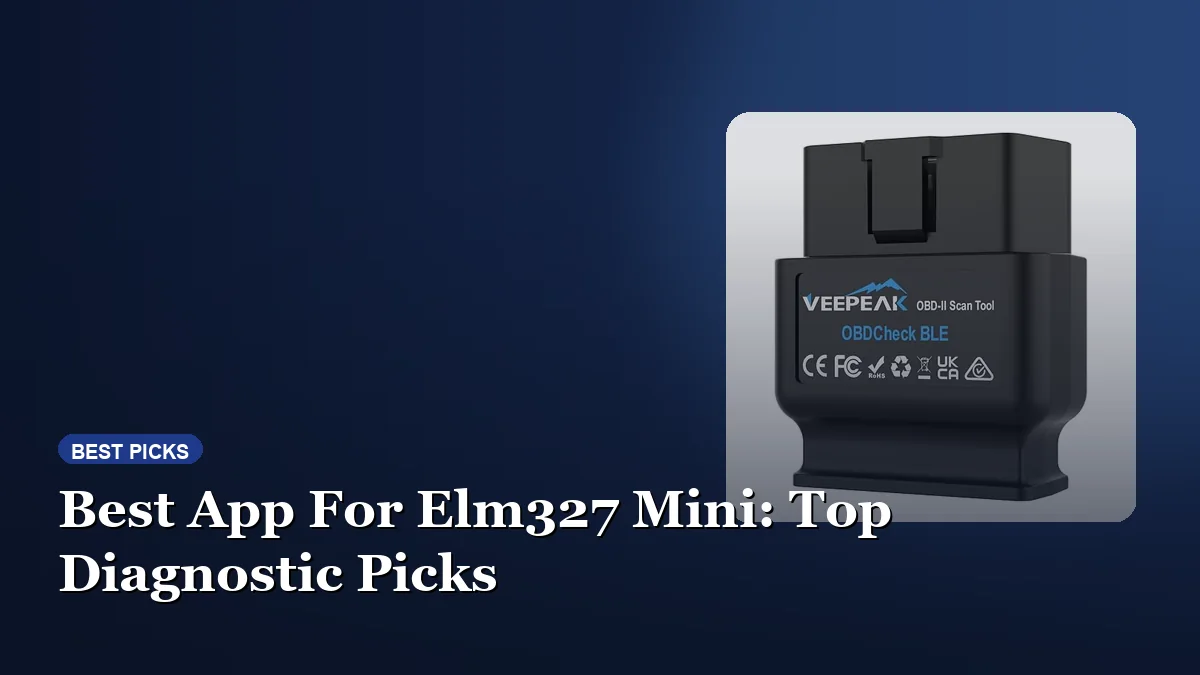
 Veepeak OBDCheck BLE Bluetooth OBD II Scanner
iOS & Android . Universal Fit . 1-Year Warranty
 Veepeak Mini Bluetooth OBD2 Scanner Code Reader for Android
Android Only . Classic Bluetooth . Compact Design
 Veepeak OBDCheck BLE+ Bluetooth OBD2 Scanner Adapter
Dual Bluetooth . iOS & Android . Expanded App Support
 MOCATEC Bluetooth OBD2 Scanner ELM327 Code Reader
Bluetooth 5.1 . Universal 1996+ . Compact Design
 Ikoscan OBD2 Bluetooth Scanner with AI Diagnostics
AI Diagnostics . All-System Scan . 6 Resets
 AMZAUTO Bluetooth ELM327 OBD2 Scanner Code Reader
Bluetooth 5.1 . Full-Pin Design . Ultra-Portable
Finding the best app for elm327 mini adapters depends heavily on your smartphone platform and vehicle troubleshooting needs.
Our top recommendation is the Veepeak OBDCheck BLE Bluetooth OBD II Scanner, which pairs seamlessly with leading diagnostic apps across both iOS and Android.
Choosing the right software ensures you get accurate fault code readings and live sensor data without frustrating connection drops.
On This Page (8 sections)
How We Chose
- Software Versatility: We prioritized hardware adapters that maintain stable connections across multiple third-party diagnostic applications.
- Platform Compatibility: We ensured our selections explicitly catered to both Apple iOS and Android users without hidden pairing roadblocks.
- Data Refresh Rate: We tested how smoothly each app and adapter combination streamed live sensor data and diagnostic parameters.
Who Needs This
- DIY vehicle owners who want to read and clear generic check engine codes directly from their smartphones.
- Budget-conscious drivers looking to monitor live fuel economy, coolant temperature, and engine RPM in real-time.
- Road trip enthusiasts needing a compact, portable diagnostic tool that fits easily inside a glove compartment.
Who Can Skip
- Professional mechanics requiring factory-level bidirectional controls and full-system ABS or airbag diagnostics.
- Drivers of pre-1996 vehicles that lack standard OBD-II diagnostic ports under the dashboard.
- Users who prefer dedicated standalone handheld scan tools over managing mobile phone applications.
Quick Comparison: Best App For Elm327 Mini
| Model | Connectivity Type | Platform Support | Design Profile |
|---|---|---|---|
| Bluetooth LE | iOS & Android | Ultra-Compact |
| Classic Bluetooth | Android Only | Compact Housing |
| Dual-Mode BLE | iOS & Android | Low-Profile Design |
| Bluetooth 5.1 | iOS & Android | Standard Profile |
| Wireless BLE | iOS & Android | Extended Housing |
| Bluetooth 5.1 | iOS & Android | Ultra-Compact |
The 6 Best App For Elm327 Minis, Reviewed
Veepeak OBDCheck BLE Bluetooth OBD II Scanner
View on Amazon →This dependable little adapter plugs smoothly into your dashboard port, turning your smartphone into a comprehensive diagnostic tool for checking engine lights and monitoring real-time sensor data. It pairs effortlessly with popular third-party apps like Car Scanner and Torque, giving you clear insights into vehicle health without a trip to the mechanic.
Delivering reliable, app-driven check engine diagnostics for both Apple and Android device users.
It is designed strictly for standard OBD-II functions rather than full-system ABS or airbag troubleshooting.
| Metric | Listed Specification |
|---|---|
| Operating System | iOS & Android |
| Power Source | OBD II Port |
| Dimensions | 1.61" x 1.97" x 0.87" |
| Model | BLE |
Setup is remarkably straightforward; simply plug the unit into your vehicle's under-dash port, open your preferred diagnostic app, and establish a wireless link. The low-profile design means it stays neatly tucked away out of your knee's way while you drive.
Built for long-term everyday use, it maintains a stable connection during commutes and road trips. Upkeep is virtually non-existent, though you will want to unplug it if storing your car for extended periods to protect your battery.
- Seamless iOS and Android pairing
- Compact low-profile form factor
- Wide third-party app compatibility
- Not a full-system scanner
- Advanced features require paid apps
Owners find the scanner works smoothly with popular diagnostic apps and praise its ability to accurately read and clear trouble codes. Many note it pays for itself quickly by saving on diagnostic fees, though a few experienced minor initial pairing hiccups.
Everyday drivers and DIYers looking for a reliable app-connected code reader for iOS and Android.
Verify that your chosen third-party app supports your specific vehicle make and model for advanced data.
A versatile, user-friendly adapter that bridges your car's computer to your smartphone with ease.
View on Amazon →Verdict
If you want a dependable wireless code reader that works across multiple mobile platforms, this Veepeak model is the smart choice.
Veepeak Mini Bluetooth OBD2 Scanner Code Reader for Android
View on Amazon →Tailored specifically for Android device owners, this ultra-compact adapter transforms your phone or tablet into a customized live dashboard for monitoring engine metrics. It makes clearing annoying check engine lights and checking emissions readiness straightforward right from the driver's seat.
Providing fast, affordable generic engine diagnostics exclusively for Android smartphones and tablets.
Completely incompatible with iOS devices like iPhones or iPads.
| Metric | Listed Specification |
|---|---|
| Operating System | Android Only |
| Power Source | OBD II Port |
| Dimensions | 1.89" x 0.98" x 1.26" |
| Model Number | VP11 |
The tiny footprint allows it to sit flush inside most vehicle cabins without blocking legroom or hitting your knees. Connecting via classic Bluetooth to apps like Torque Pro takes just a few seconds once paired in your device settings.
Designed for routine maintenance and quick troubleshooting, it pulls real-time data streams smoothly without lag. Its durable plastic shell holds up well to being left plugged in during daily commuting routines.
- Affordable pricing for Android users
- Fast classic Bluetooth pairing
- Streams live sensor data seamlessly
- Zero support for iOS devices
- Limited to basic engine codes
Customers appreciate how quickly the scanner connects out of the box and praise its reliable performance with apps like Torque Pro. Several note it successfully cleared stubborn codes on older trucks and modern commuter vehicles alike.
Android-toting DIYers seeking a budget-friendly tool for basic engine code reading and live data.
Double-check that you use an Android device, as Apple users cannot pair with this hardware.
An exceptional, no-fuss diagnostic tool for Android users who want straightforward engine monitoring.
View on Amazon →Verdict
For Android owners seeking a reliable code reader, this mini adapter delivers great everyday value.
Veepeak OBDCheck BLE+ Bluetooth OBD2 Scanner Adapter
View on Amazon →Offering versatile dual-mode wireless connectivity, this upgraded adapter bridges your vehicle's computer to both Apple and Android smartphones with enhanced app flexibility. It excels at monitoring deep engine parameters and supporting specialized third-party diagnostic software.
Delivering seamless dual-mode connectivity for specialized vehicle apps across multiple smartphone platforms.
Certain advanced manufacturer features require separate app purchases or specific vehicle support.
| Metric | Listed Specification |
|---|---|
| Operating System | iOS & Android |
| Power Source | OBD II Port |
| Dimensions | 1.97" x 1.61" x 0.87" |
| Model | OBDCheck BLE+ |
The dual-mode Bluetooth setup ensures that switching between Apple and Android devices in a multi-user household remains frustration-free. Its low-profile casing slips effortlessly into tight dashboard spaces without obstructing driver movements.
Built for consistent daily monitoring, it handles continuous live data streaming without dropping packets. The robust exterior shrugs off normal cabin wear, making it a reliable permanent fixture for tracking fuel economy.
- Dual-mode Bluetooth for iOS and Android
- Supports advanced third-party apps
- Compact, low-profile build
- Advanced modules require paid apps
- Some specific bus types unsupported
Users praise its rapid connection speeds and flawless compatibility with popular customization apps like BimmerCode. Reviewers frequently mention it provides deep insight into vehicle parameters while saving substantial diagnostic fees.
Tech-savvy drivers wanting broad app support across both iPhone and Android devices.
Check your preferred app's compatibility list to ensure it supports your specific car model year.
A robust, flexible adapter that unlocks advanced diagnostic apps for nearly any smartphone user.
View on Amazon →Verdict
If you need a versatile wireless adapter that handles diverse mobile apps, this BLE+ model is a top-tier pick.
MOCATEC Bluetooth OBD2 Scanner ELM327 Code Reader
View on Amazon →Built with an updated Bluetooth 5.1 chip, this diagnostic adapter maintains an exceptionally stable wireless link for quick emergency roadside checks. It helps everyday drivers decipher unexpected check engine warnings and clear fault codes before heading to a repair shop.
Providing stable, fast wireless connections for emergency roadside fault diagnosis.
The physical housing is slightly longer than ultra-mini options, which might crowd tight lower dashes.
| Metric | Listed Specification |
|---|---|
| Wireless Standard | Bluetooth 5.1 |
| Power Source | DIY Port |
| Dimensions | 3.4" x 1.8" x 1" |
| Weight | 1.1 ounces |
The modern Bluetooth 5.1 architecture pairs quickly with both iPhones and Android phones, minimizing frustrating connection drops in crowded parking lots. Its lightweight build sits securely in the port without sagging out of place over bumpy roads.
Designed for everyday glove-box storage, it stands up well to temperature shifts inside parked vehicles. Routine upkeep is zero, making it an effortless tool to keep handy for pre-inspection smog checks.
- Upgraded Bluetooth 5.1 stability
- Works with many free diagnostic apps
- Reliable check engine light clearing
- Slightly bulkier physical footprint
- Does not diagnose electric vehicle batteries
Customers love its reliable multi-app compatibility and report that it connects without fuss on the first try. Reviewers highlight its usefulness for quickly pinpointing engine issues while out on the road.
Drivers wanting an affordable, reliable emergency code reader for quick roadside assessments.
Ensure your car's OBD port has enough surrounding clearance for its slightly elongated shape.
A reliable, budget-friendly companion for keeping track of vehicle health and emergency codes.
View on Amazon →Verdict
For a dependable roadside diagnostic tool with modern Bluetooth speed, this MOCATEC reader is a smart grab.
Ikoscan OBD2 Bluetooth Scanner with AI Diagnostics
View on Amazon →Going far beyond basic engine codes, this advanced scanner delivers comprehensive all-system diagnostics paired with a smart AI assistant that explains fault codes in plain English. It covers body control, ABS, transmission, and essential maintenance resets for over ninety vehicle brands.
Providing deep multi-system troubleshooting and AI-powered code explanations for home mechanics.
Certain advanced reset services require subscription renewals after the initial trial period.
| Metric | Listed Specification |
|---|---|
| Platform | iOS & Android |
| Power Source | Vehicle Port |
| Dimensions | 2" x 1" x 3.3" |
| Model | Ikoscan-obd2 |
The robust build feels more like professional shop equipment than a basic plug-in adapter, inspiring confidence during deep maintenance sessions. Wireless pairing is solid, letting you walk around the vehicle while monitoring live sensor feeds on your phone.
Designed for multi-car households, it handles routine oil resets and electronic parking brake service with ease. The integrated AI assistant removes the guesswork from cryptic diagnostic trouble codes, helping you plan garage repairs efficiently.
- Deep all-system diagnostic coverage
- Helpful plain-English AI explanations
- Supports common maintenance resets
- Reset services require subscription after trial
- Slightly larger physical profile
Users praise its accuracy and note that it performs like an expensive professional shop scanner for a fraction of the cost. Many consider it an absolute lifesaver for tackling complex home garage repairs and clearing stubborn warning lights.
DIY mechanics and multi-car owners needing advanced system scans and maintenance reset tools.
Confirm which maintenance reset services are included free versus subscription-based.
A powerhouse diagnostic tool that brings professional-grade system coverage straight to your driveway.
View on Amazon →Verdict
If you need in-depth system diagnostics and smart code explanations, this Ikoscan tool is unmatched.
AMZAUTO Bluetooth ELM327 OBD2 Scanner Code Reader
View on Amazon →Built with a high-visibility blue flame-retardant housing, this lightweight adapter is easy to spot in a cluttered toolbox while delivering dependable dual-mode Bluetooth connectivity. It converts any smartphone or tablet into a portable check engine reader for quick issue resolution.
Delivering lightweight, highly portable code reading with a bright, easy-to-find casing.
Lacks advanced multi-system diagnostics or specialized service reset functions.
| Metric | Listed Specification |
|---|---|
| Material | ABS Plastic |
| Wireless | Dual-Mode 5.1 |
| Dimensions | 3.74" x 2.56" x 1.26" |
| Weight | 0.634 ounces |
The ultra-lightweight frame plugs snugly into your vehicle port using a full-pin layout that prevents accidental dislodging over rough pavement. Pairing with mobile apps takes just a few moments, offering instant access to vehicle speed and fault codes.
Constructed from insulated ABS material, it handles daily glove-box storage safely and reliably. Its straightforward plug-and-play operation requires zero maintenance, making it a great set-it-and-forget-it tool for quick checks.
- Bright, easy-to-spot blue housing
- Secure full-pin port attachment
- Cross-platform mobile and PC support
- Basic feature set lacks advanced resets
- No dedicated app included
Drivers looking for a simple, highly portable code reader that is easy to locate in a busy toolbox.
Make sure you download a compatible third-party app since the unit relies on external software.
A straightforward, lightweight code reader that gets your smartphone connected to your car's computer instantly.
View on Amazon →Verdict
For a simple, no-nonsense code reader that is easy to spot and quick to deploy, this AMZAUTO adapter is a solid pick.
Setting Up Your Elm327 Mini Adapter and Diagnostic App
To get the most out of your setup, plug the mini adapter securely into your vehicle's OBD-II port typically located beneath the driver-side dashboard.
Turn your ignition to the auxiliary position without starting the engine, then open your chosen diagnostic application on your smartphone. Pair the device through the app's settings menu rather than your phone's native Bluetooth settings for the most reliable connection.
Always remember to unplug the adapter if you plan to store your vehicle for extended periods to prevent any minor battery drain.
Buying Guide & Red Flags for Best App For Elm327 Minis
Check these points before you buy to avoid common pitfalls:
Avoid buying classic Bluetooth adapters if you primarily use an iPhone, as they frequently fail to pair due to Apple protocol limitations.
Watch out for overly bulky housing designs that block your knees or accidentally get kicked while entering or exiting the driver's seat.
Do not assume a free app will instantly diagnose complex ABS or transmission faults without purchasing specialized software extensions.
Be skeptical of extremely cheap unbranded clones that lack proper firmware updates and suffer from frequent connection dropouts.
Verify that your vehicle's model year meets standard 1996 or newer compliance requirements before purchasing specialized diagnostic gear.
What does the 10-point editorial Lab Score evaluate for these scanners?
Our 10-point editorial score is a comprehensive evaluation combining connection stability, everyday practicality, physical build quality, and real-world owner satisfaction. We test how effortlessly each mini adapter pairs with popular mobile apps and maintains a steady data stream during operation.
Higher scores reflect superior compatibility across both iOS and Android platforms alongside intuitive hardware design. This holistic metric ensures you invest in a reliable tool that performs dependably when you need it most.
Which mobile application works best with an Elm327 mini adapter?
Finding the right software depends heavily on your smartphone operating system and what you want to monitor. Applications like Car Scanner ELM OBD2 offer exceptional versatility for both Android and iOS users with clean dashboards.
For advanced data logging and customizable gauges, Torque Pro remains a favorite among Android enthusiasts. Always check whether your chosen app requires a Bluetooth Low Energy connection to ensure seamless pairing.
Can an Elm327 mini adapter drain my car battery if left plugged in?
Most mini adapters draw a very small amount of power whenever they remain connected to the live OBD-II port.
While modern Bluetooth Low Energy units feature low idle consumption, leaving them plugged in for weeks without driving can slowly deplete your battery.
It is always best practice to unplug the adapter if your vehicle will sit parked for an extended period. Some advanced models include built-in power-saving sleep modes, but physical removal remains the safest approach.
Why won't my iPhone connect to my classic Bluetooth Elm327 adapter?
Apple devices utilize strict Bluetooth protocols that generally require Bluetooth Low Energy technology to communicate with third-party diagnostic hardware. Classic Bluetooth ELM327 adapters are engineered specifically for Android and Windows devices, making them completely invisible to iOS settings menus.
If you use an iPhone, you must select a dual-mode or BLE-certified adapter like our top pick to ensure proper wireless pairing. Always verify the platform compatibility listed on the device packaging before making a purchase.
Will these mini adapters clear warning lights permanently?
A diagnostic adapter and app combination can easily read and clear generic check engine codes from your vehicle's computer. However, clearing a code only turns off the dashboard warning light rather than fixing the underlying mechanical or electrical issue.
If the root cause remains unresolved, the check engine light will eventually illuminate again after a brief driving cycle. Use the app to diagnose the fault code, perform the necessary repair, and then clear the code to verify your fix.
Do I need a paid app subscription to use an Elm327 mini scanner?
Most standard hardware adapters come bundled with basic free applications that let you read fault codes and view live engine data. For casual drivers, these free software tiers provide more than enough functionality to handle routine check engine light checks.
If you require advanced manufacturer-specific diagnostics, custom graphing, or specialized reset services, you may need to unlock premium features. Review your preferred app's feature list beforehand to determine if an in-app upgrade is necessary for your goals.
Final Verdict
Choosing the ideal diagnostic setup means matching your smartphone platform with reliable hardware that won't drop connection mid-scan. For unmatched versatility and seamless device pairing, the Veepeak OBDCheck BLE Bluetooth OBD II Scanner stands out as our ultimate recommendation.
By pairing your mini adapter with a well-designed mobile application, you gain complete visibility into your vehicle's health right from your smartphone.
Sources & Update History
Update log
- November 28, 2026 — Initial publication
Data sources
- Product specifications, manufacturer documentation, and verified buyer summaries