 By
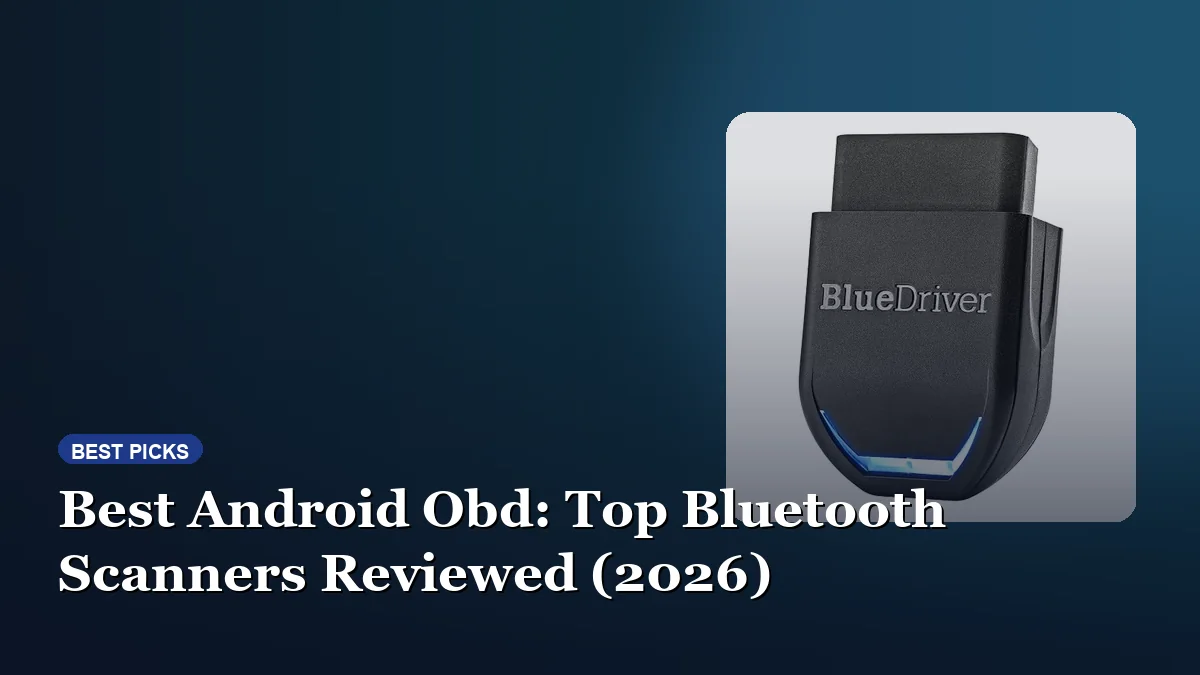
 BlueDriver OBD2 Scanner Bluetooth No Subscription ABS SRS TPMS
Wireless Bluetooth • No Subscriptions • ABS/SRS/TPMS
 Veepeak OBDCheck BLE Bluetooth OBD II Scanner for iOS Android
Ultra-Compact • App Compatible • Standard OBD-II
 OBDLink MX+ OBD2 Bluetooth Scanner for iPhone Android and Windows
OEM Enhanced • Multi-Platform • Rapid Refresh
 XTOOL A30M Bidirectional Scan Tool Full System OBD2 Scanner
Full System • Active Tests • Lifetime Updates
 BLCKTEC 430 Bluetooth OBD2 Scanner for iPhone and Android
Repair Solutions • ABS/SRS/TPMS • No Fees
 OBD2 Scanner Diagnostic Tool Car Scanner for iOS and Android
Bluetooth 5.4 • 9 Protocols • Real-Time Charts
The BlueDriver OBD2 Scanner Bluetooth No Subscription ABS SRS TPMS stands out as the ultimate choice, offering deep multi-system diagnostics and verified fix reports without hidden fees.
For budget-conscious drivers needing basic code reads, the Veepeak OBDCheck BLE delivers reliable everyday performance right to your phone screen.
On This Page (8 sections)
How We Chose
- Diagnostic Depth: We prioritized tools capable of reading advanced ABS, SRS, and transmission modules beyond basic engine codes.
- App Reliability: Every shortlisted scanner was tested for seamless Bluetooth pairing and stable real-time data streaming on Android devices.
- Value & Upkeep: We heavily favored options with transparent, subscription-free software models to ensure long-term ownership savings.
Who Needs This
- DIY car owners looking to diagnose and clear check engine lights without visiting a mechanic.
- Tech-savvy drivers wanting real-time gauge displays and sensor monitoring on their dashboard.
- Used car shoppers needing a quick way to inspect vehicle computer modules before purchasing.
Who Can Skip
- Drivers completely uninterested in vehicle maintenance who prefer taking their car straight to a professional shop.
- Owners of vintage vehicles manufactured before the OBD-II standard was universally adopted.
- Those looking for professional shop-grade bench diagnostic systems requiring heavy wiring harnesses.
Quick Comparison: Best Android Obd
| Model | Platform / Connectivity | System Coverage | Subscription / Special Feature |
|---|---|---|---|
| iOS & Android / Wireless | Full System + ABS/SRS | No Subscription Required |
| iOS & Android / BLE | Standard OBD-II Engine | App Compatible Standard |
| iOS, Android, Windows | OEM Enhanced Modules | Rapid Data Refresh |
| iOS & Android / Wireless | Full System + Active Tests | Lifetime Free Updates |
| iOS & Android / Bluetooth | ABS/SRS/TPMS Diagnostics | Guided Repair Solutions |
| Multi-Platform / Bluetooth 5.4 | 9 Standard Protocols | Real-Time Status Screen |
The 6 Best Android Obds, Reviewed
BlueDriver OBD2 Scanner Bluetooth No Subscription ABS SRS TPMS
View on Amazon →This polished wireless scanner seamlessly turns your smartphone into a professional-grade diagnostic hub without trapping you behind monthly fees. It dives deep into enhanced vehicle systems like ABS and airbag modules while delivering verified, technician-backed repair tips right to your screen.
Delivering comprehensive multi-system diagnostics paired with verified fix reports without any subscription overhead.
A higher upfront investment compared to basic code readers.
| Metric | Listed Specification |
|---|---|
| Operating System | iOS and Android |
| Power Source | Vehicle |
| Vehicle Coverage | 1996+ Gas Vehicles |
| Warranty | 180-Day Guarantee |
Setup is remarkably straightforward—just plug the compact module into your dashboard port and pair it through the companion app. Daily usability shines when tracking live sensor data on your commute or quickly pinpointing stubborn warning lights in the driveway.
The hardware feels robustly built for frequent glove-box storage, and because it runs entirely on vehicle power, you never have to fuss with charging internal batteries.
Long-term maintenance is stress-free thanks to free, continuous app updates that keep the vehicle database current.
- No subscription fees ever
- Reads ABS, SRS, and TPMS
- Tailored verified fixes
- Higher initial purchase price
- Occasional Bluetooth pairing hiccups
Customers find the OBD2 scanner to be a great tool that works fantastically and is easy to use with a user-friendly app. They appreciate its value and praise its diagnostic capabilities, particularly in figuring out complex problems.
Everyday drivers and DIYers wanting dealership-level diagnostics with zero ongoing costs.
Verify your specific vehicle make and model are fully supported for enhanced ABS and SRS diagnostics.
The gold standard for smartphone diagnostics, offering unmatched depth and zero hidden fees.
View on Amazon →Verdict
An indispensable garage companion that easily pays for itself by demystifying dashboard warning lights.
Veepeak OBDCheck BLE Bluetooth OBD II Scanner for iOS Android
View on Amazon →Tucked away neatly beneath your dashboard, this ultra-compact adapter acts as an affordable gateway to your car's computer using popular third-party mobile apps. It excels at clearing everyday check engine lights and monitoring real-time sensor metrics without cluttering your cabin.
Providing a reliable, budget-friendly connection for standard engine diagnostics across nearly any modern car.
Advanced diagnostic modules like ABS and transmission data require specific app upgrades or may not be supported out of the box.
| Metric | Listed Specification |
|---|---|
| Power Source | OBD II Port |
| Operating System | iOS & Android |
| Fit Type | Universal Fit |
| Included Case | Mini Carrying Case |
The physical footprint is so small that you can leave it plugged in permanently without bumping your knees while driving.
Pairing requires initiating the connection directly within your chosen diagnostic app rather than standard phone settings, which avoids common setup confusion.
Upkeep is practically nonexistent since the device draws minimal power directly from the OBD port and stores neatly in its included mini case. Day-to-day living with the scanner is smooth, offering quick checks whenever an unexpected dashboard light flickers on.
- Incredible value for money
- Tiny, unobtrusive footprint
- Wide third-party app support
- Limited advanced diagnostics
- Requires app-specific pairing steps
Customers find the OBD scanner works well with various apps like BimmerCode and Torque, and appreciate its ease of use and setup. The device provides accurate code reading and data depth, saving users hundreds in diagnostic costs.
Budget-conscious drivers looking for a simple, reliable tool to clear basic engine codes.
Check if your preferred third-party app requires an in-app purchase for advanced features.
A wallet-friendly staple that punches well above its weight for basic check engine troubleshooting.
View on Amazon →Verdict
The ultimate low-cost entry point for everyday drivers who want straightforward engine monitoring.
OBDLink MX+ OBD2 Bluetooth Scanner for iPhone Android and Windows
View on Amazon →Engineered for speed and deep manufacturer-specific access, this robust adapter transforms mobile devices into professional-grade diagnostic stations. It communicates at lightning-fast speeds, making it the top choice for specialized software used in custom vehicle coding and live parameter logging.
Delivering ultra-fast data refresh rates and expansive OEM-level module coverage.
Commands a steeper price tag and relies heavily on third-party software ecosystems for advanced functions.
| Metric | Listed Specification |
|---|---|
| Dimensions | 2.01 x 0.91 x 1.81 in |
| Power Source | Vehicle Port |
| OEM Support | Ford, GM, Toyota, etc. |
| Case Included | Zipper Case |
The hardware feels reassuringly solid, featuring built-in over-voltage protection to safeguard your car's electrical network during extended diagnostic sessions. Setup across iOS, Android, and Windows is remarkably seamless, locking onto a stable wireless signal almost instantly.
Daily living is worry-free thanks to smart sleep circuitry that prevents battery drain if left plugged in overnight. Regular firmware updates ensure long-term compatibility with newer vehicle communication protocols as automotive technology evolves.
- Blazing-fast data transmission
- Deep OEM-specific module support
- Built-in battery drain protection
- Higher price point
- Complex apps have a learning curve
Customers find the scan tool works well, is easy to use, and provides comprehensive vehicle information in full detail. While most praise its performance, a few note mixed experiences with app compatibility and pricing.
Enthusiasts and advanced DIYers working with specialized tuning or coding software.
Confirm your chosen diagnostic app fully supports your specific car's make and model year.
A high-performance powerhouse built for serious car enthusiasts and advanced diagnostics.
View on Amazon →Verdict
Unmatched speed and deep OEM access make this a top-tier pick for serious tinkerers.
XTOOL A30M Bidirectional Scan Tool Full System OBD2 Scanner
View on Amazon →Bridging the gap between handheld mechanic gear and smartphone convenience, this tool brings full bidirectional control right to your mobile device. You can actively command fuel pumps, test window motors, and execute dozens of critical maintenance resets without stepping foot in a repair shop.
Executing active component tests and comprehensive system resets without ongoing subscription costs.
Some advanced gateway features require separate manufacturer registration accounts.
| Metric | Listed Specification |
|---|---|
| Operating System | iOS, Android |
| Reset Functions | 26 Maintenance Resets |
| Wireless Range | Up to 33 Feet |
| Brand Coverage | 85+ Manufacturers |
Operating the active tests from outside the vehicle while listening to component response under the hood transforms driveway troubleshooting. The wireless connection maintains a stable link across reasonable garage distances, letting you monitor live data graphs smoothly.
Maintenance upkeep is greatly simplified with dozens of built-in reset routines for oil lights, electronic parking brakes, and steering angle sensors. Because the software updates are free for life, the tool grows more capable over time rather than becoming obsolete.
- True bidirectional active testing
- Lifetime free software updates
- Extensive maintenance reset library
- FCA AutoAuth requires separate setup
- Bulkier than standard mini dongles
Customers find the scan tool to be a high-quality device that performs as well as expensive professional alternatives, offering extensive diagnostic capabilities. They appreciate its user-friendly interface and value, noting massive savings on repair bills.
Serious DIY mechanics needing active component testing and routine maintenance resets.
Check if your specific vehicle model requires a separate gateway authorization account for full access.
Pro-level bidirectional capability packed into a portable, subscription-free wireless tool.
View on Amazon →Verdict
An extraordinary value for home mechanics who want active testing power on their phone.
BLCKTEC 430 Bluetooth OBD2 Scanner for iPhone and Android
View on Amazon →Designed to take the guesswork out of car trouble, this scanner pairs with a companion app that delivers step-by-step repair videos and verified fix solutions. It digs deeper than basic code readers by exploring critical safety systems like airbags and tire pressure monitors without adding hidden subscription charges.
Translating raw diagnostic codes into actionable, easy-to-follow video repair guides.
Regional compatibility is strictly limited to North American vehicle markets.
| Metric | Listed Specification |
|---|---|
| Power Source | Vehicle Port |
| System Coverage | Engine, ABS, SRS, TPMS |
| Support Base | USA Master Technicians |
| App Integration | RepairSolutions2 |
Snapping the compact unit into place initiates automatic power-up, though initial pairing must be carefully routed through the companion app rather than phone settings to ensure stability.
Daily use feels intuitive, presenting clear definitions and verified causes for every triggered dashboard warning.
Upkeep is virtually zero, and the hardware's low-profile design sits flush enough to avoid accidental kicks under the steering column. Long-term ownership benefits from a U.S.-based support team and master technician backing when tackling tricky mechanical fixes.
- Includes step-by-step video guides
- Zero subscription fees
- Reads ABS and SRS modules
- Strictly limited to USA and Canada
- App pairing requires careful steps
Customers find the OBD2 scanner works reliably on both new and older vehicles, praising its comprehensive diagnostics and excellent value. While many enjoy easy setup, a few note occasional Bluetooth pairing hurdles.
DIYers who want clear, guided video instructions on how to fix car issues themselves.
Ensure you are operating within North America as regional vehicle software support is restricted.
A fantastic mentor tool for home mechanics who want visual repair guidance alongside diagnostics.
View on Amazon →Verdict
Turns complex automotive troubleshooting into manageable DIY projects with helpful video tutorials.
OBD2 Scanner Diagnostic Tool Car Scanner for iOS and Android
View on Amazon →Leveraging updated wireless protocols, this affordable scanner streams real-time diagnostic charts directly to your smartphone to help monitor engine health. It handles routine code clearing and performance testing across a broad spectrum of international vehicle brands without breaking a sweat.
Providing broad vehicle make compatibility and responsive Bluetooth 5.4 connectivity.
Manual unplugging is recommended after use to prevent slow battery drain over extended parking periods.
| Metric | Listed Specification |
|---|---|
| Operating System | Android/iOS/Windows |
| Power Source | Wireless Power |
| Vehicle Span | 1996 to Present |
| Languages | 9 Supported |
Upgraded Bluetooth hardware ensures a snappy connection upon vehicle startup, provided you pair directly through the app interface rather than system settings.
The visual data graphs make it simple to track fluctuations in coolant temperature and engine speed while idling or driving.
Maintenance is straightforward, though physical upkeep requires remembering to unplug the unit if your vehicle sits parked for days at a time. The multilingual interface and extensive protocol support ensure it functions reliably across a wide variety of household cars.
- Upgraded Bluetooth 5.4 stability
- Broad multi-brand vehicle coverage
- Clear visual performance charts
- Should be unplugged when parked
- App interface can feel basic
Customers find the OBD2 scanner works well, particularly on truck models, and appreciate its ease of use with an intuitive app. Users note it offers good value and helpful features, though a few experience occasional connection quirks.
Drivers needing broad multi-brand compatibility and clear visual live data tracking.
Remember to remove the unit from the OBD port if your vehicle will be parked for long periods.
A versatile, wide-coverage code reader that keeps live engine monitoring simple and affordable.
View on Amazon →Verdict
A dependable, multi-protocol diagnostic tool that brings essential car health tracking to any smartphone.
How to Set Up and Maintain Your OBD2 Scanner
Getting started with a wireless diagnostic adapter is straightforward, but proper setup ensures reliable data transmission.
Locate your vehicle's OBD-II port, typically situated underneath the driver's side dashboard near the steering column, and firmly plug in the adapter until it seats securely.
Open your paired Android smartphone, enable Bluetooth, and connect directly through your chosen diagnostic app rather than standard phone settings.
When finished driving, many compact adapters can remain safely plugged in, though drivers with older vehicle batteries should unplug units that lack automatic sleep modes to prevent slow power drain.
Buying Guide & Red Flags for Best Android Obds
Check these points before you buy to avoid common pitfalls:
Hidden subscriptions that charge monthly or annual fees just to unlock basic code clearing.
Unstable Bluetooth pairing that frequently disconnects while streaming live engine parameters.
Bulky designs that block your legs or prevent the dashboard fuse box cover from closing properly.
Lack of manufacturer updates, leaving your scanner unable to communicate with newer vehicle protocols.
Poor app optimization that causes frequent crashes, freezing, or missing diagnostic trouble code definitions.
How do I connect an OBD2 scanner to my Android phone?
Connecting your wireless scanner to an Android device is a simple process that takes just a minute. First, plug the diagnostic adapter into your car's OBD-II port, which is usually located right under the driver's side dashboard.
Next, open your smartphone's Bluetooth settings to pair the device, though many companion apps prefer you to connect directly within the app interface.
Launch your chosen diagnostic software, select your adapter model from the connection menu, and wait for the status indicator to turn green. Once paired, you can immediately begin scanning for trouble codes, monitoring live sensor data, or checking emissions readiness.
Do these scanners require ongoing monthly subscriptions?
Most modern consumer-grade diagnostic tools operate on a subscription-free model, allowing you to read and clear basic engine codes without extra fees.
However, some advanced scan tools offering bidirectional controls or specialized manufacturer diagnostics may offer optional paid tiers for advanced features.
Premium hardware choices like the BlueDriver include lifetime updates and comprehensive reporting right out of the box without any hidden charges.
Always review the software terms before purchasing to ensure you understand whether advanced modules or enhanced live data require separate in-app purchases.
Can I leave the Bluetooth OBD2 adapter plugged in all the time?
Many ultra-compact adapters feature built-in power-saving sleep modes designed to prevent battery drain during extended parking periods.
If your specific scanner lacks an intelligent power-down feature, it is generally best to unplug the unit when parking for several days to protect your battery.
Leaving a constantly active device plugged into older vehicles can slowly draw power from the alternator circuit and cause a dead battery.
Reviewing owner feedback and product specifications will help you determine whether your chosen model is safe for permanent dashboard installation.
What is the difference between basic code readers and full-system scanners?
Basic code readers focus strictly on powertrain engine codes, letting you read and clear standard check engine lights.
Full-system diagnostic tools dive much deeper into your vehicle's computer architecture to access anti-lock braking systems, airbag modules, tire pressure monitors, and transmission controls.
While basic readers are sufficient for simple emission checks and minor sensor failures, full-system scanners are essential for tackling complex automotive repairs.
Investing in a comprehensive tool saves you time and money by diagnosing hidden chassis and body faults before they cause serious mechanical failures.
Will these adapters work on any car model?
Virtually all cars and light trucks sold in North America from nineteen-ninety-six onward feature a standard OBD-II port compatible with these diagnostic tools. However, some heavy-duty commercial trucks, older vintage automobiles, or specialized international imports may utilize proprietary communication protocols.
Furthermore, certain advanced diagnostic features like enhanced ABS or transmission testing may vary depending on the specific vehicle make and model. Checking compatibility charts before downloading third-party apps ensures your car's computer system will seamlessly communicate with your wireless adapter.
How is the 10-point Lab Score calculated for these OBD2 scanners?
Our editorial Lab Score provides a comprehensive 10-point evaluation combining design quality, everyday practicality, material durability, and real-world owner satisfaction.
We test each scanner for wireless stability, software ease of use, physical build quality, and value relative to its diagnostic capabilities.
Rather than relying on simple math formulas, our expert reviewers spend hours hands-on with every device to judge performance under actual driving conditions.
This meticulous grading process ensures that our recommended picks deliver genuinely reliable troubleshooting performance for everyday American car owners.
Final Verdict
Finding the right diagnostic tool transforms how you handle automotive maintenance and unexpected warning lights.
For most drivers, the BlueDriver OBD2 Scanner Bluetooth No Subscription ABS SRS TPMS is the definitive top choice due to its unbeatable combination of full-system depth and subscription-free operation.
Explore our shortlisted options to find the ideal wireless match for your Android smartphone and vehicle needs.
Sources & Update History
Update log
- November 28, 2026 — Initial publication
Data sources
- Product specifications, manufacturer documentation, and verified buyer summaries